MOTOSHARE 🚗🏍️
Turning Idle Vehicles into Shared Rides & Earnings

From Idle to Income. From Parked to Purpose.
Earn by Sharing, Ride by Renting.
Where Owners Earn, Riders Move.
Owners Earn. Riders Move. Motoshare Connects.

With Motoshare, every parked vehicle finds a purpose. Owners earn. Renters ride.
🚀 Everyone wins.

Start Your Journey with Motoshare

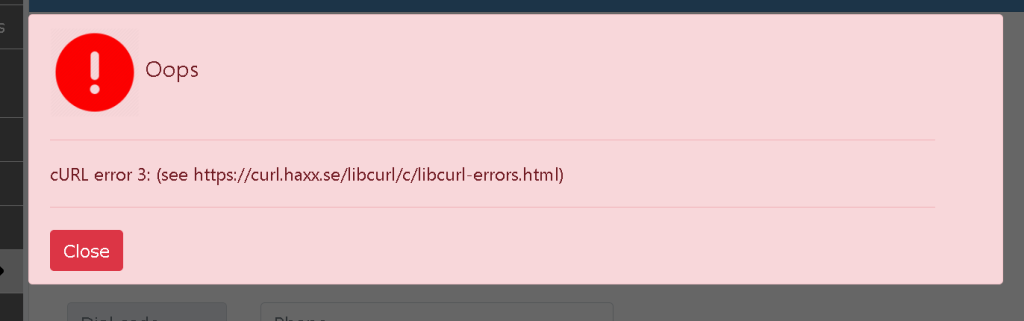
Laravel error: local.INFO: cURL error 3

cURL errors are a common stumbling block for developers, and one such error, “cURL error 3,” often leads to head-scratching moments. The cURL error 3, as indicated in the Laravel logs (local.INFO: cURL error 3), signifies a problem during the execution of a cURL request. More specifically, it points to issues related to network connectivity, DNS resolution, or accessibility of the specified URL.

  1. Misconfigured URL:
    • The URL specified in the cURL request may be incorrect or improperly formatted.
  2. DNS Resolution Problems:
    • Issues with resolving the domain name specified in the URL.
  3. Network Connectivity Issues:
    • Problems with internet connectivity or restrictions, such as firewalls, preventing the cURL request.

In my case:

Upon investigation, it was discovered that the root cause of the cURL error 3 in this scenario was a configuration oversight. Specifically, the necessary configuration parameters were not defined in the config/app.php file of the Laravel application.

Here’s the snippet of the missing configuration:

'DOCTORS_M_MANAGEMENT_BASE_URL' => env('DOCTORS_M_MANAGEMENT_BASE_URL', 'not found in .env file'),
'DOCTORS_OAUTH_TOKEN_URL' => env('DOCTORS_OAUTH_TOKEN_URL', 'not found in .env file'),
'DOCTORS_GRANT_TYPE' => env('DOCTORS_GRANT_TYPE', 'not found in .env file'),
'DOCTORS_CLIENT_ID' => env('DOCTORS_CLIENT_ID', 'not found in .env file'),
'DOCTORS_CLIENT_SECRET' => env('DOCTORS_CLIENT_SECRET', 'not found in .env file'),
'DOCTORS_CREATE_DOCTOR_USER' => env('DOCTORS_CREATE_DOCTOR_USER', 'not found in .env file'),

This simple addition enabled the application to read the required values from the .env file, preventing the cURL error 3 from occurring.

Related Posts

Expert TypeScript with NestJS Training Available in Pune

TypeScript with NestJS has become one of the most powerful combinations for building modern, scalable backend applications. Companies across Pune and India are actively searching for skilled…

Professional TypeScript with NestJS Training Available in Hyderabad

TypeScript with NestJs Training In Hyderabad is one of the fastest-growing tech skills today. Companies across Hyderabad want developers who can build strong back-end systems and make…

Advance Your Backend Skills with TypeScript and NestJS in Chennai

TypeScript with NestJs Training In Chennai is one of the fastest-growing tech skills today. Companies all over Chennai need good programmers who can build strong back-end systems…

Expert TypeScript with NestJS Training Available in Bangalore

TypeScript with NestJS training in Bangalore is one of the fastest-growing tech skills today. Companies all over Bangalore need good programmers who can build strong back-end systems…

Expert DevOps Professional Training in Hyderabad Offered Now

DevOps Training In Hyderabad stands out as a top choice for IT professionals seeking to boost their careers in software development and operations. This training bridges the…

TeamCity Training in Pune for CI CD Automation

TeamCity is a powerful Java-based continuous integration server developed by JetBrains that helps software teams build, test, and deliver applications efficiently. In today’s competitive software development landscape,…

0 0 votes
Article Rating
Subscribe
Notify of
guest
0 Comments
Oldest
Newest Most Voted
Inline Feedbacks
View all comments
0
Would love your thoughts, please comment.x
()
x