MOTOSHARE 🚗🏍️
Turning Idle Vehicles into Shared Rides & Earnings

From Idle to Income. From Parked to Purpose.
Earn by Sharing, Ride by Renting.
Where Owners Earn, Riders Move.
Owners Earn. Riders Move. Motoshare Connects.

With Motoshare, every parked vehicle finds a purpose. Owners earn. Renters ride.
🚀 Everyone wins.

Start Your Journey with Motoshare

setTimeout() in JavaScript

In JavaScript, asynchronous programming plays a vital role in creating interactive and responsive web applications. The setTimeout() function is a key component in this realm, allowing developers to introduce delays and schedule the execution of code.

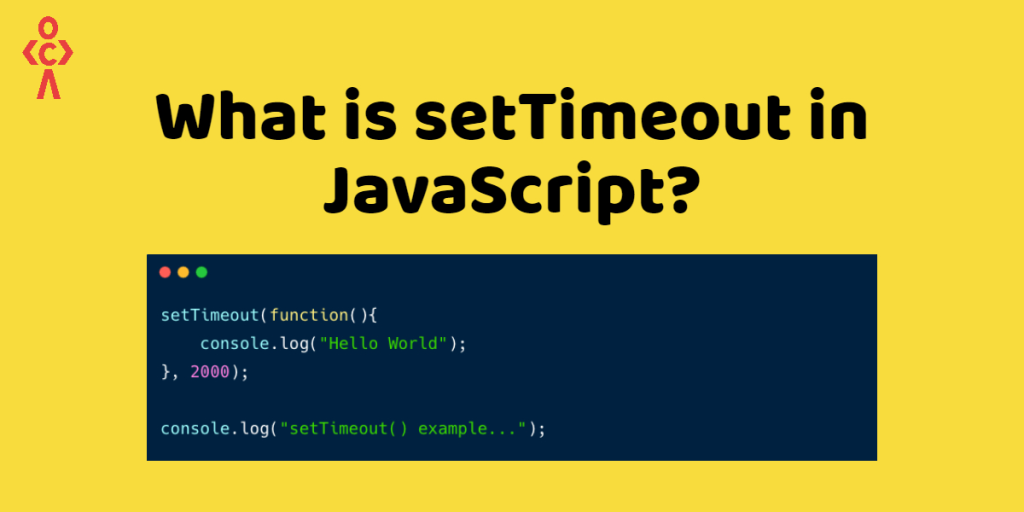
The setTimeout() function is a built-in method in JavaScript that allows you to schedule the execution of a function or a code block after a specified delay. It is primarily used for introducing time delays or implementing timeout functionality.

setTimeout(function, delay, param1, param2, …);
  1. function (required): The function parameter represents the code or the function that you want to execute after the specified delay. It can be an existing function or an anonymous function.
  2. delay (required): The delay parameter specifies the time interval, in milliseconds, after which the code or function will run.
  3. param1, param2, ... (optional): Additional parameters can be passed after the delay parameter, which will be supplied as arguments to the function being executed. This allows you to dynamically pass values to the function when it runs.

Example:

Document

This is setTimeout

In this example,

there is a function declaration msg(). This function is invoked when the button is clicked.

Within the msg() function, there is a setTimeout() call. setTimeout() is a built-in JavaScript function that allows for delayed execution. In this example, it is used to schedule an alert box to appear after a delay of 2000 milliseconds (2 seconds). The anonymous function passed to setTimeout() displays the “Welcome to setTimeout after 2 seconds” message using the alert() function.

Related Posts

How a Robust Packaging System Simplifies Software Deployment

Have you ever spent hours trying to install software on multiple computers, only to run into different errors on each one? Or perhaps you’ve been in a…

Mastering Modern Operating Systems for IT Professionals

If you work in technology, you already know that operating systems form the foundation of everything we do. Whether you’re managing servers, deploying applications, securing networks, or…

Master Deployment Automation with Octopus Deploy

If you’ve ever felt the stress of manual deployments, the fear of production failures, or the frustration of inconsistent release processes, you’re not alone. In today’s fast-paced…

Mastering NuGet for Modern .NET Development

If you work with .NET development, you’ve likely experienced the frustration of managing multiple libraries, dealing with version conflicts, and ensuring your team uses consistent dependencies. These…

Master Nexus Repository Manager for Development Teams

If you’re building, deploying, or maintaining software today, you know the chaos of dependency management all too well. The constant downloading of libraries, the mysterious “works on…

Master Nexus Repository Management for Pune Tech Teams

If you’re working in Pune’s vibrant tech industry, you know how fast things move. Whether you’re in the bustling IT parks of Hinjawadi, the growing tech hubs…

0 0 votes
Article Rating
Subscribe
Notify of
guest
0 Comments
Oldest
Newest Most Voted
Inline Feedbacks
View all comments
0
Would love your thoughts, please comment.x
()
x