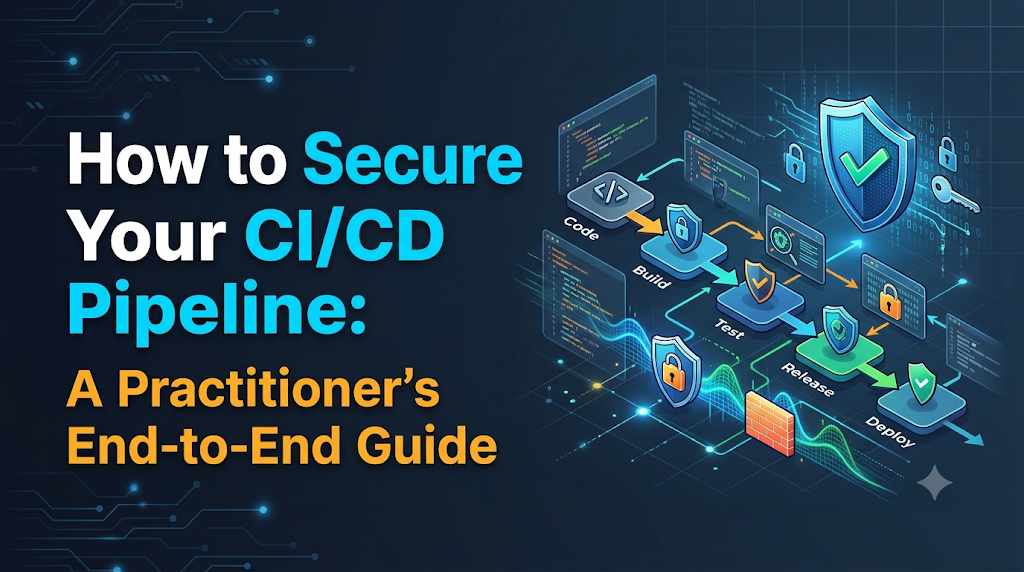
Continuous Integration and Continuous Delivery (CI/CD) pipelines are the operational backbone of modern engineering, orchestrating everything from source code compilation and third-party library resolution to container builds and direct production deployments. Because these automated delivery systems operate with high-level cloud privileges and direct network access to critical environments, they have emerged as high-value targets for attackers seeking to bypass perimeter firewalls and inject backdoors directly into release artifacts. Securing modern delivery workflows requires treating the pipeline as a first-class attack surface through cryptographic verification, identity federation, and automated policy gates—disciplines and real-world DevSecOps methodologies that platforms like DevOpsSchool help technical professionals master.
A Pipeline Can Become an Attack Path
Consider a standard deployment workflow: a developer opens a pull request against an internal microservice repository. Within seconds, a web hook triggers an automated build runner. The runner checks out the repository, reads a configuration file defined inside the root directory, installs open-source packages from a public registry, runs a test suite, contacts a cloud provider to assume a deployment role, builds an application image, and deploys it straight into a Kubernetes cluster.
Now imagine a scenario where a third-party developer account is compromised, or an untrusted external pull request modifies the pipeline definition script. If the pipeline runs with broad permissions, an injected line in the build script can execute arbitrary bash commands on the runner. The runner can read environment variables containing production cloud keys, pipe those keys out to an external server via an HTTP POST request, replace a compiled binary with a modified version, and push the compromised container image directly into the production registry.
In this scenario, every existing perimeter defense at the application layer was bypassed entirely. The application firewalls saw legitimate production deployment traffic coming from an authorized deployment runner. The security operations team received no alert because the pipeline performed its normal scheduled deployment task.
+-----------------------------------------------------------------------------------------+
|                                ANATOMY OF A PIPELINE ATTACK                             |
+-----------------------------------------------------------------------------------------+
|                                                                                         |
|  [Compromised Contributor]                                                              |
|            │                                                                            |
|            ▼                                                                            |
|    Malicious Pull Request  ──► Triggers Automated CI Runner                             |
|                                         │                                               |
|                                         ├──► Injected Script Reads Environment Secrets  |
|                                         ├──► Exfiltrates Cloud Tokens via HTTP          |
|                                         ├──► Injects Backdoor into Compiled Artifact    |
|                                         │                                               |
|                                         ▼                                               |
|                           Artifact Pushed to Registry                                   |
|                                         │                                               |
|                                         ▼                                               |
|                           Legitimate Deploy to Production                               |
|                                                                                         |
+-----------------------------------------------------------------------------------------+
Automated build and deployment systems are inherently dangerous targets because they operate with high privileges and low manual oversight. An attacker who gains control over your CI/CD pipeline does not need to search for remote code execution flaws in your customer-facing applications; they can simply instruct your build systems to write the exploit into the product on their behalf. Pipeline security must therefore be treated as a primary tier of an organization’s overall cybersecurity and infrastructure architecture.
Understand What Needs Protection
Securing a pipeline requires an inventory of all physical, virtual, and logical components involved in moving software from ideation to production. A weakness in any single component compromises the integrity of downstream stages.
- Source Code Repositories: The central ledger of application logic, database schemas, and automation code. If write access is compromised, bad actors can introduce malicious code or alter the pipeline logic directly.
- Developers and Access Permissions: The humans and automation service accounts authorized to commit code, approve pull requests, trigger jobs, and configure repository settings.
- Build Servers and Runners: The compute infrastructure (virtual machines, containers, or bare-metal servers) that executes the build steps. Shared, persistent runners retain files, logs, and potential attacker footholds across sequential builds.
- Pipeline Configuration Files: The declarative files (such as Jenkinsfiles, GitLab CI YAML, or GitHub Actions workflows) that define what code is executed during a build. If developers can change these files without independent review, they control the actions taken on the build server.
- Dependency and Package Repositories: The package managers (npm, PyPI, Maven, NuGet, Go modules) and private package mirrors where external libraries are retrieved.
- Build Artifacts and Container Images: The compiled binaries, zipped archives, and container images produced by the build phase before deployment.
- Deployment Credentials: The long-lived SSH keys, API keys, AWS IAM secrets, or service account certificates that grant the build runner rights to mutate production infrastructure.
- Staging and Production Environments: The destination compute environments (Kubernetes clusters, serverless platforms, or virtual machine fleets) that trust the build pipeline implicitly.
- Third-Party Integrations and Plugins: The auxiliary plugins, marketplace actions, code coverage bots, and analytics tools hooked into the CI platform that often run with broad administrative permissions.
+------------------------------------------------------------------------------------------+
|                              THE CI/CD ATTACK SURFACE                                    |
+------------------------------------------------------------------------------------------+
|                                                                                          |
|  [Source Code]      ──► Branch Protection, Verified Commits, RBAC, Multi-Factor Auth     |
|         │                                                                                |
|         ▼                                                                                |
|  [Pipeline Config]  ──► Script Auditing, Immutable Workflow Definitions                  |
|         │                                                                                |
|         ▼                                                                                |
|  [Dependencies]     ──► SCA Scanners, Private Mirrors, Hash Pinning                      |
|         │                                                                                |
|         ▼                                                                                |
|  [Build Runners]    ──► Ephemeral Agents, Isolated Networks, Least Privilege Execution   |
|         │                                                                                |
|         ▼                                                                                |
|  [Secrets Vault]    ──► OIDC / Workload Identity, Dynamic Tokens, In-Memory Injection    |
|         │                                                                                |
|         ▼                                                                                |
|  [Artifacts]        ──► Cryptographic Signing, SBOM Generation, Immutable Registries     |
|         │                                                                                |
|         ▼                                                                                |
|  [Environments]     ──► Admission Controllers, Deployment Gates, Environment Isolation   |
|                                                                                          |
+------------------------------------------------------------------------------------------+
Identify the Most Common CI/CD Security Threats
Securing pipelines requires understanding how real-world environments are breached. The following table contrasts the most prevalent delivery threats, their operational consequences, and the immediate warning indicators that security teams must monitor.
| Threat Vector | Mechanism & Example | Impact | Detection & Warning Signs |
| Exposed Secrets | Hardcoding API keys in code or echoing deployment credentials into raw build logs. | Unauthorized access to production databases or infrastructure accounts. | Git secret scanners firing alerts; API keys appearing in build console output; unusual IP addresses logging into cloud consoles. |
| Repo Compromise | An attacker steals an engineer’s personal access token and pushes malicious code directly to main. | Malicious code deployed directly to production, bypassing manual review. | Commits created without pull requests; commits made outside working hours; missing signature badges on commits. |
| Supply Chain Poisoning | Incorporating a hijacked third-party library or an open-source dependency affected by typosquatting. | Ingestion of backdoors, cryptocurrency miners, or data-exfiltration logic during compilation. | Software Composition Analysis (SCA) warnings; sudden additions of network-request code in utility packages; changes to lockfile domains. |
| Poisoned Pipeline Execution (PPE) | An attacker submits a pull request containing modified CI configuration files that execute arbitrary bash commands. | The build runner executes untrusted code with access to environment secrets. | Pull requests that modify .github/workflows or .gitlab-ci.yml; workflow runs executing curl commands against external endpoints. |
| Compromised Build Agents | Exploiting a persistent build agent to leave behind an administrative backdoor or persistent rootkit. | Attacker gains persistent lateral movement inside internal corporate or cloud networks. | Unexpected outward network traffic from build runners; modified runner binaries; local build directories containing stale artifacts. |
| Artifact Poisoning | Tampering with an unsigned compiled binary between the build step and the deployment step in the registry. | Deployment of untrusted binaries that do not match the tested source code. | Checksum mismatches between build and release steps; container digest updates occurring outside the CI service account. |
| Over-Privileged Runners | Assigning an AWS IAM role with AdministratorAccess to an EC2 instance running a shared Jenkins agent. | A single code execution vulnerability in any job exposes the entire AWS organization. | Cloud audit logs indicating CI roles modifying IAM policies or listing unrelated storage buckets. |
| Insecure Plugins | Installing unvetted community plugins or marketplace actions that run arbitrary code during builds. | Third-party developers can inspect environment variables or tamper with code workspaces. | Workflow files referencing unpinned community actions (e.g., uses: action@master); unknown outbound network calls during build setup. |
Protect the Source Code Before the Build Starts
Every software deployment begins as a commit. If an attacker can inject code directly into your repository without independent verification, all downstream automated controls become secondary defense lines under pressure. Securing the source code repository requires strong preventative controls.
Enforce Strict Identity and Access Controls
All contributors must authenticate using hardware-backed Multi-Factor Authentication (MFA), such as FIDO2/WebAuthn keys. Single Sign-On (SSO) tied to a central Identity Provider (IdP) ensures that when an employee leaves the company, their access to source control, personal access tokens, and SSH keys is revoked immediately.
Role-Based Access Control (RBAC) must follow the principle of least privilege. Developers should hold read or write access only to the repositories their teams maintain. Broad administrative privileges must be strictly limited to a small group of designated administrators.
Implement Mandatory Branch Protection Rules
Never allow direct commits to primary branches (main, master, release/*). All code changes must travel through a pull request (PR) or merge request workflow. Enforce the following branch protection rules:
- Require Pull Request Reviews: Require at least two independent peer approvals before merging. Ensure that the branch protection configuration explicitly dismisses approvals when new commits are pushed.
- Require Status Checks to Pass: Code must pass automated unit testing, secret scanning, and static analysis before the merge button becomes active.
- Prevent Branch Deletion and Force Pushes: Disallow
git push --forceacross all protected branches to prevent history rewrites that hide unauthorized changes. - Use CODEOWNERS Files: Assign mandatory reviews based on directories. For example, any modification to files in
.github/workflows/,deploy/, or database migrations should automatically require approval from dedicated security or platform engineering teams.
Commit Signing and Verification
Configure repositories to require GPG, SSH, or Sigstore commit signing. Git metadata allows anyone to set their commit author name and email to match an executive or lead engineer. Cryptographic commit signing ties every commit to a verified private key, allowing repository platforms to display a “Verified” badge and reject unsigned commits at the branch protection boundary.
Restrict Fork and Pull Request Execution
A common attack vector against open-source and internal enterprise repositories involves submitting a pull request from a fork that modifies the CI workflow script to exfiltrate secrets.
To mitigate this risk:
- Never pass repository secrets to builds triggered by forks or external pull requests.
- Require explicit manual authorization from a repository maintainer before running workflows submitted by first-time or untrusted contributors.
- Execute untrusted pull requests within an isolated network sandbox that has no access to internal networks or credentials.
Stop Secrets From Leaking Into Pipelines
Pipelines require credentials to operate: database passwords to run integration tests, API keys to upload test results, and administrative tokens to authenticate against cloud platforms. However, handling secrets poorly creates severe security liabilities.
+-----------------------------------------------------------------------------------------+
|                              WORKLOAD IDENTITY (OIDC) FLOW                              |
+-----------------------------------------------------------------------------------------+
|                                                                                         |
|  [CI/CD Runner]                   [Cloud Provider (AWS/GCP/Azure)]                      |
|       │                                           │                                     |
|       ├── 1. Request Short-Lived JWT ────────────►│                                     |
|       │   (Includes Repo, Branch, Job Claims)     │                                     |
|       │                                           ├── 2. Validates JWT Signature        |
|       │                                           ├── 3. Matches Against Trust Policy   |
|       │                                           │                                     |
|       │◄── 4. Issues Temporary Cloud Token ───────┤   (Valid for 15-60 Minutes)         |
|       │                                           │                                     |
|       ├── 5. Executes Scoped Deployment ─────────►│                                     |
|                                                                                         |
+-----------------------------------------------------------------------------------------+
Eliminate Long-Lived Credentials with Workload Identity (OIDC)
Storing static cloud credentials (such as an AWS Access Key ID and Secret Access Key) inside pipeline settings introduces significant risk. If those credentials leak, they remain valid until manually revoked.
Modern pipelines should use OpenID Connect (OIDC) federation. Instead of storing a static key, the CI runner requests a short-lived JSON Web Token (JWT) from the CI platform. The runner presents this token to the cloud provider (such as AWS, Google Cloud, or Microsoft Azure). The cloud provider verifies the token’s cryptographic signature, inspects the claims (such as repository name, branch, and environment), and issues a temporary credential valid only for the duration of that specific build step (typically 15 to 60 minutes).
Secure Integration with External Secrets Managers
For secrets that cannot use OIDC (such as third-party SaaS tokens), integrate your pipeline with a centralized secrets engine such as HashiCorp Vault, AWS Secrets Manager, or Azure Key Vault.
- Inject secrets into the build runner memory at runtime rather than writing them to disk.
- Ensure the CI platform automatically masks secret values in build logs to prevent accidental exposure.
- Scope secret access tightly: an integration test job must never have access to production deployment tokens.
Pipeline Implementation: Secure Secret Consumption
The following GitHub Actions workflow demonstrates how to exchange an OIDC identity token for dynamic AWS credentials and retrieve a scoped database password from an external manager without hardcoding static keys.
YAML
name: Secure Build and Test

on:
  push:
    branches: [ "main" ]

permissions:
  id-token: write  # Required for requesting the OIDC JWT
  contents: read   # Read access to the code repository

jobs:
  integration-test:
    runs-on: ubuntu-latest
    steps:
      - name: Checkout Source Code
        uses: actions/checkout@v4

      - name: Authenticate to AWS via OIDC
        uses: aws-actions/configure-aws-credentials@v4
        with:
          role-to-assume: arn:aws:iam::123456789012:role/github-actions-integration-runner
          aws-region: us-east-1
          audience: https://token.actions.githubusercontent.com

      - name: Retrieve Database Password
        run: |
          # Fetch secret from AWS Secrets Manager dynamically into a local masked variable
          DB_PASS=$(aws secretsmanager get-secret-value \
            --secret-id "test/database/credentials" \
            --query 'SecretString' \
            --output text | jq -r '.password')

          # Instruct the runner environment to mask the value if printed accidentally
          echo "::add-mask::$DB_PASS"

          # Pass secret directly into integration test command via environment variable
          APP_DB_PASSWORD="$DB_PASS" ./scripts/run-integration-tests.sh
Pre-Commit and In-Pipeline Secret Scanning
Implement secret scanning tools (such as Gitleaks or Trufflehog) as both pre-commit hooks on developer workstations and mandatory checks within the pipeline. This defense-in-depth approach catches credentials before they are pushed to the remote repository, and blocks the merge if an engineer bypasses local git hooks.
Make Build Environments Harder to Compromise
Build runners are general-purpose compute instances executing developer-defined bash commands. Leaving these environments unhardened exposes your network to lateral movement and persistence attacks.
Ephemeral vs. Persistent Runners
Persistent build agents (common in legacy Jenkins installations) present significant security risks:
- Contamination: A failed or malicious build can alter global system configurations, leave backdoors in
/tmp, or poison shared dependency caches. - Credential Theft: Subsequent builds executed on the same agent by different teams can inspect the local filesystem and recover secrets left by earlier jobs.
Build runners should be completely ephemeral. Every build job should spin up a fresh, single-use container or minimal virtual machine that is destroyed immediately upon job completion. Using Kubernetes-based runner engines (such as Actions Runner Controller or GitLab Runner on Kubernetes) ensures a pristine, predictable environment for every task.
Persistent Runners (High Risk):
  Build 1 ──► [ Shared Worker VM ] ──► Leaves Cached Secrets / Modifies Files
  Build 2 ──► [ Shared Worker VM ] ──► Can Read Stale Secrets / Poisoned Files

Ephemeral Runners (Secure Architecture):
  Build 1 ──► [ Clean Container 1 ] ──► Destroyed on completion
  Build 2 ──► [ Clean Container 2 ] ──► Destroyed on completion
Harden Runner Operating Systems and Networks
- Minimal Operating System Footprint: Run agents on minimal container base images (such as Alpine Linux or distroless images) containing only the binaries required to execute the build. Avoid installing compilers or utilities (like
netcatornmap) unless strictly necessary. - Egress Network Filtering: Apply network policies to build agents. Build runners rarely need unrestricted internet access. Restrict outbound connections to approved internal registries, code repositories, and specific package manager domains using firewall rules or web proxies.
- Rootless Execution: Configure containerized runners to run as non-root users. Never mount the host system’s Docker socket (
/var/run/docker.sock) into build containers unless using rootless isolation frameworks like Sysbox or Kaniko. Granting access to the Docker socket allows a container to escape its sandbox and gain root access to the host machine.
Automate Security Checks at Every Pipeline Stage
Automating security testing across the CI/CD pipeline enables teams to detect and address vulnerabilities before code reaches production environments. The following table breaks down the core testing categories, their operational focus, placement within the delivery cycle, and remediation expectations.
| Testing Category | Focus Area | Pipeline Placement | Primary Finding Types | Remediation Response |
| SAST (Static Application Security Testing) | Proprietary source code. | Fast feedback loop (Pull Request phase). | SQL Injection, Cross-Site Scripting (XSS), buffer overflows, insecure cryptography. | Fix application code directly before merging pull request. |
| SCA (Software Composition Analysis) | Open-source dependencies and libraries. | Pre-build / Dependency installation phase. | Known Common Vulnerabilities and Exposures (CVEs), outdated packages, restrictive software licenses. | Upgrade library version, apply safe patch, or replace package. |
| Secret Detection | Entire repository history and configuration files. | Pre-commit hook & Initial checkout phase. | Plaintext private keys, cloud tokens, API keys, database connection strings. | Revoke and rotate exposed credential immediately; scrub Git history. |
| IaC Scanning (Infrastructure as Code) | Terraform, CloudFormation, Ansible, Helm charts. | Pre-merge & Configuration validation phase. | Open security groups (0.0.0.0/0), unencrypted storage buckets, default passwords, missing logging. | Update IaC templates to comply with baseline security policies. |
| Container Scanning | Base operating system layers and system packages in container images. | Post-build / Pre-push phase. | Outdated base OS packages (e.g., OpenSSL, glibc vulnerabilities), insecure setuid binaries. | Rebase image onto patched minimal or distroless base image. |
| DAST (Dynamic Application Security Testing) | Running application endpoints. | Staging / Post-deployment validation phase. | Authentication bypasses, server configuration flaws, cross-site request forgery (CSRF). | Create high-priority engineering tasks; hotfix application or runtime infrastructure. |
Vulnerability Prioritization
Automated security tools often generate an overwhelming volume of alerts. To prevent developer burnout and tool fatigue, prioritize findings based on three factors:
- Severity Score: Use the Common Vulnerability Scoring System (CVSS) as an initial baseline.
- Exploitability (EPSS): Evaluate the Exploit Prediction Scoring System score to determine if active exploit code exists in the wild.
- Application Context: A critical vulnerability in an internal offline batch-processing script does not carry the same business risk as a high vulnerability in an internet-facing authentication service. Focus remediation efforts where exploitability intersects with real-world exposure.
Secure the Software Supply Chain From Source to Artifact
Modern applications are assembled rather than written from scratch. Up to 80% of an application’s codebase consists of third-party open-source libraries. Securing the supply chain ensures that what you run in production matches what your developers wrote, free from unauthorized external tampering.
Dependency Pinning and Private Registries
Never pull floating versions (such as latest or ^1.2.0) in your production builds. Attackers who compromise an upstream package can publish a malicious minor version that is automatically ingested by downstream builds.
- Pin Exact Versions and Hashes: Use lockfiles (
package-lock.json,poetry.lock,go.sum) that specify exact package versions along with their cryptographic sha256 checksums. - Use Private Artifact Mirrors: Route all dependency downloads through an enterprise artifact repository (such as Sonatype Nexus or JFrog Artifactory). This provides caching, vulnerability scanning, and license governance, while insulating your builds from upstream outages or package deletions.
Generate a Software Bill of Materials (SBOM)
An SBOM is a formal, machine-readable inventory of all components, libraries, and modules included within a software build. Using formats like CycloneDX or SPDX, generate an SBOM during the compilation phase:
Bash
# Example: Generate an SBOM for a container image using Syft
syft my-app:v1.0.0 -o spdx-json > sbom.spdx.json
Maintaining SBOMs allows your security operations team to respond immediately when a zero-day vulnerability (like Log4j) is disclosed. Instead of re-scanning hundreds of systems, you can simply query your central SBOM database to locate every deployed artifact containing the vulnerable component.
Cryptographic Artifact Signing and Verification
Produce verifiable proof that an artifact was built by your trusted pipeline and has not been altered since compilation.
Using tools like Sigstore Cosign, the build runner cryptographically signs container images and binaries using ephemeral keys tied to the pipeline’s OIDC identity:
Bash
# Sign the container image using the runner's OIDC identity token
cosign sign --yes my-registry.internal/apps/my-service@sha256:7f83b165...
In your deployment environments (e.g., Kubernetes), deploy an admission controller (such as Kyverno or OPA Gatekeeper). Configure the admission controller to reject any container image that lacks a valid signature from your trusted build pipeline. This stops attackers from manually pushing unverified images directly into your production clusters.
Add Security Gates Without Blocking Every Release
A common reason engineering teams bypass or disable security tools is that scans act as blunt instruments, halting deployments over minor, unexploitable findings. To maintain both security and engineering momentum, security gates must operate with risk-informed nuance.
+------------------------------------------------------------------------------------------+
|                             PROGRESSIVE SECURITY GATE DESIGN                             |
+------------------------------------------------------------------------------------------+
|                                                                                          |
|  [Security Scan Results]                                                                 |
|            │                                                                             |
|            ├── Severity == CRITICAL & Exploit Available?                                 |
|            │         │                                                                   |
|            │         ├──► YES: [FAIL PIPELINE] ──► Block deployment; alert security      |
|            │         │                                                                   |
|            │         └──► NO                                                             |
|            │               │                                                             |
|            ├── Severity == HIGH?                                                         |
|            │         │                                                                   |
|            │         ├──► Actionable Patch Available?                                    |
|            │         │         │                                                         |
|            │         │         ├──► YES: [FAIL PIPELINE] (Developer can fix quickly)     |
|            │         │         └──► NO:  [PASS WITH WARNING] (Trigger 14-day SLA)        |
|            │         │                                                                   |
|            │         └──► NO                                                             |
|            │               │                                                             |
|            └── Low / Medium Severity?                                                    |
|                      │                                                                   |
|                      └──► [PASS PIPELINE] ──► Log to Central Vulnerability Dashboard     |
|                                                                                          |
+------------------------------------------------------------------------------------------+
Risk-Based Gate Configuration
Configure your security scanners to evaluate context rather than pure vulnerability counts:
- Hard Blocks: Fail the pipeline when a Critical or High severity finding has a known, functional exploit (verified by EPSS or CISA KEV) and a safe update path exists.
- Soft Blocks / Warnings: Allow the build to proceed if a High vulnerability has no upstream fix available, but log the finding into a central dashboard and automatically open an issue with an SLA for remediation (e.g., 14 days).
- Exceptions and Compensating Controls: Establish an auditable exception process. If a vulnerability is confirmed to be unexploitable due to internal network protections, require a documented review from the security team to temporarily suppress the alert with a mandatory expiration date.
Practical Implementation: Pipeline Security Gate
The following shell script demonstrates an automated security gate that parses vulnerability scan outputs and halts the build only when critical, exploitable conditions are met:
Bash
#!/usr/bin/env bash
set -euo pipefail

SCAN_REPORT="trivy-results.json"

echo "Evaluating security findings in ${SCAN_REPORT}..."

# Count critical vulnerabilities that have an active fix available
CRITICAL_FIXABLE=$(jq '[.Results[].Vulnerabilities[]? | select(.Severity == "CRITICAL" and .FixedVersion != null)] | length' "${SCAN_REPORT}")
HIGH_FIXABLE=$(jq '[.Results[].Vulnerabilities[]? | select(.Severity == "HIGH" and .FixedVersion != null)] | length' "${SCAN_REPORT}")

echo "Found ${CRITICAL_FIXABLE} fixable CRITICAL vulnerabilities."
echo "Found ${HIGH_FIXABLE} fixable HIGH vulnerabilities."

# Gate Logic: Absolute zero-tolerance for fixable Criticals; threshold for Highs
if [ "${CRITICAL_FIXABLE}" -gt 0 ]; then
    echo "SECURITY GATE FAILED: Remediate all fixable CRITICAL vulnerabilities before deploying."
    exit 1
fi

if [ "${HIGH_FIXABLE}" -gt 5 ]; then
    echo "SECURITY GATE FAILED: Fixable HIGH vulnerabilities exceed threshold (Limit: 5)."
    exit 1
fi

echo "Security gate passed successfully. Proceeding to packaging."
exit 0
Example: Building a Secure CI/CD Workflow
Here is an end-to-end, production-grade GitHub Actions pipeline demonstrating the integration of these security controls across the complete delivery lifecycle:
YAML
name: Secure Production Delivery Pipeline

on:
  push:
    branches: [ "main" ]
  pull_request:
    branches: [ "main" ]

permissions:
  contents: read
  id-token: write
  security-events: write

jobs:
  validate-and-scan:
    name: Source Validation & Security Scans
    runs-on: ubuntu-latest
    steps:
      - name: Hardened Checkout
        uses: actions/checkout@v4
        with:
          fetch-depth: 0 # Full history for accurate secret scanning

      - name: Scan for Hardcoded Secrets
        uses: gitleaks/gitleaks-action@v2
        env:
          GITHUB_TOKEN: ${{ secrets.GITHUB_TOKEN }}

      - name: Static Application Security Testing (SAST)
        uses: github/codeql-action/analyze@v3
        with:
          category: "/language:javascript"

      - name: Software Composition Analysis (SCA)
        run: |
          # Install production dependencies cleanly based on lockfile
          npm ci --ignore-scripts
          # Audit dependencies for known vulnerabilities
          npm audit --audit-level=high

      - name: Run Unit Tests
        run: npm test

  build-and-sign:
    name: Build, Scan & Sign Container
    needs: validate-and-scan
    runs-on: ubuntu-latest
    if: github.ref == 'refs/heads/main'
    steps:
      - name: Checkout Code
        uses: actions/checkout@v4

      - name: Set up Docker Buildx
        uses: docker/setup-buildx-action@v3

      - name: Authenticate to AWS via OIDC
        uses: aws-actions/configure-aws-credentials@v4
        with:
          role-to-assume: arn:aws:iam::123456789012:role/ci-container-builder
          aws-region: us-east-1

      - name: Log in to Amazon ECR
        id: login-ecr
        uses: aws-actions/amazon-ecr-login@v2

      - name: Build and Push Local Container Image
        uses: docker/build-push-action@v5
        with:
          context: .
          push: true
          tags: ${{ steps.login-ecr.outputs.registry }}/secure-app:${{ github.sha }}
          load: false

      - name: Scan Container Image for Operating System Vulnerabilities
        run: |
          docker run --rm \
            -v /var/run/docker.sock:/var/run/docker.sock \
            aquasec/trivy:latest image \
            --exit-code 1 \
            --severity CRITICAL \
            ${{ steps.login-ecr.outputs.registry }}/secure-app:${{ github.sha }}

      - name: Install Sigstore Cosign
        uses: sigstore/cosign-installer@v3

      - name: Sign Container Image (Keyless Signing with OIDC)
        run: |
          cosign sign --yes \
            ${{ steps.login-ecr.outputs.registry }}/secure-app:${{ github.sha }}

  deploy:
    name: Production Deployment
    needs: build-and-sign
    runs-on: ubuntu-latest
    environment:
      name: production # Enforces GitHub Environment Protection Rules (Manual Approvals)
    steps:
      - name: Authenticate to Production Kubernetes
        uses: aws-actions/configure-aws-credentials@v4
        with:
          role-to-assume: arn:aws:iam::123456789012:role/k8s-production-deployer
          aws-region: us-east-1

      - name: Deploy Application to Kubernetes
        run: |
          aws eks update-kubeconfig --name production-cluster --region us-east-1
          kubectl set image deployment/secure-app \
            secure-app=${{ steps.login-ecr.outputs.registry }}/secure-app:${{ github.sha }} \
            --record

      - name: Post-Deployment Health Check
        run: |
          kubectl rollout status deployment/secure-app --timeout=120s
          curl --fail https://app.company.internal/healthz || exit 1
Deconstructing the Pipeline’s Defenses:
- Least Privilege Tokens: The workflow requests only the permissions it needs (
contents: read,id-token: write,security-events: write). - Secret Prevention: Gitleaks scans the full commit history before any compilation occurs.
- Dependency Verification:
npm ci --ignore-scriptsinstalls dependencies strictly according to the lockfile while disallowing third-party lifecycle scripts from running during installation. - OIDC Authentication: Zero static AWS keys are stored in the GitHub repository secrets store.
- Image Signing: The container is cryptographically signed using Cosign immediately after passing the Trivy security scan.
- Environment Approval Gates: The
productionenvironment requires a designated team lead to review and approve the release before the deployment job executes.
What Happens When a Pipeline Security Control Fails?
Automated security controls inevitably encounter failures, whether due to a genuine attack, a zero-day disclosure, or operational misconfigurations. When a control fails, teams need clear procedures to contain the blast radius, restore trust, and eliminate recurrence.
+-----------------------------------------------------------------------------------------+
|                              INCIDENT RESPONSE PLAYBOOK                                 |
+-----------------------------------------------------------------------------------------+
|                                                                                         |
|  1. CONTAINMENT    ──► Immediately revoke compromised tokens and stop active builds     |
|         │                                                                               |
|         ▼                                                                               |
|  2. INVESTIGATION  ──► Trace Git commits, inspect runner logs, identify blast radius   |
|         │                                                                               |
|         ▼                                                                               |
|  3. RESTORATION    ──► Revert code to last verified commit; deploy signed artifacts     |
|         │                                                                               |
|         ▼                                                                               |
|  4. POST-MORTEM    ──► Add automated regression gates; update branch protection rules   |
|                                                                                         |
+-----------------------------------------------------------------------------------------+
Scenario 1: A Secret Is Committed to a Repository
- Immediate Containment: Treat the secret as compromised instantly. Revoke the token at the source provider (e.g., invalidate the AWS IAM key or rotate the database password). Do not simply delete the commit; once a key is pushed to a remote repository, it must be presumed compromised.
- Investigation: Check cloud access logs (such as AWS CloudTrail) for the exact timeframe between when the commit was pushed and when the secret was revoked. Identify whether any unauthorized API calls were made.
- Restoration: Remove the secret from Git history using tools like
git-filter-repoor BFG Repo-Cleaner to prevent future clones from exposing the plaintext string. - Recurrence Prevention: Enforce pre-commit hooks via tooling like Husky to run local secret scans before code leaves developer machines.
Scenario 2: Critical Zero-Day Vulnerability in a Core Dependency
- Immediate Containment: The automated SCA gate halts the pipeline, preventing deployments containing the vulnerable library.
- Investigation: Check your central SBOM registry to identify every application and service currently running that specific library version in staging or production.
- Restoration: If an official patch is available, update the lockfile and deploy immediately. If no upstream patch exists, implement an architectural compensating control (such as a WAF rule blocking the exploit payload) and document an auditable security exception to allow emergency patching.
- Recurrence Prevention: Configure automated dependency update tools (such as Dependabot or Renovate) to automatically open pull requests for non-breaking patch updates as soon as they are published.
Scenario 3: Unexpected Outbound Traffic From a Build Runner
- Immediate Containment: Terminate the build job, isolate the runner instance from the network, and sever its cloud IAM session.
- Investigation: Preserve runner system logs, container layer history, and network flow records. Identify the specific pipeline script, third-party plugin, or build command that initiated the connection.
- Restoration: Rebuild and redeploy the runner base image from scratch. If the runner ran in a shared environment, invalidate all credentials that were present in memory or disk during that session.
- Recurrence Prevention: Apply restrictive egress network security group rules that drop all outbound connections except those destined for approved internal package mirrors and code repositories.
Measure and Continuously Improve Pipeline Security
Effective pipeline security cannot be managed through intuition. Teams need concrete operational metrics to track risk, evaluate the impact of controls, and identify bottlenecks without encouraging anti-patterns.
- Mean Time to Remediate (MTTR) Vulnerabilities: Measures how long it takes from the moment an automated scanner detects a critical vulnerability in a main branch to the moment the fix is deployed to production. This tracks the operational agility of your security lifecycle.
- Secret Exposure Incidents: The total number of valid secrets committed to repositories over a given quarter. A downward trend validates the adoption of local pre-commit hooks and secret managers.
- Pipeline Security Test Coverage: The percentage of organizational repositories and deployment pipelines that have active SAST, SCA, and secret detection tools enabled.
- Artifact Verification Rate: The percentage of containers and binaries running in production clusters that possess valid, verified cryptographic signatures and corresponding SBOMs.
- Unverified Pipeline Changes: The number of attempted workflow modifications that were blocked due to lack of review from designated code owners.
Avoid tying developer evaluations directly to raw vulnerability numbers. If teams are penalized purely for the number of issues flagged by an automated tool, they are incentivized to suppress scanner warnings or downgrade severity levels. Metrics should evaluate responsiveness, process coverage, and the speed at which trusted software is delivered.
A Practical Roadmap for CI/CD Security Adoption
Implementing comprehensive pipeline security across an existing engineering organization requires a structured, phased rollout. Attempting to enforce every control simultaneously risks halting delivery velocity and provoking resistance from development teams.
Phase 1: Foundation (Weeks 1-4)
  ├── Conduct audit of all code repositories, runner instances, and pipeline permissions.
  ├── Enforce MFA and SSO across the source code management platform.
  └── Deploy pre-commit and pipeline secret scanning (alert-only mode initially).

Phase 2: Secrets & Runner Isolation (Weeks 5-8)
  ├── Migrate cloud authentication from static keys to OIDC Workload Identity.
  ├── Decommission shared, persistent build runners; transition to ephemeral agents.
  └── Restrict build runner network egress using network security groups.

Phase 3: Automated Testing & Supply Chain (Weeks 9-12)
  ├── Introduce SAST and SCA scanning into pull request workflows.
  ├── Pin all dependencies and establish private, scanned artifact mirrors.
  └── Begin generating automated SBOMs during compilation phases.

Phase 4: Policy Enforcement & Governance (Weeks 13+)
  ├── Implement Cosign cryptographic signing for all container images.
  ├── Enforce admission controller checks in Kubernetes to reject unsigned images.
  └── Transition security gates from informational warnings to hard blocks for critical CVEs.
Start by securing your most critical production delivery pipelines. Prove the workflow, refine the gate thresholds to prevent false positives, and gradually expand the security framework across the rest of your organization’s projects.
Frequently Asked Questions
Why is CI/CD pipeline security important?
Automated delivery pipelines have elevated access to production environments, cloud accounts, and proprietary source code. If an attacker compromises a pipeline, they can bypass traditional network perimeters, steal administrative credentials, and inject malicious backdoors directly into production systems without alerting runtime monitoring tools.
What is DevSecOps in a CI/CD pipeline?
DevSecOps is the practice of integrating automated security validations—such as vulnerability scanning, static analysis, secrets management, and cryptographic compliance checks—directly into the continuous integration and delivery lifecycle. Instead of treating security as a manual gate at the end of a release cycle, DevSecOps provides engineers with fast, automated feedback on every pull request.
How can developers prevent secrets from leaking into Git?
Teams should use automated secret detection tools (such as Gitleaks or Trufflehog) installed as local pre-commit hooks. Additionally, organizations should transition away from static credentials, replacing them with centralized secrets managers (such as HashiCorp Vault) and short-lived OIDC workload identities that do not require storing credentials in code repositories or environment files.
Which security scans should run in a CI/CD pipeline?
A balanced pipeline should incorporate:
- Secret detection (to catch plaintext keys).
- Static Application Security Testing (SAST, to catch coding flaws).
- Software Composition Analysis (SCA, to identify vulnerable open-source libraries).
- Infrastructure as Code (IaC) scanning (to detect cloud misconfigurations).
- Container vulnerability scanning (to catch base operating system package bugs).
How can organizations secure Jenkins and GitHub Actions?
For Jenkins: Run build agents as ephemeral pods in isolated Kubernetes clusters, disable the execution of builds on the master node, enforce role-based access control, keep all plugins updated, and store credentials in an external vault. For GitHub Actions: Pin all third-party actions to immutable commit SHAs, restrict the default GITHUB_TOKEN permissions to read-only, use OIDC instead of stored repository secrets, and require manual approval before running workflows triggered by external forks.
What is software supply-chain security?
Software supply-chain security focuses on protecting every external component, tool, and process involved in creating and delivering software. This includes auditing third-party open-source libraries, verifying that package registries have not been tampered with, producing machine-readable Software Bills of Materials (SBOMs), and cryptographically signing compiled build artifacts.
Should every vulnerability fail a pipeline?
No. Halting a pipeline for every low or informational finding creates alert fatigue and halts engineering progress. Security gates should be risk-informed: block builds for critical and high vulnerabilities that have known, active exploits and available patches, while routing less critical findings to central dashboards and issue trackers with clear remediation timelines.
How often should CI/CD credentials be rotated?
Static credentials should ideally be eliminated entirely in favor of dynamic, short-lived tokens generated via OIDC, which expire automatically within minutes or hours. If static credentials must be used, enforce automated rotation at least every 90 days, and rotate them immediately if a team member with access leaves the organization or an exposure is suspected.
Security Must Travel With Every Code Change
Securing a CI/CD pipeline is not a one-time project, nor is it a checklist that can be finalized and forgotten. Modern delivery systems are dynamic environments where application code, third-party libraries, container layers, and cloud infrastructure definitions are constantly updated. A resilient security posture requires a layered defense. Hardened source code repositories and protected branches ensure that only verified, peer-reviewed logic enters the delivery lifecycle. Ephemeral build runners operating under least-privilege network policies prevent attackers from establishing persistence. Dynamic OIDC credentials eliminate the exposure of static cloud keys. Automated security scanners and risk-informed gates provide developers with clear, actionable feedback early in the cycle. Finally, cryptographic artifact signing and admission controllers guarantee that only tested, trusted software ever runs in production. When security controls operate as automated, integrated components of the delivery pipeline rather than manual hurdles, organizations achieve both high deployment velocity and durable operational resilience. Every commit becomes an auditable, verified step forward, ensuring that software moves from development to production quickly, reliably, and securely.
