Introduction
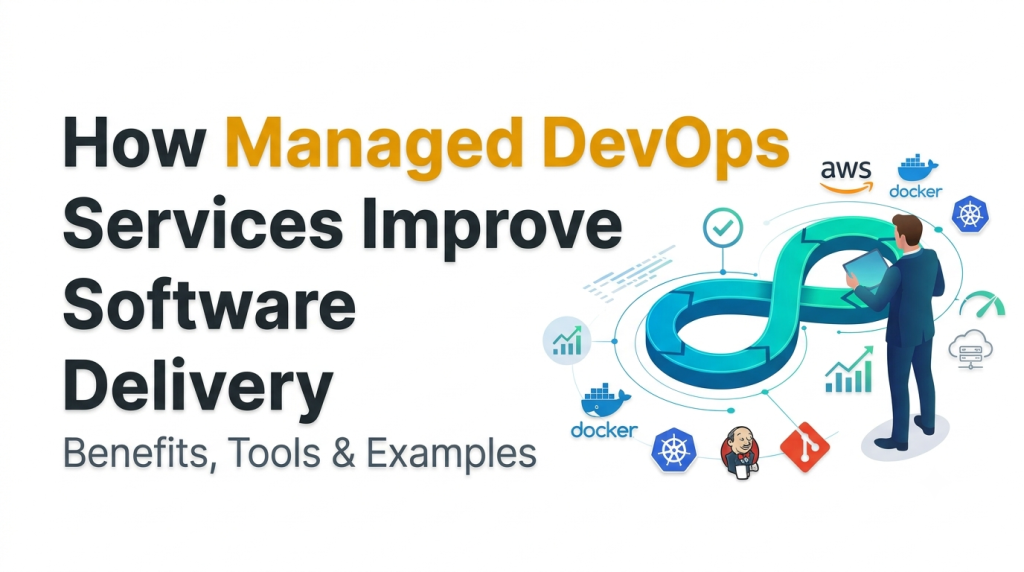
Software delivery has become a major challenge for modern businesses. Customers expect new features, faster updates, and reliable applications. Companies must also protect their systems and manage growing cloud infrastructure. Meeting all these needs requires more than skilled developers. It requires a strong software delivery process. Many organizations use DevOps to improve how they build, test, and release software. DevOps connects development and operations teams. It uses automation, collaboration, and continuous feedback to improve software delivery.
However, setting up DevOps is only the beginning. CI/CD pipelines need regular maintenance. Cloud resources need monitoring. Deployment failures need quick attention. Security checks must remain active. Production systems also need ongoing support. This is where Managed DevOps Services become valuable. They provide access to experienced DevOps professionals who help businesses manage and improve their software delivery systems. These services can cover pipeline management, infrastructure automation, cloud operations, monitoring, security, and incident support.
For example, imagine a growing software company that releases application updates every week. Its small engineering team spends hours fixing pipeline failures and managing cloud servers. These tasks reduce the time available for product development. A managed DevOps provider can take responsibility for many of these operational tasks. The internal team can then focus more on building features and improving the product.
This article explains how managed DevOps services improve software delivery. It covers their main features, working process, benefits, tools, challenges, and real-world examples.
What Are Managed DevOps Services?
Managed DevOps Services are ongoing technical and operational services provided by an external DevOps team. These services help businesses build, manage, automate, secure, and improve their software delivery processes. A managed DevOps provider works with the organization’s internal teams. It may manage CI/CD pipelines, cloud infrastructure, deployment workflows, container platforms, monitoring systems, and production operations.
Unlike a one-time DevOps setup, managed services continue after implementation. The provider monitors systems, fixes issues, improves automation, and supports regular software releases.
Common managed DevOps activities include:
- CI/CD pipeline setup, maintenance, and optimization.
- Cloud infrastructure management.
- Infrastructure as Code implementation.
- Docker and Kubernetes support.
- Automated build and testing workflows.
- Application deployment management.
- Production monitoring and alert management.
- Security scanning and vulnerability management.
- Incident response and troubleshooting.
- Cloud cost optimization.
- Backup and recovery support.
- Performance and reliability improvements.
The exact service scope depends on the company’s needs, technology stack, internal skills, and service agreement.
Managed DevOps Services vs. Traditional DevOps Support
Traditional DevOps support often focuses on specific tasks or technical problems. Managed DevOps services provide broader and ongoing operational responsibility.
| Area | Traditional Support | Managed DevOps Services |
|---|---|---|
| Support Model | Often request-based | Ongoing service arrangement |
| Pipeline Management | May be limited to specific fixes | Regular maintenance and optimization |
| Monitoring | Often handled internally | Can include continuous monitoring |
| Infrastructure | Internal team manages most tasks | Shared or outsourced management |
| Security | May be handled separately | Can include integrated DevSecOps |
| Incident Response | Depends on internal availability | Defined support and escalation process |
| Improvement | Often project-based | Continuous improvement activities |
Managed DevOps does not mean giving up control of the technology environment. Businesses can retain ownership while external experts handle agreed operational responsibilities.
Why Software Delivery Needs Managed DevOps Services
Software delivery involves many connected activities. A problem in one area can delay the entire release process.
For example, developers may complete a feature on time. However, a failed build can stop testing. A broken deployment pipeline can delay production release. A cloud configuration issue can cause application downtime.
These problems become harder to manage as applications grow.
Managed DevOps services help organizations handle this complexity. They provide specialized support for the systems and processes behind software delivery.
1. Growing Infrastructure Complexity
Modern applications often use cloud platforms, containers, microservices, and distributed databases. Managing these systems requires specialized knowledge.
A managed DevOps team can help maintain cloud environments, deployment platforms, and infrastructure configurations.
2. Limited Internal Resources
Small engineering teams may not have enough people to manage development, deployment, monitoring, security, and infrastructure.
Managed services provide access to additional expertise without requiring the business to build every capability internally.
3. Frequent Deployment Failures
Manual deployment steps and poorly maintained pipelines can create release problems.
Managed DevOps professionals can improve pipeline reliability and troubleshoot failures before they affect important releases.
4. Increasing Security Requirements
Businesses must protect application code, cloud resources, credentials, and customer data.
Managed DevOps services can include security scanning, access management, vulnerability checks, and automated security controls.
5. Need for Continuous Production Support
Applications must remain available outside normal development hours. Production incidents can happen at any time.
Managed support arrangements can provide defined monitoring, escalation, and response coverage based on the agreed service level.
How Managed DevOps Services Improve Software Delivery
Managed DevOps services improve software delivery by reducing operational delays and making delivery workflows more consistent. They help businesses connect development, testing, deployment, and operations through automation and shared processes.
Here are the major ways they improve software delivery.
1. Faster CI/CD Pipeline Implementation and Management
Continuous Integration and Continuous Delivery or Deployment are central parts of modern DevOps.
CI/CD pipelines automate the process of building, testing, and releasing software. They reduce manual steps and help developers receive feedback quickly.
However, pipelines require regular care. Build failures, broken dependencies, incorrect configurations, and tool updates can affect their performance.
Managed DevOps teams help create and maintain reliable pipelines. They can also improve existing workflows as application requirements change.
Key Activities
- Set up automated build pipelines.
- Configure code repositories and triggers.
- Integrate automated testing.
- Manage deployment workflows.
- Fix pipeline failures.
- Maintain build agents and runners.
- Improve pipeline speed and reliability.
- Configure release approvals.
Real-World Example
A SaaS company releases new application features every week. Developers use GitHub to store code. Jenkins manages the build and deployment process.
Over time, the pipeline becomes unstable. Builds fail because of outdated dependencies and inconsistent configurations.
A managed DevOps team reviews the pipeline. It updates the configurations, improves dependency management, and adds better failure notifications.
Now, developers receive faster feedback. The company can prepare releases with fewer manual steps.
2. Automation of Repetitive Tasks
Manual work slows software delivery. Engineers may spend hours creating environments, configuring servers, running deployment scripts, and checking system health.
Automation helps reduce this workload.
Managed DevOps professionals identify repetitive tasks and replace them with scripts, pipelines, and automated workflows.
Common automation activities include:
- Application builds.
- Software testing.
- Server provisioning.
- Configuration management.
- Application deployment.
- Infrastructure scaling.
- Backup processes.
- Monitoring and alerting.
- Routine maintenance tasks.
Real-World Example
An organization needs separate environments for development, testing, staging, and production.
Its engineers create each environment manually. This takes time and often leads to configuration differences.
A managed DevOps team introduces Infrastructure as Code using Terraform. The team creates reusable configuration files for the required environments.
The company can now create consistent environments more quickly. It also reduces configuration errors.
3. Improved Cloud Infrastructure Management
Cloud infrastructure supports many modern software applications. Businesses use AWS, Microsoft Azure, and Google Cloud to host applications, databases, storage, and networking services.
However, cloud environments require ongoing management. Poor resource planning can increase costs. Incorrect configurations can affect performance and security.
Managed DevOps services help organizations manage cloud resources more effectively.
Common Cloud Management Activities
- Cloud infrastructure setup.
- Resource provisioning.
- Server and network configuration.
- Cloud monitoring.
- Resource scaling.
- Backup management.
- Access control.
- Infrastructure optimization.
- Cloud migration support.
- Cost monitoring and optimization.
Real-World Example
An online retail company experiences heavy traffic during seasonal sales. Its application needs more computing resources during busy periods.
A managed DevOps team helps configure automated scaling. It also monitors resource usage and application performance.
During high traffic, the infrastructure can scale based on defined policies. When traffic drops, unnecessary resources can be reduced.
This helps the company maintain performance while managing cloud costs.
4. More Reliable Application Deployments
A deployment failure can affect customers and business operations. It may cause downtime, broken features, or data processing problems.
Managed DevOps services improve deployment reliability through standard processes, automation, and validation.
Teams can use deployment strategies that reduce the risk of releasing new versions.
Common Deployment Strategies
Rolling Deployment: Updates application instances gradually instead of replacing everything at once.
Blue-Green Deployment: Uses two environments. The team switches traffic to the new environment after checking it.
Canary Deployment: Releases a new version to a small group of users before expanding the rollout.
Rollback: Restores an earlier stable version when a new release causes problems.
Real-World Example
A financial technology company plans to release an updated payment service.
The managed DevOps team prepares a deployment pipeline. It runs automated checks and deploys the new version to a staging environment.
After validation, the team uses a canary deployment. A small percentage of traffic reaches the new version first.
The team checks error rates and response times. If the release performs well, it gradually increases traffic.
This approach helps reduce the risk of a failed production release.
5. Better Monitoring and Faster Incident Response
Software delivery does not end when an application reaches production. Teams must monitor applications and infrastructure to keep services reliable.
Managed DevOps teams can configure monitoring systems that track important performance signals. They can also help investigate alerts and production incidents.
Monitoring Activities
- Track application availability.
- Monitor CPU and memory usage.
- Check database performance.
- Collect application logs.
- Monitor network activity.
- Track API response times.
- Configure alerts.
- Investigate production failures.
Popular monitoring tools include Prometheus, Grafana, Datadog, Nagios, Zabbix, and the Elastic Stack.
Real-World Example
An online learning platform experiences slow video loading. Students report delays during live classes.
Monitoring tools show that server memory usage is unusually high. The managed DevOps team investigates the application and infrastructure metrics.
It identifies a resource bottleneck and works with developers to improve the configuration.
The team also adjusts monitoring alerts to detect similar problems earlier.
This helps reduce troubleshooting time and improve the learning experience.
6. Stronger Security Through Managed DevSecOps
Security problems can delay releases and create serious business risks. Teams need to protect source code, application dependencies, infrastructure, and production environments.
DevSecOps integrates security into the software delivery process. It helps teams identify vulnerabilities earlier.
Managed DevOps providers can support these practices through automated tools and regular security checks.
Common Security Activities
- Static Application Security Testing (SAST).
- Dynamic Application Security Testing (DAST).
- Software Composition Analysis (SCA).
- Container image scanning.
- Infrastructure security checks.
- Secret detection.
- Access control management.
- Security patching.
- Vulnerability tracking.
- Compliance support.
Real-World Example
A healthcare software company stores sensitive information. It must protect its application and infrastructure.
A managed DevOps team adds code scanning and dependency checks to the CI/CD pipeline.
The pipeline identifies vulnerable packages before deployment. The team also reviews container images and cloud permissions.
This helps the company find security risks earlier without relying only on final release checks.
7. Improved Kubernetes and Container Operations
Containers help developers package applications with their dependencies. Kubernetes helps manage containers across clusters.
However, Kubernetes environments require ongoing care. Cluster failures, resource limits, networking problems, and configuration errors can affect application availability.
Managed DevOps services can support container platforms throughout their operational lifecycle.
Common Kubernetes Activities
- Cluster setup and configuration.
- Application deployment.
- Container image management.
- Resource allocation.
- Cluster monitoring.
- Scaling configuration.
- Networking support.
- Security policy management.
- Upgrade planning.
- Troubleshooting.
Real-World Example
A SaaS company runs several microservices on Kubernetes. As the customer base grows, the cluster becomes harder to manage.
The managed DevOps team reviews resource requests and limits. It improves deployment configurations and adds monitoring dashboards.
The team also reviews scaling policies and cluster health.
The company gains better visibility into its container environment and can manage application growth more effectively.
8. Better Release Management and Standardization
Different teams may follow different release processes. This can create confusion and inconsistent results.
Managed DevOps services help standardize software delivery workflows. They can create repeatable processes for builds, approvals, testing, deployments, and rollbacks.
Key Release Management Activities
- Define release workflows.
- Manage versioning.
- Prepare release artifacts.
- Maintain deployment records.
- Configure approval steps.
- Coordinate release schedules.
- Verify production deployments.
- Maintain rollback procedures.
Real-World Example
A company has three development teams. Each team uses a different deployment process.
One team deploys manually. Another uses Jenkins. The third uses custom scripts.
This makes releases difficult to manage.
A managed DevOps team helps standardize the pipelines. It defines common testing, approval, and deployment practices.
The teams can now follow a more consistent release process while retaining flexibility for their applications.
9. Reduced Cloud Costs and Better Resource Usage
Cloud resources can become expensive when organizations do not monitor usage carefully.
Unused servers, oversized databases, idle storage, and unnecessary workloads can increase monthly costs.
Managed DevOps services may include cloud cost optimization and FinOps practices.
Common Cost Optimization Activities
- Review cloud usage.
- Identify idle resources.
- Right-size computing instances.
- Configure automatic scaling.
- Monitor storage costs.
- Review data transfer charges.
- Set budget alerts.
- Track resource ownership.
- Prepare cost reports.
Real-World Example
A software company runs development environments around the clock. However, developers use many of these environments only during working hours.
A managed DevOps team reviews resource usage. It identifies environments that can safely stop outside working hours.
The team introduces automated schedules and budget alerts.
The company reduces unnecessary cloud usage while keeping the required environments available.
10. Access to Specialized DevOps Expertise
DevOps involves many technical areas. One engineer may understand CI/CD but have limited experience with Kubernetes or cloud security.
Hiring specialists for every area can be expensive and difficult.
Managed DevOps services provide access to professionals with different technical skills. Depending on the provider, this may include expertise in cloud platforms, CI/CD, automation, containers, security, monitoring, and reliability engineering.
This support can help internal teams solve complex problems and adopt better practices.
Real-World Example
A startup plans to move from virtual machines to containers. Its developers understand the application but have limited Kubernetes experience.
A managed DevOps team helps plan the migration. It supports container packaging, cluster configuration, deployment automation, and monitoring.
The internal team learns from the process while continuing to focus on product development.
Core Components of Managed DevOps Services
Managed DevOps services may include several connected components. Businesses can select services based on their operational needs.
| Service Component | Main Responsibility | Delivery Benefit |
|---|---|---|
| CI/CD Management | Build, test, and deployment automation | Faster releases |
| CloudOps | Cloud infrastructure operations | Stable environments |
| Infrastructure as Code | Automated infrastructure provisioning | Consistency |
| Container Management | Docker and Kubernetes operations | Better application portability |
| DevSecOps | Security integration | Earlier risk detection |
| Monitoring and Observability | Metrics, logs, and alerts | Faster issue detection |
| Incident Management | Troubleshooting and recovery | Reduced service disruption |
| FinOps | Cloud cost visibility and optimization | Better resource usage |
| Release Engineering | Release planning and deployment controls | Safer releases |
The right combination depends on the application architecture, business priorities, and internal engineering capabilities.
Managed DevOps Services vs. In-House DevOps Teams
Businesses often compare managed DevOps services with building an internal DevOps team.
Both models can work well. The right choice depends on the company’s budget, technical needs, operational maturity, and control requirements.
| Comparison Area | In-House DevOps Team | Managed DevOps Services |
|---|---|---|
| Hiring | Company hires and manages specialists | Provider supplies agreed expertise |
| Team Availability | Depends on internal staffing | May include extended or 24/7 coverage |
| Technical Skills | Depends on hired team members | Can provide access to multiple specialists |
| Infrastructure Tasks | Managed internally | Shared or provider-managed |
| Operational Costs | Salaries, benefits, tools, and training | Contract-based service costs |
| Flexibility | Direct control over team priorities | Defined through service scope |
| Knowledge Ownership | Built within the company | Requires documentation and knowledge transfer |
| Scaling | Requires hiring or reassignment | Can be adjusted through the service agreement |
When an In-House Team Makes Sense
An in-house team may be suitable when:
- DevOps work is central to the company’s product.
- The business needs close daily collaboration.
- The organization has enough budget for specialists.
- It requires direct control over every operational decision.
- The company wants to build long-term internal expertise.
When Managed DevOps Services Make Sense
Managed services may be suitable when:
- Internal teams lack specialist DevOps skills.
- Pipeline maintenance takes too much development time.
- The business needs additional operational coverage.
- Cloud infrastructure is becoming complex.
- The organization wants help with automation and reliability.
- Hiring a complete DevOps team is not practical.
Some businesses use a hybrid model. Their internal engineers manage product architecture and priorities, while a managed provider handles agreed operational tasks.
Real-World Example: How Managed DevOps Improves an E-Commerce Business
Consider an e-commerce company that operates a large online shopping platform.
The business releases new features regularly. It also handles customer accounts, product catalogs, payment services, and order processing.
As traffic grows, its engineering team faces several problems:
- Deployments require manual work.
- CI/CD pipelines fail often.
- Cloud costs keep increasing.
- Production alerts are difficult to manage.
- Developers spend too much time on infrastructure.
- Releases create unexpected application errors.
The company decides to use managed DevOps services.
Step 1: Infrastructure Assessment
The managed DevOps team reviews the existing cloud infrastructure, application architecture, and deployment process.
It identifies manual tasks, configuration differences, and monitoring gaps.
Step 2: CI/CD Improvement
The team improves the existing CI/CD pipeline. It adds automated builds, testing, security checks, and deployment steps.
Step 3: Infrastructure Automation
The team uses Terraform to manage cloud resources. It also improves configuration management and environment consistency.
Step 4: Deployment Standardization
The provider introduces a standard deployment process. It includes staging validation, controlled production releases, and rollback procedures.
Step 5: Monitoring and Incident Support
The team configures monitoring dashboards and alerts. It also defines incident escalation procedures based on the service agreement.
Step 6: Continuous Optimization
The provider reviews pipeline performance, cloud usage, and recurring incidents. It recommends improvements and works with the internal engineering team.
Expected Business Outcomes
The company can work toward:
- Fewer manual deployment tasks.
- More consistent release workflows.
- Faster identification of pipeline failures.
- Better application visibility.
- Improved cloud resource usage.
- More time for developers to build features.
- Better production support.
The exact results depend on the company’s starting point, service scope, and implementation quality. Managed services provide the operational support needed to pursue these improvements.
How to Choose the Right Managed DevOps Service Provider
Choosing a managed DevOps provider is an important business decision. The provider may handle critical infrastructure and software delivery workflows.
Businesses should evaluate technical expertise, service coverage, security practices, communication, and operational processes.
1. Check Technical Expertise
Review the provider’s experience with your technology stack.
Important areas may include:
- AWS, Azure, or Google Cloud.
- Jenkins, GitHub Actions, or GitLab CI/CD.
- Docker and Kubernetes.
- Terraform and Ansible.
- Prometheus and Grafana.
- Security automation.
- Infrastructure monitoring.
2. Understand the Service Scope
Ask which activities the provider will manage. Check whether the agreement includes pipeline support, cloud operations, monitoring, incident response, security, and optimization.
Do not assume every provider includes all these services.
3. Review Support Availability
Understand the provider’s support hours and escalation process.
If your application runs globally, you may need round-the-clock monitoring and incident response.
4. Check SLAs and Response Times
A Service Level Agreement defines important service expectations.
Review details such as:
- Support availability.
- Incident priority levels.
- Response targets.
- Escalation procedures.
- Reporting frequency.
- Service exclusions.
Response time and resolution time are different. Make sure the agreement explains both.
5. Review Security Practices
The provider may need access to cloud accounts, repositories, and deployment systems.
Check how it manages credentials, access permissions, audit records, and sensitive information.
6. Ask About Documentation
Good documentation supports long-term operations. It also helps internal teams understand the systems being managed.
Ask how the provider documents pipelines, infrastructure, configurations, and incident procedures.
7. Understand Pricing
Managed DevOps pricing can depend on infrastructure size, service coverage, complexity, and required expertise.
Review the complete service scope before comparing prices. A low-cost plan may not include the operational coverage your business needs.
8. Review Experience and References
Ask for relevant case studies, client references, and examples of similar projects.
Focus on the provider’s ability to solve real operational problems rather than only its list of tools.
Best Practices for Successful Managed DevOps Implementation
A managed DevOps partnership works best when both sides understand their responsibilities.
Businesses should prepare their systems and teams before moving operational tasks to an external provider.
1. Define Clear Business Goals
Identify what you want to improve. Your goals may include faster deployments, fewer pipeline failures, better uptime, lower cloud costs, or stronger security.
2. Start With an Infrastructure Assessment
Review the current infrastructure, tools, processes, and technical risks. This gives the provider a clear starting point.
3. Define Roles and Responsibilities
Decide which tasks belong to the provider and which remain with internal teams.
Document ownership for approvals, incidents, security decisions, and production access.
4. Standardize Delivery Processes
Create common standards for source control, testing, builds, deployment, and rollback procedures.
5. Use Infrastructure as Code
Keep infrastructure configurations in version control. This improves consistency and makes infrastructure changes easier to review.
6. Add Security to the Pipeline
Use security checks throughout the development and deployment process. Define clear rules for secrets, access, dependencies, and container images.
7. Establish Monitoring and Alerting
Track application and infrastructure health. Configure alerts that help teams identify important issues without creating unnecessary noise.
8. Review Performance Regularly
Review delivery metrics, incident reports, cloud usage, and recurring pipeline problems.
Use these findings to plan improvements.
9. Maintain Knowledge Sharing
Encourage regular communication between internal engineers and the managed team. Keep documentation updated and avoid unnecessary knowledge gaps.
10. Review the Partnership
Evaluate service quality against agreed goals and SLAs. Update the service scope as business and technical requirements change.
Important Metrics to Measure Software Delivery Improvements
Managed DevOps services should produce measurable operational improvements. Businesses can use software delivery metrics to understand their performance.
Deployment Frequency
Measures how often the team releases changes to production.
More frequent releases can indicate that the delivery process supports smaller and more regular updates.
Lead Time for Changes
Measures the time between a code change being committed and reaching production.
Shorter lead times can show that testing, approval, and deployment processes are becoming more efficient.
Change Failure Rate
Measures the percentage of deployments that cause failures or require corrective action.
A lower rate generally indicates more reliable releases.
Mean Time to Restore
Measures how long the team takes to restore service after an incident.
Faster recovery can reduce the impact of production problems.
Pipeline Success Rate
Measures how often CI/CD pipeline runs complete successfully.
This helps teams identify unstable build and deployment workflows.
Infrastructure Availability
Measures whether important infrastructure and services remain available.
Businesses should define availability targets based on application needs.
Cloud Cost per Workload
Tracks cloud spending in relation to applications, environments, or business workloads.
This helps organizations understand whether resource usage is efficient.
Security Finding Resolution Time
Measures how long the team takes to address identified security issues.
It helps evaluate how effectively security problems move from detection to resolution.
These metrics should support improvement rather than create pressure to release changes without proper testing.
Common Challenges in Managed DevOps Services
Managed DevOps services offer many benefits, but businesses should understand possible challenges before starting.
1. Lack of Clear Responsibilities
Problems can occur when internal teams and providers do not know who owns specific tasks.
Solution: Define responsibilities, escalation paths, approval rights, and service boundaries in writing.
2. Poor Communication
External teams may not understand application requirements without regular communication.
Solution: Schedule technical reviews, incident discussions, and planning meetings. Use shared documentation and communication channels.
3. Limited Visibility
A business may struggle to understand what the provider is doing if reporting is unclear.
Solution: Agree on dashboards, operational reports, incident summaries, and regular service reviews.
4. Security and Access Risks
External engineers may require access to sensitive infrastructure.
Solution: Use least-privilege access, multi-factor authentication, secure credential management, and regular access reviews.
5. Dependence on the Provider
A business may become too dependent on external specialists.
Solution: Maintain internal technical ownership, updated documentation, knowledge transfer, and a clear exit plan.
6. Unclear Service Expectations
A provider may offer monitoring but not active incident resolution. This can create confusion during production problems.
Solution: Define exactly what monitoring, response, troubleshooting, and recovery services include.
7. Integration With Existing Tools
The provider may use different tools or workflows from the internal team.
Solution: Review tool compatibility before implementation. Agree on shared standards and integration methods.
The Future of Managed DevOps Services
Managed DevOps services continue to evolve as organizations adopt cloud-native systems, AI tools, automation, and modern security practices.
Several trends are shaping the future of managed software delivery.
1. AI-Assisted DevOps Operations
AI-powered tools can help analyze logs, detect unusual activity, summarize incidents, and identify possible causes of pipeline failures.
Managed teams may use these tools to improve investigation speed. Human review remains important for sensitive production changes.
2. Platform Engineering
Platform engineering creates internal platforms that provide developers with standard tools, templates, and workflows.
Managed providers can help design and operate these platforms. This can reduce repetitive setup work for development teams.
3. GitOps Adoption
GitOps uses Git repositories to manage application and infrastructure configurations.
It supports repeatable deployments and clear change history. Managed teams can use GitOps tools to improve deployment consistency.
4. Greater Focus on DevSecOps
Security will remain an important part of software delivery. Managed services will continue to include automated security checks, vulnerability management, and cloud security practices.
5. Cloud Cost Optimization
Businesses will need better visibility into cloud spending as infrastructure grows.
Managed providers can support FinOps through resource reviews, budget monitoring, and cost optimization.
6. Site Reliability Engineering
SRE practices focus on service reliability, monitoring, incident management, and measurable service objectives.
Managed DevOps teams may use SRE methods to help businesses improve production stability.
7. 24/7 Operational Support
Applications serve users across different time zones. Businesses may need monitoring and incident support beyond normal office hours.
Managed service arrangements can provide defined coverage for critical systems.
How DevOpsSupport.in Can Help With Managed DevOps Needs
Businesses looking for managed DevOps support should consider providers that combine technical expertise with practical operational services.
DevOpsSupport.in presents services across DevOps, CloudOps, DevSecOps, Kubernetes, SRE, FinOps, MLOps, DataOps, and Google Cloud. Its DevOps offering covers CI/CD pipelines, infrastructure automation, release engineering, and deployment standardization. Its broader support model also highlights production support and operational assistance.
These service areas can help organizations address different parts of the software delivery lifecycle.
For example, a company may need help maintaining CI/CD pipelines while also improving cloud monitoring. Another business may need Kubernetes support, security automation, and cloud cost reviews.
A managed service provider can help define the right combination of services based on the existing environment and business goals.
Before starting an engagement, businesses should discuss the expected scope, support hours, responsibilities, security requirements, and service-level agreements.
For more information, visit DevOpsSupport.in and review its DevOps and cloud operations services.
Frequently Asked Questions
1. What are Managed DevOps Services?
Managed DevOps Services are ongoing technical services provided by an external team. They help businesses manage CI/CD pipelines, cloud infrastructure, automation, monitoring, security, and deployments. The provider handles agreed operational tasks while internal teams focus on product development and business goals.
2. How do Managed DevOps Services improve software delivery?
They improve software delivery by automating repeated tasks and maintaining reliable pipelines. They also help reduce deployment failures, improve testing, monitor production systems, and resolve operational issues. This allows teams to release updates more consistently.
3. What is included in Managed DevOps Services?
Services may include CI/CD management, cloud operations, infrastructure automation, Docker and Kubernetes support, monitoring, incident management, security checks, release engineering, and cost optimization. The exact scope depends on the provider and service agreement.
4. Are Managed DevOps Services suitable for small businesses?
Yes. Small businesses can use managed DevOps services when they lack internal specialists or cannot afford a complete DevOps team. They can receive technical support for pipelines, infrastructure, and monitoring without hiring experts for every area.
5. What is the difference between Managed DevOps and traditional DevOps?
DevOps is a culture and set of practices that connect development and operations. Managed DevOps is a service model in which an external provider manages agreed DevOps activities on an ongoing basis. It combines DevOps practices with external operational support.
6. How do Managed DevOps Services support CI/CD?
Managed DevOps teams can build, maintain, monitor, and improve CI/CD pipelines. They automate builds, tests, and deployments. They also investigate pipeline failures and help keep release workflows reliable.
7. Can Managed DevOps Services reduce cloud costs?
Yes. Providers may review cloud resource usage, identify idle infrastructure, right-size computing resources, and configure scaling policies. They can also introduce budget alerts and cost reporting. Actual savings depend on the existing environment and optimization opportunities.
8. Do Managed DevOps Services include 24/7 support?
Some providers offer 24/7 monitoring and support. However, coverage depends on the service agreement. Businesses should confirm monitoring hours, incident response targets, escalation procedures, and resolution responsibilities before signing a contract.
9. Which tools are commonly used in Managed DevOps?
Common tools include Git, GitHub, Jenkins, GitLab CI/CD, Docker, Kubernetes, Terraform, Ansible, Prometheus, Grafana, and cloud platforms such as AWS, Azure, and Google Cloud. The provider selects tools based on the organization’s requirements.
10. How should a business choose a Managed DevOps provider?
A business should review technical expertise, service scope, support availability, security practices, SLAs, documentation, and pricing. It should also check relevant experience and references. Clear responsibilities and regular reporting are important for a successful partnership.
Conclusion
Managed DevOps services help businesses improve software delivery through automation, infrastructure management, monitoring, security, and ongoing operational support.
They reduce the burden of maintaining complex delivery systems. They also provide access to specialized expertise that may be difficult to build within a small internal team.
From CI/CD pipeline management to Kubernetes operations, managed DevOps services can support many parts of the software delivery lifecycle.
However, success depends on choosing the right provider and defining clear responsibilities. Businesses should also measure results through deployment frequency, lead time, change failure rate, recovery time, and infrastructure performance.
A strong managed DevOps partnership does not replace internal engineering teams. It supports them by handling agreed operational responsibilities and improving delivery workflows.
For organizations that want faster releases, reliable applications, stronger security, and better cloud operations, managed DevOps services can become an important part of their technology strategy.