Laravel, the PHP web application framework, has gained immense popularity for its elegant syntax and powerful features. However, like any complex software, Laravel applications may encounter issues that require adept troubleshooting skills. This advanced guide, we will explore an arsenal of techniques and tools for troubleshooting Laravel applications, ensuring the seamless operation of your web projects.
Logging and Error Handling:
- Laravel comes equipped with a robust logging system. Utilize the logging facilities to capture detailed information about errors, warnings, and application events. Configure the
config/logging.phpfile to set the desired log channels and levels.
Artisan Console Commands:
- Leverage Laravel’s Artisan console commands for various troubleshooting tasks. Commands like
php artisan route:list,php artisan config:cache, andphp artisan migrate:statusprovide insights into routes, configuration, and database migrations.
Debugging with Xdebug:
- Integrate Xdebug, a powerful PHP debugger, into your development environment. Xdebug allows for step-by-step debugging, profiling, and stack trace analysis. Configure your PHP environment to enable Xdebug, and use an IDE like PhpStorm for an enhanced debugging experience.
Database Query Debugging:
- Laravel’s Eloquent ORM provides a straightforward way to log and analyze database queries. Enable query logging in the database configuration (
config/database.php) to monitor SQL queries and their execution times. This can be immensely helpful in identifying performance bottlenecks.
Exception Handling:
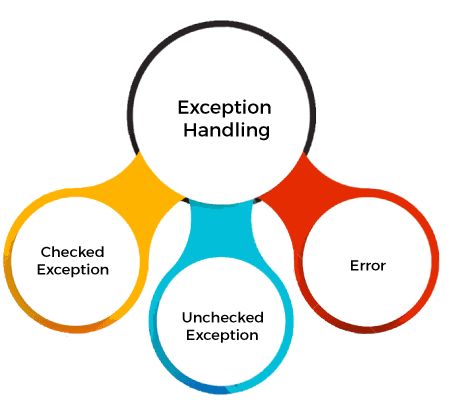
- Customize Laravel’s exception handling to suit your application’s needs. Utilize the
reportandrendermethods in theApp\Exceptions\Handlerclass to log and handle exceptions gracefully.
Laravel Telescope:

- Laravel Telescope is a powerful debugging and introspection tool. Install Telescope using Composer (
composer require laravel/telescope), and then run the migration and installation commands. Telescope provides a detailed view of requests, exceptions, database queries, and more.
Route Model Binding:

- Laravel’s route model binding simplifies data retrieval from the database. Troubleshoot issues related to route model binding by ensuring that the route parameters match the corresponding model attributes.
Middleware Inspection:
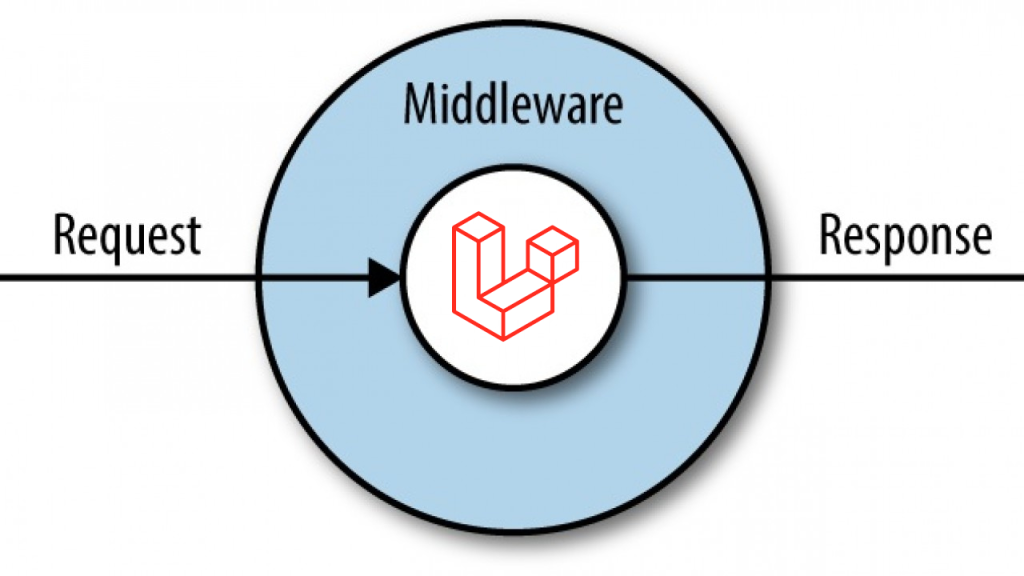
- Laravel’s middleware plays a crucial role in request processing. Troubleshoot middleware-related issues by reviewing the
App\Http\Kernelclass and checking the order of middleware execution.
Testing and PHPUnit:

- Write comprehensive tests using Laravel’s PHPUnit integration. Run tests regularly to identify regressions and potential issues. Laravel provides convenient commands like
php artisan testto execute test suites.
Composer Autoloader:

- Refresh the Composer autoloader to ensure that class files are properly loaded. Run
composer dump-autoloadto rebuild the autoloader.
Cache and Configuration:
- Laravel caches configuration files and routes for performance. Clear the configuration cache using
php artisan config:clearand the route cache usingphp artisan route:clearwhen troubleshooting configuration-related issues.
Eloquent Relationships:

- Troubleshoot issues with Eloquent relationships by examining the models, foreign keys, and database schema. Laravel’s eloquent relationships offer a convenient way to interact with related data.
Queue Workers and Jobs:
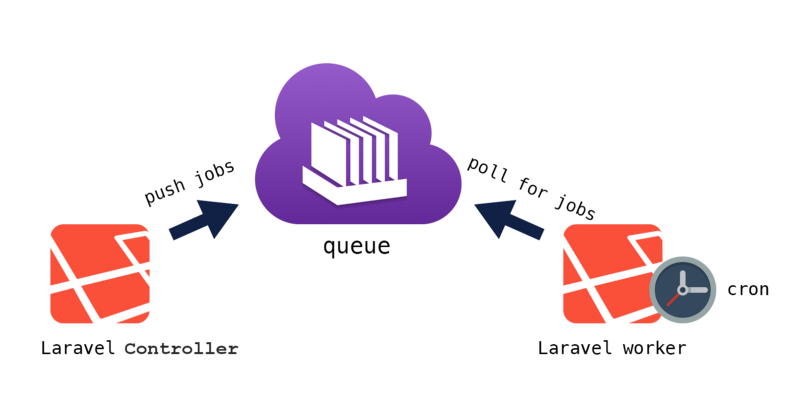
- Laravel’s queue system allows for asynchronous processing of tasks. Monitor and troubleshoot queue-related issues by checking the status of workers (
php artisan queue:work) and reviewing failed jobs.
Third-Party Packages:
- Examine third-party packages used in your Laravel application. Ensure that packages are up-to-date and compatible with your Laravel version. Troubleshoot issues by referring to package documentation and community forums.
Laravel Debugbar:
- Install Laravel Debugbar for real-time insights into your application’s performance. Debugbar provides a toolbar with information on queries, views, routes, and more.
