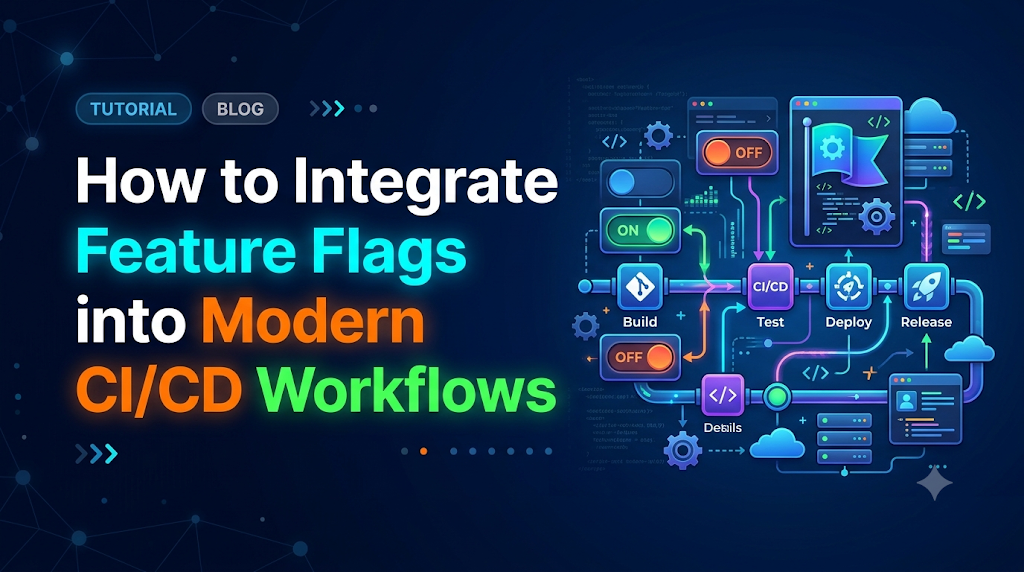
Modern continuous integration and continuous delivery (CI/CD) pipelines can rapidly build, test, and ship code to production, yet releases remain high-stress events when code deployment is tightly coupled with feature exposure. In traditional workflows, exposing new functionality simultaneously to every user forces teams to rely on stale feature branches, batched releases, and risky, high-stakes rollouts. By integrating feature flags into your delivery pipelines, teams cleanly separate technical deployment from business release, enabling developers to merge code to production continuously while keeping new functionality dormant until ready for targeted testing and phased rollouts. For practitioners sharpening their release automation and pipeline resilience, educational platforms like DevOpsSchool offer structured training on embedding these advanced deployment patterns into real-world DevOps architectures.
1. The Release Problem: Why Teams Need Feature Flags
Consider an e-commerce platform where an engineering team has spent four weeks building a streamlined, one-click checkout experience. The technical implementation touches payment gateways, inventory reservation, and profile addresses. The code has passed code review and local unit tests. However, the business faces several operational realities:
- Marketing wants to unveil the new checkout during a coordinated campaign next Tuesday at 9:00 AM.
- The payment operations team wants to run real transactions with internal employee accounts before exposing external customers.
- The database team worries that instant adoption by millions of active shoppers could overload the database write replica.
In a traditional deployment model, code releases and business releases are tightly coupled:
[Developer Commits Code]
         │
         ▼
[CI/CD Pipeline Builds & Tests]
         │
         ▼
[Artifact Deployed to Production Servers] ───► [Feature Instantly Active for 100% of Users]
                                                (High Risk: Bugs crash the app for everyone)
To accommodate business requirements in this traditional model, teams typically rely on long-lived feature branches. The code remains isolated in Git for weeks, slowly drifting from main. By the time the release window arrives, merging the branch produces painful merge conflicts. If a critical bug emerges thirty minutes into the release, the only recourse is an emergency roll-forward patch or a full pipeline rollback—reverting the entire binary and potentially undoing unrelated bug fixes deployed alongside it.
Decoupling Deployment from Release
A feature flag (also known as a feature toggle) is a decision point within application code that evaluates dynamic criteria at runtime to determine which execution path to take.
                                  ┌─── Flag = TRUE  ───► [New Checkout Experience]
[Production Traffic] ──► [Evaluate Flag]
                                  └─── Flag = FALSE ───► [Legacy Checkout Experience]
When feature flags are embedded within the application and managed across the delivery lifecycle:
- Deployment becomes a purely technical event. Code is merged to
main, built, scanned, tested, and deployed to production infrastructure without changing the user-facing experience. - Release becomes an operational and business decision. Functionality is enabled on demand, targeting specific users, gradually ramping percentages, or instantly disabled via a central control plane without rebuilding or redeploying code.
2. How Feature Flags Fit Into the CI/CD Lifecycle
Feature flags are not just runtime logic switches; they interact directly with every stage of an automated pipeline. Understanding how a flagged feature behaves across these stages prevents configuration drift and pipeline breakage.
+---------------------------------------------------------------------------------------------------------+
|                                        THE CI/CD FEATURE FLAG LIFECYCLE                                 |
+--------------------------+-----------------------------------+------------------------------------------+
| Pipeline Stage           | Action on Flagged Code            | Flag Configuration State                 |
+--------------------------+-----------------------------------+------------------------------------------+
| 1. Source Control        | Code merged behind flag wrapper   | Default state set to FALSE in source     |
| 2. Build & Compilation   | Artifact built once (immutable)   | No hardcoded environment secrets         |
| 3. Automated Testing     | Matrix tests: Flag ON and OFF     | Mocked or localized flag provider        |
| 4. Security & QA Checks  | Static code analysis scans paths  | Linters track flag definitions & schema  |
| 5. Staging Deployment    | Immutable artifact deployed       | Flag enabled for internal QA testers     |
| 6. Production Deployment | Identical artifact deployed       | Flag explicitly disabled (0% of users)   |
| 7. Progressive Release   | Runtime toggle adjusted via API   | Targeted release (e.g., 5% -> 25% -> 100%)|
| 8. Deprecation/Cleanup   | Code refactored to remove flag    | Flag marked stale and retired from UI    |
+--------------------------+-----------------------------------+------------------------------------------+
1. Source Code Management
A developer wraps the new functionality in a conditional block controlled by a flag key (e.g., enable-new-checkout). The default fallback inside the application code is explicitly set to false. This ensures that if the flag configuration service is unreachable, the application falls back safely to established behavior.
2. Build and Compilation
Modern Continuous Delivery mandates immutable build artifacts. The pipeline builds the application binary or container image exactly once. Environment-specific behaviors must not be compiled into the binary. The compiled code contains both the old logic and the new logic side-by-side.
3. Automated Testing
In traditional pipelines, automated testing runs linearly against a single codepath. With feature flags, the test runner must validate:
- The application with the flag set to
false(baseline regression testing). - The application with the flag set to
true(new feature verification). - Edge cases where the flag service fails or returns invalid payloads.
4. Code Quality and Security Checks
Static Application Security Testing (SAST) and linters scan both codepaths. Advanced linters can check flag usage against a centralized flag registry to prevent typos in flag keys, catch dead flags, and alert developers if deprecated flags are still referenced.
5. Deployment to Staging
The artifact deploys to a pre-production environment. Here, the feature flag management system connects with a “Staging” environment context. The flag is enabled specifically for QA teams, internal automated integration suites, and product stakeholders without exposing it elsewhere.
6. Production Deployment
The exact container or package tested in staging deploys to production servers. Because the production environment context has the flag set to disabled, the new code sits dark. Zero live customer traffic executes the new branch. The deployment completes with minimal operational risk.
7. Feature Activation and Monitoring
Once operations confirms infrastructure stability (CPU, memory, database query latencies), release management initiates progressive rollout. The flag state is updated via an API or centralized dashboard, routing 1% of live traffic to the new feature while observability platforms monitor real-time telemetry.
3. Understand the Different Types of Feature Flags
Not all feature flags serve the same purpose or carry the same lifecycle duration. Treating every toggle identically leads to technical debt and architectural bloat.
                           FEATURE FLAG TAXONOMY MATRIX
  Longevity
     ▲
Long │  [Permission Flags]              [Configuration Flags]
-term│  (Role-based access, tiering)    (Circuit breakers, log levels)
     │
     │
Short│  [Release Flags]                 [Experiment Flags]
-term│  (Canary rollouts, dark launches)(A/B testing, hypothesis tests)
     └─────────────────────────────────────────────────────────────►
     Low Dynamism (Static Config)       High Dynamism (Runtime Context)
1. Release Flags (Short-lived, Dynamic)
Used by developers and DevOps engineers to decouple deployment from release. They allow incomplete features to be merged into main without breaking builds.
- Lifecycle: Days to weeks.
- Cleanup: Must be deleted as soon as the feature reaches 100% rollout and stabilizes.
2. Experiment Flags (Medium-lived, Highly Dynamic)
Used for A/B/n testing and multi-armed bandit algorithmic decisions. The flag routes users to variants $A$, $B$, or $C$ based on randomization, hashing user IDs, or demographic criteria. Statistical telemetry is piped into analytics engines to measure conversion rates or performance impact.
- Lifecycle: Kept until statistical significance is achieved (typically weeks).
- Cleanup: The losing variants and evaluation wrappers are promptly excised.
3. Operational Flags (Short-to-Long-lived, Highly Dynamic)
Also known as “circuit breakers” or “kill switches.” These flags protect critical backend infrastructure. For example, if a third-party payment vendor API latency spikes above 2,000 ms, an operational flag can be toggled to disable real-time address validation, switching to an asynchronous queue to save the checkout process from timing out.
- Lifecycle: Often permanent or retained indefinitely.
- Cleanup: Reviewed during architectural audits.
4. Permission Flags (Long-lived, Dynamic)
Control access to capabilities based on authorization, enterprise subscription tiers, or user roles (e.g., granting beta features strictly to internal staff or “Enterprise” customers).
- Lifecycle: Multi-year or permanent core application logic.
- Cleanup: Rarely removed; governed by product entitlement engines.
5. Configuration Flags (Long-lived, Static/Dynamic)
Manage runtime settings such as database connection pool limits, logging verbosity, or maintenance banners without modifying configuration files or rebooting application processes.
Flag Targeting Strategies
Within these categories, evaluation engines resolve states using distinct logic:
- Boolean Toggles: A binary
true/falseswitch across an entire environment. - Percentage-Based (Canary) Targeting: Evaluates a deterministic hash of a user identifier (e.g.,
murmurhash3(userId + flagKey) % 100 < 10). This guarantees that a user in the 10% bucket consistently sees the new feature across sessions without requiring database state. - User-Segment Targeting: Evaluates dynamic user attributes, such as
user.email.endsWith('@company.com')oruser.country == 'DE'. - Environment-Specific Configuration: Distinct rule sets evaluated independently across Development, Staging, and Production.
4. Design a Feature Flag Architecture for CI/CD
Integrating feature flags into an automated delivery pipeline requires a robust architecture capable of sub-millisecond local evaluations, resilience against network partitions, and strict audit compliance.
+----------------------------------------------------------------------------------------------------+
|                                 FEATURE FLAG ARCHITECTURE OVERVIEW                                 |
+----------------------------------------------------------------------------------------------------+
                                    ┌─────────────────────────────┐
                                    │ Central Flag Management     │
                                    │ Platform (UI & Rules Engine)│
                                    └──────────────┬──────────────┘
                                                   │
                            Publish Rules via      │ Streaming / SSE
                            Out-of-Band Sync       │ (Edge Relay/Proxy)
                                                   ▼
                                    ┌─────────────────────────────┐
                                    │ Local Memory Cache / Daemon │
                                    └──────────────┬──────────────┘
                                                   │ In-process evaluation
                                                   ▼
┌────────────────────────────────────────────────────────────────────────────────────────────────────┐
│ Application Runtime (Node.js / Go / Java / Python)                                                 │
│                                                                                                    │
│  Request Context:                                                                                  │
│  { userId: "u8912", role: "beta", geo: "US" }                                                      │
│                         │                                                                          │
│                         ▼                                                                          │
│                 [Flag Client SDK] ─── (Sub-millisecond Local Hash)                                 │
│                         │                                                                          │
│        ┌────────────────┴────────────────┐                                                         │
│        ▼                                 ▼                                                         │
│  [Flag = TRUE]                    [Flag = FALSE]                                                   │
│  Execute New Path                 Execute Fallback Path                                            │
│        │                                 │                                                         │
│        └────────────────┬────────────────┘                                                         │
│                         ▼                                                                          │
│               [Telemetry Dispatcher] ──► Push Evaluation Events to Datadog / Prometheus            │
└────────────────────────────────────────────────────────────────────────────────────────────────────┘
Core Architectural Components
- Centralized Flag Management Service: The source of truth for all rules, user segments, and environment overrides. It provides administrative dashboards, role-based access control (RBAC), and webhooks.
- Local Evaluation SDK (Client/Server-Side): Highly performant SDKs embedded in your application. Production architectures avoid making blocking HTTP requests to an external service for every flag check. Instead, the SDK maintains an in-memory copy of all targeting rules (synchronized via Server-Sent Events or WebSockets) and evaluates flags locally in sub-millisecond time.
- Audit Logging & Access Control: Every toggle modification, rollout expansion, or rule adjustment must be captured with identity context (who changed it, when, and why) and linked to Jira tickets or Git commits.
- Resilience & Fallback Layer: If an application instances boots up and cannot connect to the flag service, it must fall back to local bundled defaults (such as a local JSON schema) without crashing.
- Telemetry & Metrics Bridge: Whenever a flag evaluates, an event containing the flag key, selected variant, and evaluation reason is emitted to logging or metrics pipelines for real-time monitoring.
Architecture Options: In-House Config vs. Dedicated Platforms
+---------------------+-----------------------------------+------------------------------------------+
| Dimension           | Simple In-House Configuration     | Dedicated Feature Flag Platform          |
+---------------------+-----------------------------------+------------------------------------------+
| Implementation      | Environment vars, JSON in S3, SQL | Unleash, LaunchDarkly, Flagsmith         |
| Evaluation Speed    | Fast, but requires polling/restarts| Sub-millisecond (In-memory cached SDKs) |
| User Targeting      | Hardcoded custom logic in codebase| Rich UI with multi-attribute rules       |
| Dynamic Changes     | Often requires process restarts   | Instant propagation via SSE/WebSockets   |
| Governance & Audit  | Manual Git commit logs            | Granular RBAC, audit trails, approval    |
| Operational Burden  | High maintenance as scale grows   | Vendor-maintained or packaged container  |
+---------------------+-----------------------------------+------------------------------------------+
- Application-Native Configuration (ConfigMaps/Env Vars): Suitable for simple on/off switches during pipeline deployment, but lacks user-level targeting, requires continuous app restarts or polling mechanisms, and cannot be safely delegated to non-engineering stakeholders.
- Open-Source Self-Hosted Platforms (e.g., Unleash, Flagsmith): Provide enterprise-grade flag controls, local edge proxies, streaming rule updates, and data sovereignty since flag evaluation logs remain inside private infrastructure.
- Managed Enterprise Platforms (e.g., LaunchDarkly): Fully managed multi-region platforms offering advanced progressive delivery automation, experiment metric engines, and integrations into APM systems.
5. Walk Through a Complete Feature Flag-Enabled Pipeline
To understand how a cross-functional team collaborates around a flagged feature, let us trace a concrete delivery scenario: Migrating to a New Checkout Engine.
    FEATURE FLAG-ENABLED PIPELINE PROGRESSION

    [Stage 1: Code Behind Flag]
       │  Developer creates "checkout-engine-v2", default = false.
       ▼
    [Stage 2: Version Control]
       │  PR merged into 'main'. Trunk remains stable.
       ▼
    [Stage 3 & 4: CI Build & Matrix Tests]
       │  CI executes test matrix: [flag: false] AND [flag: true].
       ▼
    [Stage 5: Image Packaging & SAST]
       │  Immutable container image built and tagged.
       ▼
    [Stage 6 & 7: Continuous Deployment to Staging]
       │  Staging config enables flag for QA testers; verifies end-to-end.
       ▼
    [Stage 8: Continuous Deployment to Production]
       │  Artifact deployed to prod servers; flag remains OFF for public.
       ▼
    [Stage 9: Progressive Production Rollout]
       │  Release Manager dials: 0% -> Internal -> 5% -> 25% -> 100%.
       ▼
    [Stage 10: Observability Gate & Cleanup]
          Health metrics green; flag scheduled for deletion in next sprint.
Step-by-Step Delivery Flow
1. Development Behind a Guard
A developer creates the feature branch. Every new payment validation routine is encapsulated inside an interface:
TypeScript
if (featureFlagClient.isEnabled("checkout-engine-v2", userContext, false)) {
  return executeModernCheckout(order);
} else {
  return executeLegacyCheckout(order);
}
The developer commits changes to main without waiting for the full UI flow to be finished. The code is safely dormant.
2. Version Control & Continuous Integration
A pull request triggers the CI pipeline. The pipeline verifies that the new code meets linting standards and runs unit tests covering both the modern and legacy checkout execution branches.
3. Build & Matrix Validation
The test suite executes integration tests under dual contexts:
- Context A:
checkout-engine-v2=false(validates no regressions occur in current production behavior). - Context B:
checkout-engine-v2=true(validates that the new checkout flow completes payment transactions successfully).
4. Packaging the Immutable Artifact
The CI pipeline compiles the binary and packages it into a Docker image tagged with the Git commit SHA (e.g., checkout-service:v2.4.1-a8f3b2e). No flag values are baked into the container.
5. Staging Deployment & Verification
The continuous delivery orchestrator updates the staging environment with the new image. The staging flag configuration rules evaluate checkout-engine-v2 to true exclusively for QA accounts and automated end-to-end Cypress/Playwright suites. Testers validate the live checkout UI against sandbox payment gateways.
6. Zero-Downtime Production Deployment
The CD pipeline promotes the identical image (checkout-service:v2.4.1-a8f3b2e) to the production Kubernetes cluster using a rolling update. In production, the flag management service reports the flag status as Disabled for general users.
7. Progressive Rollout & Telemetry Review
The software release now proceeds on its own timeline:
- Phase A (Internal Dogfooding): Enabled for accounts matching
@company.com. Employees test the new checkout flow with live financial rails. - Phase B (Canary Flight): Enabled for 1% of production users in selected test regions. SRE teams watch error logs and payment gateway failure metrics.
- Phase C (Ramped Expansion): Scaled to 10%, then 25%, 50%, and finally 100% over several days.
- Phase D (Retirement): Two sprints after reaching 100%, a ticket is automatically queued to remove the flag wrapper, leaving the modern checkout as the sole permanent implementation.
Roles and Responsibilities
+--------------------+-------------------------------------------------------------------------------+
| Role               | Key Responsibilities in Flag-Driven Delivery                                  |
+--------------------+-------------------------------------------------------------------------------+
| Software Developer | Creates flag wrappers, supplies safe defaults, and writes dual-state tests.    |
| QA Engineer        | Manages test contexts, validates edge cases, tests failure fallbacks.         |
| DevOps / Platform  | Maintains flag infrastructure, monitors latency, standardizes CI/CD pipelines.|
| Release / Product  | Owns rollout schedules, manages percentages, reviews business metrics.        |
+--------------------+-------------------------------------------------------------------------------+
6. Practical Integration: Add Feature Flags to an Automated Pipeline
Let us implement a complete, reproducible reference project demonstrating how to integrate feature flags into a Node.js/Express service managed by an automated GitHub Actions CI/CD pipeline.
Project Prerequisites
- Node.js 20+ LTS installed locally
- Git version control
- A basic understanding of GitHub Actions syntax
1. Project Directory Layout
Plaintext
checkout-service/
├── .github/
│   └── workflows/
│       └── delivery-pipeline.yml
├── src/
│   ├── app.js
│   ├── flags.js
│   └── server.js
├── test/
│   └── checkout.test.js
├── package.json
└── flags.config.json
2. Feature Flag Configuration File (flags.config.json)
For this reproducible pipeline example, we define an externalized flag configuration file. In production, this can be served via an API or fetched from a platform like Unleash or Flagsmith.
JSON
{
  "features": {
    "enable-modern-checkout": {
      "description": "Switches checkout engine from legacy to v2",
      "enabled": false,
      "allowedUserEmails": ["qa-tester@example.com", "ops-lead@example.com"],
      "rolloutPercentage": 0
    }
  }
}
3. Application Code with Local Flag Evaluation Engine
Flag Evaluation Logic (src/flags.js)
JavaScript
const fs = require('fs');
const path = require('path');
const crypto = require('crypto');

class FeatureFlagService {
  constructor(configPath) {
    this.configPath = configPath || path.join(__dirname, '../flags.config.json');
    this.flags = {};
    this.loadFlags();
  }

  loadFlags() {
    try {
      const data = fs.readFileSync(this.configPath, 'utf8');
      this.flags = JSON.parse(data).features || {};
    } catch (err) {
      console.warn(`[WARN] Could not load flag configuration: ${err.message}. Relying on safe defaults.`);
      this.flags = {};
    }
  }

  // Deterministic percentage calculation using MD5 hashing of unique user identifier
  calculateBucket(identifier) {
    const hash = crypto.createHash('md5').update(identifier).digest('hex');
    const numericVal = parseInt(hash.substring(0, 8), 16);
    return numericVal % 100;
  }

  isEnabled(flagKey, context = {}, defaultValue = false) {
    const flag = this.flags[flagKey];
    if (!flag) return defaultValue;

    // Operational Override: If globally false and no specific targeting rules apply
    if (flag.enabled === false && (!flag.allowedUserEmails || flag.allowedUserEmails.length === 0)) {
      return false;
    }

    // Direct targeting: Specific user lists
    if (context.email && Array.isArray(flag.allowedUserEmails) && flag.allowedUserEmails.includes(context.email)) {
      return true;
    }

    // Global rollout state
    if (flag.enabled === true && flag.rolloutPercentage === 100) {
      return true;
    }

    // Percentage-based rollout
    if (context.userId && typeof flag.rolloutPercentage === 'number' && flag.rolloutPercentage > 0) {
      const bucket = this.calculateBucket(context.userId);
      return bucket < flag.rolloutPercentage;
    }

    return defaultValue;
  }
}

module.exports = new FeatureFlagService();
Application Entrypoint (src/app.js)
JavaScript
const express = require('express');
const flagService = require('./flags');

const app = express();
app.use(express.json());

// Main checkout endpoint demonstrating dual codepaths
app.post('/api/checkout', (req, res) => {
  const { userId, email, items, totalAmount } = req.body;

  const context = { userId, email };
  const useModernCheckout = flagService.isEnabled('enable-modern-checkout', context, false);

  if (useModernCheckout) {
    // New Modern Path (v2)
    return res.status(200).json({
      success: true,
      engine: 'modern-v2',
      confirmationId: `MOD-${Date.now()}`,
      processedAmount: totalAmount,
      appliedOptimization: 'instant-reserve'
    });
  } else {
    // Standard Legacy Path (v1)
    return res.status(200).json({
      success: true,
      engine: 'legacy-v1',
      confirmationId: `LEG-${Date.now()}`,
      processedAmount: totalAmount
    });
  }
});

module.exports = app;
4. Dual-State Automated Tests (test/checkout.test.js)
JavaScript
const request = require('supertest');
const app = require('../src/app');
const flagService = require('../src/flags');

describe('POST /api/checkout Flag Evaluation Suite', () => {
  beforeEach(() => {
    // Reset flag definitions between test runs
    flagService.flags = {
      'enable-modern-checkout': {
        enabled: false,
        allowedUserEmails: ['qa-tester@example.com'],
        rolloutPercentage: 0
      }
    };
  });

  test('executes legacy engine when flag is disabled for normal user', async () => {
    const res = await request(app)
      .post('/api/checkout')
      .send({
        userId: 'user-standard-123',
        email: 'customer@standard.com',
        items: [{ id: 'item-1' }],
        totalAmount: 49.99
      });

    expect(res.statusCode).toBe(200);
    expect(res.body.engine).toBe('legacy-v1');
    expect(res.body.confirmationId).toMatch(/^LEG-/);
  });

  test('executes modern engine when user email matches targeting allowlist', async () => {
    const res = await request(app)
      .post('/api/checkout')
      .send({
        userId: 'user-qa-999',
        email: 'qa-tester@example.com',
        items: [{ id: 'item-1' }],
        totalAmount: 49.99
      });

    expect(res.statusCode).toBe(200);
    expect(res.body.engine).toBe('modern-v2');
    expect(res.body.appliedOptimization).toBe('instant-reserve');
  });

  test('respects percentage rollout bucket allocations correctly', async () => {
    // Force flag to 50% rollout
    flagService.flags['enable-modern-checkout'] = {
      enabled: true,
      rolloutPercentage: 50
    };

    // Given our MD5 bucket calculation, identify a deterministic user ID
    // that hashes to < 50 and one that hashes to >= 50
    const resUserBelowThreshold = await request(app)
      .post('/api/checkout')
      .send({ userId: 'alpha-user-test-7', email: 'any@test.com', totalAmount: 10 });

    const resUserAboveThreshold = await request(app)
      .post('/api/checkout')
      .send({ userId: 'beta-user-test-1', email: 'any@test.com', totalAmount: 10 });

    expect(['legacy-v1', 'modern-v2']).toContain(resUserBelowThreshold.body.engine);
    expect(['legacy-v1', 'modern-v2']).toContain(resUserAboveThreshold.body.engine);
  });
});
5. Automated CI/CD Pipeline Configuration (.github/workflows/delivery-pipeline.yml)
YAML
name: Continuous Integration & Feature Deployment Pipeline

on:
  push:
    branches: [ "main" ]
  pull_request:
    branches: [ "main" ]

jobs:
  validate-and-test:
    name: Build, Lint & Multi-State Test
    runs-on: ubuntu-latest

    steps:
      - name: Check out repository code
        uses: actions/checkout@v4

      - name: Set up Node.js LTS
        uses: actions/setup-node@v4
        with:
          node-version: 20
          cache: 'npm'

      - name: Install dependencies
        run: npm ci

      - name: Validate Feature Flag JSON Schema
        run: |
          # Ensure flag config is strictly valid JSON before build
          node -e "JSON.parse(require('fs').readFileSync('flags.config.json', 'utf8'))"

      - name: Run Unit and Matrix Tests
        run: npm test -- --coverage

      - name: Security Scan (SAST)
        run: npm audit --audit-level=high

  deploy-staging:
    name: Continuous Deployment to Staging
    needs: validate-and-test
    if: github.ref == 'refs/heads/main' && github.event_name == 'push'
    runs-on: ubuntu-latest
    environment: staging

    steps:
      - name: Check out repository
        uses: actions/checkout@v4

      - name: Simulate Staging Deployment
        run: |
          echo "[DEPLOY] Packaging application artifact..."
          echo "[DEPLOY] Pushing container to Staging Registry: registry.company.internal/apps/checkout:${{ github.sha }}"
          echo "[DEPLOY] Updating Staging Kubernetes Manifests..."
          echo "[STATUS] Deployment to Staging completed successfully."

      - name: Run Smoke Tests against Flag-Enabled Paths in Staging
        run: |
          echo "[SMOKE-TEST] Executing integration check with targeted QA context..."
          # In real pipelines, curl requests ping the live staging URL with QA headers

  deploy-production:
    name: Continuous Deployment to Production
    needs: deploy-staging
    runs-on: ubuntu-latest
    environment: production

    steps:
      - name: Check out repository
        uses: actions/checkout@v4

      - name: Deploy Immutable Container to Production
        run: |
          echo "[DEPLOY] Promoting verified artifact to Production Cluster: registry.company.internal/apps/checkout:${{ github.sha }}"
          echo "[VERIFY] Checking Production Flag Status..."
          echo "[FLAG STATUS] 'enable-modern-checkout' is currently set to DISABLED (0% traffic)."
          echo "[DEPLOY] Production rollout healthy. Zero customer impact."
7. Testing Strategies for Flagged Applications
Adding conditional branches to your software inevitably increases code complexity. If an application contains $N$ independent boolean flags, it theoretically introduces $2^N$ potential execution permutations. Without a disciplined QA strategy, teams can easily suffer from testing blind spots.
                      COMBINATORIAL TESTING EXPLOSION

    Flags (N)       Possible States (2^N)
    ─────────────────────────────────────
    1 Flag    ──►   2 states    (Trivial to test)
    2 Flags   ──►   4 states    (Manageable)
    5 Flags   ──►   32 states   (Requires automated matrix)
    10 Flags  ──►   1,024 states (Unmaintainable without strict rules)
Core Testing Pillars for Feature Flags
1. Dual-State Unit Testing
Every pull request that introduces or modifies a feature flag must test both states:
- Assert the expected behavior when the flag evaluates to
true. - Assert the expected behavior when the flag evaluates to
false. - Assert that the fallback logic executes cleanly when the flag evaluation raises an exception or the flag service is unreachable.
2. Integration and Matrix Testing in CI
Automated test suites cannot test all $2^N$ states when a project contains dozens of flags. To prevent testing gridlock, implement scoped boundary testing:
- Only test combinations of flags that interact within the same execution domain (e.g., combining a new cart calculation flag with a new shipping rate flag).
- In CI, test two primary baseline profiles:
- Production Default: All flags configured to their current production values.
- Next-Release Candidate: Established flags configured to production values, plus the newly introduced flag toggled
true.
3. Graceful Fallback Verification
Simulate network disconnects, timeouts, and malformed JSON payloads from the feature flag provider:
JavaScript
test('handles flag client disconnection gracefully by falling back to safe default', () => {
  // Simulate complete service failure
  jest.spyOn(flagService, 'isEnabled').mockImplementation(() => {
    throw new Error('ETIMEDOUT: Flag service unavailable');
  });

  // Verify application returns baseline legacy behavior without crashing
  expect(getCheckoutHandler(mockReq, mockRes)).resolves.not.toThrow();
  expect(mockRes.statusCode).toBe(200);
});
4. Environment-Specific Test Configurations
Avoid hardcoding flag states within test code. Inject flag states dynamically via environment variables, mock SDK providers, or test-scoped HTTP headers (such as X-Feature-Override: enable-modern-checkout=true) that are strictly restricted to staging environments.
8. Control Production Releases Without Rebuilding the Application
In traditional deployments, releasing an update requires a developer to trigger a CI job, run unit tests, compile an artifact, and initiate a rolling server deployment. This process can take anywhere from 10 to 45 minutes. When a critical defect slips into production, that latency directly degrades the customer experience.
Feature flags separate runtime operational control from the pipeline machinery:
+--------------------------+-------------------------------------------------------------------------+
| Release Control Action   | Mechanism via Feature Flags                                             |
+--------------------------+-------------------------------------------------------------------------+
| Internal Dogfooding      | Set targeting rule to match internal domain emails: `@company.com`.     |
| Beta Group Testing       | Target specific organization IDs or opt-in beta customer records.        |
| Percentage Ramp-up       | Set allocation dynamically: `1% -> 5% -> 25% -> 50% -> 100%`.           |
| Instant Kill-Switch      | Toggle main flag state to `false` via central dashboard or API call.   |
+--------------------------+-------------------------------------------------------------------------+
Feature Rollback vs. Application Rollback
A clear operational distinction must be made between rollbacks at the infrastructure level versus rollbacks at the feature level:
FEATURE FLAG TOGGLE (Zero Redeployment)
[Production Cluster] (Running v2.4.1)
         │
         │  ◄── API Command: Toggle Flag to FALSE (Propagates in < 500ms)
         ▼
[Modern Code Block Immediately Bypassed] (Instantly reverts to Legacy Logic)


INFRASTRUCTURE / ARTIFACT ROLLBACK (Full Redeployment)
[Production Cluster] (Running v2.4.1)
         │
         │  ◄── Trigger CI/CD Pipeline Rollback to v2.4.0 (Takes 5-25 minutes)
         ▼
[Drain Pods] ──► [Pull Old Image] ──► [Container Readiness Checks] ──► [Traffic Shift]
- Application Rollback: Replaces binary
v2.4.1withv2.4.0across your servers or Kubernetes pods. This requires spinning down containers, draining load balancers, and spinning up old versions. It carries inherent operational risks, such as database schema incompatibilities with previous code. - Feature Flag Disable: The application remains running on version
v2.4.1. Within milliseconds, the SDK receives the updated rule set via streaming connection. The next incoming user request is directed into the legacy execution branch. No containers restart, no caches are invalidated, and unrelated features deployed in the same release remain active.
9. Feature Flags With Canary and Blue-Green Deployments
Teams often ask: If we already use Canary Deployments or Blue-Green Deployments, why do we need Feature Flags?
These deployment patterns operate at different layers of the modern delivery stack. They are complementary, not mutually exclusive.
+----------------------------------------------------------------------------------------------------+
|                                INFRASTRUCTURE VS. APPLICATION LAYER                                |
+----------------------------------------------------------------------------------------------------+
                                    INCOMING TRAFFIC
                                           │
                                           ▼
┌────────────────────────────────────────────────────────────────────────────────────────────────────┐
| LAYER 1: INFRASTRUCTURE ROUTING (Canary / Blue-Green)                                              |
|                                                                                                    |
|    [API Gateway / Service Mesh / Ingress Controller (e.g., Istio, NGINX, Argo Rollouts)]           |
|                                    │                                                               |
|                 ┌──────────────────┴──────────────────┐                                            |
|                 ▼                                     ▼                                            |
|       [Pod v1.0 - Baseline (90%)]           [Pod v2.0 - Canary (10%)]                              |
|       Validates: Memory leaks, HTTP         Validates: Process crashes, CPU spikes,                |
|       500 errors, network saturation        pod startup health, TCP connectivity                   |
└─────────────────────────────────────────────┬──────────────────────────────────────────────────────┘
                                              │
                                              ▼
┌────────────────────────────────────────────────────────────────────────────────────────────────────┐
| LAYER 2: APPLICATION RUNTIME TARGETING (Feature Flags)                                             |
|                                                                                                    |
|    Inside Pod v2.0:                                                                                |
|    { user: "premium-corp", country: "CA" } ──► [Flag = TRUE]  ──► Run New Billing Logic            |
|    { user: "standard-free", country: "US" } ──► [Flag = FALSE] ──► Run Legacy Billing Logic         |
|                                                                                                    |
|    Validates: Business conversion, fine-grained user cohorts, payment gateway responses,           |
|    instant functional kill switch per customer tier.                                               |
└────────────────────────────────────────────────────────────────────────────────────────────────────┘
Detailed Comparison
| Attribute | Blue-Green Deployment | Canary Deployment | Feature Flags |
| Operating Layer | Infrastructure / Network Routing | Infrastructure / Traffic Shifting | Application Runtime Logic |
| Routing Mechanism | Load balancer switches DNS/VIP | Weighted split of total traffic (e.g., 5%) | Context-aware evaluation (User ID, Role, Tenant) |
| Targeting Granularity | Coarse (All or nothing) | Coarse (Random percentage of anonymous packets) | Highly granular (Down to specific users or attributes) |
| Deployment Decoupled? | No | No | Yes (Deploy anytime, release selectively) |
| Primary Risk Addressed | Failed container launches, service crashes | Memory leaks, connection drops, regressions | Business logic bugs, broken workflows, external API limits |
| Execution Latency | Minutes (Health check polling) | Minutes (Traffic weight increment intervals) | Sub-second (Rule change pushed via WebSockets) |
When to Combine These Approaches
Using all three patterns simultaneously for every microservice can add unnecessary overhead. The combined approach is most valuable during high-risk, high-impact releases:
- Use Canary Deployments to verify that a new application build does not exhaust memory, deadlock connections, or crash under load.
- Use Feature Flags inside that canary build to ensure that the newly written payment gateway integration is evaluated solely for internal alpha accounts before exposing it to the broader traffic running on that same canary instance.
10. Monitoring, Security, and Governance of Feature Flags
A feature flag management system is a mission-critical component of your production runtime. A security breach or operational failure in your flag configuration plane directly affects how application logic executes across your environments.
                           FEATURE FLAG GOVERNANCE LIFECYCLE

    [1. Creation]     ──► Strict naming schema, assigned owner, expiration date.
          │
    [2. CI Verification] ──► Static linting confirms flag registry match; dual tests pass.
          │
    [3. Deployment]   ──► Flag deployed in default-off state to all environments.
          │
    [4. Runtime Gate] ──► Access control (RBAC) + MFA required for production toggle.
          │
    [5. Observability]──► Evaluations tagged in APM traces; alerts monitor error rates.
          │
    [6. Expiration]   ──► Automated alert fires: "Flag stale for > 30 days. Queue cleanup."
1. Telemetry and Rollout Monitoring
Every time a feature flag is evaluated, it should enrich application telemetry:
- Metric Tagging: In Prometheus or Datadog, tag outgoing latency and error rate metrics with the flag variant:
http_requests_total{status="500", flag_checkout_v2="true"} - Automated Alerting: If the error rate for requests evaluating
flag_checkout_v2=truespikes above 1% while thefalsevariant remains at 0.05%, trigger an automated pager alert or an automated rollback webhook that flips the flag tofalse.
2. Security and Access Control (RBAC)
- Separate Environment Keys: Ensure developers hold administrative rights in Development and Staging, but lack permission to toggle flags directly in Production without peer-approved change management.
- Enforce Multi-Factor Authentication (MFA): Modifying production targeting rules should require MFA and follow a four-eyes principle (peer approval) similar to merging code into
main. - Protect Sensitive Secrets: Never use feature flag targeting contexts to pass sensitive user information like cleartext passwords, tokens, or unencrypted personally identifiable information (PII). Pass salted, hashed identifiers instead.
3. Flag Lifecycle Governance and Cleanup
The most common hazard of feature flagging is technical debt accumulation. Left unchecked, obsolete conditionals can clutter the codebase:
// TECHNICAL DEBT ANTI-PATTERN: The "Flag Onion"
if (flags.isEnabled('checkout-2024')) {
  if (flags.isEnabled('stripe-v3-migration')) {
    if (flags.isEnabled('enable-promo-v2')) {
       // Deeply nested, untestable application logic
    }
  }
}
- Assign Owners: Every flag must have a designated engineering team or developer owner recorded in metadata.
- Define Expiration Dates: Set an explicit Time-To-Live (TTL) upon creation (e.g., Release Flags expire 30 days after creation).
- Automated Stale-Flag Audits: Run scheduled CI jobs or linters that scan the codebase for flags marked as
100% rolled outfor more than two weeks, automatically opening cleanup PRs to remove the obsolete conditional branches.
11. Common Problems in Feature Flag-Driven CI/CD Workflows
Problem 1: Code Deployed but Feature Never Released (Dead Logic)
- Symptom: Code sits dark in production for months. When finally enabled, it crashes immediately because downstream dependencies, database schemas, or external APIs have drifted.
- Root Cause: Lack of ownership and release tracking between engineering and product teams.
- Debugging Approach: Query your flag management platform for flags that have seen zero state changes for over 45 days.
- Solution: Link feature flags directly to Jira/issue tracking tickets. If a flag is not activated within two release cycles, either schedule its release or remove the dormant code from the repository.
Problem 2: Staging and Production Configuration Drift
- Symptom: A feature works seamlessly during QA verification in staging, but throws runtime reference errors immediately upon release in production.
- Root Cause: The staging environment had custom flag overrides and auxiliary dependent flags enabled that were not replicated in production.
- Debugging Approach: Diff the targeting definitions and flag dependency graphs between Staging and Production.
- Solution: Store flag definitions declaratively as code (Flag-as-Code) inside your Git repository. Validate dependencies between flags programmatically in your CI pipeline before allowing deployment.
Problem 3: Tests Pass Only When Flags are Enabled
- Symptom: CI pipelines pass locally and in staging, but production alerts fire for users still routed to the legacy codepath.
- Root Cause: Automated unit and integration tests only executed assertions against the
trueflag state, leaving the legacyfalsefallback untested after refactoring. - Debugging Approach: Inspect test coverage reports specifically for the conditional
elsebranch of the flag evaluation point. - Solution: Enforce dual-state execution rules in your CI test runners. Fail builds if code coverage in the fallback path drops below your repository baseline.
Problem 4: Flag Service Outage Crashes the Application
- Symptom: An external feature flag SaaS platform suffers an outage or a network firewall drops connection, causing application workers to throw unhandled promise rejections and fail health checks.
- Root Cause: The application SDK was initialized with a blocking configuration or lacked a local fallback strategy.
- Debugging Approach: Check application logs for uncaught network timeouts originating from the flag provider client.
- Solution: Ensure all flag evaluations are non-blocking, rely on an in-memory cache, and wrap calls in defensive default handlers:
JavaScript
// Resilient wrapper pattern
try {
  return flagClient.isEnabled(key, context, FALLBACK_DEFAULT);
} catch (err) {
  metrics.increment('flag.evaluation.error', { key });
  return FALLBACK_DEFAULT;
}
Problem 5: Rollout Exposes Features to the Wrong Cohort
- Symptom: An enterprise customer sees unpolished beta functionality intended strictly for internal testing.
- Root Cause: Incorrect targeting rules or context evaluation errors (e.g., passing
tenantIdwhere the rule engine expecteduserId). - Debugging Approach: Audit flag evaluation logs for the affected user session to review the context payload and matching rule.
- Solution: Use strictly typed schemas (such as TypeScript interfaces or JSON Schema) for evaluation contexts. Validate evaluation logic with automated integration tests before pushing targeting rule updates to production.
12. Improve Your Existing Pipeline With Feature Flag Best Practices
Integrating feature flags into an existing delivery pipeline does not require an all-at-once migration. Start by applying these practical conventions to your next feature release:
- Use Strict, Descriptive Flag Naming Conventions: Avoid ambiguous names like
new-uiortest-patch. Use structured, domain-specific names:<team>.<domain>.<feature-name>.<flag-type>- Example:
checkout.billing.instant-reserve.release - Example:
search.indexer.solr-circuit-breaker.operational
- Example:
- Assign Every Flag an Explicit Owner and Context: Every flag in your configuration must contain metadata fields identifying the owner email, Slack channel, associated Git issue, and an expiration timestamp.
- Separate Runtime Configuration from Application Secrets: Never use feature flag systems to distribute cryptographic private keys, database passwords, or payment API tokens. Flags control execution paths; dedicated secret managers (e.g., HashiCorp Vault, AWS Secrets Manager) manage credentials.
- Always Test Both Flag States in Automated Pipelines: Treat the
falsestate as a critical production codepath, not an afterthought. Your test suite must continuously validate both branches until the flag is completely retired. - Provide In-Code Fallbacks for Network Partitions: Hardcode a safe default directly into the evaluation call inside your application code. If your central flag system becomes unreachable, the application should continue running using safe defaults.
- Standardize Rollout Steps: Establish predictable, phased rollout standards for release flags across the team:$$\text{Stage 1: Internal Staff} \longrightarrow \text{Stage 2: 1\% Canary} \longrightarrow \text{Stage 3: 25\%} \longrightarrow \text{Stage 4: 100\% GA}$$
- Tie Rollouts to Real-Time Metrics: Before expanding a rollout from 5% to 25%, verify baseline service metrics (HTTP 5xx rates, P99 response latencies, business conversion). Automate this gate where possible.
- Enforce Role-Based Permissions for Production Releases: Keep your environments cleanly separated. Developers should have full control to toggle flags in Development and Staging, while changes in Production require elevated permissions and clear audit trails.
- Schedule Flag Cleanup in the Same Epic as Feature Creation: Do not treat flag cleanup as an optional task. When a new feature ticket is created, immediately create its corresponding cleanup ticket: “Remove flag
checkout.billing.instant-reserve.releaseand legacy code paths.” - Document Release Decisions in Audit Trails: Whenever a percentage rollout is changed in production, include a brief reason in the change comment (e.g., “Ramping to 25% following 2 hours of healthy metrics at 5%”). This helps team members coordinate during incident response.
13. Practical Implementation Project
To solidify these concepts, follow this hands-on project to build a feature-flag-enabled CI/CD workflow from scratch.
Project Overview: The Resilient Notification Service
Build a microservice that sends notifications via email, featuring a flag-controlled upgrade to support SMS delivery and a dynamic kill-switch.
Deliverables Checklist
Markdown
-  1. Git Repository Setup
      Initialize a Git repo containing the microservice and flag definitions.
-  2. Implementation of Two Distinct Flags
      - Flag A (Release Flag): `enable-sms-notifications` (Boolean & targeting).
      - Flag B (Operational Flag): `maintenance-mode-kill-switch` (Boolean).
-  3. Automated Dual-State Test Suite
      Write unit and integration tests covering all combinations of Flag A and Flag B.
-  4. Automated CI Pipeline
      Configure GitHub Actions or Jenkins to:
      - Lint code and validate the flag configuration schema.
      - Run the dual-state test suite.
      - Build a container image tagged with the commit SHA.
-  5. Progressive Rollout Exercise
      - Deploy to a test environment with `enable-sms-notifications` set to `0%`.
      - Update configuration to target your personal email address.
      - Ramp rollout percentage to 50% and observe deterministic bucketing.
-  6. Emergency Kill Switch Drill
      - Simulate a failure in the SMS provider.
      - Flip `maintenance-mode-kill-switch` to `true`.
      - Confirm the service returns HTTP 503 maintenance payloads without crashing.
Demonstration for Technical Interviews & Portfolios
To present this project effectively in a technical portfolio or interview:
- Walk through the Git history: Show how code was merged behind a disabled flag before it was completed, demonstrating an understanding of trunk-based development.
- Highlight the test matrix: Point to the CI run logs verifying that both the legacy email pathway and modern SMS pathway ran in parallel under automated tests.
- Demonstrate the operational toggle: Show that the feature was enabled and disabled in production via an external configuration update without re-triggering a build or redeploying containers.
14. Frequently Asked Questions
What are feature flags in CI/CD workflows?
Feature flags in CI/CD workflows are conditional control points in application code that evaluate dynamic rules at runtime. They decouple technical deployments (moving code to servers) from business releases (exposing features to users), allowing teams to deploy code to production continuously while keeping new functionality hidden until ready.
How do feature flags improve continuous delivery?
Feature flags allow teams to practice true trunk-based development by merging small, frequent pull requests directly into main. Incomplete features can be merged safely behind a disabled flag, eliminating long-lived feature branches, reducing painful merge conflicts, and preventing unverified code from impacting production users.
Can feature flags be integrated with Jenkins?
Yes. Jenkins pipelines can validate flag configuration files, run matrix tests against multiple flag states, and interact with feature flag management platforms via REST APIs or CLI tools. For example, a Jenkins pipeline stage can automatically enable a flag in a staging environment prior to running end-to-end integration tests.
How are feature flags used in GitHub Actions?
In GitHub Actions, feature flags are validated using automated workflow steps. Pipelines can lint flag configuration files, run unit test matrices that mock flag evaluations, and use GitHub Actions environments to securely promote flag configuration changes between staging and production.
Do feature flags require a new deployment when activated?
No. This is one of their core benefits. Once flagged code is deployed to your servers, activating, modifying, or disabling the feature is done by updating rules in a centralized feature flag service or configuration store. The running application picks up the change dynamically via WebSockets, server-sent events, or polling, without restarting containers or redeploying code.
What is the difference between feature flags and environment variables?
Environment variables are static values read when an application process boots up. Changing an environment variable typically requires updating configuration maps and restarting the application process or redeploying pods. Feature flags are dynamic runtime controls that can evaluate context (such as user identity or role) on every single request and can change state instantaneously without restarting the application.
Can feature flags support canary releases?
Yes. Feature flags can implement application-layer canary releases. By calculating a consistent hash of an authenticated user’s ID or session token, the flag evaluation engine can route a deterministic percentage of traffic (e.g., 5%) to new functionality while keeping the remaining 95% on the legacy path, all within the exact same deployed application instance.
How should feature flags be tested in production?
To test flags safely in production, configure targeting rules that restrict evaluation to internal team members, specific test accounts, or internal corporate IP addresses. This technique—often called “dark launching” or “dogfooding”—allows teams to verify features against live production databases and networks without exposing external customers to untested code.
What happens if a feature flag service goes offline?
Well-designed feature flag SDKs do not make blocking external network calls during runtime evaluations. Instead, they maintain an in-memory cache of targeting rules synchronized in the background. If the flag service goes offline, the SDK continues evaluating flags against its cached rules. If the application restarts during an outage, it falls back to predefined local defaults bundled inside the application code.
When should unused feature flags be removed?
Temporary release flags should be scheduled for removal as soon as a feature reaches 100% rollout and has stabilized in production for one or two release cycles. Leaving stale flags in code increases technical debt, complicates automated testing, and makes the application logic harder to maintain.
15. Conclusion: Make Delivery More Flexible With Feature Flags
Integrating feature flags into modern CI/CD workflows transforms software delivery from a high-risk gamble into a controlled, progressive operational standard. By decoupling technical deployments from user-facing feature activation, engineering teams can maintain fast-paced trunk-based development, run safe in-production testing, and execute granular rollouts with instant fallback capabilities. Achieving long-term reliability simply requires pairing these runtime controls with diligent test coverage across both flag states, disciplined access management, and routine cleanup of deprecated toggles. As engineering organizations look to master these continuous delivery and release automation patterns, educational resources from DevOpsSchool provide a solid foundation for building resilient, enterprise-ready pipelines that balance rapid release velocity with rock-solid system stability.
