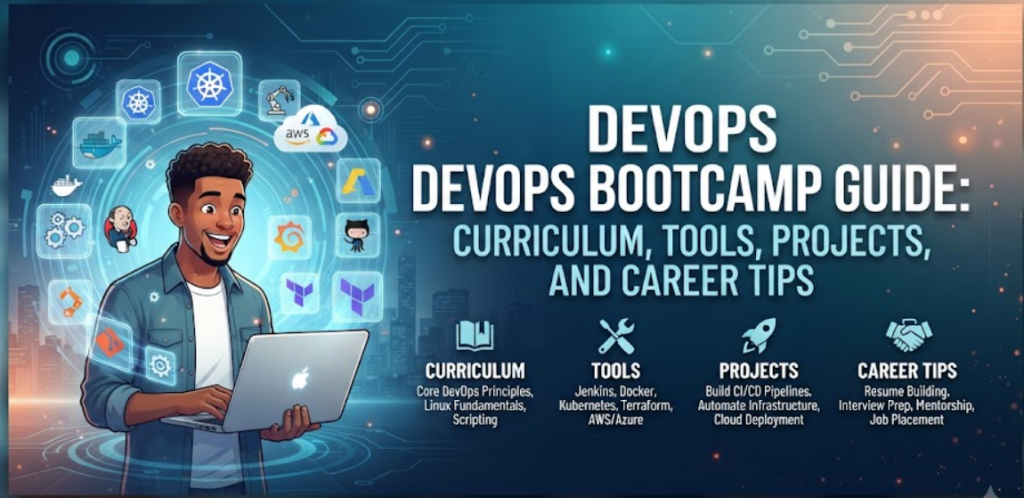
Introduction
A DevOps bootcamp is an intensive and structured learning program designed to help individuals transition into modern technology roles. Many beginners, developers, system administrators, and working professionals consider bootcamps as an efficient way to build practical, industry-aligned skills without spending years navigating scattered online tutorials. Because the technology landscape moves quickly, these programs focus heavily on bridging the gap between theoretical knowledge and real-world implementation.
When joining a comprehensive program through providers like DevOpsSchool , learners can realistically expect a rigorous blend of technical instruction, hands-on labs, guided assignments, collaborative projects, technical assessments, and career preparation. The goal is not just to teach syntax or theory, but to build a problem-solving mindset that allows engineers to automate workflows, manage cloud infrastructure, and maintain reliable software delivery pipelines.
What Is a DevOps Bootcamp?
A DevOps bootcamp is a fast-paced, immersive educational program focused on teaching the tools, practices, and cultural philosophies required to bridge software development and IT operations. Unlike traditional academic courses that often emphasize long-term theoretical foundations, bootcamps are structured around practical execution, simulated production environments, and modern toolchains.
The learning model is deeply project-based, requiring learners to configure servers, write automation scripts, build pipelines, and deploy applications. This format benefits individuals looking for a clear, guided roadmap rather than trying to piece together complex cloud and automation topics independently.
| Traditional Learning | DevOps Bootcamp |
| Learning pace | Slow, semester-based |
| Practical work | Limited, mostly theoretical |
| Projects | Single final assignment |
| Assessments | Exams and quizzes |
| Career preparation | Minimal or separate |
Who Should Join a DevOps Bootcamp?
Bootcamps are designed to accommodate a diverse range of technical backgrounds, making them accessible to multiple groups of IT and software professionals.
- Beginners and Students: Individuals starting from scratch who want a structured pathway into technology.
- Fresh Graduates: Computer science and engineering graduates looking to acquire industry-demanded automation and cloud skills.
- Software Developers: Programmers wanting to understand how their code is built, tested, deployed, and monitored in production.
- System Administrators and Linux Professionals: Traditional IT staff looking to modernize their skill sets with cloud, containers, and infrastructure as code.
- QA Engineers: Quality assurance professionals aiming to transition into automation, continuous testing, and release engineering.
- Cloud Learners: Enthusiasts wanting a deeper understanding of cloud infrastructure and operational workflows.
- Career Changers: Professionals from non-technical backgrounds willing to put in the necessary effort to learn technical fundamentals.
- Experienced IT Professionals: Senior engineers wanting to formalize their knowledge of modern DevOps toolchains.
While foundational computer literacy is necessary, previous professional programming experience is helpful for certain scripting topics but is not strictly required for every learner.
What You Will Learn in a DevOps Bootcamp
A comprehensive curriculum covers the entire software delivery lifecycle, focusing on foundational utilities, automation frameworks, and cloud platforms.
| Learning Area | What You Can Expect to Learn | Beginner Importance |
| Linux Fundamentals | Command line, file permissions, process management | Critical |
| Version Control | Git branching, merging, pull requests, collaboration | Critical |
| Networking & Security | TCP/IP, DNS, HTTP, firewalls, basic security principles | High |
| Scripting | Bash or Python for task automation | High |
| Cloud Computing | Core cloud services, IAM, compute, storage, VPC | Critical |
| Containerization | Docker files, images, volumes, container networking | Critical |
| Orchestration | Kubernetes architecture, pods, deployments, services | High |
| CI/CD | Jenkins, GitHub Actions, pipeline automation | Critical |
| Infrastructure as Code | Terraform syntax, state management, provisioning | High |
| Configuration Management | Ansible playbooks, inventory management | Medium |
| Monitoring & Logging | Prometheus, Grafana, log aggregation | Medium |
Typical DevOps Bootcamp Structure
A standard bootcamp is organized around a blend of instructional delivery and active participation. Programs typically integrate instructor-led sessions, live technical demonstrations, hands-on lab environments, regular homework assignments, collaborative group activities, periodic assessments, and a comprehensive capstone project.
Exact daily schedules and specific tool selections vary between different training providers, but the pedagogical framework remains consistent. The primary objective is to ensure that learners do not just watch demonstrations, but actively type commands, break configurations, troubleshoot errors, and successfully rebuild functional environments.
What a Typical Day Looks Like
A structured daily schedule helps learners manage their time and balance theoretical concepts with active execution.
| Time / Session | Activity | Learning Focus |
| Session 1 | Theory | Core concepts, architecture, and terminology |
| Session 2 | Demonstration | Instructor-led walkthrough of tools and commands |
| Session 3 | Hands-on Lab | Guided practice in a sandbox environment |
| Session 4 | Assignment | Independent task to reinforce session concepts |
| Session 5 | Review | Troubleshooting errors and discussing solutions |
Balancing theory with practical work is essential. Spending time outside of scheduled hours practicing commands and reviewing error logs significantly improves long-term retention.
Hands-On Labs and Practical Exercises
Hands-on learning is the backbone of any effective technical training program. Reading about automation or cloud architecture is not enough to build operational competency. Learners must actively work through real-world scenarios.
Common lab exercises include setting up Linux server users and permissions, executing complex Git branching workflows, writing Dockerfiles for multi-tier applications, configuring automated CI/CD build pipelines, deploying workloads onto cloud virtual private servers, managing Kubernetes pods and services, writing reusable infrastructure code, and setting up monitoring dashboards.
During labs, beginners should focus on understanding the underlying logic of every command rather than rushing to copy and paste code without context.
DevOps Projects You May Work On
Practical projects allow learners to connect disparate tools into unified, functional workflows.
- Project 1: Application Version Control: Establish a Git repository, implement feature branching strategies, and handle code merging and conflict resolution collaboratively.
- Project 2: Containerized Application: Package a legacy or modern web application into lightweight containers using Docker and manage local execution.
- Project 3: CI/CD Pipeline: Construct an automated build, test, and release pipeline that triggers upon code check-in.
- Project 4: Cloud Deployment: Provision cloud networking, compute, and storage resources to host an application securely.
- Project 5: Kubernetes Deployment: Deploy, scale, and manage a multi-container application within a Kubernetes cluster.
| Project | Skills Practiced | Difficulty |
| Version Control | Git, Collaboration, Branching | Beginner |
| Containerized App | Docker, Dockerfile, Container Networking | Beginner-Intermediate |
| CI/CD Pipeline | Jenkins, GitHub Actions, Automated Testing | Intermediate |
| Cloud Deployment | Cloud Infrastructure, IAM, Compute | Intermediate |
| Kubernetes Cluster | Pods, Deployments, Services, Scaling | Advanced |
Tools You May Encounter During a DevOps Bootcamp
| Category | Common Tools | Purpose |
| Version Control | Git, GitHub, GitLab | Source code management |
| Operating System | Linux (Ubuntu, CentOS) | Server administration |
| Containerization | Docker | Application packaging |
| Orchestration | Kubernetes | Container management |
| CI/CD | Jenkins, GitHub Actions | Pipeline automation |
| Infrastructure as Code | Terraform | Resource provisioning |
| Configuration Management | Ansible | Server configuration |
| Cloud Platforms | AWS, Azure, GCP | Infrastructure hosting |
| Monitoring | Prometheus, Grafana | Metrics and visualization |
Learners should focus on understanding core workflows and design patterns rather than trying to memorize every command or feature of every tool.
Assessments and Assignments
Assessments in a bootcamp are designed to measure comprehension and build confidence. They typically include short knowledge quizzes, hands-on lab challenges, troubleshooting exercises where broken environments must be repaired, technical assignments, and code reviews.
These evaluations are not meant to intimidate learners, but rather to highlight knowledge gaps. Identifying an area of confusion early allows instructors and students to address it before moving on to more complex topics like container orchestration or infrastructure automation.
Capstone Project Experience
The capstone project serves as the culmination of the training program. It requires learners to integrate multiple tools and practices into a single comprehensive solution. A typical capstone project includes application source code managed through version control, containerized components, an automated CI/CD pipeline, provisioned cloud infrastructure, deployed Kubernetes workloads, operational monitoring, and technical documentation.
Completing a capstone project provides tangible evidence of technical capability, giving learners a concrete example to discuss during technical interviews or display in a professional portfolio.
Challenges Beginners Many Face
Transitioning into technical operations often comes with a learning curve. Anticipating common hurdles helps learners navigate them successfully.
- Linux Command Line: Navigating unfamiliar file systems and managing permissions can feel intimidating initially. Solution: Practice basic file navigation and command flags daily until muscle memory develops.
- Networking Concepts: Understanding IP addresses, subnets, ports, and DNS requires patience. Solution: Draw out network architecture diagrams to visualize how traffic flows between components.
- YAML Configuration: Strict indentation rules in Kubernetes and CI/CD files frequently cause syntax errors. Solution: Use modern code editors with syntax linting extensions to catch formatting issues early.
- Cloud Terminology: Cloud platforms feature vast ecosystems of services with unfamiliar names. Solution: Focus on core compute, networking, and storage primitives before exploring specialized managed services.
- Troubleshooting Frustration: Encountering persistent error codes is a normal part of engineering. Solution: Learn to read log files systematically from top to bottom rather than guessing fixes.
- Tool Overload: Learning multiple technologies simultaneously can feel overwhelming. Solution: Remember that tools change, but core architectural patterns remain consistent.
How to Prepare Before Joining a DevOps Bootcamp
Building a solid foundation before day one makes the learning process significantly smoother.
- Linux Basics: Learn how to use terminal commands, manage users, and navigate directories.
- Networking Fundamentals: Understand basic concepts like IP addressing, ports, and HTTP protocols.
- Git Fundamentals: Learn how to initialize repositories, commit changes, and push code.
- Basic Scripting: Familiarize yourself with basic conditional statements and loops in Bash or Python.
- Cloud Concepts: Read introductory guides on cloud computing models and virtualization.
- Command-Line Practice: Spend time getting comfortable typing commands without a graphical user interface.
Preparation Checklist
- Install a Linux environment (or use a virtual machine / WSL)
- Complete a basic interactive Git tutorial
- Write a simple Bash script that automates a basic file backup task
- Review fundamental networking concepts (TCP/IP, DNS, ports)
- Set up a free-tier cloud account to explore basic compute instances
How to Get the Most Out of a DevOps Bootcamp
Active engagement directly correlates with learning outcomes. Simply attending sessions is rarely enough to build true competence.
Attend every session consistently, and make sure to practice the demonstrated commands immediately afterward. Do not hesitate to ask technical questions when concepts remain unclear. If a lab is particularly challenging, repeat it from scratch until the workflow makes logical sense. Maintain organized personal notes and document every completed project in a personal GitHub repository. Finally, collaborate with classmates, as discussing technical problems with peers reinforces learning.
Common Mistakes to Avoid During a DevOps Bootcamp
Avoiding common pitfalls ensures a more productive learning experience.
- Watching Without Practicing: Reading or watching videos passively without typing commands leads to false confidence. Solution: Always run labs interactively alongside the instructor.
- Copying Commands Blindly: Pasting scripts without understanding what they do hinders problem-solving skills. Solution: Break down every command into its individual arguments and flags.
- Trying to Master Every Tool: Trying to learn every available utility in the market causes burnout. Solution: Master the core concepts of one tool per category before exploring alternatives.
- Ignoring Troubleshooting: Skipping past error messages prevents learning how systems fail. Solution: Treat error messages as valuable clues rather than obstacles.
- Skipping Assignments: Missing homework assignments creates knowledge gaps that widen over time. Solution: Treat every assignment as a mandatory milestone.
- Procrastinating Revision: Waiting until the end of the program to review old topics makes retention difficult. Solution: Spend a few minutes each week reviewing previous modules.
Career Preparation During the Bootcamp
Technical proficiency must be paired with the ability to communicate skills effectively. Good programs integrate career preparation directly into the curriculum. Learners practice answering technical discussion questions, structuring resumes to highlight relevant projects, explaining architectural decisions clearly, and working through troubleshooting scenarios.
Understanding how systems break and how to fix them is often more valuable in technical discussions than simply memorizing textbook definitions.
What Happens After a DevOps Bootcamp?
Completing a bootcamp marks the beginning of professional implementation. Graduates should continue building independent projects, strengthen their foundational knowledge, dive deeper into cloud architecture, practice Kubernetes administration, explore security integration, and prepare actively for technical discussions.
Bootcamps provide a structured starting point, but long-term success in technology requires continuous curiosity, consistent practice, and a commitment to lifelong learning. Completing a training program does not automatically guarantee employment, but it equips learners with the practical foundation needed to pursue entry-level opportunities.
DevOps Career Paths After Training
| Role | Core Skills | Typical Responsibilities |
| DevOps Engineer | CI/CD, Git, Linux, Docker | Automating build and release workflows |
| Cloud Engineer | Cloud Platforms, Terraform, Networking | Provisioning and managing cloud infrastructure |
| Platform Engineer | Kubernetes, Internal Developer Portals | Building internal tools and infrastructure platforms |
| Site Reliability Engineer | Monitoring, Automation, Incident Response | Ensuring system uptime, reliability, and performance |
| Release Engineer | CI/CD, Version Control, Packaging | Managing software release cycles and deployments |
| Automation Engineer | Python, Bash, CI/CD Tools | Writing scripts to automate repetitive operational tasks |
| DevSecOps Engineer | Security Scanners, Compliance, CI/CD | Integrating security practices into development pipelines |
DevOps Learning Roadmap After the Bootcamp
DevOps Fundamentals
↓
Linux & Networking
↓
Git & Scripting
↓
Docker
↓
CI/CD
↓
Cloud
↓
Infrastructure as Code
↓
Kubernetes
↓
Monitoring
↓
DevSecOps / Platform Engineering
- DevOps Fundamentals: Understand the cultural philosophy, collaboration models, and goals of modern operations.
- Linux & Networking: Master server administration, file permissions, and TCP/IP networking protocols.
- Git & Scripting: Learn version control workflows and write automation scripts using Bash or Python.
- Docker: Learn how to package applications and dependencies into lightweight, portable containers.
- CI/CD: Build automated build, testing, and deployment pipelines using modern automation tools.
- Cloud: Provision and manage virtual servers, storage, and networking on major cloud providers.
- Infrastructure as Code: Write declarative configuration scripts to provision infrastructure reliably.
- Kubernetes: Deploy, scale, and orchestrate containerized applications across distributed clusters.
- Monitoring: Implement logging, metrics collection, and alerting dashboards to maintain system visibility.
- DevSecOps / Platform Engineering: Integrate security scanning into pipelines or build internal developer platforms.
Real-World Learner Example
Consider the journey of Alex, a former system administrator with five years of experience managing on-premises hardware. Feeling limited by traditional infrastructure management, Alex wanted to transition into cloud and automation roles.
Before joining the bootcamp, Alex had strong Linux skills but minimal experience with containers, cloud services, or infrastructure automation. Expectations before the program were realistic: Alex knew that a few weeks of study would not replace years of experience, but hoped to build a structured foundation.
During the bootcamp, Alex faced challenges adapting to strict YAML indentation rules and understanding complex Kubernetes networking. By participating actively in hands-on labs, asking detailed technical questions during review sessions, and rebuilding failed labs from scratch, those hurdles were overcome.
Alex completed five practical projects, culminating in a comprehensive capstone project that deployed a containerized web application via an automated CI/CD pipeline onto cloud infrastructure managed by Terraform. After graduation, Alex established a structured post-bootcamp learning plan focusing on advanced cloud certifications and continuous portfolio building, successfully transitioning into a cloud operations role.
Frequently Asked Questions
What is a DevOps bootcamp?
A DevOps bootcamp is an intensive, practical training program designed to teach the tools, practices, and workflows required to bridge software development and IT operations.
What can I expect from a DevOps bootcamp?
Learners can expect a structured blend of instructor-led sessions, hands-on labs, technical assignments, collaborative projects, assessments, and career preparation.
Are DevOps bootcamps suitable for beginners?
Yes, many programs are designed to accommodate beginners, provided learners are willing to put in consistent effort to master foundational topics like Linux and networking.
Do I need programming experience?
Previous professional programming experience is helpful for certain scripting modules, but it is not strictly required for every learner entering a bootcamp.
How much practical work is involved?
Practical work forms the core of a bootcamp, with a significant portion of time dedicated to hands-on labs, configuration exercises, and project execution.
Which tools are commonly taught?
Commonly taught tools include Linux, Git, Docker, Kubernetes, Jenkins, GitHub Actions, Terraform, Ansible, and major cloud platforms.
Will I work on real projects?
Yes, learners typically build multiple iterative projects throughout the program, culminating in a comprehensive capstone project.
Are DevOps bootcamps difficult?
They can be challenging due to the fast pace and wide range of technical tools, but consistent practice and engagement make the material manageable.
How should I prepare before joining?
Beginners should familiarize themselves with basic Linux commands, networking principles, Git workflows, and command-line navigation.
Can a bootcamp help with interview preparation?
Yes, most comprehensive programs include guidance on technical discussions, resume improvement, portfolio building, and troubleshooting practice.
Are certifications necessary after a bootcamp?
Certifications are not strictly mandatory, but they can help validate technical knowledge and complement the practical projects in a learner’s portfolio.
What should I do after completing a DevOps bootcamp?
Graduates should continue building independent projects, deepen their cloud and container knowledge, practice troubleshooting, and actively apply for entry-level roles.
Final Thoughts
A DevOps bootcamp should be viewed as a structured starting point rather than the definitive end of a learning journey. Success in this field relies heavily on hands-on practice, solid fundamentals, systematic troubleshooting, project execution, continuous learning, and ongoing career preparation. By approaching the training with curiosity, patience, and a commitment to active practice, learners can build the practical foundation needed to navigate modern technology operations effectively.
