Rotating PDF files can be a very demanding in now a days, especially when you need them for work or school. That’s where our website comes in handy. This website offers a simple and easy-to-use tool that allows you to rotate your PDF files at 90° and 180° angles in just a few clicks. No need to download any software or worry about compatibility issues.
This website is designed to be user-friendly and intuitive. Simply upload your PDF file, choose the rotation angle you need, and hit the rotate button. The process is fast and seamless, allowing you to get back to your work in no time.
With this website, you can save time and effort by quickly rotating your PDF files without the need for any complicated software or technical knowledge. This tool is perfect for students, professionals, and anyone who needs to work with PDF files regularly.
So, next time you find yourself struggling to rotate a PDF file, visit our website and let us take care of it for you.
https://www.wizbrand.com/tools/rotate-pdf/
What is Function and feature of Rotate PDF tool
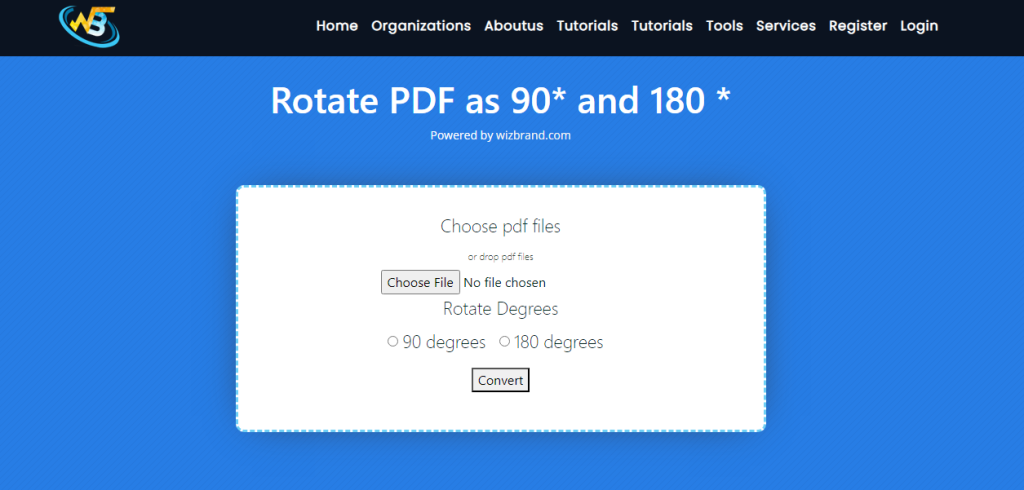
The Rotate PDF tool is a simple yet powerful utility that allows you to rotate PDF files at 90° and 180° angles. This tool is particularly useful when you need to view or print a PDF document in a specific orientation. For example, if you have a PDF file with landscape orientation but you need to print it in portrait orientation, you can use the Rotate PDF tool to rotate the document to the desired orientation before printing. 1st we have to choose pdf file and select the option what you want, and convert then pdf file.
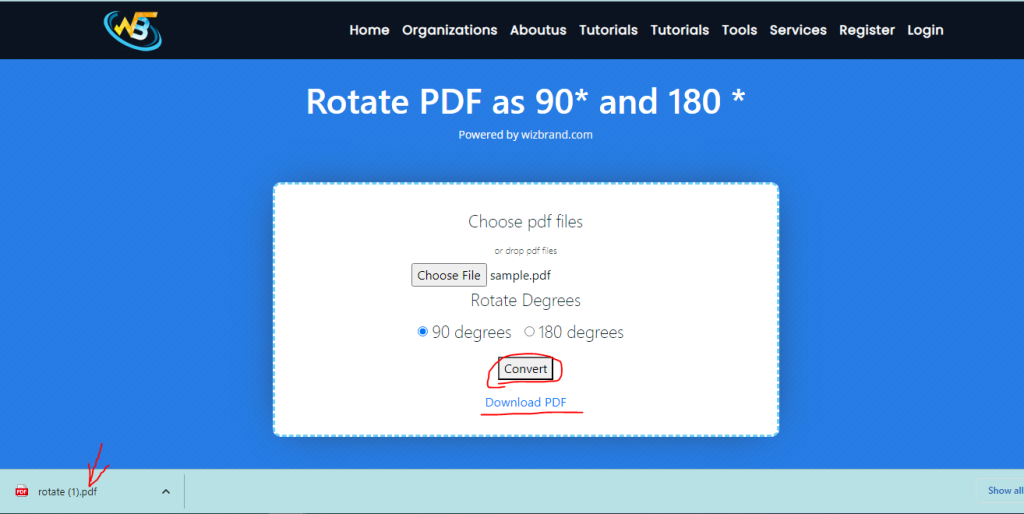
then you got Download PDF option where you can download your rotated file.
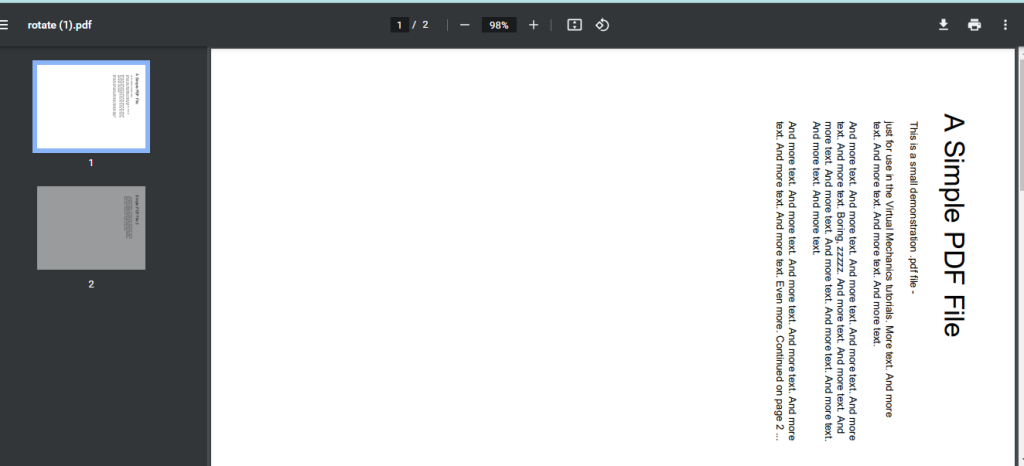
result:
How Wizbrand‘s Rotate PDF as 90° and 180° tool would help?
The Rotate PDF tool can help by allowing users to adjust the orientation of their PDF documents, making them easier to read and work with. This tool can save users time and effort by eliminating the need to manually rotate pages of a document. With just a few clicks, users can rotate their PDF files at 90° and 180° angles, improving their overall accessibility and usability.
These are useful links
