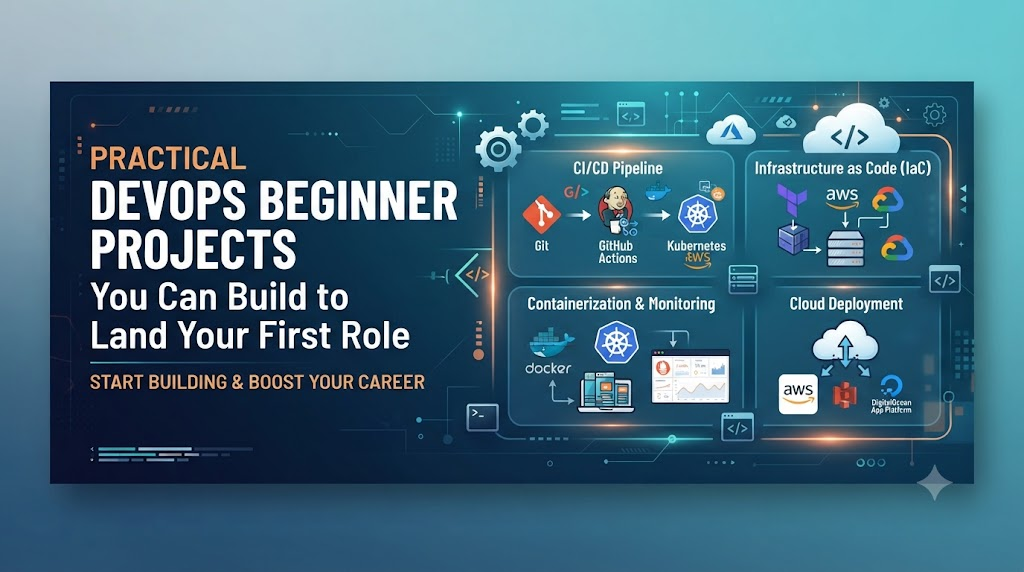
You have spent weeks watching tutorials, reading documentation, and following architecture diagrams, but when an interviewer asks what you have actually built and automated, the path forward feels unclear. Many newcomers mistakenly assume they need access to multi-million-dollar enterprise infrastructure to start creating meaningful DevOps solutions, when in reality, production-grade thinking can be developed entirely through local labs and small test environments focused on solving real operational friction.
What Makes a Good Beginner DevOps Project?
A good beginner project moves beyond basic tool installation. It solves an operational problem, demonstrates end-to-end automation, and proves you understand how components interact when things go wrong.
Learn ───► Build ───► Test ───► Troubleshoot ───► Automate ───► Document ───► Improve
To deliver maximum learning and portfolio value, ensure your projects have:
- A Clear Operational Objective: Do not just run a tool; solve a specific problem like automating a deployment, securing a secret, or gathering system metrics.
- A Manageable Scope: Use a minimal application (such as a lightweight Node.js, Python, or Go app) so your effort goes into operations and automation, not debugging application code.
- Repeatability: The entire setup should be reproducible from code and scripts rather than manual configuration.
- Integrated Troubleshooting: True engineering happens when pipelines break. Documenting root causes and fixes proves practical competence.
- Testing and Validation: Include automated sanity checks, linting, or integration steps to verify that your operational scripts behave as expected.
Core DevOps Skills to Practice Through Projects
Instead of trying to master every tool in the ecosystem simultaneously, build your foundation across these core capabilities:
- Linux System Administration & Shell Scripting: File systems, process management, standard streams, permissions, and automated bash scripting.
- Version Control & Collaborative Workflows: Branching strategies, pull requests, semantic commits, and merge conflict resolution using Git.
- Continuous Integration & Continuous Delivery (CI/CD): Pipeline triggers, build automation, automated test execution, and deployment orchestration.
- Containers & Orchestration: Writing clean Dockerfiles, managing container networks, persistent volumes, and running workloads on Kubernetes.
- Infrastructure as Code (IaC): Declarative infrastructure provisioning, state management, and configuration drift detection using tools like Terraform.
- Observability & Reliability: Aggregating structured logs, collecting system/application metrics, establishing dashboards, and configuring alerts.
- Security & DevSecOps: Secret scanning, static analysis, container image vulnerability scanning, and managing role-based access controls.
Progressive Project Difficulty Tiers
Organizing your work into difficulty tiers keeps you from becoming overwhelmed and provides a logical progression for your portfolio:
┌────────────────────────────────────────────────────────┐
│ Level 4: Complete End-to-End Capstone Workflows         │
├────────────────────────────────────────────────────────┤
│ Level 3: Cloud Infrastructure & Container Orchestration │
├────────────────────────────────────────────────────────┤
│ Level 2: Continuous Delivery & Application Packaging   │
├────────────────────────────────────────────────────────┤
│ Level 1: Foundations (Linux, Shell Scripting, Git)     │
└────────────────────────────────────────────────────────┘
Level 1: Foundational Projects
Project 1: Linux System Health Monitoring Script
- Objective: Build a native Bash script that gathers core operating system health metrics and flags resource saturation.
- Skills Learned: Shell scripting, parsing output streams, cron scheduling, threshold alerting, and Linux system internals.
- Implementation Overview: Write a modular script using standard utilities (
df,free,top,uptime) to track CPU usage, memory consumption, disk utilization, and active processes. Add logic to append these readings into a structured log file with ISO-formatted timestamps. - Improvement Ideas: Add automated email or webhook alerts when a metric crosses an 85% threshold, and schedule execution via cron.
Project 2: Git-Based Team Workflow Simulation
- Objective: Simulate a multi-developer release workflow demonstrating safe branching, automated checks, and peer review.
- Skills Learned: Git branching models (Trunk-based or GitFlow), Pull Request lifecycle, merge conflict resolution, commit hygiene.
- Implementation Overview: Create an upstream repository with branch protection rules on the main branch. Create feature branches to introduce small configuration changes, simulate merge conflicts by editing identical lines across branches, and resolve them systematically before merging via reviewed pull requests.
- Improvement Ideas: Configure pre-commit hooks to automatically reject commits containing unformatted files or plaintext API tokens.
Project 3: Automated File Backup and Rotation System
- Objective: Automate directory backups with compression, retention policies, and validation checks.
- Skills Learned: Archive management (
tar), permission handling, log rotation logic, and defensive scripting. - Implementation Overview: Create a script that takes a target directory, compresses it into a timestamped archive, computes its checksum, writes an audit record, and purges archives older than a defined retention period (e.g., 7 days).
- Improvement Ideas: Add a dry-run flag (
--dry-run) to test execution safely, and implement an automated restoration verification routine that unpacks the archive in a sandbox to confirm data integrity.
Level 2: Packaging, CI/CD, and Containers
Project 4: Automated CI Pipeline for a Micro-App
- Objective: Construct an automated continuous integration pipeline that validates code quality on every push.
- Skills Learned: CI triggers, automated linting, unit testing, build artifact storage, and pipeline debugging.
- Implementation Overview: Use GitHub Actions or GitLab CI to trigger on pull requests against the main branch. The pipeline should pull dependencies, execute linters, run unit tests, and fail fast if tests fail or code style rules are violated.
- Improvement Ideas: Add code coverage reporting and output direct pipeline failure summaries to keep reviewers informed without digging through raw logs.
Project 5: Complete Continuous Delivery Pipeline
- Objective: Extend continuous integration to deploy application packages automatically to a target server upon merging.
- Skills Learned: Artifact management, secure credential handling, SSH-based automated deployments, rollback logic.
- Implementation Overview: Configure a pipeline that triggers on main branch merges, builds the production artifact, transfers it to a target staging server via secure keys, restarts the service, and verifies application health via an HTTP endpoint check.
- Improvement Ideas: Implement automated rollback steps that revert to the previous stable release artifact if the post-deployment health check fails.
Project 6: Application Containerization
- Objective: Containerize a standalone web service using standard container engineering practices.
- Skills Learned: Writing Dockerfiles, multi-stage builds, non-root user execution, port binding, and image optimization.
- Implementation Overview: Build a multi-stage Dockerfile that compiles the app in a build stage and copies only production artifacts into a minimal runtime image (like Alpine or distroless). Ensure the application runs as an unprivileged user.
- Improvement Ideas: Minimize image layers, define explicit health checks inside the container configuration, and verify that stopping the container sends clean termination signals to the process.
Project 7: Multi-Container Service Architecture
- Objective: Run a multi-tier application stack with an application server, caching layer, and persistent database.
- Skills Learned: Container composition, internal networking, persistent storage volumes, and dependency startup ordering.
- Implementation Overview: Define a
compose.yamlfile running a web service, a Redis cache, and a PostgreSQL database. Configure private network bridges so that only the web tier exposes external ports, while the database communicates purely over the internal container network. - Improvement Ideas: Add named volumes for database persistence across container restarts and configure health checks to ensure dependent services start in the proper order.
Level 3: Cloud Infrastructure and Orchestration
Project 8: Cloud VM Application Deployment
- Objective: Provision a minimal cloud virtual machine, configure security firewalls, and deploy a web service.
- Skills Learned: Cloud networking concepts (VPC, subnets), firewall rules, SSH security, and service management (
systemd). - Implementation Overview: Spin up an entry-level virtual server on AWS, Azure, or Google Cloud. Configure security group rules to allow only inbound HTTP/HTTPS traffic publicly while restricting SSH access to your specific IP. Set up the application to run as a supervised background service.
- Improvement Ideas: Configure an automated startup script (user-data) that bootstraps system packages and deploys the application automatically upon instance creation.
Project 9: Infrastructure as Code with Terraform
- Objective: Provision declarative cloud infrastructure entirely through version-controlled code.
- Skills Learned: Terraform configuration, provider configuration, variable management, state file lifecycle, and resource tagging.
- Implementation Overview: Write modular Terraform files (
main.tf,variables.tf,outputs.tf) to define a virtual network, subnet, security group, and virtual compute instance. Practice the full workflow:terraform init,terraform plan,terraform apply, andterraform destroy. - Improvement Ideas: Store the Terraform state file in a remote storage bucket with state locking enabled to prevent concurrent state corruption.
Project 10: Infrastructure Automation Pipeline
- Objective: Automate Infrastructure as Code validation, planning, and execution within a continuous delivery pipeline.
- Skills Learned: GitOps fundamentals, automated formatting checks, plan validation, and change management workflows.
- Implementation Overview: Create a pipeline that executes
terraform fmt -checkandterraform planon every pull request, posting the speculative execution plan back to the pull request for review. Restrictterraform applyto run only after merges to the main branch. - Improvement Ideas: Integrate static security analysis on your Terraform templates to detect open security groups or unencrypted disks prior to planning.
Project 11: Production-Style Kubernetes Workload Deployment
- Objective: Deploy and manage a containerized workload on a local or cloud Kubernetes cluster.
- Skills Learned: Pods, Deployments, Services (ClusterIP vs NodePort/LoadBalancer), ConfigMaps, Secrets, and rolling updates.
- Implementation Overview: Create declarative Kubernetes manifests for an application deployment with 3 replicas. Decouple configurations using ConfigMaps and store credentials securely inside Kubernetes Secrets. Expose the workload through a Service and verify zero-downtime rolling updates during image tag bumps.
- Improvement Ideas: Configure
readinessProbeandlivenessProbeendpoints to allow Kubernetes to safely detect and replace unhealthy containers automatically.
Project 12: Workload Observability in Kubernetes
- Objective: Collect, visualize, and monitor resource usage metrics across cluster workloads.
- Skills Learned: Metrics Server, cluster resource limits/requests, log streaming, and troubleshooting Pod eviction.
- Implementation Overview: Deploy metrics-gathering components to your cluster. Define precise CPU and memory requests and limits for all Pod manifests. Inspect cluster events, debug crashing Pods using container logs, and observe how the cluster handles out-of-memory (OOM) situations.
- Improvement Ideas: Configure a Horizontal Pod Autoscaler (HPA) to scale application replicas dynamically based on simulated CPU load.
Level 4: Security, Observability, and Operational Excellence
Project 13: DevSecOps Automated Security Pipeline
- Objective: Integrate automated vulnerability and security scanning into every phase of the delivery pipeline.
- Skills Learned: Secret detection, software composition analysis (SCA), static application security testing (SAST), and container image scanning.
- Implementation Overview: Configure pipeline stages that scan source code for hardcoded API keys, check third-party libraries for known CVEs, and scan container images for operating system vulnerabilities before pushing to a registry.
- Improvement Ideas: Establish clear security gates: configure the pipeline to issue warnings for low/medium vulnerabilities but block the build if high or critical CVEs are detected.
Code Commit ──► Secret Scan ──► SAST / SCA ──► Container Build ──► Image Scan ──► Deploy
Project 14: Application & System Metrics Dashboard
- Objective: Collect system and application telemetry and present real-time dashboards with alerts.
- Skills Learned: Prometheus, Grafana, time-series metrics, exporter configuration, and alert rules.
- Implementation Overview: Set up Prometheus to scrape infrastructure metrics via Node Exporter and application-level metrics via an instrumentation endpoint. Build a Grafana dashboard visualizing request rates, HTTP 5xx error rates, response latencies, and CPU/memory utilization.
- Improvement Ideas: Define an alert rule that triggers a notification when error rates exceed 2% over a rolling 5-minute window.
Project 15: Centralized Log Aggregation
- Objective: Aggregate logs from multiple isolated containers or servers into a searchable centralized platform.
- Skills Learned: Log shipping, structured JSON logging, log indexing, filtering, and troubleshooting.
- Implementation Overview: Configure a lightweight log collector (such as Fluent Bit or Promtail) on your hosts to ingest container stdout/stderr logs, parse them into structured formats, and forward them to a central engine (like Elasticsearch or Loki) for searching and analysis.
- Improvement Ideas: Build saved queries that filter specifically for error logs across all services to expedite incident root cause analysis.
Project 16: Automated Deployment with Zero-Downtime Rollback
- Objective: Implement an automated blue-green or canary release strategy that tests live traffic before cutting over.
- Skills Learned: Traffic shifting, reverse proxy configuration, health validation gates, and release risk reduction.
- Implementation Overview: Deploy two identical application environments (Blue and Green). Route live traffic to Blue while deploying the new version to Green. Run smoke tests against the Green environment; if successful, shift router/load-balancer traffic to Green.
- Improvement Ideas: Automate the rollback trigger so that if the new deployment experiences HTTP 500 spikes within 3 minutes of traffic cutover, the router reverts traffic to the previous version automatically.
Project 17: Development Environment Setup Automation
- Objective: Create reproducible local development environments via code to eliminate “it works on my machine” issues.
- Skills Learned: Configuration management, idempotent scripting, environment variable management, and automated provisioning.
- Implementation Overview: Write Ansible playbooks or declarative setup scripts that automate system configuration, package installations, runtimes, Git configurations, and local directory setups across new workstations.
- Improvement Ideas: Make all automation tasks fully idempotent so running the script multiple times produces the exact same end state without errors or duplications.
Project 18: Cloud Cost and Resource Hygiene Tracker
- Objective: Build a monitoring script that audits cloud environments for orphaned, unattached, or over-provisioned resources.
- Skills Learned: Cloud APIs/SDKs, resource tagging, FinOps fundamentals, cost optimization strategies.
- Implementation Overview: Write an automation script that queries cloud APIs to identify unattached storage volumes, idle compute instances with near-zero utilization, unassociated public IP addresses, and old snapshots. Generate a summary markdown report.
- Improvement Ideas: Add automated alerts that notify administrators when non-production environments are left running outside standard working hours.
Project 19: Disaster Recovery and Data Restoration Runbook
- Objective: Create and test a disaster recovery workflow to validate backup reliability and measure recovery metrics.
- Skills Learned: Disaster recovery planning, RTO (Recovery Time Objective), RPO (Recovery Point Objective), automated restoration scripts, and post-mortem documentation.
- Implementation Overview: Set up an isolated disaster recovery sandbox. Write automation to simulate an operational failure (e.g., corrupted database state), pull the latest verified backup from secondary storage, execute restoration procedures, and validate data consistency.
- Improvement Ideas: Document exact RTO and RPO metrics achieved during the restoration drill and write a step-by-step incident runbook.
Project 20: The Capstone Portfolio Project
This capstone project combines all preceding skills into one cohesive, end-to-end automated platform.
                   ┌────────────────────────────────────────────────────────┐
                   │                     Git Repository                     │
                   └───────────────────────────┬────────────────────────────┘
                                               │ (Push / Pull Request)
                                               ▼
                   ┌────────────────────────────────────────────────────────┐
                   │                   CI/CD Pipeline                       │
                   │  [Lint] ──► [Test] ──► [Security Scan] ──► [Build]     │
                   └───────────────────────────┬────────────────────────────┘
                                               │ (Terraform & Manifests)
                                               ▼
                   ┌────────────────────────────────────────────────────────┐
                   │               Cloud Platform / Kubernetes              │
                   │  [Ingress] ──► [App Pods (3x)] ──► [Database]          │
                   └───────────────────────────┬────────────────────────────┘
                                               │ (Telemetry & Logs)
                                               ▼
                   ┌────────────────────────────────────────────────────────┐
                   │               Observability Stack                      │
                   │  [Prometheus Metrics]     [Centralized Logs]           │
                   │  [Grafana Dashboard]      [Alert Rules]                │
                   └────────────────────────────────────────────────────────┘
- Architecture Flow:
- Code & Version Control: A microservice application repository with branch protections and strict commit guidelines.
- Continuous Integration: Automated pipeline runs linting, unit testing, SAST security scanning, and container vulnerability audits.
- Infrastructure as Code: Terraform provisions the cloud network, managed Kubernetes cluster, firewall boundaries, and persistent storage.
- Deployment Automation: Kubernetes manifests deploy the containerized service across multiple replicas with automated health probes and rolling updates.
- Observability & Telemetry: Prometheus scrapes metrics, Grafana provides application and cluster dashboards, and centralized logging indexes operational events.
- Security & Secret Hygiene: Zero hardcoded credentials; all sensitive configurations are pulled dynamically from secure secret managers.
Beginner DevOps Project Comparison
| Project Name | Difficulty Tier | Primary Technical Focus | Core Skills Practiced | Portfolio Value |
| Linux Monitoring Script | Beginner | Linux Administration | Bash, Cron, System Diagnostics | Foundational |
| Git Workflow Simulation | Beginner | Version Control | Branching, PRs, Conflict Resolution | Foundational |
| Automated Backup System | Beginner | Automation & Storage | Tar, Checksums, Data Retention | Moderate |
| Micro-App CI Pipeline | Intermediate Beginner | Continuous Integration | GitHub Actions/GitLab CI, Unit Tests | High |
| Complete CD Pipeline | Intermediate Beginner | Continuous Delivery | Artifact Packaging, SSH, Auto-Deploy | High |
| Containerized Service | Intermediate Beginner | Containers | Multi-Stage Dockerfiles, Optimization | High |
| Multi-Container Stack | Intermediate Beginner | Composition | Docker Compose, Internal Networking | High |
| Cloud VM Deployment | Intermediate | Cloud Fundamentals | VPC, Security Groups, Systemd | High |
| Terraform IaC Baseline | Intermediate | Infrastructure as Code | Declarative Provisioning, State Management | Very High |
| IaC Automation Pipeline | Intermediate | GitOps / CI/CD | Terraform Automation, Speculative Plans | Very High |
| Kubernetes Deployment | Intermediate | Orchestration | Deployments, Services, ConfigMaps | Very High |
| Kubernetes Observability | Intermediate | Reliability | Health Probes, Metrics Server, HPA | High |
| DevSecOps Security Gate | Intermediate | Security Automation | Secret Scans, SAST, Image Scanning | Very High |
| Metrics Dashboard | Intermediate | Observability | Prometheus, Grafana, Alert Rules | High |
| Centralized Logging | Intermediate | Observability | Log Aggregation, Parsing, Indexing | High |
| Zero-Downtime Rollback | Advanced Beginner | Deployment Strategies | Blue-Green/Canary, Automated Rollback | Very High |
| Environment Automation | Intermediate | Configuration Mgmt | Ansible, Idempotence, System Setup | Moderate |
| Cloud Cost Tracker | Intermediate | FinOps / Cloud APIs | Cloud SDKs, Resource Auditing | Moderate |
| Disaster Recovery Drill | Advanced Beginner | Reliability & SRE | Backup Verification, RTO/RPO Metrics | High |
| Capstone Architecture | Advanced Beginner | Full Lifecycle DevOps | IaC, K8s, CI/CD, DevSecOps, Monitoring | Outstanding |
How to Choose Your Starting Point
Do not try to build every project simultaneously. Choose your starting project based on your current technical background:
- If you are completely new to IT/DevOps: Start with Project 1 (Linux Scripting) and Project 2 (Git Workflows). Mastering the command line and version control is a non-negotiable first step.
- If you already know Linux and Git: Jump straight to Project 4 (CI Pipeline) and Project 6 (Docker Containerization) to master packaging and continuous integration.
- If you are comfortable with Containers: Move into Project 9 (Terraform IaC) and Project 11 (Kubernetes Deployments) to learn infrastructure provisioning and orchestration.
- If you understand Cloud and Kubernetes: Focus on Project 13 (DevSecOps), Project 14 (Observability), and Project 20 (Capstone) to bridge the gap between individual tools and unified platforms.
Building Projects Without Real Production Access
You do not need expensive cloud accounts to build realistic DevOps projects. Use these free and low-cost strategies:
- Local Virtualization: Run Linux virtual machines locally using VirtualBox or Multipass to practice system administration, networking, and shell scripting.
- Local Container & Kubernetes Environments: Use lightweight local Kubernetes engines such as Minikube, Kind (Kubernetes in Docker), or K3s. They provide the complete Kubernetes API surface directly on your personal computer.
- Cloud Free Tiers & Sandbox Budgets: Major cloud providers offer free-tier compute instances and storage buckets. Set strict billing alerts ($5 to $10 spending limits) to avoid surprise costs.
- Always Tear Down Resources: Whenever you finish practicing cloud infrastructure provisioning with Terraform, immediately run
terraform destroyto prevent idle resource charges.
How to Document a DevOps Project for Maximum Impact
An undocumented project is practically invisible to recruiters. Treat your project’s README.md as an engineering design document.
Every project repository should include:
- Problem Statement: What operational inefficiency or challenge does this project solve?
- Architecture Diagram: A simple visual flow or text diagram showing how code moves from commit to runtime.
- Technology Stack & Rationales: List the tools used and explain why each was chosen over alternatives.
- Step-by-Step Setup Guide: Clear, reproducible instructions for running the code in a clean environment.
- Verification & Testing: Exact commands to run unit tests, check health endpoints, and confirm successful deployment.
- Troubleshooting Log & Lessons Learned: Document at least two real issues you encountered during development, how you diagnosed them, and how you fixed them.
What Recruiters and Engineering Leads Look For
When technical interviewers evaluate beginner portfolios, they look for:
- Systems Thinking: Understanding how components interact, rather than just reciting isolated tool commands.
- Defensive Engineering: Proper secret isolation, input sanitization in scripts, and non-root execution in containers.
- Troubleshooting Ability: Demonstrating how you diagnose a failing pipeline, trace an error through logs, or recover from an outage.
- Clarity and Communication: Well-structured documentation, clean commit histories, and readable code/manifests.
A portfolio with three thoroughly understood, well-documented projects will outperform a profile with twenty shallow tutorials copied without comprehension.
Common Beginner Pitfalls to Avoid
- Tutorial Copy-Pasting: If you cannot explain every single line in a Dockerfile, pipeline configuration, or Terraform file, do not put it in your portfolio.
- Hardcoding Secrets: Never commit API keys, database passwords, or private SSH keys into a Git repository. Practice using environment variables and secret stores from day one.
- Ignoring Cost Management: Leaving cloud load balancers or unattached storage volumes running can lead to unnecessary costs. Always automate resource teardown.
- Tool Sprawl: Trying to include fifteen different tools in a single beginner project adds complexity without improving your fundamental understanding.
- Claiming Production Scale: Present your work honestly as hands-on lab environments and portfolio prototypes. Focus on the engineering practices demonstrated rather than exaggerating business metrics.
How Many Projects Should You Build?
You do not need dozens of repositories. A balanced portfolio includes:
┌────────────────────────────────────────────────────────┐
│ 1 End-to-End Capstone Project                          │
│ (Multi-tier App + IaC + CI/CD + K8s + Observability)   │
├────────────────────────────────────────────────────────┤
│ 2–3 Intermediate Targeted Projects                     │
│ (e.g., DevSecOps Pipeline, IaC Automation, Monitoring) │
├────────────────────────────────────────────────────────┤
│ 1–2 Foundational Projects                              │
│ (e.g., Linux Shell Script, Git Collaboration Workflow) │
└────────────────────────────────────────────────────────┘
Focus on technical depth, comprehensive documentation, and understanding the core architectural decisions behind these 4 to 6 projects.
Turning a Simple Project into an Advanced System
You do not need to invent a new project idea every time you want to learn something new. You can evolve a single simple application through a realistic development lifecycle:
Simple Application
  │
  ▼
1. Containerize the application with a clean, multi-stage Dockerfile.
  │
  ▼
2. Build a CI pipeline to lint code and run unit tests on every commit.
  │
  ▼
3. Provision cloud resources declaratively using Terraform.
  │
  ▼
4. Deploy the container to a Kubernetes cluster using rolling updates.
  │
  ▼
5. Integrate automated security scanning for dependencies and images.
  │
  ▼
6. Add Prometheus metrics scraping and build a Grafana dashboard.
  │
  ▼
7. Configure automated rollback mechanisms for deployment health check failures.
This iterative evolution mirrors how engineering teams modernize real-world systems.
Tailoring Projects to Specific Career Tracks
- Aspiring DevOps Engineers: Prioritize CI/CD automation, Docker containerization, cloud infrastructure, and Terraform provisioning.
- Aspiring Site Reliability Engineers (SREs): Focus on system observability (Prometheus/Grafana), automated disaster recovery, incident simulation, and runbook automation.
- Aspiring Cloud Engineers: Emphasize Infrastructure as Code, cloud networking, security firewalls, and cloud resource cost audits.
- Aspiring DevSecOps Engineers: Concentrate on pipeline security gates, static code analysis (SAST), software composition analysis (SCA), and container security scanning.
- Aspiring Platform Engineers: Focus on Kubernetes orchestration, self-service developer automation, and reusable Infrastructure as Code modules.
Presenting Projects on Your Resume
Avoid passive bullet points that only list tools. Frame each project around the technical challenge, implementation, and automated outcome.
Weak Resume Entry:
• Created a CI/CD pipeline using Docker and GitHub Actions.

Strong Resume Entry:
• Built an automated CI/CD pipeline using GitHub Actions that executes unit tests, performs container vulnerability scanning, builds multi-stage Docker images, and deploys updates to a Kubernetes test cluster with automated health validation.
How to Talk About Your Projects in Interviews
During technical interviews, you will be evaluated on your design choices and debugging mindset:
- “Why did you choose this architecture over alternatives?” Explain trade-offs (e.g., why a managed container service or local cluster was chosen for this workload).
- “How did you secure sensitive configurations?” Discuss secret managers, environment variables, and pre-commit scanning hooks.
- “What failed during development and how did you resolve it?” Walk through a specific debugging scenario, such as fixing an image build error or troubleshooting a Kubernetes
CrashLoopBackOffstate. - “How would you scale this system?” Discuss horizontal pod autoscaling, database read replicas, caching layers, and decoupled message queues.
Accelerating Your Learning Path
While self-guided experimentation is essential, navigating the DevOps landscape can feel overwhelming without structured guidance. Having a clear roadmap helps you focus on industry-standard engineering practices rather than getting stuck on tool incompatibilities.
For engineers seeking structured training and mentorship across foundational Linux, CI/CD pipelines, Docker, Kubernetes, Terraform, DevSecOps, and Cloud platforms, DevOpsSchool provides practical courses and certifications designed to help beginners build production-grade competencies through guided, hands-on projects.
The Future of DevOps Projects
As you continue building and refining your portfolio, stay mindful of modern industry trends:
- Platform Engineering & Developer Portals: Moving from custom, one-off scripts toward internal developer platforms that provide standardized self-service infrastructure.
- GitOps Workflows: Managing both application deployments and infrastructure state declaratively through version control engines.
- Integrated DevSecOps (“Shift Left”): Making automated security checks a standard part of the build pipeline rather than an afterthought.
- AI-Assisted Operations and Observability: Leveraging automated log parsing, anomaly detection, and intelligent telemetry analysis to manage complex distributed systems.
Master the fundamentals first. Automation, infrastructure lifecycle management, and clear troubleshooting remain the foundation of all DevOps engineering.
Frequently Asked Questions
What is the single best DevOps project for a complete beginner?
A Linux system health monitoring script combined with a Git repository. It introduces you to command-line administration, process tracking, bash scripting, version control, and automation scheduling without the overhead of complex tooling.
Can I build meaningful DevOps projects with zero cloud budget?
Yes. Using local virtualization, Docker, and lightweight Kubernetes distributions (like Minikube, Kind, or K3s), you can build and test complete containerized pipelines, observability stacks, and infrastructure automation entirely on your local machine.
Should beginners learn Docker and Kubernetes at the same time?
No. Learn Docker first. Master writing clean Dockerfiles, building container images, managing container networks, and using Docker Compose. Once you understand the container runtime lifecycle, move on to Kubernetes for orchestration.
How do I demonstrate real troubleshooting skills in a portfolio?
Include a dedicated “Debugging & Issues Encountered” section in your repository documentation. Detail specific failure states (such as a broken pipeline stage or network routing error), describe your diagnostic steps using logs and metrics, and explain how you resolved the root cause.
Is it necessary to learn a programming language for beginner DevOps projects?
You do not need to be a full-stack software developer, but you should understand basic scripting in Bash or Python. Being able to read simple application code helps you containerize services, write automated health checks, and debug deployment pipelines.
How do I prevent unexpected cloud bills while working on projects?
Set up cloud billing alerts at low thresholds (e.g., $5), use free-tier resources whenever possible, avoid leaving external load balancers running, and consistently run terraform destroy when you finish a practice session.
What is the difference between a CI project and a CD project?
A Continuous Integration (CI) project focuses on code validation—automatically pulling code, running linters, executing unit tests, and building artifacts on every commit. A Continuous Delivery (CD) project takes those built artifacts and automates their deployment and health verification on target environments.
How many projects should I showcase on my resume?
Aim for 3 to 5 well-documented projects: 1 to 2 foundational projects demonstrating scripting and version control, 2 intermediate projects focused on CI/CD or Infrastructure as Code, and 1 comprehensive capstone project tying together containers, deployment automation, and observability.
Final Thoughts
DevOps is not about memorizing commands or collecting tool certificates. It is the ability to turn manual, error-prone operations into automated, reliable, and observable workflows.
You do not need access to an enterprise datacenter to start building. Start with a simple shell script. Move on to a basic container. Automate a continuous integration pipeline, provision an infrastructure component with code, configure an observability dashboard, and document every operational failure along the way.
By building small, understanding every component deeply, and linking your projects into cohesive automated pipelines, you will develop the practical skills and confidence needed to succeed as a DevOps professional.
