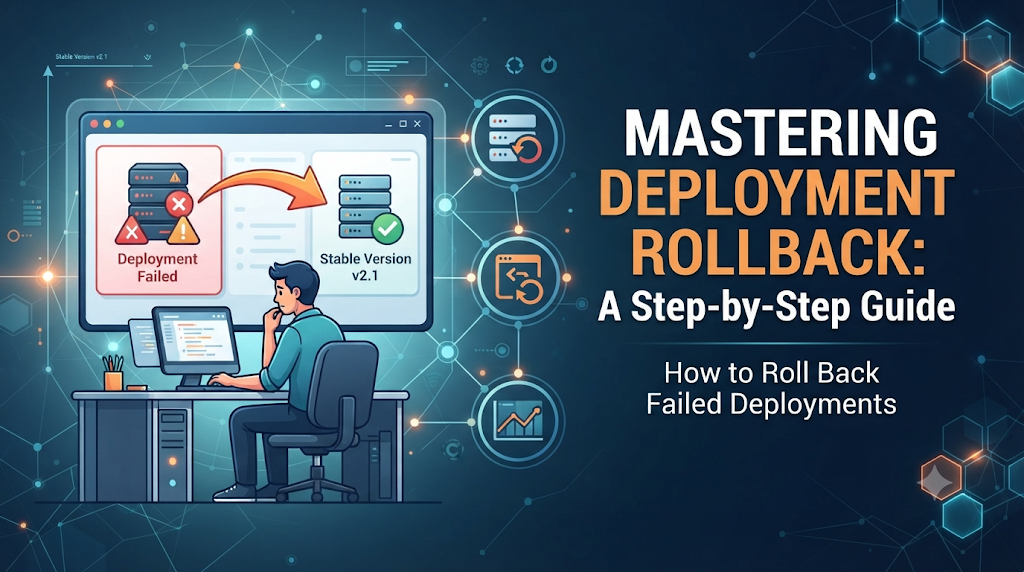
It is late Thursday afternoon, and a cross-functional engineering team has just completed a major release for a core microservice. The automated pipeline reported a successful build, tests passed in staging, and the new container images were pushed to production. For the first few minutes, metrics look quiet. Then, the monitoring dashboard lights up with red alerts. The error tracking tool reports a sharp spike in HTTP 500 internal server errors, customer support queues begin filling up with user complaints about broken checkout flows, and CPU utilization on the application nodes climbs aggressively. The immediate challenge for the on-call engineer is not just diagnosing the root cause of the bug—it is making a high-pressure decision under time constraints. Should the team attempt to hotfix the code in production, roll forward with a quick patch, or immediately roll back failed deployments to the previous known-good state?
In modern software engineering, release management is as much about managing failure as it is about delivering new features. When an untested edge case, a configuration mismatch, or a broken dependency slips past automated testing, the ability to execute a clean, reliable deployment rollback is the single fastest way to restore application stability and protect user trust.
1. What Actually Happens During a Deployment Rollback?
A deployment rollback is the intentional reversal of a software release, restoring the application, service, or infrastructure to its immediate predecessor or a known stable state. Rather than treating an emergency patch as the default reaction, a structured rollback treats stability as the top priority.
To understand the mechanics of deployment recovery, it is helpful to distinguish between several related concepts:
- Rollback vs. Roll-Forward: Rolling back replaces the faulty release with an older, verified version. Rolling forward involves fixing the bug in the source code, building a new artifact, and pushing it through the pipeline. While roll-forward preserves new features, rollback is vastly superior when time is critical and the defect’s scope is unknown.
- Application Code vs. Infrastructure Changes: Rolling back application code typically means switching container tags or binary versions. Reverting infrastructure changes involves rolling back Terraform, CloudFormation, or Kubernetes manifests that altered networking, security groups, or scaling limits.
- Release Reversion vs. Database Restoration: Reverting a software release changes application binaries or configurations. Restoring a database backup is a destructive, high-risk operation that rolls back persistent data state and should rarely be used for routine application release failures.
- Deployment Rollback vs. Disaster Recovery: Disaster recovery handles catastrophic events like regional data center outages or hardware destruction. Deployment rollback handles software-level regressions and configuration errors within a functional environment.
When treated as a planned recovery capability rather than an emergency improvisation, rollback mechanisms transform incidents from stressful firefighting sessions into controlled, routine procedures.
2. Recognizing the Signals That a Deployment Has Failed
Before a team can initiate recovery, they must accurately detect that a release is unhealthy. Modern observability relies on multiple telemetry signals to identify broken deployments before users flood support channels.
Common indicators of a failed deployment include:
- Increased HTTP 5xx Errors: A sudden jump in server-side error status codes indicates that application code is throwing unhandled exceptions or failing to connect to dependencies.
- Failed Health Checks: Load balancers and orchestrators continuously ping application liveness and readiness endpoints. Failing checks indicate that instances are unhealthy or deadlocked.
- Application Crashes and Restart Loops: Container runtimes entering CrashLoopBackOff states signal immediate startup failures due to missing environment variables, bad configuration files, or fatal code errors.
- Increased Latency: A degradation in p95 and p99 response times often points to inefficient database queries, memory leaks, or blocked event loops introduced in the new release.
- Broken User Journeys: Synthetic monitoring scripts simulating user logins, cart additions, or checkouts failing mid-flow indicate functional regressions.
- Database Connection Problems: Connection pool exhaustion or authentication failures immediately after deployment suggest misconfigured secrets or connection strings.
- Failed Background Jobs: Asynchronous workers failing to process message queues or cron jobs point to serialization mismatches or incompatible payloads.
- Unexpected Resource Consumption: Spikes in memory or CPU utilization immediately following release often reveal resource leaks or inefficient algorithmic changes.
- Security or Configuration Issues: Unexpected permission denied errors or exposed endpoints indicate flawed security policies or routing rules.
Teams combine logs, metrics, distributed traces, synthetic probes, and user feedback to form a complete picture of release health, allowing them to confirm failures with high confidence.
3. The First Few Minutes: Assess Before Reverting
The first five minutes of a production incident set the tone for the entire recovery effort. Panic leads to erratic configuration changes that compound errors. A disciplined incident response sequence helps engineering teams act decisively:
- Confirm the Failure Source: Correlate the spike in errors or latency directly with the timestamp of the recent deployment. Check deployment markers in your monitoring dashboards.
- Check Application and Infrastructure Health: Verify whether the failure is isolated to specific nodes, availability zones, or affecting the entire global fleet.
- Identify Affected Users and Scope: Determine whether the bug impacts all users or only a specific subset, such as those utilizing a newly released feature.
- Review Recent Changes: Quickly scan the git commit logs, environment variable updates, and infrastructure pull requests associated with the release.
- Notify Stakeholders and Teams: Open an incident channel, update internal status pages, and alert the release owner without assigning blame.
- Decide Between Rollback and Roll-Forward: If the root cause is obvious and a one-line fix can be deployed in under two minutes, roll-forward may work. If the bug is complex or unknown, roll back failed deployments immediately and investigate safely in staging.
- Record Incident Details: Capture logs, error rates, and timestamps for post-incident review.
During an active incident, engineers must avoid making unverified, ad-hoc changes directly in production. Modifying configurations while a broken release is active obscures the root cause and makes reliable recovery nearly impossible.
4. Choosing the Right Rollback Strategy
Different application architectures and deployment models require distinct rollback strategies. Selecting the appropriate approach ensures minimal user disruption.
Re-deployment of a Previous Version
- How it works: The CI/CD pipeline builds or fetches the artifact corresponding to the previous stable tag and deploys it over the current release.
- Use case: Standard monolithic applications, virtual machine deployments, or simple container setups.
- Limitations: Can involve downtime during the stop-and-start phase if health checks and load balancers are not configured for zero-downtime rolling updates.
Blue-Green Deployment
- How it works: The environment consists of two identical production environments (Blue and Green). The new version is deployed to Green while Blue serves live traffic. If Green fails, the load balancer instantly switches traffic back to Blue.
- Use case: High-availability web applications requiring instant zero-downtime rollbacks.
- Limitations: Requires double the infrastructure resources during deployment windows and careful handling of shared databases.
Canary Release
- How it works: The new version is routed a tiny fraction of user traffic (e.g., 2%). If error rates spike, the traffic router automatically shifts 100% of traffic back to the stable baseline.
- Use case: Large-scale distributed systems and microservices where blast radius must be minimized.
- Limitations: Requires advanced traffic-splitting proxies (like Service Meshes or API gateways) and robust telemetry.
Rolling Deployment
- How it works: Instances of the old version are incrementally replaced by the new version. If failure occurs mid-rollout, the orchestrator halts the process and replaces unhealthy new instances with the previous version.
- Use case: Kubernetes clusters and managed container services.
- Limitations: Temporary mixed-version states where old and new code run concurrently, requiring strict API backward compatibility.
Feature Flag Reversal
- How it works: Instead of redeploying code, a problematic feature toggle is switched off remotely via a control panel or configuration store.
- Use case: UI changes, experimental features, or modular backend logic wrapped in feature flags.
- Limitations: Only works if code paths are explicitly decoupled using feature flags; cannot fix foundational database or runtime failures.
Infrastructure Rollback
- How it works: Reverting infrastructure-as-code (IaC) templates or cloud configuration templates to a previous git commit.
- Use case: Cloud resource misconfigurations, broken IAM policies, or firewall rule errors.
- Limitations: Can trigger destructive resource recreation if state files are out of sync.
5. A Hands-On Rollback Walkthrough Using CI/CD
To understand how automated deployment pipelines handle recovery, consider a typical CI/CD workflow designed to execute a rollback when verification checks fail.
The Recovery Workflow
- Identify the Active Version: Query the deployment orchestrator or container registry to find the SHA or tag currently running in production (
v1.4.2). - Locate the Last Known Good Artifact: Retrieve the immutable tag of the previous stable build (
v1.4.1). - Confirm the Rollback Target: Verify that
v1.4.1is compatible with the current environment configuration and downstream services. - Trigger the Rollback Pipeline: Execute the rollback job within the CI/CD platform (such as GitLab CI, GitHub Actions, or Jenkins).
- Monitor Deployment Progress: Watch deployment logs and health metrics as instances update.
- Verify Service Health: Run synthetic checks and confirm error rates return to baseline.
- Record Release Outcome: Document the incident and tag the commit history accordingly.
Below is an illustrative CI/CD pipeline snippet demonstrating how a rollback stage can be structured in a declarative workflow:
YAML
stages:
  - deploy
  - verify
  - rollback

deploy_production:
  stage: deploy
  script:
    - echo "Deploying version $CI_COMMIT_TAG to production cluster..."
    - kubectl set image deployment/web-app web=registry.company.com/app:$CI_COMMIT_TAG

verify_deployment:
  stage: verify
  script:
    - echo "Running smoke tests and health checks..."
    - ./scripts/smoke-test.sh https://api.production.internal
  allow_failure: false

rollback_production:
  stage: rollback
  script:
    - echo "Health checks failed! Initiating automated deployment rollback..."
    - kubectl rollout undo deployment/web-app
    - ./scripts/notify-slack.sh "Rollback executed successfully for deployment $CI_COMMIT_TAG"
  when: on_failure
Note: Commands and configuration syntax depend heavily on your chosen CI/CD platform, container registry, and hosting architecture. Always test pipeline scripts in non-production environments before relying on them during an incident.
6. Rolling Back Deployments in Kubernetes
Kubernetes provides built-in revision tracking and deployment strategies that make rolling back failed deployments straightforward when configured correctly.
Core Kubernetes Rollback Commands
When managing deployments via kubectl, several commands assist in diagnosing and reversing faulty releases.
Checking Rollout History
To view the revision history of a deployment and see which changes were introduced in each version, run:
Bash
kubectl rollout history deployment/web-app
Explanation: This command lists all recorded revisions for the deployment, helping operators identify the exact revision number corresponding to the last stable release.
Checking Rollout Status
To monitor an ongoing deployment or rollback in real time, use:
Bash
kubectl rollout status deployment/web-app
Explanation: This blocks until the rollout completes successfully or reports failure, providing immediate feedback on pod rescheduling and readiness probes.
Undoing a Deployment Rollout
To immediately revert to the previous revision, execute:
Bash
kubectl rollout undo deployment/web-app
Explanation: Kubernetes updates the Deployment specification to match the previous ReplicaSet configuration, scaling down the faulty pods and spinning up pods running the stable container image.
Rolling Back to a Specific Revision
If multiple revisions exist and you need to target a specific stable version (e.g., revision 3), use:
Bash
kubectl rollout undo deployment/web-app --to-revision=3
Explanation: This bypasses the immediate predecessor and rolls back directly to the specified historical revision.
Verifying Pod Health After Rollback
To confirm that pods have stabilized and are passing readiness checks, run:
Bash
kubectl get pods -l app=web-app -w
Explanation: Watches pod status changes in real-time, ensuring that container restart counts drop to zero and all pods reach the Running and Ready state.
Kubernetes rollback behavior relies entirely on keeping revisionHistoryLimit set to a reasonable number (e.g., 10) in your Deployment manifest, ensuring historical ReplicaSets remain accessible when recovery is required.
7. The Database Problem: Why Code Rollback Is Not Always Enough
While rolling back application code or container images is often instantaneous, database changes introduce a layer of complexity that application rollbacks alone cannot solve.
When a release includes both code changes and database schema modifications, rolling back the application code can cause catastrophic failures if the older code expects a database structure that no longer exists—or conversely, if the new schema breaks the old code.
Key challenges in database migration recovery include:
- Schema Migrations: Dropping a column or table in a new release means an immediate application rollback will throw SQL errors when the older code tries to query the removed column.
- Backward-Compatible Changes: Teams must adopt expand-and-contract migration patterns. For example, rather than renaming a column in one deploy, teams add a new column, dual-write to both, migrate reads, and only drop the old column in a subsequent release.
- Data Transformation Risks: Migrations that transform data formats (e.g., splitting a full name into first and last name columns) cannot be trivially reversed without complex inverse scripts.
- Migration Rollback Limitations: Many migration tools support
downmigrations, but running them in production under pressure can result in data loss or locking deadlocks. - Application and Database Version Compatibility: Ensuring that version $N-1$ of an application can interact safely with version $N$ of a database schema during rolling windows.
Important Warning: Restoring an old database backup during an application failure is a destructive operation. It discards all legitimate user data, transactions, and audit logs created since the backup timestamp. Database rollbacks should be reserved for severe data corruption incidents, never as a routine companion to application deployment rollbacks.
8. Configuration, Infrastructure, and Secrets During Recovery
Not all release failures originate in application source code. Many production outages stem from environment variables, configuration maps, infrastructure-as-code updates, or secret management issues.
Common non-code failure vectors include:
- Environment Variables: Incorrect connection strings, misconfigured feature flags, or typos in API keys injected at runtime.
- Configuration Files: Malformed JSON, YAML, or XML configuration files that cause parsers to crash upon startup.
- Infrastructure as Code Changes: Overly restrictive security groups, modified VPC peering routes, or altered load balancer timeout thresholds in Terraform scripts.
- Cloud Resource Modifications: Upgrading managed database instance classes or modifying cache cluster eviction policies.
- Network and Access Policies: Updated Kubernetes NetworkPolicies or service mesh authorization rules blocking legitimate internal traffic.
- Secret Rotation: Deploying applications before new secrets propagate to secret stores or vaults.
- Dependency and Service Configuration: Upgrading third-party SDK versions with breaking API changes.
To recover safely from these issues, teams must treat configuration and infrastructure with the same version control rigor as application code. Reverting a broken Terraform state or rolling back a ConfigMap in Kubernetes allows teams to undo infrastructure errors without modifying application source code.
9. Verifying That the Rollback Actually Worked
Executing a rollback command or switching traffic back to a previous environment is only half the battle. Engineers must verify that the service has genuinely recovered and that user experience has normalized.
A comprehensive post-rollback verification checklist includes:
- Application Health Endpoints: Check
/healthzand/readyzendpoints across all instances to ensure internal dependencies are responsive. - Pod and Instance Readiness: Confirm that orchestrators report zero crash loops and stable replica counts.
- Error Rates: Verify that HTTP 5xx error rates drop back to baseline levels in monitoring dashboards.
- Response Times: Check that p95 and p99 latency metrics recover to pre-deployment thresholds.
- Database Connectivity: Ensure connection pools stabilize and active query durations normalize.
- Critical User Journeys: Execute automated end-to-end tests or manual smoke tests on core revenue-generating workflows (e.g., login, search, checkout).
- Background Processing: Verify that message queues (like RabbitMQ, Kafka, or SQS) are draining correctly and worker jobs are completing successfully.
- Logs and Traces: Review application log streams to confirm exception traces have ceased.
- External Service Dependencies: Ensure third-party API integrations, payment gateways, and authentication providers are communicating successfully with the restored version.
Realistic Verification Example: After executing a Kubernetes rollback for an e-commerce API, the on-call engineer checks the error dashboard, verifies that the checkout success rate returns to 99.9%, runs a synthetic credit card transaction test in staging-production, and confirms that database connection counts drop from maximum capacity back to baseline levels.
10. Automating Rollback Without Creating New Risks
As deployment frequency increases, manual rollbacks introduce unacceptable delays. Automated rollbacks significantly reduce Mean Time to Recovery (MTTR), but introducing automation requires rigorous safeguards.
Key considerations for automated rollback systems include:
- Health-Check-Based Triggers: Configuring CI/CD tools or deployment orchestrators (like Argo CD or Flagger) to monitor error metrics and automatically trigger rollbacks if thresholds are breached.
- Deployment Verification Stages: Inserting automated canary analysis phases where traffic is held at 5% or 10% while error rates are evaluated over a set observation window.
- Error-Rate Thresholds: Defining strict numerical boundaries (e.g., rolling back if HTTP 5xx errors exceed 1% of total traffic for three consecutive minutes).
- Canary Analysis: Using tools that compare metrics between the baseline version and the canary version in real time.
- Pipeline Conditions: Ensuring rollback stages execute unconditionally when preceding verification steps fail.
- Manual Approval for Sensitive Systems: Retaining human-in-the-loop approval gates for critical financial or healthcare platforms where automated rollbacks might interfere with active transactional states.
- Rollback Permissions and Audit Logs: Restricting rollback execution rights to authorized service accounts and human engineers, ensuring complete audit trails.
While automated rollback minimizes human error and speeds up recovery, teams must thoroughly test their automated triggers in staging environments to prevent “flapping”—where a system repeatedly rolls back and forth due to transient network hiccups.
11. Common Rollback Mistakes and Their Consequences
Learning from common pitfalls helps engineering teams refine their release and recovery strategies before facing a real production emergency.
| Common Rollback Mistake | Potential Consequence | Preventive Practice |
| Rolling back without identifying failure | Masking the root cause, leading to the same bug being redeployed later. | Always capture logs, metrics, and state snapshots before initiating a rollback. |
| Selecting the wrong application version | Deploying an even older, insecure, or incompatible release. | Maintain immutable, tagged release artifacts with clear metadata in a central registry. |
| Assuming database changes can be reversed | Corrupting data or throwing SQL exceptions due to missing columns. | Implement backward-compatible, expand-and-contract database migration patterns. |
| Using outdated deployment artifacts | Reintroducing security vulnerabilities that were patched in intermediate builds. | Regularly test rollback pipelines using recent, production-grade artifacts. |
| Ignoring configuration differences | Environment variables or secrets mismatched between versions. | Version control all configuration manifests alongside application source code. |
| Failing to check dependent services | Downstream microservices breaking because contracts changed. | Implement robust contract testing and backward-compatible API versioning. |
| Skipping post-rollback verification | Assuming success prematurely while users continue experiencing errors. | Strictly follow a post-rollback verification checklist before closing incidents. |
| Allowing unauthorized rollback actions | Security breaches or accidental disruption from untrained personnel. | Enforce role-based access control (RBAC) and principle of least privilege. |
| Not documenting recovery procedures | Extended downtime during incidents due to confusion and missing runbooks. | Practice chaos engineering and document clear, step-by-step incident runbooks. |
12. Building a Deployment Recovery Readiness Plan
Recovery readiness is not achieved by accident; it requires deliberate preparation across four distinct operational stages.
Stage A – Preparation
- Maintain Versioned Artifacts: Ensure every build produces a tagged, immutable artifact stored in a reliable container or artifact registry.
- Define Known-Good Versions: Implement automated tracking so the deployment pipeline always knows which version is currently stable in production.
- Document Rollback Procedures: Create concise, accessible runbooks outlining exact commands and dashboards required during an incident.
- Establish Clear Ownership: Define who holds the authority to make the rollback decision during high-severity incidents.
Stage B – Testing
- Test Rollback in Staging: Regularly practice rolling back deployments in staging environments to validate pipeline scripts and container behavior.
- Validate Database Compatibility: Test whether older application versions can run successfully against current database schemas.
- Test Infrastructure Recovery: Verify that Terraform and IaC configurations can be cleanly applied and reverted.
- Practice Incident Scenarios: Conduct tabletop exercises and game days simulating failed releases to train engineering teams.
Stage C – Production Readiness
- Define Decision Criteria: Establish clear, objective thresholds (e.g., error rate spikes, latency limits) that mandate an immediate rollback.
- Establish Monitoring and Alerting: Ensure dashboards provide clear visibility into release health within seconds of deployment.
- Secure Rollback Permissions: Grant precise IAM permissions to CI/CD service accounts and on-call engineers.
- Maintain Communication Procedures: Set up dedicated incident channels and automated stakeholder notification templates.
Stage D – Continuous Improvement
- Review Deployment Incidents: Hold blameless post-mortem meetings after every failed deployment to analyze root causes.
- Measure Recovery Time: Track metrics like Time to Detect (TTD) and Time to Recover (TTR) to measure operational maturity.
- Identify Recurring Patterns: Analyze whether deployment failures share common traits (e.g., flaky tests, missing config validations).
- Update Runbooks and Automation: Continuously refine CI/CD pipelines, automated triggers, and documentation based on real-world lessons.
Frequently Asked Questions
1. What does rolling back a deployment mean?
Rolling back a deployment means reverting a production environment from a newly released, faulty version back to the immediate predecessor or another known stable version of the application code, configuration, or infrastructure.
2. When should a team roll back a failed deployment?
A team should roll back when a new release causes severe production degradation, critical errors, or broken user journeys, and the root cause cannot be diagnosed and hotfixed within acceptable recovery time objectives (RTO).
3. What is the difference between rollback and roll-forward?
Rollback replaces the faulty release with an older, verified stable version to restore service quickly. Roll-forward involves fixing the bug in source code, building a new patch, and deploying it through the pipeline.
4. Can Kubernetes automatically roll back a failed deployment?
Yes, Kubernetes can automatically halt rolling updates and trigger rollbacks if configured with appropriate readiness probes, health check thresholds, or progressive delivery controllers like Argo Rollouts or Flagger.
5. How do CI/CD pipelines support deployment rollback?
CI/CD pipelines support rollbacks by storing immutable version artifacts, executing automated verification smoke tests, and providing scripted rollback stages that can be triggered manually or automatically upon failure.
6. Can database changes be rolled back safely?
Database changes are difficult to roll back because dropping columns or altering tables can destroy data. Safe rollbacks require backward-compatible database migration strategies, such as the expand-and-contract pattern.
7. What is the difference between blue-green rollback and rolling rollback?
Blue-green rollback instantly switches traffic between two identical production environments (Blue and Green). Rolling rollback incrementally replaces instances of the new version with the old version across the cluster.
8. How can teams test rollback procedures before production releases?
Teams can test rollback procedures by simulating failed deployments in staging environments, executing regular disaster recovery drills, and practicing release failure scenarios during team game days.
Conclusion: Make Recovery Part of Every Release Strategy
Reliable software engineering practices are measured not only by how smoothly successful releases ship, but also by how gracefully teams recover when things go wrong. In complex distributed systems, failure is an inevitable reality; downtime, however, is an option managed by preparedness. By investing in immutable artifacts, backward-compatible database migrations, robust monitoring, tested automation, and clear recovery runbooks, engineering teams can transform high-pressure production incidents into routine operational events. Whether you are building foundational release pipelines or scaling enterprise microservices, remember that every production deployment should have a clear, tested recovery path before it ever reaches your users. For engineers seeking to deepen their expertise in release automation, deployment strategies, and resilient DevOps practices, structured training resources—such as those offered by DevOpsSchool—provide valuable guidance on mastering modern CI/CD workflows and production incident management.
