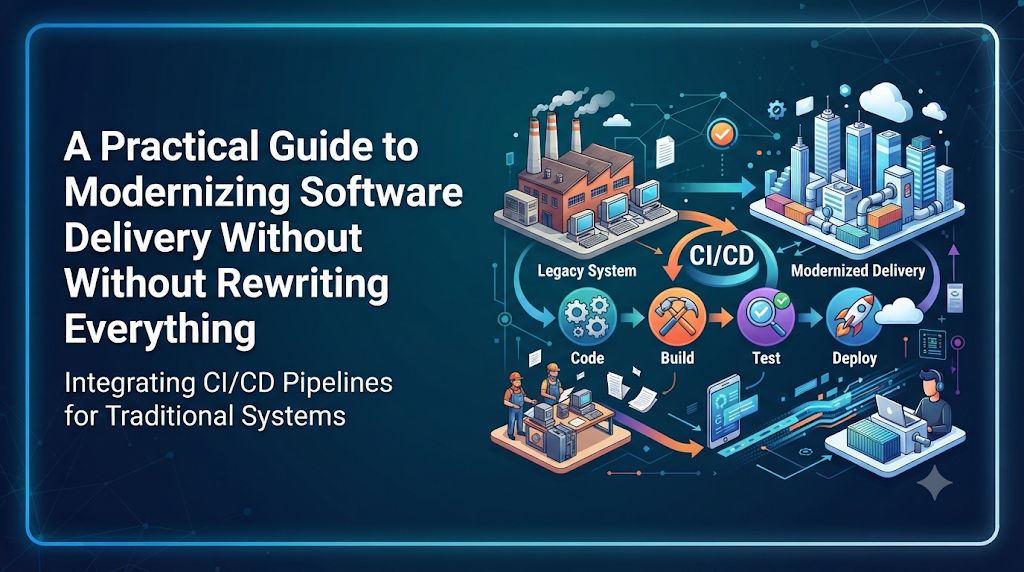
Introduction
Many organizations rely on software applications that have been running core business operations for years, or even decades. These systems support essential workflows, handle critical data, and generate revenue. However, modifying and releasing updates for them often involves manual steps, tribal knowledge, outdated tooling, and significant operational risk.
While a complete application rewrite might seem like the ideal solution, it is rarely feasible due to high costs, business disruptions, and tight project timelines. Instead of replacing these systems all at once, technology leaders and engineering teams can introduce continuous integration and continuous deployment (CI/CD) practices incrementally. Learning robust strategies for modernizing older workflows is an essential capability for modern engineers, and professional training organizations such as DevOpsSchool provide valuable learning resources for professionals developing expertise in DevOps, CI/CD, and application modernization.
The Challenge of Changing Software That Cannot Simply Be Replaced
Consider a realistic enterprise scenario: a financial services firm operates a core ledger application written fifteen years ago. It runs on aging infrastructure, uses custom build scripts, and has virtually no automated test coverage. Whenever a regulatory update or bug fix is required, a specialized team spends days compiling code manually, verifying dependencies by hand, and executing deployments during a high-risk weekend maintenance window.
Deployments are stressful, unpredictable, and prone to human error. Yet, rewriting the application is out of the question because the system contains millions of lines of undocumented business logic that took decades to refine.
Organizations cannot always replace such systems immediately. However, leaving their release processes entirely manual creates bottlenecks and increases failure rates. Introducing CI/CD provides a gradual, structured way to improve software delivery, reduce deployment friction, and establish repeatability without requiring an immediate architectural overhaul.
Understand What Makes an Application Legacy
An application is not necessarily legacy simply because it is old. Age alone does not dictate maintainability. Rather, legacy characteristics are defined by architectural constraints, operational friction, and supportability challenges. Common traits include:
- Monolithic architecture: Large codebases where all business logic, data access, and user interfaces are tightly bound together in a single deployment unit.
- Older programming languages and frameworks: Technologies that no longer receive active vendor support or lack native compatibility with modern orchestration tools.
- Outdated build systems: Custom makefiles, proprietary scripts, or manual compilation steps that only run successfully on specific developer workstations.
- Limited automated tests: An absence of unit, integration, or regression tests, relying instead entirely on manual quality assurance.
- Manual deployment procedures: Step-by-step deployment runbooks executed by hand via terminal commands or remote desktop sessions.
- Tightly coupled components: Modules that depend directly on one another’s internal memory structures or database connections.
- Database and infrastructure dependencies: Hardcoded database connections, specific operating system patches, or specialized hardware requirements.
- Incomplete technical documentation: Tribal knowledge residing exclusively with senior engineers who built the system years ago.
- Unsupported or difficult-to-replace tools: Utility libraries or third-party plugins that cannot be easily updated due to breaking changes.
Recognizing these characteristics helps engineering teams pinpoint where automation will deliver the highest initial value.
Why Traditional CI/CD Approaches May Not Work Immediately
Modern cloud-native CI/CD frameworks often assume containerized microservices, comprehensive automated test suites, and declarative infrastructure. When applied directly to legacy systems, these modern assumptions frequently fail. Common obstacles include:
- Builds that depend on specific machines: Compilers that fail on standard pipeline agents because they require specific local registry keys, file paths, or obsolete runtime libraries.
- Missing or unreliable automated tests: Pipelines that cannot validate build quality because tests do not exist or take hours to run.
- Environment-specific configuration: Hardcoded paths and configurations that differ between development, staging, and production environments.
- Manual database changes: Schema updates that require manual execution and data cleanup rather than automated migration scripts.
- Long compilation or packaging processes: Monoliths that take hours to build, breaking standard fast feedback loops.
- Proprietary deployment mechanisms: Binary installations that require interactive installers or manual service restarts.
- Limited compatibility with modern automation tools: Legacy artifacts that cannot be easily containerized or managed via standard artifact repositories.
Before selecting a pipeline design, teams must assess the existing application to understand these limitations.
Assess the Application Before Building the Pipeline
A successful modernization strategy begins with a thorough assessment. Teams should examine the application across several key dimensions:
- Source code and repository structure: Determine how source code is versioned, whether it resides in a single monolithic repository, and how branching is handled.
- Build and dependency management: Identify every tool, compiler, library, and environment variable required to produce a working build.
- Existing test coverage: Catalog any existing unit, functional, or integration tests, noting their reliability and execution duration.
- Deployment and release procedures: Document every manual step currently executed during a release, including configuration changes and service restarts.
- Infrastructure and environment dependencies: Map out operating systems, network configurations, and third-party software dependencies.
- Database architecture: Review schema management practices, data migration procedures, and backup mechanisms.
- Security requirements: Understand compliance mandates, credential management, and vulnerability scanning needs.
- External integrations: Identify downstream and upstream systems that interact with the application.
- Recovery and rollback capabilities: Evaluate how failures are currently handled and how long it takes to restore a previous version.
This assessment highlights automation opportunities and reveals areas that require additional safeguards before pipeline automation begins.
Designing a CI/CD Pipeline Around Legacy Constraints
Building a pipeline for a legacy application requires an incremental approach. Instead of attempting full continuous deployment on day one, teams should design a pipeline that gradually increases automation.
Recommended Pipeline Stages
- Source code checkout: Retrieve the latest code revision from the version control system.
- Dependency and environment validation: Verify that required build tools and libraries are present.
- Automated compilation or build: Execute build scripts or legacy compilers within a controlled environment.
- Static code analysis: Scan code for syntax errors, basic security flaws, and code smells where tooling permits.
- Available unit and integration tests: Run any existing automated tests to catch regressions early.
- Artifact packaging: Bundle compiled binaries, configuration templates, and assets into a standardized release archive.
- Artifact storage and versioning: Upload the packaged artifact to a secure repository for traceability.
- Deployment to a controlled test environment: Automatically deploy the artifact to a staging or testing environment.
- Approval and production release: Require manual sign-off before promoting the release candidate to production.
- Post-deployment verification: Execute health checks and basic smoke tests to confirm successful deployment.
Simplified Pipeline Flow
[ Code Checkout ] ---> [ Dependency Check ] ---> [ Automated Build ] ---> [ Package Artifact ]
                                                                                   │
                                                                                   ▼
[ Production Release ] <--- [ Manual Approval ] <--- [ Test Deployment ] <--- [ Artifact Storage ]
The initial implementation must prioritize repeatability and reliability over complete end-to-end automation.
Modernizing the Build Process Without Rewriting the Application
Automating the build process is the foundation of any CI/CD pipeline. Even if the application code remains unchanged, the mechanism used to build it can be modernized.
- Standardizing build environments: Move away from local developer workstations by defining build agents that contain all required legacy tools and runtimes.
- Pinning dependency versions: Ensure that third-party libraries and packages are version-controlled to prevent build drift.
- Managing legacy compilers and runtimes: Encapsulate older compilers inside virtual machines or containers where possible to ensure consistent execution.
- Reproducing builds consistently: Eliminate manual file edits during the build process by parameterizing configuration variables.
- Creating versioned deployment artifacts: Generate distinct, immutable packages (such as ZIP archives, RPMs, or WAR files) for every build.
- Removing unnecessary manual build steps: Script out repetitive tasks like file copying, asset compression, and manifest generation.
Practical Example: Containerizing a Legacy Build Agent
For applications that require older operating system versions or outdated compilers, teams often create dedicated build container images. For example, a Dockerfile can encapsulate an older runtime environment:
Dockerfile
FROM legacy-base-os:v4.2
RUN apt-get update && apt-get install -y make gcc-legacy
WORKDIR /app
COPY . /app
RUN make build-legacy-app
This ensures that regardless of which pipeline agent executes the job, the build environment remains identical.
Testing Strategies When Automated Coverage Is Limited
Legacy applications frequently suffer from low automated test coverage. Forcing developers to write comprehensive unit tests for a massive, undocumented monolith before implementing CI/CD is often impractical. Instead, teams should introduce testing gradually:
- Unit testing where feasible: Add unit tests around modular components or newly refactored sections of code.
- Integration testing: Verify that core modules interact correctly with each other and with databases.
- Regression testing: Automate critical user journeys using UI or API testing tools to catch unexpected side effects.
- Smoke testing: Implement lightweight checks that run immediately after deployment to confirm core service availability.
- API testing: Test exposed interfaces and endpoints to ensure contract stability.
- Database validation: Verify that data structures and migration scripts execute correctly.
- Characterization tests for existing behavior: Write tests that capture the current output of legacy functions, even if the internal logic is complex, ensuring future changes do not alter established behavior.
- Manual testing for high-risk workflows: Retain structured manual testing checkpoints for complex user interfaces or workflows that are too costly to automate initially.
Characterization testing is especially powerful for legacy systems because it documents actual runtime behavior without requiring a full understanding of the original business logic.
Safer Deployment Methods for Legacy Environments
Deploying legacy applications carries inherent risks due to tight coupling and potential state conflicts. Selecting the right deployment strategy depends on the underlying architecture:
- Controlled rolling deployments: Update instances sequentially behind a load balancer to maintain service availability.
- Blue-green deployment where infrastructure permits: Maintain two identical environments, switching traffic to the newly deployed version once verified.
- Canary releases for compatible applications: Route a small percentage of user traffic to the new version to monitor stability before full rollout.
- Maintenance-window deployments: For monolithic systems that cannot handle concurrent version execution, schedule controlled deployments during off-peak hours.
- Automated deployment scripts: Replace manual terminal commands with robust shell or configuration management scripts to eliminate human error.
- Environment-based promotion: Ensure artifacts flow strictly through defined environments (Development -> Staging -> Production).
- Feature flags where application architecture supports them: Toggle new functionality on or off without requiring a full redeployment.
Carefully evaluate downtime implications and rollback procedures for each approach before applying them to production environments.
Database Changes and Dependency Management
Database management is often the most dangerous aspect of legacy application deployments. Unlike stateless application servers, databases maintain persistent state, making rollbacks complex.
- Database backup and recovery planning: Always execute automated backups immediately prior to applying database migrations.
- Backward-compatible schema changes: Design database updates so that older application versions can still function during a rolling deployment.
- Versioned database migration scripts: Use structured migration tools to track and apply schema changes sequentially.
- Application and schema compatibility: Ensure that code changes and database updates are decoupled when necessary, deploying schema changes first when safe.
- External service dependencies: Mock or isolate external integrations during testing to prevent unintended interactions with third-party systems.
- Configuration and credential management: Externalize configuration files and secure sensitive credentials using modern secret management tools.
- Coordinating changes across connected systems: Establish clear communication protocols when legacy services share databases with other applications.
Security and Compliance in Legacy CI/CD
Introducing CI/CD into legacy environments provides an opportunity to improve security posture, even when older components cannot be easily upgraded.
- Source code scanning: Integrate static analysis tools to catch common vulnerabilities in custom code.
- Dependency and vulnerability checks: Scan third-party libraries for known Common Vulnerabilities and Exposures (CVEs).
- Secret detection: Ensure API keys, passwords, and connection strings are never committed to version control.
- Artifact integrity: Sign and verify build artifacts to prevent tampering.
- Secure pipeline credentials: Restrict pipeline access to sensitive production keys using role-based access control.
- Access control: Enforce strict permissions on who can trigger production deployments.
- Deployment approvals: Require formal engineering or management sign-off for production releases.
- Audit trails: Maintain comprehensive logs of every build, test result, and deployment event.
- Risk-based exception management: Document known vulnerabilities in legacy dependencies that cannot be patched immediately and establish compensating controls.
Documenting limitations transparently helps organizations maintain compliance while pursuing steady modernization.
Practical Implementation: From Manual Release to Automated Pipeline
Transforming a manual release process into an automated pipeline requires a step-by-step approach. Below is an illustrative implementation path for a legacy enterprise application.
Transformation Stages
- Document the existing release process: Write down every manual step currently required to build and release the application.
- Move source code into controlled version management: Centralize the codebase in Git.
- Standardize the build environment: Create a repeatable build script or containerized build agent.
- Automate compilation and packaging: Configure a CI server to compile the code and produce a versioned archive automatically.
- Introduce available automated tests: Integrate basic smoke and unit tests into the build pipeline.
- Store versioned artifacts: Push successful build packages to a centralized artifact repository.
- Automate deployment to a test environment: Configure the pipeline to deploy artifacts automatically to a staging server.
- Add approval and production deployment steps: Implement manual approval gates before releasing to production.
- Implement health checks and recovery procedures: Add automated validation scripts post-deployment.
Simplified Pipeline Configuration Example
The following example demonstrates a simplified Jenkinsfile pipeline configured for a legacy build and deployment workflow:
Groovy
pipeline {
    agent any

    stages {
        stage('Checkout') {
            steps {
                checkout scm
            }
        }

        stage('Standardized Build') {
            steps {
                sh './build-legacy.sh'
            }
        }

        stage('Run Available Tests') {
            steps {
                sh './run-smoke-tests.sh'
            }
        }

        stage('Package Artifact') {
            steps {
                sh 'tar -czf legacy-app-release.tar.gz dist/'
                archiveArtifacts artifacts: 'legacy-app-release.tar.gz', fingerprint: true
            }
        }

        stage('Deploy to Staging') {
            steps {
                sh './deploy-staging.sh legacy-app-release.tar.gz'
            }
        }

        stage('Production Approval') {
            steps {
                input message: 'Approve deployment to production?', ok: 'Deploy'
            }
        }

        stage('Deploy to Production') {
            steps {
                sh './deploy-production.sh legacy-app-release.tar.gz'
            }
        }
    }
}
In early adoption phases, steps such as production deployment may remain partially manual, with the pipeline handling artifact packaging and staging deployments.
Common Mistakes During Legacy CI/CD Adoption
Teams embarking on legacy CI/CD projects frequently encounter predictable pitfalls. Avoiding these mistakes saves time and prevents operational frustration:
- Trying to automate every stage at once: Attempting full continuous deployment immediately often overwhelms teams. Start with continuous integration and staging deployments first.
- Rewriting the application before understanding its dependencies: Making sweeping architectural changes without mapping out existing integrations breaks critical business workflows.
- Ignoring existing business workflows: Forcing rigid modern pipelines onto teams without considering operational schedules leads to friction and resistance.
- Trusting builds without testing: Automating builds without introducing basic validation steps simply automates the generation of broken artifacts.
- Automating unsafe database changes: Pushing unverified schema migrations directly through pipelines risks catastrophic data loss.
- Using inconsistent build environments: Relying on developer local machines for builds leads to “it works on my machine” syndromes.
- Skipping rollback preparation: Failing to plan how to revert a failed release leaves systems vulnerable to extended downtime.
- Ignoring security risks in old dependencies: Assuming that older libraries are safe simply because they have been running for years.
- Choosing tools before assessing compatibility: Selecting shiny modern tools that cannot interface with legacy runtimes or file formats.
A Gradual Adoption Roadmap
A structured roadmap helps organizations transition legacy systems toward full automation without risking business continuity.
[ Phase 1: Discovery ] ---> [ Phase 2: Build Standardization ] ---> [ Phase 3: Basic CI ]
                                                                             │
                                                                             ▼
[ Phase 7: Continuous Modernization ] <--- [ Phase 5 & 6: Deployment & Reliability ] <-- [ Phase 4: Artifact Management ]
- Phase 1 – Discovery: Document the application, architecture, dependencies, and existing release processes thoroughly.
- Phase 2 – Build Standardization: Make builds repeatable, versioned, and independent of individual developer workstations.
- Phase 3 – Basic CI: Introduce automated compilation, code validation, and available unit or smoke tests.
- Phase 4 – Artifact Management: Centralize storage for consistent, immutable build artifacts.
- Phase 5 – Controlled Deployment: Automate test-environment deployments and introduce manual production approval gates.
- Phase 6 – Reliability Improvements: Add monitoring, robust rollback planning, and expanded automated test coverage.
- Phase 7 – Continuous Modernization: Gradually reduce technical debt, refactor brittle components, and expand automation as the application evolves.
Each phase should be measured, validated, and stabilized before moving forward.
How to Measure CI/CD Progress for Legacy Applications
Measuring success helps engineering teams justify modernization efforts and identify ongoing bottlenecks. Useful indicators include:
- Build success rate: The percentage of builds that complete successfully without errors.
- Build duration: The time required to compile, package, and validate an artifact.
- Deployment frequency: How often updates are successfully released to test and production environments.
- Lead time for changes: The total time required for a code commit to reach production.
- Change failure rate: The percentage of deployments that result in degraded service or require hotfixes.
- Mean Time to Recovery (MTTR): How quickly teams can restore service when a deployment fails.
- Manual deployment effort: The reduction in hours spent executing manual release runbooks.
- Test execution coverage and reliability: The growth and stability of automated test suites.
Teams should establish an initial baseline and measure improvements incrementally, recognizing that legacy applications will not immediately match the performance metrics of newly designed cloud-native systems.
Frequently Asked Questions
Can CI/CD be implemented for legacy applications?
Yes. CI/CD can be introduced to almost any application by focusing on repeatable builds, automated packaging, and controlled deployments, even when the underlying architecture cannot be immediately modernized.
How can teams automate deployments without changing the application?
Teams can wrap legacy binaries and configuration files into standardized deployment scripts or container images, replacing manual terminal commands with automated pipeline execution steps.
What if a legacy system has no automated tests?
Teams should start by introducing basic smoke tests, integration checks, and characterization tests that validate existing behavior before making code modifications.
Which CI/CD tools can support older build systems?
Most enterprise CI/CD platforms (such as Jenkins, GitLab CI, Azure DevOps, and GitHub Actions) support custom shell execution and isolated agent environments capable of running legacy compilers.
Should legacy applications be containerized before CI/CD adoption?
Containerization is helpful for standardizing build and runtime environments, but it is not mandatory. Legacy applications can be packaged into standard archives (ZIP, RPM, WAR) if containers are not supported by the underlying infrastructure.
How can teams handle database changes in legacy pipelines?
Teams should use versioned database migration scripts, maintain backward-compatible schemas, and execute automated backups immediately prior to applying updates.
Is fully automated production deployment always necessary?
No. For high-risk legacy applications, maintaining a manual approval gate before production deployment is a standard and practical safeguard during early adoption phases.
How can organizations reduce deployment risks?
Organizations can reduce risk by implementing controlled rolling deployments, maintaining thorough rollback procedures, scheduling maintenance windows when necessary, and automating post-deployment health checks.
What is the first step toward legacy application modernization?
The first step is conducting a thorough discovery assessment to document the application’s source code structure, dependencies, build tools, and manual release procedures.
How should teams measure CI/CD success in older systems?
Teams should track improvements in build success rates, lead times, deployment frequency, and reductions in manual effort relative to their initial baseline measurements.
Conclusion: Modernize the Delivery Process Before Replacing Everything
Legacy applications remain the backbone of many enterprise operations. While rewriting these systems from scratch is rarely practical, leaving their release processes manual introduces unnecessary business risk, slows innovation, and drains engineering time.
By introducing CI/CD incrementally—starting with build standardization, moving to automated packaging, introducing gradual testing, and enforcing controlled deployments—organizations can transform their release processes without disrupting business operations. Embracing this disciplined approach enables engineering teams to deliver updates more safely, reduce downtime, and lay a strong foundation for ongoing application modernization.
