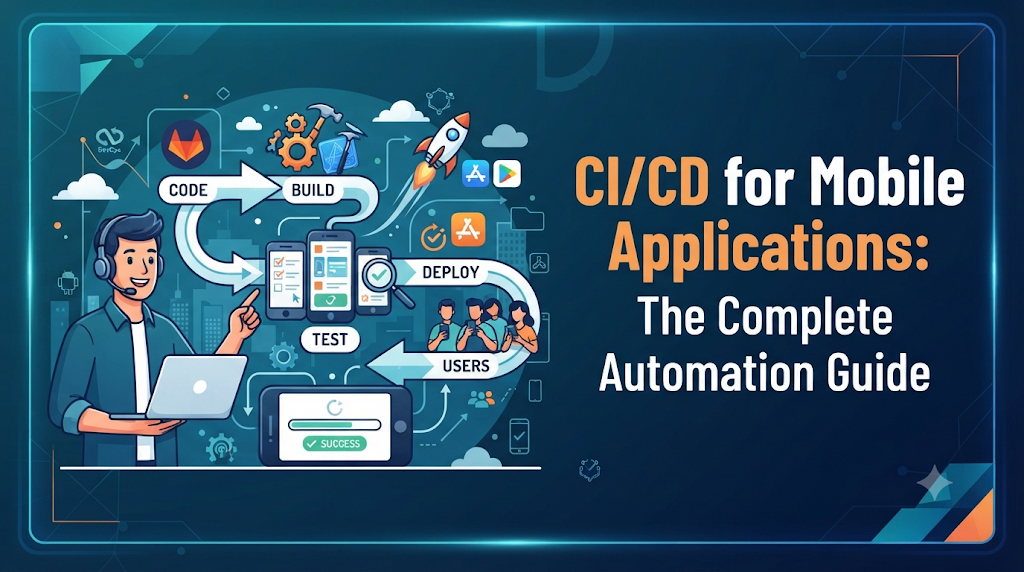
Introduction: Why Mobile Teams Need Automated Delivery
Consider a typical mobile development team working on a high-traffic consumer application for both Android and iOS. Features are added weekly, bugs are fixed rapidly, and stakeholders expect a continuous flow of updates. However, the release process tells a different story. Every release cycle involves hours of manual labor: developers export archives, manually swap provisioning profiles, trigger local builds on personal machines, run disjointed test suites, and upload artifacts to testing portals or app stores while holding their breath that nothing breaks. When a build fails due to a missing certificate or a mismatched dependency version, the team loses valuable hours diagnosing environment issues rather than writing code. This friction occurs because mobile software delivery involves unique hurdles that traditional web development pipelines rarely encounter. Mobile applications cannot simply be pushed to a live server; they must be compiled into platform-specific binaries, signed with cryptographic certificates, validated against strict operating system rules, tested across diverse hardware configurations, and submitted through formal app store review gates.
Continuous Integration and Continuous Delivery (CI/CD) help mobile teams eliminate these manual bottlenecks by automating repetitive build, test, and packaging tasks. By implementing a robust pipeline, teams can detect defects early, maintain consistent build quality, and coordinate contributions across multiple developers without friction. For engineering teams looking to master these automation techniques and build practical workflows, organizations like DevOpsSchool provide comprehensive resources and training on modern DevOps practices.
1. Understanding CI/CD in the Mobile Development Lifecycle
To build a reliable delivery pipeline, it is essential to define the core principles of CI/CD and understand how they apply specifically to mobile ecosystems.
- Continuous Integration (CI) is the practice where developers regularly merge their code changes into a central repository, frequently multiple times a day. Each merge automatically triggers an automated build and runs unit tests to detect integration errors early.
- Continuous Delivery (CD) extends CI by ensuring that the application code is always in a releasable state. Every passing build is automatically packaged, signed, and deployed to a staging or testing environment, ensuring that the software can be released to users at any time with minimal manual intervention.
- Continuous Deployment takes delivery a step further by automatically pushing validated builds directly to production users or public app stores without manual gatekeeping. While common in web applications, true continuous deployment is rare in mobile apps due to app store review policies and user update behavior.
The Mobile Delivery Workflow
The typical mobile CI/CD workflow follows a structured sequence:
$$\text{Code Change} \rightarrow \text{Source Control} \rightarrow \text{Automated Build} \rightarrow \text{Testing} \rightarrow \text{Signing} \rightarrow \text{Artifact Generation} \rightarrow \text{Distribution} \rightarrow \text{Release}$$
It is vital to distinguish between internal distribution and public release. Automatically deploying a mobile build to an internal QA testing group or beta channel is safe and highly recommended. Conversely, publishing an application to the Google Play Store or Apple App Store often involves automated submission to review tracks or staged rollouts, but it still requires careful oversight of release notes and compliance guidelines.
2. What Makes Mobile CI/CD Different From Web CI/CD?
While web applications run in standardized browser environments or cloud containers, mobile applications run directly on end-user hardware. This introduces several distinct challenges that shape mobile CI/CD design:
- Platform Diversity: Pipelines must handle two entirely different ecosystems—Android (Java/Kotlin) and iOS (Objective-C/Swift)—each requiring distinct toolchains, build agents, and compilation environments.
- Hardware and OS Fragmentation: Mobile apps must support hundreds of device models, varying screen sizes, hardware capabilities, and multiple active versions of Android and iOS.
- Cross-Platform Frameworks: Many teams build using frameworks like Flutter or React Native, which require pipelines to orchestrate both JavaScript/Dart compilation and native Android/iOS wrapper builds.
- App Signing and Certificates: Unlike web servers, mobile operating systems require cryptographic signatures. Pipelines must securely manage keystores, provisioning profiles, distribution certificates, and entitlements.
- App Store Governance: Deploying updates requires adherence to strict guidelines set by Apple and Google, including automated or manual review processes, metadata validation, and version number management.
- Backward Compatibility: Mobile users do not always update apps immediately. Pipelines must support backward compatibility, database migrations, and API versioning to prevent breaking older client installations.
3. Designing a Mobile CI/CD Pipeline From the Ground Up
A reliable mobile pipeline relies on modular building blocks that execute deterministically across every environment.
Essential Pipeline Components
- Source Control Management: Git repositories hosting the application source code, configuration files, and pipeline scripts.
- Branching & Pull Request Workflows: Enforcing feature branches, branch protection rules, and automated pull request checks before merging into main branches.
- Dependency Management: Caching and restoring package managers (Gradle, CocoaPods, Swift Package Manager, npm) to accelerate build times.
- Build Automation: Compiling source code into debug or release binaries using headless command-line tools.
- Automated Testing: Executing unit, integration, and UI tests across emulators, simulators, and real devices.
- Code Quality & Security Scanning: Static analysis tools checking for code smells, vulnerabilities, and leaked secrets.
- Application Signing: Injecting cryptographic keystores and provisioning profiles into the build artifact.
- Artifact Storage: Saving generated APKs, App Bundles, and IPAs in secure artifact repositories for traceability.
- Internal Distribution: Uploading builds to platforms like Firebase App Distribution, TestFlight, or internal enterprise servers.
- Release Approval & Publishing: Managing final sign-offs and pushing builds to store consoles.
Maintaining environment parity across development machines, CI runners, and staging servers ensures that a build passing locally will behave identically in the pipeline.
4. Building and Automating Android Applications
Android application development centers around Android Studio, the Gradle build system, and command-line execution tools.
Android Workflow Fundamentals
- Build Variants: Combining product flavors (e.g., free, paid) and build types (debug, release) to generate tailored application variants.
- Dependency Resolution: Gradle fetches external libraries and manages local caching during the build phase.
- Artifact Formats: Generating Android App Bundles (
.aab) for Google Play distribution and APKs (.apk) for direct testing. - Versioning: Managing
versionCodeandversionNamedynamically within build scripts to prevent collision errors. - Application Signing: Applying a release keystore containing private keys to sign the compiled bundle.
Simplified Gradle Build Command
Bash
# Clean project and build release Android App Bundle
./gradlew clean bundleRelease
To secure signing credentials, avoid hardcoding passwords in build.gradle. Instead, inject them as environment variables during pipeline execution (ORG_GRADLE_PROJECT_signingKey, etc.) and validate the generated artifact using bundle inspection tools.
5. Automating the iOS Build and Release Process
iOS CI/CD automation introduces strict platform requirements because Apple applications must be compiled on macOS environments equipped with Xcode.
iOS Pipeline Requirements
- Xcode Command Line Tools: Utilizing
xcodebuildandxcrunto compile workspaces or projects from the terminal. - Schemes and Configurations: Defining specific build configurations (Debug, Release, AdHoc) and schemes for testing or distribution.
- Code Signing Assets: Managing provisioning profiles (
.mobileprovision), distribution certificates (.p12), and secure keychain access on the CI agent. - Bundle Identifiers: Ensuring unique app IDs match developer portal configurations.
- IPA Generation: Archiving the app and exporting the compiled
.ipaarchive file.
Simplified Fastlane iOS Build Example
Many teams use Fastlane to simplify iOS automation. A basic lane configuration for building and uploading to TestFlight looks like this:
Ruby
lane :beta do
  increment_build_number(xcodeproj: "MyApp.xcodeproj")
  build_app(workspace: "MyApp.xcworkspace", scheme: "MyApp")
  upload_to_testflight
end
Because macOS build runners are resource-intensive, teams often utilize cloud-hosted Mac execution nodes or manage local Mac mini worker pools connected to their CI orchestration server.
6. Automated Testing: Validate Before Distribution
An automated pipeline is only as reliable as its test suite. Mobile testing spans multiple layers to catch defects before they reach users.
- Unit Testing: Fast tests validating business logic, ViewModels, and utility functions using JUnit (Android) or XCTest (iOS).
- Integration Testing: Ensuring components, local databases, and network layers interact correctly.
- UI Testing: Simulating user interactions using Espresso, XCUITest, or cross-platform frameworks like Appium.
- API & Contract Testing: Verifying that backend endpoints match mobile client data models.
- Regression & Compatibility Testing: Checking app behavior across different OS versions, screen dimensions, and hardware specs.
- Performance & Accessibility: Measuring memory usage, battery drain, CPU spikes, and screen reader compliance.
Halting Unsuitable Builds
If any critical test fails during the pipeline execution, the CI tool must immediately abort the workflow, notify the developer via Slack or email, and prevent the build artifact from advancing to signing or distribution stages.
7. Mobile CI/CD Tools and Their Roles
Various tools serve specialized roles within a mobile DevOps ecosystem. Understanding their strengths helps teams choose the right combination:
- Jenkins: Highly customizable, self-hosted automation server offering deep pipeline control through Groovy scripts.
- GitHub Actions: Cloud-native CI/CD tightly integrated with GitHub repositories, featuring extensive marketplace actions for mobile tasks.
- GitLab CI/CD: Unified platform offering source control, issue tracking, and powerful Docker-based runners.
- Bitrise: Purpose-built mobile CI/CD SaaS platform providing pre-built integrations for Android and iOS signing, testing, and deployment.
- Fastlane: Open-source Ruby toolkit that automates tedious mobile deployment tasks like screenshot generation, code signing, and beta distribution.
- Firebase App Distribution: Lightweight platform for sharing pre-release Android and iOS builds with internal testers.
- BrowserStack: Cloud-based real-device testing grid enabling automated UI test execution across physical mobile hardware.
- App Store Connect & Google Play Console: Official platform dashboards for managing metadata, store listings, and production releases.
8. Protecting Signing Keys, Certificates, and Application Secrets
Security is paramount in mobile CI/CD because release pipelines handle sensitive cryptographic assets. A compromised signing key can allow malicious actors to distribute rogue updates to your user base.
- Secure Keystore Storage: Store Android
.jksfiles and iOS.p12certificates in encrypted secret managers (such as GitHub Secrets, Vault, or AWS Secrets Manager) rather than committing them to source control. - Ephemeral Keychains: On iOS CI runners, create temporary keychains during the build job and delete them immediately afterward to prevent credential leakage.
- Least Privilege Access: Limit pipeline access and deployment permissions strictly to authorized engineering roles.
- Credential Rotation: Establish regular schedules for rotating API tokens, distribution keys, and signing certificates before they expire.
- Masking Pipeline Logs: Configure CI tools to mask sensitive variables in build logs so passwords and private keys are never exposed in plain text.
9. Distributing Builds to Testers and Managing Releases
Once a build is compiled, signed, and verified, it must be distributed efficiently to stakeholders.
- Internal Testing & QA: Early builds are automatically pushed to QA teams via Firebase App Distribution or internal servers.
- Beta Testing via TestFlight and Play Console: External beta testers receive notification updates for pre-release candidates.
- Release Candidate Validation: Final smoke tests are conducted on staging builds before public submission.
- Versioning & Release Notes: Automated scripts extract commit messages to generate change logs and increment version tags.
- Staged Rollouts: Releasing updates to a small percentage of production users first (e.g., 1% to 10%) to monitor crash rates before a 100% rollout.
10. A Practical Example: Automating a Mobile App Release
To visualize a complete mobile CI/CD pipeline, consider the end-to-end journey of a cross-platform mobile release:
- Code Commit: A developer merges a pull request into the
mainbranch. - Trigger CI Workflow: GitHub Actions detects the merge and spins up parallel runner jobs for Android and iOS.
- Dependency Installation: Gradle and CocoaPods restore required packages using cached layers.
- Quality Gates: Static analysis tools (
ktlint,SwiftLint) and unit tests execute concurrently. - Parallel Builds:
- The Android job compiles code and generates a signed
.aabbundle. - The iOS job runs Xcode archiving to produce a signed
.ipafile.
- The Android job compiles code and generates a signed
- Automated UI Testing: Integration tests run against Firebase Test Lab and iOS simulators.
- Artifact Archiving: Successful binaries are uploaded to secure artifact storage.
- Beta Distribution: Fastlane automatically pushes the builds to Firebase App Distribution for QA review.
- Store Submission: Upon manual approval, Fastlane submits the Android bundle to Google Play Console and the iOS build to TestFlight.
- Monitoring: Post-release health is tracked via crash-reporting dashboards.
11. Mobile CI/CD Challenges and How Teams Can Resolve Them
Even mature mobile pipelines encounter operational hurdles. Here are common challenges and practical resolutions:
- Slow Build Execution:
- Cause: Large dependency trees and lack of parallelization.
- Resolution: Implement robust build caching, split UI tests across multiple parallel shards, and utilize incremental compilation.
- Certificate Expiration & Signing Failures:
- Cause: Expired provisioning profiles or mismatched keystore passwords.
- Resolution: Use automated certificate management tools (like Fastlane
match) and set up calendar alerts 30 days prior to certificate expiration.
- Flaky UI Tests:
- Cause: Network latency, animation timing issues, or asynchronous UI rendering.
- Resolution: Add explicit wait conditions, mock network responses, and isolate test environments.
- App Store Rejections:
- Cause: Policy violations, missing permission usage descriptions, or broken login flows.
- Resolution: Integrate automated metadata and permission scanners into the pipeline to catch guideline violations pre-submission.
12. Improving Mobile Pipeline Speed and Reliability
Optimizing pipeline performance ensures rapid feedback loops for developers without compromising software quality.
- Effective Caching: Cache Gradle dependencies, CocoaPods pods, and build cache directories across pipeline runs.
- Parallel Job Execution: Run Android and iOS builds, unit tests, and UI test suites concurrently on separate worker nodes.
- Reusable Templates: Create modular pipeline templates or custom actions to standardize workflows across multiple mobile repositories.
- Smart Test Selection: Run only relevant unit tests affected by modified code files during pull request validation, saving comprehensive UI testing for nightly builds.
- Resource Monitoring: Track pipeline execution durations over time to identify bottlenecks and optimize slow build phases.
13. Measuring Mobile CI/CD Performance
To evaluate the effectiveness of a mobile delivery process, engineering teams track key performance indicators:
- Build Success Rate: Percentage of pipeline runs that complete successfully without errors.
- Average Build Duration: Time elapsed from code commit to artifact generation.
- Time to Distribution: Duration required for a build to reach QA testers.
- Release Frequency: How often updates are successfully delivered to users or beta channels.
- Change Failure Rate: Proportion of releases that introduce critical bugs or require hotfixes.
- App Crash Rate: Post-release stability metric tracked via monitoring tools.
- Mean Time to Recovery (MTTR): Speed at which broken builds or production issues are resolved.
14. A Practical Roadmap for Adopting Mobile DevOps
Implementing mobile CI/CD is most successful when approached in structured phases:
Stage 1: Development Workflow Preparation
- Standardize Git branching strategies (e.g., GitFlow or GitHub Flow).
- Enforce code reviews and pull-request template requirements.
- Document local build and setup instructions.
Stage 2: Basic CI Automation
- Set up CI runners for Android and iOS compilation.
- Automate execution of unit tests on every pull request.
- Generate and archive build artifacts automatically.
Stage 3: Quality and Security Integration
- Integrate static code analysis and linting checks.
- Secure signing credentials within encrypted secret managers.
- Implement automated UI testing on emulators and simulators.
Stage 4: Distribution Automation
- Automate internal distribution to QA teams via Firebase or TestFlight.
- Establish release approval gates for production candidates.
- Streamline store submission workflows.
Stage 5: Continuous Improvement
- Monitor pipeline performance metrics and build times.
- Optimize test reliability and reduce flakiness.
- Gather feedback from release retrospectives to refine automation scripts.
15. Frequently Asked Questions
1. What is CI/CD for mobile applications?
CI/CD for mobile applications is the practice of automating the building, testing, signing, packaging, and distribution of Android and iOS apps using continuous integration and delivery pipelines.
2. How does CI/CD work for Android apps?
Android CI/CD typically uses Gradle build commands on Linux or macOS runners to compile source code, execute unit and UI tests, sign APKs or App Bundles with secure keystores, and distribute them to testing or store channels.
3. How is iOS CI/CD different from Android CI/CD?
iOS CI/CD requires macOS environments equipped with Xcode, and it demands rigorous management of cryptographic signing assets such as distribution certificates and provisioning profiles.
4. Which tools are commonly used for mobile CI/CD?
Popular tools include Jenkins, GitHub Actions, GitLab CI/CD, Bitrise, Fastlane, Firebase App Distribution, and BrowserStack.
5. Can mobile app testing be fully automated?
While unit, integration, and functional UI tests can be fully automated, final human exploratory testing and store review compliance checks still require manual oversight.
6. Why is code signing necessary in mobile pipelines?
Mobile operating systems require cryptographic signatures to verify the developer’s identity, ensure application integrity, and authorize permissions.
7. How can teams distribute test builds automatically?
Teams use services like Firebase App Distribution, TestFlight, or internal enterprise portals integrated directly into their CI/CD pipeline.
8. Can Jenkins or GitHub Actions build both Android and iOS apps?
Yes, provided they have access to appropriate worker nodes—Linux or macOS runners for Android, and macOS runners equipped with Xcode for iOS.
9. How can mobile teams secure signing certificates?
Teams should store keystores and certificates in encrypted secret management systems and inject them securely into ephemeral runtime environments during pipeline execution.
10. Does CI/CD automatically publish apps to app stores?
While CI/CD can automate the submission of builds to store review consoles (like Google Play Console or App Store Connect), final publication often requires manual review approval or release sign-off.
Conclusion: Making Mobile Releases More Consistent
Implementing CI/CD for mobile applications transforms chaotic manual release cycles into predictable, repeatable, and efficient delivery pipelines. By addressing platform-specific challenges—such as separate Android and iOS toolchains, cryptographic code signing, hardware fragmentation, and automated testing—engineering teams can detect defects early, reduce release anxiety, and deliver high-quality features to users faster. A successful mobile DevOps journey requires disciplined security practices, robust testing strategies, and continuous optimization of pipeline performance. For professionals and teams seeking to deepen their expertise in modern automation and practical engineering workflows, DevOpsSchool offers expert-led guidance and structured learning paths to help master the art of mobile CI/CD.
