In modern software development, writing code is only half the journey. Getting that code safely, quickly, and reliably into the hands of users is where the real engineering challenge lies. Many engineering teams begin their software delivery journey using manual processes: developers compile code locally, run tests on their own machines, package binaries manually, and log into remote servers via SSH to execute shell scripts or copy files.
While this manual approach works for very small teams or early prototypes, it quickly breaks down as projects grow. Manual builds introduce human error, cause environment inconsistencies between development and production, and create severe bottlenecks. When multiple developers commit code simultaneously, integrating changes becomes a stressful, error-prone event.
Continuous Integration and Continuous Delivery (CI/CD) solve these challenges by automating the entire build, test, and release cycle. At the center of this automation movement stands Jenkins, an open-source server trusted by organizations worldwide. For developers and system administrators looking to structure their learning, programs and resources at DevOpsSchool offer valuable guidance in mastering these essential automation practices.
1. The Problem Jenkins Solves in Software Delivery
To appreciate why Jenkins is so widely adopted, examine a typical day in a development team without CI/CD automation:
- Manual Compilation & Testing: Developers finish a feature, run tests locally where “it works on my machine,” and push code to a shared repository.
- Integration Conflicts: When code from five different developers merges simultaneously, hidden dependency clashes or breaking test failures emerge.
- Deployment Bottlenecks: Someone must manually trigger a release build, package artifacts, and execute deployment commands on a staging server.
These manual activities lead to delivery delays, unpredictable results, and high deployment risks. Fixing a bug discovered late in the release cycle is exponentially more expensive than catching it immediately after a commit.
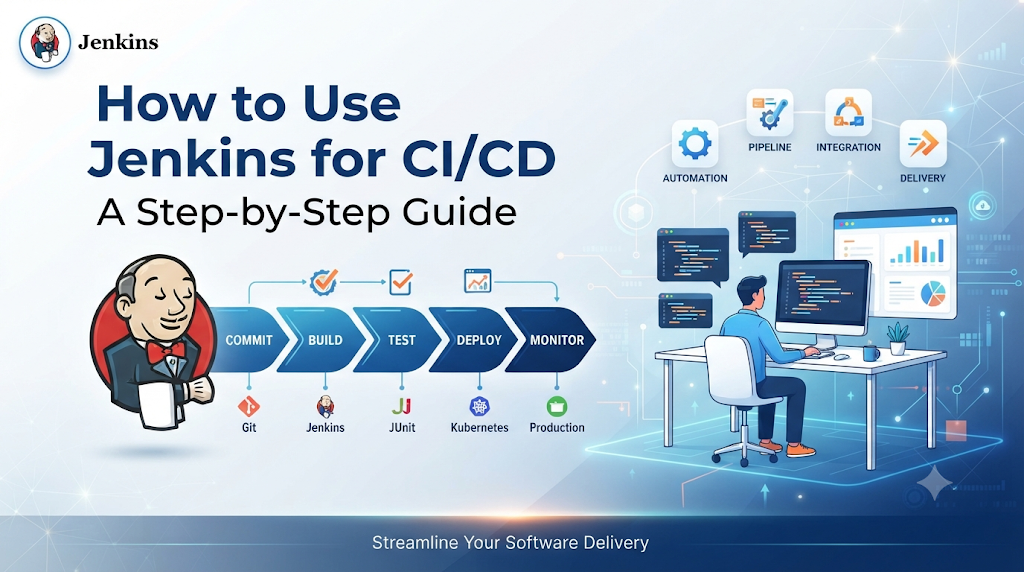
CI/CD transforms this volatile workflow into a streamlined, automated assembly line. Continuous Integration (CI) ensures that every code change is automatically built and tested the moment it is committed to version control. Continuous Delivery (CD) takes verified code builds and automatically prepares them for release to test or production environments. Jenkins acts as the reliable orchestration engine that coordinates these steps, eliminating human toil and ensuring consistent, repeatable software delivery.
2. Understanding Jenkins Beyond the Basics
Jenkins is an open-source automation server written in Java. It provides hundreds of plugins supporting building, deploying, and automating any project.
Continuous Integration vs. Continuous Delivery vs. Continuous Deployment
- Continuous Integration (CI): Developers frequently merge code changes into a central repository. Each merge triggers an automated build and test sequence.
- Continuous Delivery (CD): An extension of CI where every validated build is automatically packaged and staged ready for release, though the final push to production may involve a manual approval gate.
- Continuous Deployment: Going one step further than delivery, where every change that passes all automated stages is released directly to production users without manual intervention.
Jenkins’ Role in the CI/CD Lifecycle
Jenkins sits between your version control system (like Git) and your deployment targets (like Docker, Kubernetes, or virtual servers). It listens for changes, pulls source code, triggers build tools, executes automated test suites, generates build artifacts, and initiates deployments.
Important Jenkins Capabilities
- Extensibility: An extensive plugin ecosystem allows integration with virtually every tool in the modern DevOps toolchain.
- Distributed Builds: Jenkins can distribute build and test workloads across multiple worker nodes, saving time on large codebases.
- Pipeline-as-Code: Pipelines can be defined using code stored right alongside application source files.
Common Use Cases
Organizations use Jenkins for automating multi-stage testing, building Docker container images, deploying microservices to Kubernetes clusters, scheduling database migrations, and executing scheduled nightly security scans.
3. How Jenkins Pipeline Architecture Works
Understanding how Jenkins organizes work helps clarify how code transforms into a running application.
Key Architectural Components
- Jenkins Controller: The master server that coordinates the orchestration, schedules builds, manages plugins, and serves the web user interface.
- Build Agents and Executors: Worker nodes (physical machines, VMs, or containers) that execute the actual pipeline steps assigned by the controller.
- Jobs and Pipelines: The definitions of the work to be performed, structured as code or configuration.
- Source Code Repositories: External systems like GitHub or GitLab that store application source files.
- Plugins and Integrations: Add-ons that extend Jenkins to communicate with external tools and cloud providers.
- Build Artifacts: Compiled binaries, packages, or container images produced during a successful build.
- Credentials Management: Secure storage for passwords, SSH keys, API tokens, and tokens used during builds.
The Code Journey Through the Pipeline
- A developer commits code changes and pushes them to a Git repository.
- A webhook notifies Jenkins of the new commit.
- The Jenkins controller allocates an executor on an available build agent.
- The agent checks out the source code repository.
- The pipeline executes compilation and unit tests.
- Upon success, the pipeline packages the application into an artifact and deploys it to a test environment.
4. Preparing the Environment for Your First Pipeline
Before building a pipeline, you need a working Jenkins environment.
Prerequisites and Java Compatibility
Jenkins requires a compatible Java Runtime Environment (JRE) or Java Development Kit (JDK). Depending on the Jenkins release version you install, check the official release notes for compatibility—most modern releases run on Java 17.
Installation Options
Jenkins can be installed via native package managers on Linux, run inside a Docker container, or deployed on Kubernetes. For learning purposes, installing Jenkins on a Linux environment (such as Ubuntu) is a popular approach.
Installing Jenkins on Linux (Ubuntu)
Bash
sudo apt update
sudo apt install fontconfig openjdk-17-jre
curl -fsSL https://pkg.jenkins.io/debian-stable/jenkins.io-2023.key | sudo tee \
  /usr/share/keyrings/jenkins-keyring.asc > /dev/null
echo deb [signed-by=/usr/share/keyrings/jenkins-keyring.asc] \
  https://pkg.jenkins.io/debian-stable binary/ | sudo tee \
  /etc/apt/sources.list.d/jenkins.list > /dev/null
sudo apt update
sudo apt install jenkins
sudo systemctl enable jenkins
sudo systemctl start jenkins
Accessing the Web Interface and Initial Setup
- Open your browser and navigate to
http://<your-server-ip>:8080. - Retrieve the initial administrator password from the server terminal:Bash
sudo cat /var/lib/jenkins/secrets/initialAdminPassword - Paste the password into the web setup wizard.
- Select Install suggested plugins to set up standard plugins for Git, Pipeline, and security management.
- Create your first administrative user account and confirm the Jenkins URL instance configuration.
5. Build a CI/CD Pipeline Through a Practical Project
To see Jenkins in action, build a practical project using a simple sample application (e.g., a Maven-based Java application or a Node.js web app). Here, we outline the end-to-end workflow:
- Prepare the Sample Application: Ensure your project contains source files, unit tests, and a build configuration file (like
pom.xmlfor Maven orpackage.jsonfor Node.js). - Push Source Code to Git: Commit your application files and push them to a remote repository on GitHub.
- Configure Jenkins Connectivity: In Jenkins, navigate to Manage Jenkins > Credentials and add your Git credentials or SSH keys.
- Create a Pipeline Job: Select New Item, name your project (e.g.,
my-cicd-pipeline), choose Pipeline, and click OK. - Define Pipeline Stages: Link the job to your Git repository URL and point it toward your repository branch.
- Trigger the Pipeline: Click Build Now to run the pipeline manually for the first time.
- Review Build & Test Results: Click on the completed build number and open Console Output or Test Result Trend to inspect execution logs.
- Generate and Store Artifacts: Configure your build step to archive generated JAR files or war archives as build artifacts.
- Deploy to Test Environment: Add a deployment stage that copies the artifact to a local test directory or staging server.
- Verify Deployment: Run a quick health-check curl command against the test endpoint to confirm successful deployment.
6. Writing Your First Jenkinsfile
Modern Jenkins projects use Declarative Pipeline syntax, keeping pipeline definitions stored in version control alongside application source code inside a file named Jenkinsfile.
Core Pipeline Blocks
pipeline: The root block enclosing the entire pipeline definition.agent: Defines where the pipeline or specific stages will execute (e.g.,any).stages: Container wrapper for all individual pipeline stages.stage: An individual phase of work (e.g., Build, Test, Deploy).steps: The sequence of executable commands run inside a stage.environment: Defines environment variables used across pipeline steps.post: Actions executed after pipeline completion based on status (success,failure,always).
Sample Declarative Jenkinsfile
Groovy
pipeline {
    agent any

    environment {
        APP_NAME = "sample-app"
    }

    stages {
        stage('Checkout') {
            steps {
                echo 'Checking out source code from Git repository...'
                checkout scm
            }
        }

        stage('Build') {
            steps {
                echo 'Building the application using Maven...'
                sh 'mvn clean package -DskipTests'
            }
        }

        stage('Test') {
            steps {
                echo 'Running automated unit tests...'
                sh 'mvn test'
            }
        }

        stage('Package Artifact') {
            steps {
                echo 'Archiving build artifacts...'
                archiveArtifacts artifacts: 'target/*.jar', fingerprint: true
            }
        }

        stage('Deploy to Staging') {
            steps {
                echo 'Deploying application package to test environment...'
                sh 'echo "Deployment script executed successfully for ${APP_NAME}"'
            }
        }
    }

    post {
        success {
            echo 'Pipeline completed successfully! Notification sent.'
        }
        failure {
            echo 'Pipeline failed! Check console output for errors.'
        }
    }
}
Note on Customization: Readers must adjust build commands (mvn, npm, etc.) and artifact paths to match their specific application technology stack.
7. Connecting Jenkins with Development Tools
Jenkins achieves its flexibility by integrating seamlessly with external tools across the software delivery lifecycle.
| Integration Tool | Purpose in CI/CD |
| Git / GitHub | Source code version control and triggering automated webhooks on code pushes. |
| Maven / Gradle | Compiling source code, resolving dependencies, and packaging applications. |
| Docker | Containerizing applications to ensure environment consistency across stages. |
| Kubernetes | Orchestrating containerized deployments and scaling test/production workloads. |
| Nexus / Artifactory | Centralized artifact repositories for storing immutable release binaries. |
| JUnit / SonarQube | Executing test frameworks and performing static code quality analysis. |
| Slack / Email | Sending automated notifications regarding build success or failure statuses. |
Not every project requires every tool; teams should select integrations that match their architecture and deployment requirements.
8. Triggering and Managing Pipeline Executions
Pipelines can be executed through multiple mechanisms depending on workflow needs:
- Webhook-Based Triggers: Configured in GitHub/GitLab to notify Jenkins instantly when code is pushed. This is the most efficient approach for continuous integration.
- Polling Source Control: Jenkins periodically checks the repository for changes (e.g., every 15 minutes). Use sparingly as it consumes controller resources.
- Scheduled Builds: Cron-style scheduling (e.g., nightly builds at midnight) used for regression tests or security scans.
- Manual Execution: Triggered directly by users clicking Build Now in the Jenkins dashboard, often used for production release gates.
- Pipeline Parameters: Allowing users to input release tags, target environments, or configuration flags before a build starts.
- Concurrency Management: Controlling whether multiple builds can run simultaneously or if queued builds should wait for active executors to free up.
9. Securing Jenkins in a CI/CD Environment
Security is paramount when configuring automation servers, as Jenkins possesses access to source code repositories, deployment credentials, and production infrastructure.
Essential Security Practices
- User Authentication & Authorization: Integrate Jenkins with corporate identity providers (LDAP, Active Directory, or GitHub OAuth) and assign role-based access control (RBAC).
- Credentials Management: Never hardcode passwords or tokens in Jenkinsfiles. Use the built-in Jenkins Credentials store and reference them securely using environment variables or bindings.
- Least-Privilege Permissions: Grant users and build agents only the minimum permissions necessary to perform their assigned tasks.
- Secure Agent Configuration: Isolate build agents from the main controller and ensure secure communication channels.
- Plugin Maintenance: Keep Jenkins core and all installed plugins updated to patch security vulnerabilities.
- Preventing Secrets in Logs: Ensure sensitive tokens or connection strings are masked in console output using credential binding plugins.
- Network Protection: Place Jenkins behind a secure reverse proxy with HTTPS enabled, restrict direct public access, and use internal firewalls.
Learning vs. Production: While a local learning instance can run with relaxed permissions for simplicity, production environments demand strict isolation, encryption, and regular auditing.
10. Common Jenkins Pipeline Failures and Their Solutions
Even experienced engineers encounter pipeline errors. Below are common failure scenarios and how to resolve them:
- Missing Dependencies:
- Symptom: Build fails with
command not foundor missing library errors. - Investigation: Inspect console output to see which tool binary failed.
- Fix: Install required tools (e.g., Maven, Node.js) on the build agent or configure them under Manage Jenkins > Tools.
- Symptom: Build fails with
- Git Authentication Errors:
- Symptom:
Permission denied (publickey)or repository access timeout. - Investigation: Verify repository URL and check credential binding settings in the job configuration.
- Fix: Update SSH keys or Personal Access Tokens stored in the Jenkins credentials manager.
- Symptom:
- Incorrect Jenkinsfile Syntax:
- Symptom: Pipeline fails immediately before starting stages with syntax errors.
- Fix: Use the built-in Jenkins Pipeline Linter or syntax validator to catch structural errors before committing.
- Plugin Compatibility Issues:
- Symptom: Features break after updating Jenkins or plugins.
- Fix: Review plugin release notes, rollback incompatible plugins, or update dependent components.
- Deployment Permission Problems:
- Symptom: Permission denied errors when copying files to target servers.
- Fix: Ensure the
jenkinsuser on the agent has correct SSH access, sudo privileges, or file permissions on target directories.
11. Improving Pipeline Speed and Reliability
As pipelines grow, optimization becomes essential to maintain rapid feedback loops for developers.
- Parallel Execution: Run independent test suites or multi-platform builds concurrently using the
parallelblock in your Jenkinsfile. - Dependency Caching: Cache Maven
.m2directories ornode_modulesbetween builds to avoid downloading redundant packages on every run. - Appropriate Agent Allocation: Offload heavy compilation tasks to powerful build agents while keeping lightweight tasks on the controller.
- Avoiding Unnecessary Builds: Use path filters or skip conditions so documentation-only commits do not trigger full application test suites.
- Timeout & Retry Strategies: Set reasonable stage timeouts to prevent hung builds from blocking agents indefinitely, and configure graceful retry blocks for flaky network operations.
- Monitoring Metrics: Track build duration trends and failure rates to proactively identify bottlenecks.
12. A Practical Jenkins Learning and Implementation Checklist
Use this checklist to verify your understanding and ensure your pipeline implementation is robust:
- Source code successfully integrated with Git repository webhook triggers.
- Jenkins controller and build agents properly configured and communicating.
- Jenkinsfile created using valid Declarative Pipeline syntax.
- Automated build and unit testing stages executing successfully.
- Build artifacts archived and stored securely.
- Application successfully deployed to a staging/test environment and verified.
- Credentials stored securely using the Jenkins credentials manager (no plain-text secrets).
- Security best practices and access controls applied.
Suggested Follow-Up Exercise
Modify your sample pipeline to include an additional verification stage—such as running a static code analysis tool or sending a notification message upon successful deployment.
Conclusion: Turning Jenkins Knowledge Into Delivery Automation
Mastering Jenkins empowers development teams to transform chaotic manual releases into structured, repeatable, and reliable deployment pipelines. Throughout this guide, you explored the fundamental problems of manual delivery, Jenkins architecture, environment setup, declarative Jenkinsfile syntax, essential security measures, and practical troubleshooting strategies.
Remember that learning Jenkins is not simply about getting a single build to succeed; it is about building a culture of automation, reliability, and continuous improvement. For those looking to deepen their expertise and explore broader DevOps practices, structured training resources at DevOpsSchool offer valuable guidance for your ongoing professional development.
