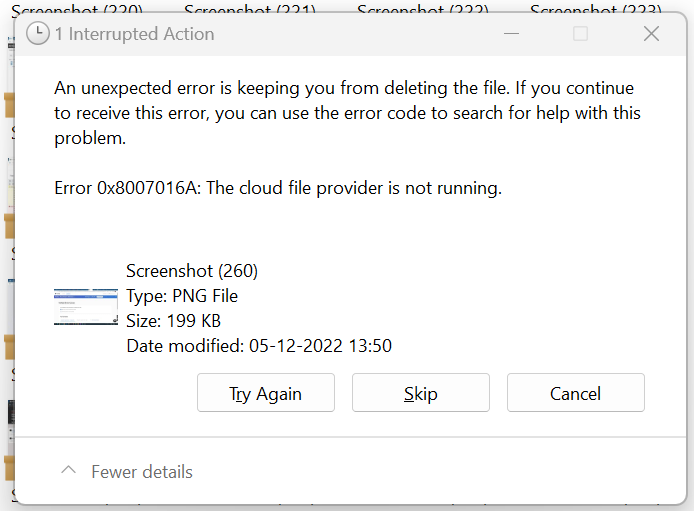
Cloud storage has become an essential tool for many individuals and businesses. Services like OneDrive, Google Drive, and Dropbox allow us to store and access our files from anywhere, on any device. However, like any technology, cloud storage can sometimes throw unexpected errors our way. One such error is “Error 0x8007016A: The cloud file provider is not running.” In this blog post, we’ll explore what this error means, its possible causes, and steps you can take to troubleshoot and resolve it.
The error message, “Error 0x8007016A: The cloud file provider is not running,” may appear when you’re attempting to delete a file from your cloud storage. This error can be frustrating, as it prevents you from performing the desired action. However, it’s important to note that this error doesn’t necessarily mean your cloud storage service is fundamentally broken. Instead, it typically indicates a problem with the connection or software on your local system.
Common Causes of Error 0x8007016A:
Several factors can lead to this error, and understanding its root causes can help you resolve it more effectively:
Troubleshooting Error 0x8007016A:
Now that we’ve identified possible causes, let’s explore the steps you can take to troubleshoot and resolve this error:
Check Your Internet Connection: Ensure you have a stable and active internet connection. If you’re on a Wi-Fi network, try switching to a wired connection to rule out Wi-Fi-related issues.
Update Your Software: Make sure your operating system and cloud storage software (e.g., OneDrive, Google Drive) are up to date. Updates often include bug fixes and improvements.
Restart Cloud Services: Sign out of your cloud storage account and then sign back in. This can refresh the connection and resolve temporary issues.
Error Code Lookup: Follow the error message’s advice and search for help using the error code “0x8007016A.” You can find valuable information and community forums discussing similar issues.
Contact Support: If the error persists and you can’t resolve it on your own, reach out to the official support team of the cloud storage service you’re using. They can provide personalized assistance and guidance.
Internet Connection Issues: A stable internet connection is crucial for cloud services to function correctly. If your connection is weak or unstable, it can disrupt the operation of the cloud file provider.
Outdated Software: Out-of-date cloud storage software or operating systems may not be compatible with the latest service updates, leading to errors like this one.
Third-Party Software Conflicts: Some third-party applications or security software may interfere with the operation of cloud storage services. Disabling or temporarily uninstalling these programs can help identify and resolve conflicts.
Cloud Service Outages: Occasionally, the cloud storage service itself may experience outages or issues on its end. You can check the service status on the provider’s official website.
