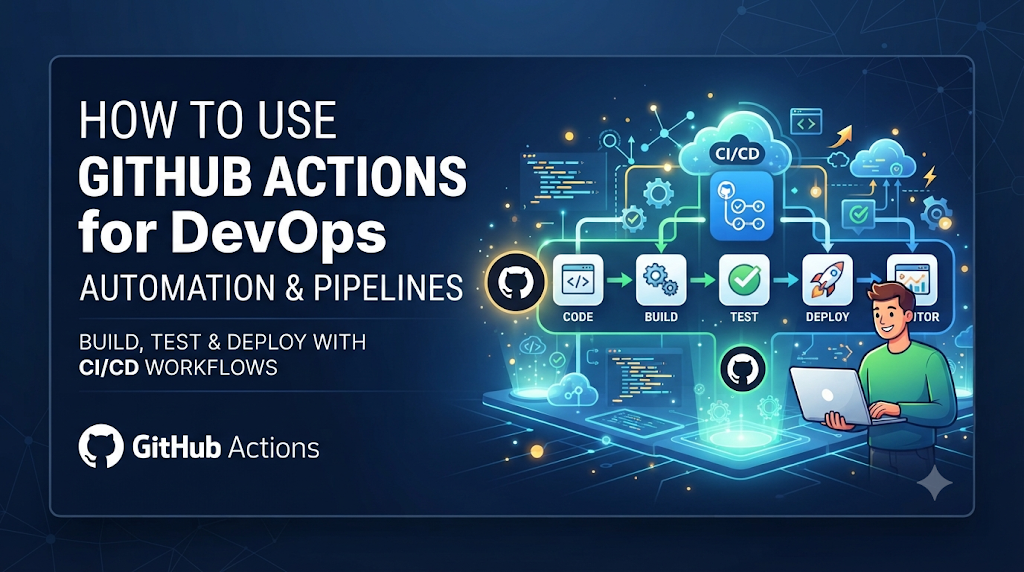
In modern software engineering, moving code from a local branch to production traditionally requires a series of manual builds, tests, security checks, and deployments that slow delivery and introduce human error. GitHub Actions bridges this gap by embedding event-driven automation directly into the repository platform, enabling engineering teams to connect code commits, automated validation, artifact handling, and cloud delivery into a seamless pipeline. For teams aiming to structure their automation practices systematically, educational platforms such as DevOpsSchool provide valuable guidance on integrating these concepts into broader enterprise workflows.
Understanding the Architecture Behind GitHub Actions
To use GitHub Actions effectively, engineers must understand its internal structural components. Rather than treating workflows as black boxes, mastering the architecture allows teams to design modular, efficient, and scalable automation pipelines.
Workflow Files and the .github/workflows/ Directory
GitHub Actions workflows are defined using YAML files stored within the .github/workflows/ directory of a repository. A repository can contain multiple workflow files, each responsible for a distinct set of tasks—such as one workflow for continuous integration testing, another for security scanning, and a third for production deployment.
Events and Workflow Triggers
Workflows do not run in isolation; they are event-driven. An event is a specific activity that happens in a repository, such as a push, a pull_request, a release creation, or even a scheduled cron timer. Workflows can also be triggered manually using the workflow_dispatch event, allowing operators to pass custom parameters when starting a pipeline.
Jobs, Steps, and Actions
Inside a workflow file, execution is organized hierarchically:
- Workflows: The highest level of automation, consisting of one or more jobs.
- Jobs: A set of steps that execute on the same runner. By default, jobs run in parallel, but dependencies can be established so that one job waits for another to complete successfully.
- Steps: Individual tasks executed within a job. A step can run shell commands or execute an Action.
- Actions: Reusable blocks of code packaged by the community or custom-built by your team. Actions perform complex tasks like setting up a programming language runtime, logging into a cloud provider, or checking out repository code.
GitHub-Hosted and Self-Hosted Runners
When a job executes, it runs inside a virtual machine called a runner. GitHub provides managed GitHub-hosted runners running on clean virtual environments (Linux, Windows, and macOS) pre-installed with common developer tools. Alternatively, organizations can configure self-hosted runners on their own physical servers, virtual machines, or Kubernetes clusters to meet specific compliance, network access, or hardware requirements.
Environment Variables, Secrets, and Outputs
Workflows often require sensitive data (such as API tokens, cloud credentials, and database passwords) and configuration variables. GitHub provides encrypted Secrets and environment-specific variables that can be safely injected into jobs. Steps can also generate outputs—data values passed dynamically to subsequent steps or jobs within the workflow.
Artifacts and Workflow Logs
During a build or test process, applications often generate build outputs, test reports, or compiled binaries. GitHub Actions allows teams to upload these files as artifacts, retaining them for download or passing them between different jobs in the pipeline. Comprehensive workflow logs capture every command output, making debugging straightforward when failures occur.
Designing a Workflow Around the Software Delivery Lifecycle
A robust DevOps pipeline mirrors the lifecycle of software delivery, ensuring that code is validated systematically before reaching users. Organizing workflows around distinct lifecycle stages prevents defects from escaping into production.
[Source Code Commit] ──> [Build & Dependencies] ──> [Automated Testing] ──> [Security Scanning] ──> [Artifact Creation] ──> [Staging Deployment] ──> [Production Release]
1. Source Code Changes and Pull Requests
The lifecycle begins when a developer opens a pull request. Workflows trigger automatically to enforce formatting rules, linting, and initial syntax checks, ensuring that contributions adhere to team standards before human code review begins.
2. Build and Dependency Validation
Once code changes are accepted, the pipeline compiles the application code and resolves external dependencies (such as npm packages, Maven dependencies, or Go modules). Caching mechanisms are introduced here to prevent redundant package downloads across runs.
3. Automated Testing and Quality Checks
Automated testing forms the core of continuous integration. Unit tests, integration tests, and code coverage analysis run in parallel runner instances to validate software behavior. If any test fails, the pipeline halts immediately, preventing broken code from progressing.
4. Security and Configuration Validation
Security checks run concurrently with testing. Static Application Security Testing (SAST), secret detection scans, and Infrastructure as Code (IaC) validations examine the repository for hardcoded credentials, misconfigurations, or known software vulnerabilities.
5. Artifact Creation and Storage
Upon successful validation, the application is packaged into a deployable format—such as a Docker container image, a compiled binary, or a zip archive. This artifact is stored securely or pushed to a container registry, ready for deployment.
6. Staging and Production Deployment
Deployment workflows take verified artifacts and promote them through environments. Typically, code is deployed automatically to a staging environment for integration testing, followed by a gated or manual promotion to production.
7. Post-Verification
After deployment, automated smoke tests or health checks verify that the application is responding correctly in the target environment, completing the delivery loop.
Building a Practical Workflow From an Engineering Scenario
To demonstrate how these concepts translate into code, let us examine a practical engineering scenario. Suppose a development team maintains a Node.js web application and wants to automate building, testing, and linting whenever code is pushed to the main branch or submitted via a pull request.
Repository Preparation
The repository contains the application source code along with a package.json file defining dependencies and test scripts. The team creates a directory structure .github/workflows/ and places a YAML file named ci.yml inside it.
Practical Workflow YAML Example
YAML
name: Node.js CI Pipeline

on:
  push:
    branches: [ "main" ]
  pull_request:
    branches: [ "main" ]

jobs:
  build-and-test:
    runs-on: ubuntu-latest

    strategy:
      matrix:
        node-version: [18.x, 20.x]

    steps:
      - name: Checkout Repository
        uses: actions/checkout@v4

      - name: Set up Node.js ${{ matrix.node-version }}
        uses: actions/setup-node@v4
        with:
          node-version: ${{ matrix.node-version }}
          cache: 'npm'

      - name: Install Dependencies
        run: npm ci

      - name: Run Linter
        run: npm run lint

      - name: Run Unit Tests
        run: npm test
Explaining the Configuration
onblock: Configures the triggers. The workflow executes on pushes and pull requests targeting themainbranch.runs-on: Specifies that the job executes on a standard Ubuntu Linux virtual machine provided by GitHub.strategy.matrix: Instructs GitHub Actions to run the job in parallel across two different Node.js versions (18.x and 20.x), ensuring cross-version compatibility.actions/checkout@v4: A community-maintained action that clones the repository code onto the runner.actions/setup-node@v4: Configures the specified Node.js runtime and enables built-in npm dependency caching.runsteps: Execute standard shell commands (npm ci,npm run lint,npm test) to install dependencies, check code style, and run test suites.
Coordinating Jobs, Environments, and Deployment Conditions
As pipelines grow, workflows must handle multi-stage deployments where production releases only occur if testing and staging deployments succeed. GitHub Actions achieves this through job dependencies and protected environments.
Job Dependencies Using needs
By default, jobs execute in parallel. The needs keyword allows engineers to define execution order. For example, a deployment job can declare that it depends on the testing job.
Environments and Approval Gates
GitHub allows teams to configure Environments (such as staging and production). Production environments can be configured with required reviewers, meaning that when a workflow reaches the production deployment job, execution pauses until authorized personnel approve the release in the GitHub UI.
Multi-Stage Workflow Example
YAML
name: Multi-Stage Deployment

on:
  push:
    tags:
      - 'v*'

jobs:
  test:
    runs-on: ubuntu-latest
    steps:
      - uses: actions/checkout@v4
      - name: Run Tests
        run: npm test

  deploy-staging:
    needs: test
    runs-on: ubuntu-latest
    environment: staging
    steps:
      - uses: actions/checkout@v4
      - name: Deploy to Staging Server
        run: echo "Deploying application to staging environment..."

  deploy-production:
    needs: deploy-staging
    runs-on: ubuntu-latest
    environment: production
    steps:
      - uses: actions/checkout@v4
      - name: Deploy to Production Server
        run: echo "Deploying application to production environment..."
In this pipeline, tests run first. If successful, code deploys to staging automatically. Only after staging deployment completes does the pipeline trigger the production deployment job, which respects environmental protection rules and manual review gates.
Connecting GitHub Actions With Infrastructure and Cloud Operations
Beyond application code, GitHub Actions serves as an orchestration engine for infrastructure management and cloud operations.
Infrastructure as Code (IaC) Validation and Execution
Teams managing cloud resources using tools like Terraform, OpenTofu, or AWS CloudFormation can automate infrastructure provisioning. Pull requests can trigger terraform plan to comment infrastructure changes directly on the PR, while merges to the main branch execute terraform apply.
Container Image Build and Publishing
Workflows integrate seamlessly with container registries like GitHub Packages, Amazon ECR, Google Artifact Registry, or Docker Hub. Workflows can build Docker images, tag them with git commit SHAs, and push them securely.
Kubernetes Deployment Automation
Kubernetes manifests or Helm charts stored in repositories can be applied automatically to clusters using kubectl or Helm actions, enabling robust GitOps-style workflows.
Cloud Authentication and Workload Identity Federation
Storing long-lived cloud credentials (such as static AWS secret keys) in repository secrets introduces security risks. Modern cloud providers support Workload Identity Federation, allowing GitHub Actions runners to exchange short-lived OIDC tokens directly with AWS, Azure, or GCP without storing permanent credentials.
Terraform Plan Workflow Example
YAML
name: Terraform Infrastructure Pipeline

on:
  pull_request:
    paths:
      - 'terraform/**'

jobs:
  terraform-validate:
    runs-on: ubuntu-latest
    defaults:
      run:
        working-directory: ./terraform
    steps:
      - uses: actions/checkout@v4

      - name: Setup Terraform
        uses: hashicorp/setup-terraform@v3

      - name: Terraform Init
        run: terraform init

      - name: Terraform Validate
        run: terraform validate

      - name: Terraform Plan
        run: terraform plan -no-color
This workflow triggers only when files inside the terraform/ directory change, ensuring infrastructure pipelines only run when infrastructure code is modified.
Treating Pipeline Security as an Engineering Requirement
Because CI/CD pipelines have access to source code, cloud credentials, and production systems, they represent a prime target for attackers. Securing workflows is just as critical as securing application code.
Least-Privilege Token Permissions
By default, GitHub Actions tokens (GITHUB_TOKEN) possess broad repository read/write permissions. Workflows should explicitly declare minimal permissions required for their tasks:
YAML
permissions:
  contents: read
  pull-requests: write
Secure Credential Handling and Secrets
Never hardcode secrets in YAML files. Use GitHub Secrets and environment secrets, and ensure that sensitive values are never echoed to workflow logs using secret masking.
Trusted Action Versions and Commit SHA Pinning
Using mutable action tags (like actions/checkout@v4) can introduce vulnerabilities if a tag is compromised. For high-security environments, teams pin actions to immutable full-length commit SHAs (e.g., actions/checkout@b4ffde65f46336ab88eb53be808477a3936bac11).
Pull Request and Fork Restrictions
Workflows triggered by pull requests from public forks should be restricted. Using pull_request_target carelessly can expose secrets to malicious pull requests. Sensitive operations should rely on pull_request triggers where secrets are isolated.
Dependency and Container Scanning
Integrate automated security scanners (such as Trivy, Dependabot, or Snyk) into workflows to detect vulnerable dependencies and container images before they reach production.
Improving Workflow Performance and Maintainability
As repositories scale, slow pipelines frustrate developers and bottleneck delivery. Optimizing workflow performance requires deliberate architectural choices.
Dependency Caching
Downloading dependencies on every run wastes network bandwidth and runner time. Actions like actions/cache or language-specific setup actions cache node_modules, pip packages, or Maven caches between runs.
Parallel Jobs and Matrix Strategies
Instead of running long sequential scripts in a single job, break tasks into parallel jobs. Use matrix strategies to test multiple operating systems or database versions concurrently.
Reusable Workflows and Composite Actions
To avoid duplicating YAML across dozens of repositories, teams use reusable workflows (called with workflow_call) or custom composite actions that encapsulate common CI/CD patterns into shared enterprise templates.
Path-Based Workflow Conditions
Use paths and paths-ignore filters so that documentation updates or README changes do not trigger heavy backend compilation and infrastructure validation pipelines.
Working Self-Hosted Runners
While GitHub-hosted runners are convenient, many enterprises require self-hosted runners.
When to Use Self-Hosted Runners
- Specialized Hardware: Workflows requiring specialized GPUs, ARM architectures, or massive CPU/RAM allocations.
- Internal Network Access: Deployments that must interact with on-premises data centers, private databases, or air-gapped environments behind corporate firewalls.
- Compliance Requirements: Strict data residency or regulatory mandates prohibiting code or build artifacts from touching public cloud runners.
Security Risks and Isolation
Self-hosted runners present security risks, particularly in public repositories or open-source projects. If a malicious pull request injects arbitrary shell commands into a workflow, it executes directly on the runner machine. Organizations must run self-hosted runners inside ephemeral virtual machines or containers (such as ephemeral Kubernetes pods) that spin up fresh for a single job and destroy themselves immediately after completion. Untrusted workflows from forks should never be allowed to execute on persistent self-hosted runners.
Diagnosing Workflow Failures and Operational Problems
When a pipeline fails, engineers need a structured approach to troubleshooting. Common failure modes include:
1. Incorrect YAML Syntax
Indentation errors or invalid keys cause workflow parsing failures before execution begins. Modern IDE extensions with YAML schema validation catch these issues early.
2. Permission Errors
If a workflow fails when trying to push git tags or comment on pull requests, inspect the permissions block at the workflow or job level to ensure GITHUB_TOKEN has the required scopes.
3. Dependency Installation Failures
Network timeouts, locked package versions, or missing system libraries often break npm install or pip install steps. Enabling step debug logging (ACTIONS_STEP_DEBUG=true) provides granular execution traces.
4. Runner Availability Issues
If workflows remain queued indefinitely, self-hosted runner pools may be offline, offline due to network partitions, or exceeding concurrent job limits.
Systematic Troubleshooting Approach
When investigating errors:
- Review the exact failed step in the GitHub Actions console UI.
- Examine the logs around the failure for stack traces or error codes.
- Verify environment variables and secret availability.
- Run a controlled rerun with debug logging enabled if intermittent network issues are suspected.
An End-to-End DevOps Implementation Example
Let us examine a complete, integrated hypothetical scenario where an engineering team deploys a containerized web application using GitHub Actions.
YAML
name: End-to-End DevOps Pipeline

on:
  push:
    branches: [ "main" ]

env:
  REGISTRY: ghcr.io
  IMAGE_NAME: ${{ github.repository }}

jobs:
  validate-and-test:
    runs-on: ubuntu-latest
    steps:
      - name: Checkout Code
        uses: actions/checkout@v4

      - name: Set up Node.js
        uses: actions/setup-node@v4
        with:
          node-version: '20.x'
          cache: 'npm'

      - name: Install Dependencies
        run: npm ci

      - name: Run Tests
        run: npm test

  build-and-push:
    needs: validate-and-test
    runs-on: ubuntu-latest
    permissions:
      contents: read
      packages: write
    steps:
      - name: Checkout Code
        uses: actions/checkout@v4

      - name: Log in to Container Registry
        uses: docker/login-action@v3
        with:
          registry: ${{ env.REGISTRY }}
          username: ${{ github.actor }}
          password: ${{ secrets.GITHUB_TOKEN }}

      - name: Build and Push Docker Image
        uses: docker/build-push-action@v5
        with:
          context: .
          push: true
          tags: ${{ env.REGISTRY }}/${{ env.IMAGE_NAME }}:latest

  deploy-to-production:
    needs: build-and-push
    runs-on: ubuntu-latest
    environment: production
    steps:
      - name: Deploy Application
        run: |
          echo "Connecting to production Kubernetes cluster..."
          echo "Updating deployment with image: ${{ env.REGISTRY }}/${{ env.IMAGE_NAME }}:latest"
          echo "Deployment successful."
Scenario Breakdown
- Validation & Testing: Code is checked out, dependencies installed, and test suites run.
- Container Build & Push: Upon test success, the runner authenticates with the GitHub Container Registry (
ghcr.io) using the scopedGITHUB_TOKENand pushes the built container image. - Production Deployment: The final job targets the
productionenvironment, respecting approval gates before deploying the updated container image to the target environment.
Establishing Team-Wide GitHub Actions Standards
As organizations scale from one workflow to hundreds across multiple repositories, governance and standardization prevent chaos.
- Naming and Folder Conventions: Standardize workflow filenames (e.g.,
ci.yml,security.yml,deploy.yml) across all team repositories. - Shared Workflow Templates: Centralize enterprise patterns into organization-level template repositories so individual teams inherit secure defaults.
- Action Version Management: Establish policies on whether teams can use community actions and mandate regular updates to action versions.
- Environment Protection Policies: Enforce mandatory peer review and staging verification before production deployment jobs execute.
- Monitoring Pipeline Reliability: Track metrics such as average build duration, pipeline success rates, and frequent failure points to continuously improve developer productivity.
A 30-Day Adoption and Improvement Plan
Adopting GitHub Actions successfully requires a structured, phased approach rather than attempting to automate everything at once.
| Week | Focus Area | Practical Deliverables & Milestones |
| Week 1 | Discovery & Assessment | Review existing repositories, identify repetitive manual build and test tasks, and define initial naming conventions. |
| Week 2 | CI Automation | Implement basic build, lint, and unit test workflows for core repositories using GitHub-hosted runners. |
| Week 3 | Security & Artifacts | Introduce dependency caching, container builds, security vulnerability scanning, and staging environments. |
| Week 4 | Standardization & Scaling | Refine pipeline performance, establish reusable workflows, document troubleshooting practices, and onboard teams. |
Closing Perspective: Making Automation Reliable and Sustainable
Implementing GitHub Actions successfully involves much more than simply writing initial YAML files. True DevOps automation requires sound architectural design, robust security controls, continuous performance tuning, and clear team ownership. By treating pipeline code with the same engineering rigor as application source code, organizations can build resilient delivery systems that scale effortlessly. For engineers and teams looking to deepen their practical automation expertise, structured training programs from DevOpsSchool offer comprehensive insights into mastering GitHub Actions and modern CI/CD engineering practices.
