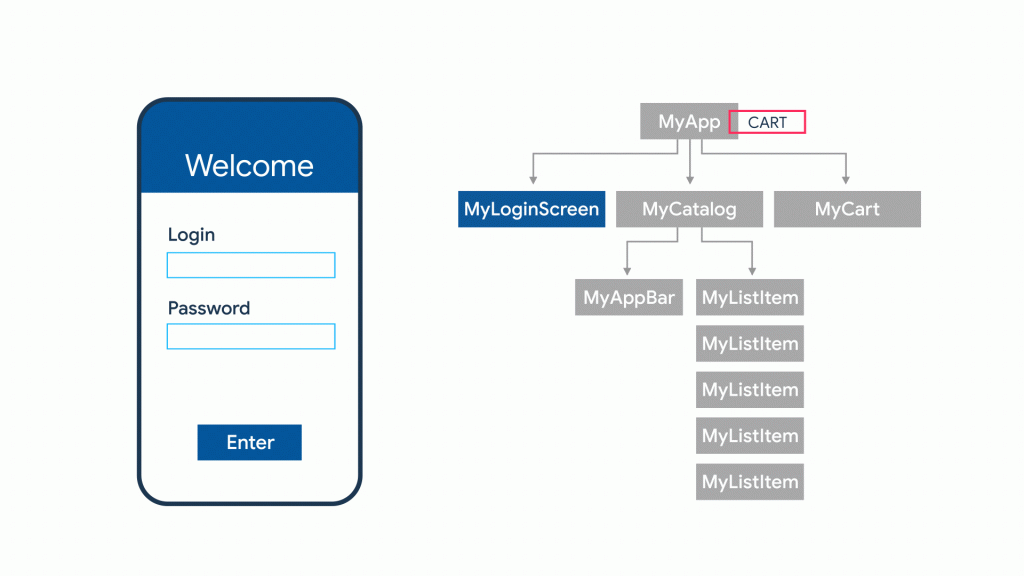
In Flutter everything is a widget. A widget is mostly the Component on the Screen, like Text, Image, some List, or even screen. Below is the picture of some of the commonly used widgets
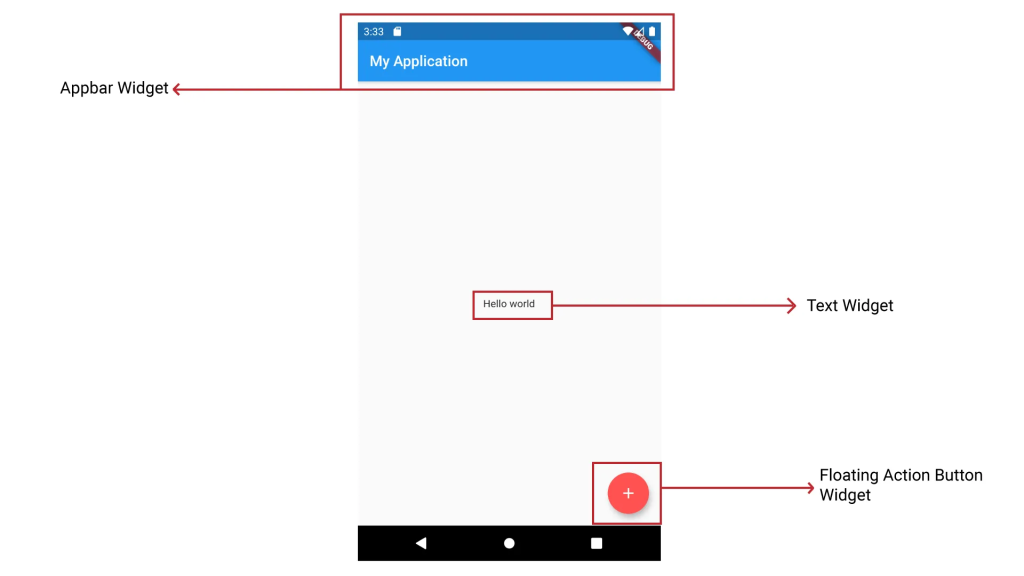
Moreover, widget has its State as well which is actually the data that is being used in building of widget, A text Widget may have String data in the state of to show that String on the screen.
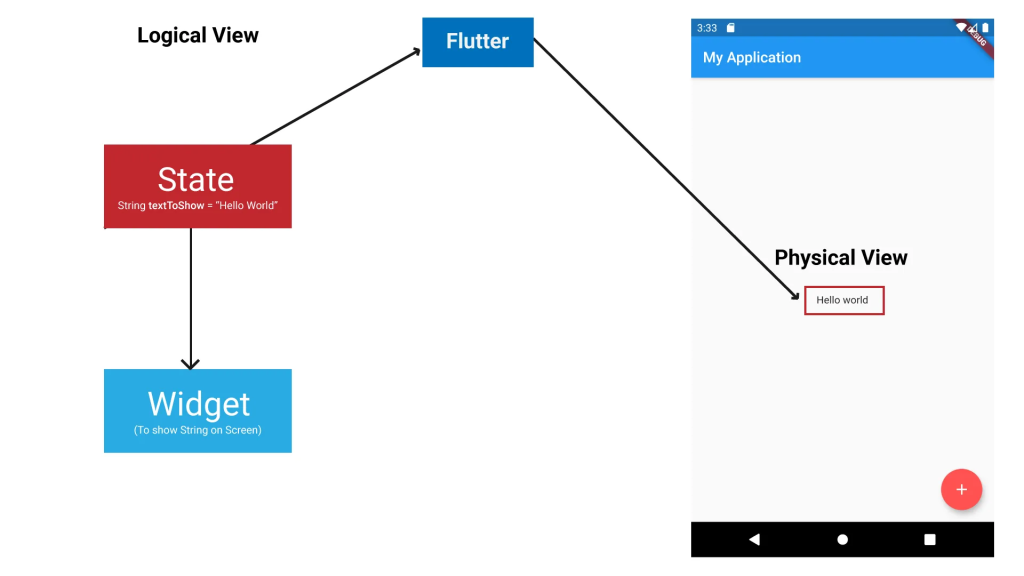
Flutter uses the below equation in fig(c) to render the widget on the application screen. Where f is the build function of the widget, which defines how the widget would look like, the state is the current state of the widget, and UI is the actual output of the widget on the screen.

However, once you define the widget and it is built, then you can not change the widget appear change d). For instance, you can not change the String in Text widget dynamically, since widgets are Immutable, i.e., Unchangeable.
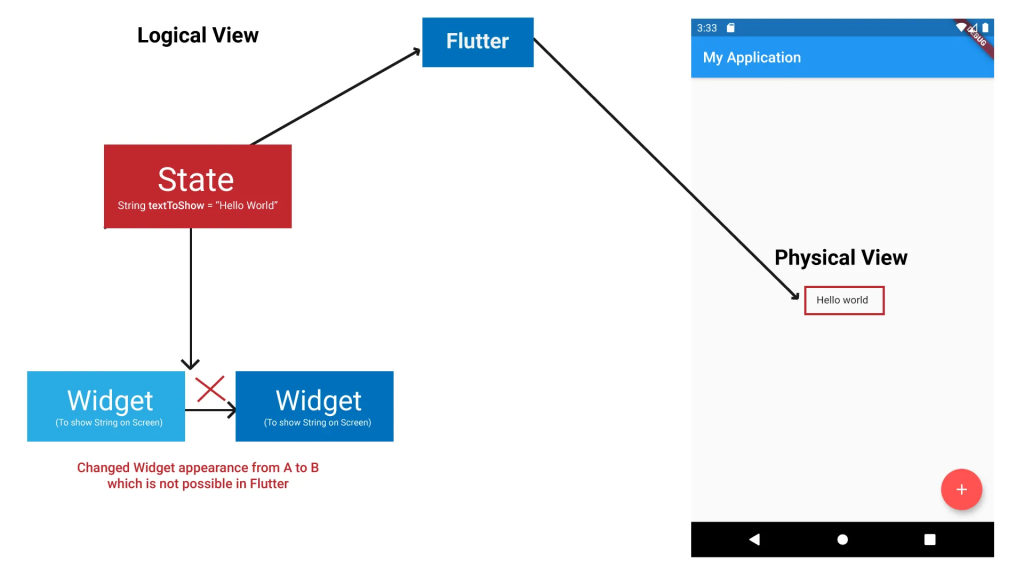
Though widgets are unchangeable Fig (d), but widget’s state are mutable, changeable Fig (e), these types of widget are called Stateful widget, and since Flutter is a declarative Framework, whenever the state of widget changes, the widget gets rendered again with the new state. So changing the widget’s state is indirectly same as changing the widget dynamically.
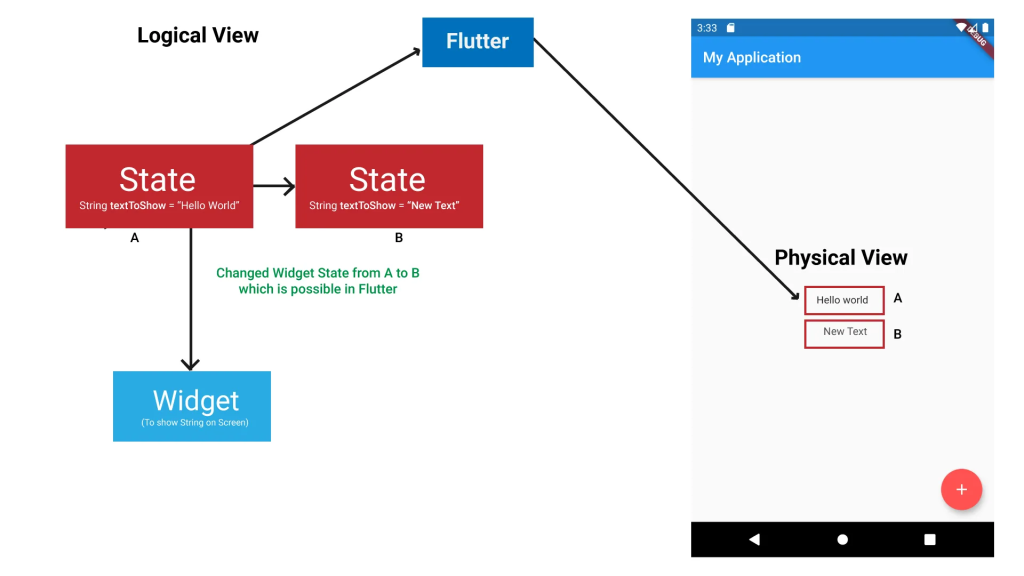
Flutter has two types of widgets Stateful widget, discussed above, and Stateless widget.
Stateful widget is the widget whose state is mutable, thus you can change the widget appearance dynamically by changing the state of widget. Changing the widget state fig(f).
setState()
In Stateful widget, whenever there is some change that occurs in the state, we call setState() method, available inside the Stateful widget. Calling setState tells the Framework that the widget’s state is updated, and the widget should be rebuilt, hence it is rebuilt with the new state, see Fig (f).
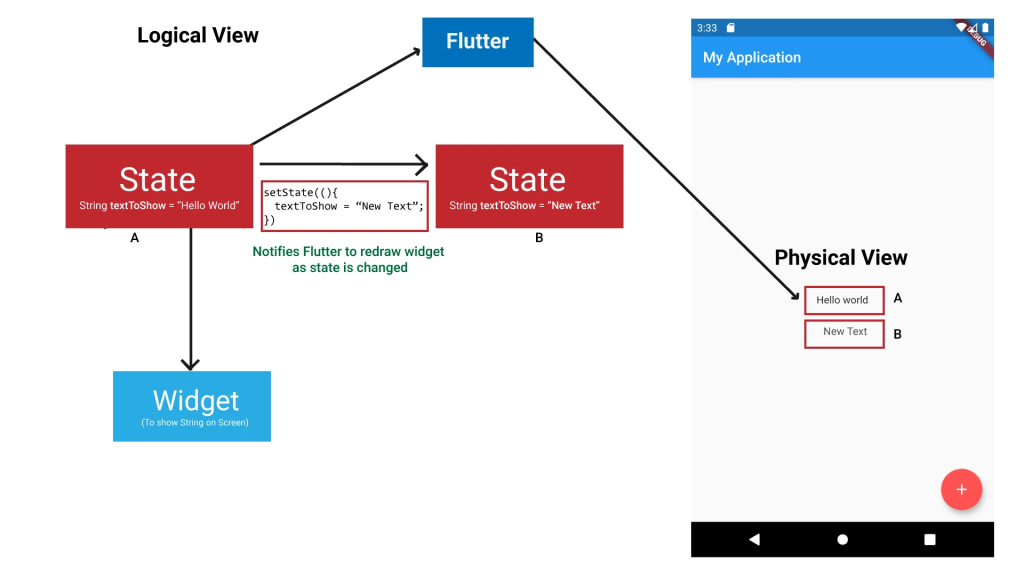
Flutter uses the below equation to render widget, and if there is some change in the state of widget, then again it uses the same equation and the same build function, which defines how widget would look like, but with a new state value to draw updated UI on the screen.
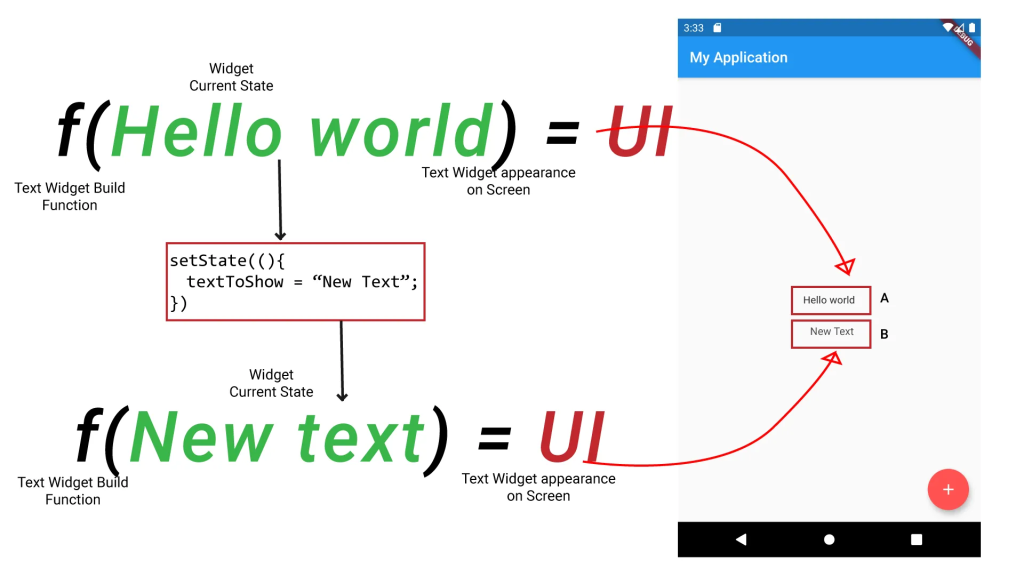
On the other hand, Stateless widget is a widget whose state is immutable, thus you can not change the widget appearance dynamically in any way. So, they are used when we have static widget.
State types.
Now if we make a Stateful widget, its state is only available to the widget itself. however, sometimes it is essential to have a common state between different widgets so that different widgets can use the same state data at the same time.
Let’s consider a short scenario. Say, if we are making a cart application in which a user can select products from the application and add them to the cart, and once He completes his shopping, he can navigate to the Checkout screen so that he can know and pay the bill.
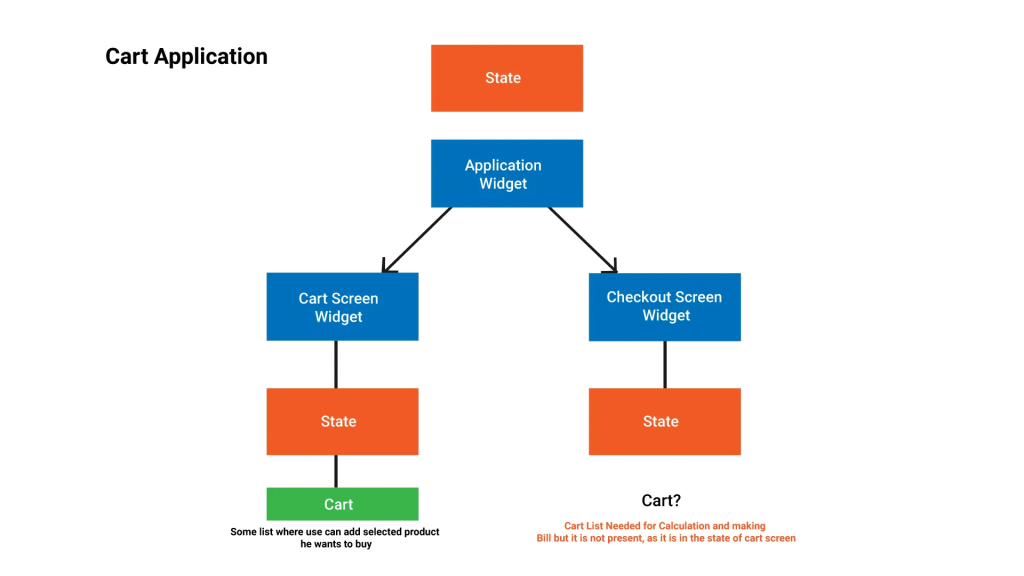
Now as you can see in Fig (h), the cart, which is a list of selected products, is in the state of the Cart Screen widget, local to the widget. Now this Cart that is in the state of the Cart Screen widget is not available in the Checkout Screen widget, however, we need a Cart in the Checkout Screen as well for the calculation and making of bills.
To solve this, we lift the state up to a widget which is the ancestor widget of all the widgets that are using that common state fig(i). This technique is called Lifting the state up.
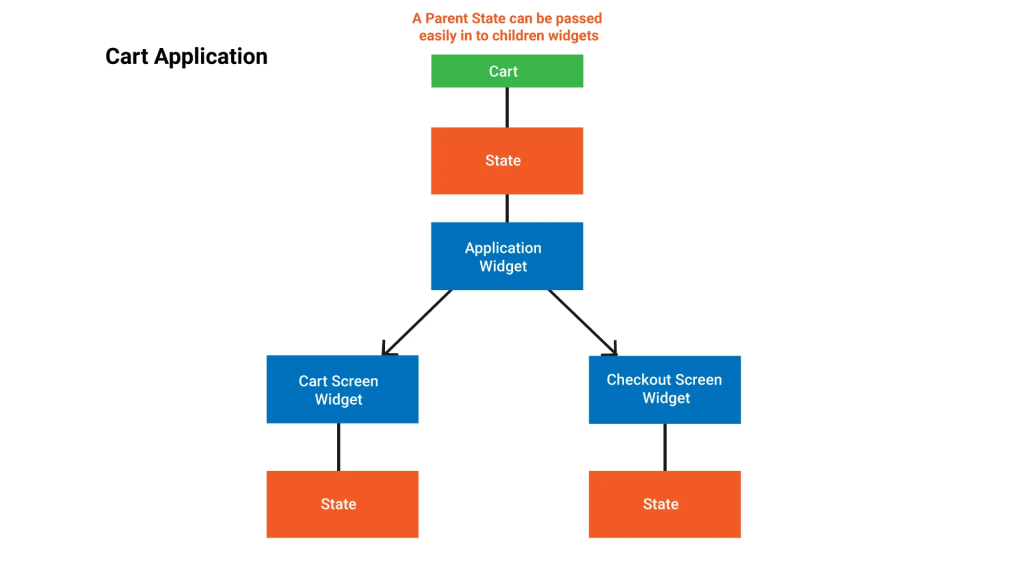
The State which is local to a widget or define in widget itself called Ephemeral State and the State that is common to different widgets is called Global State or App State.
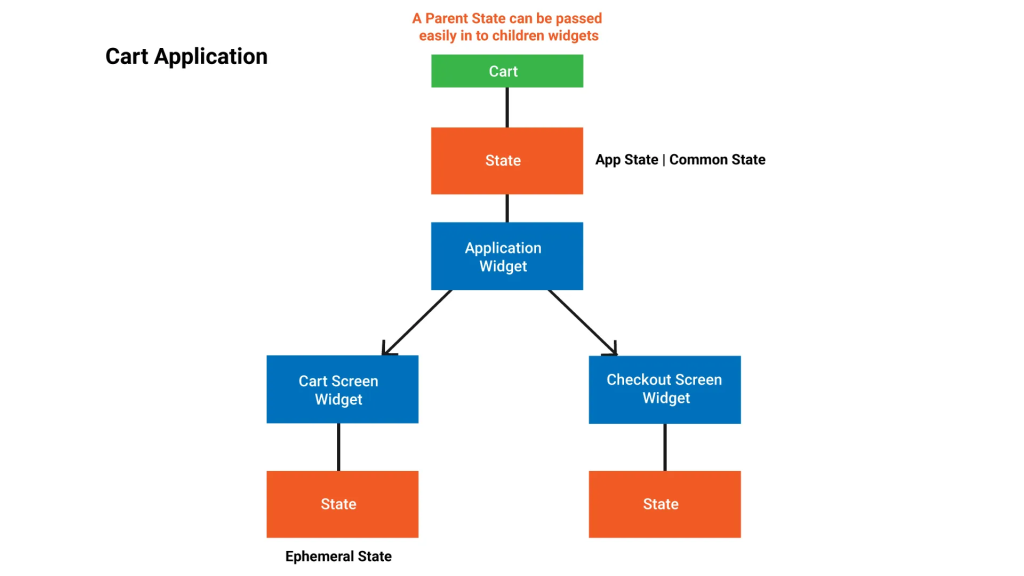
So, State Management is all about managing the state, deciding which widget’s state needs to be mutable (Stateful widget), and which needs to be immutable (Stateless Widget). Calling setState whenever there is a change in the state of widget, and deciding where to put state either in widget itself or in the common ancestor widget.
That’s the basics of State Management that you must learn and implement in order to master the art of State Management, because every advance state management like Provider , BLoC, or Redux, all implements, behind the scenes, the same thing, which we have discussed above.
