MOTOSHARE 🚗🏍️
Turning Idle Vehicles into Shared Rides & Earnings

From Idle to Income. From Parked to Purpose.
Earn by Sharing, Ride by Renting.
Where Owners Earn, Riders Move.
Owners Earn. Riders Move. Motoshare Connects.

With Motoshare, every parked vehicle finds a purpose. Owners earn. Renters ride.
🚀 Everyone wins.

Start Your Journey with Motoshare

Compress Google Drive Photos by Approx. 50% Without Deleting Anything

Managing your Google Drive storage can sometimes be a challenge, especially when photos and videos take up significant space. The good news is that you can compress your photos and videos to free up storage without deleting anything. Here’s a simple step-by-step guide to help you:

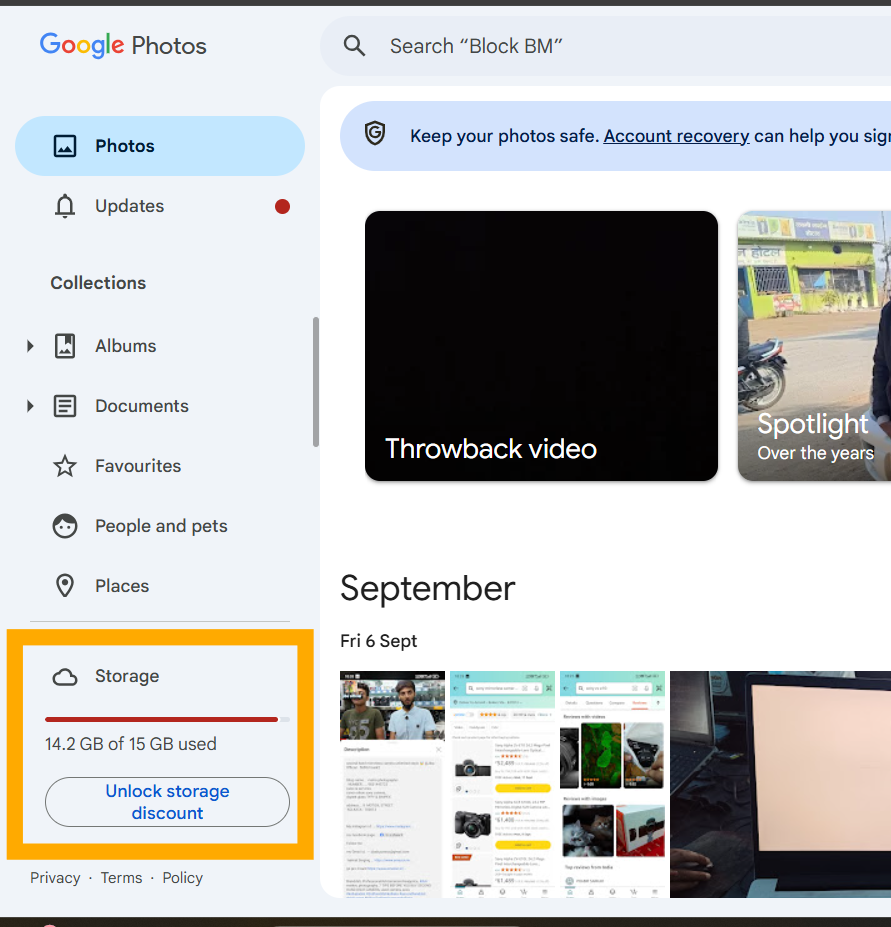
Step 1: Visit Google Photos

Go to photos.google.com.
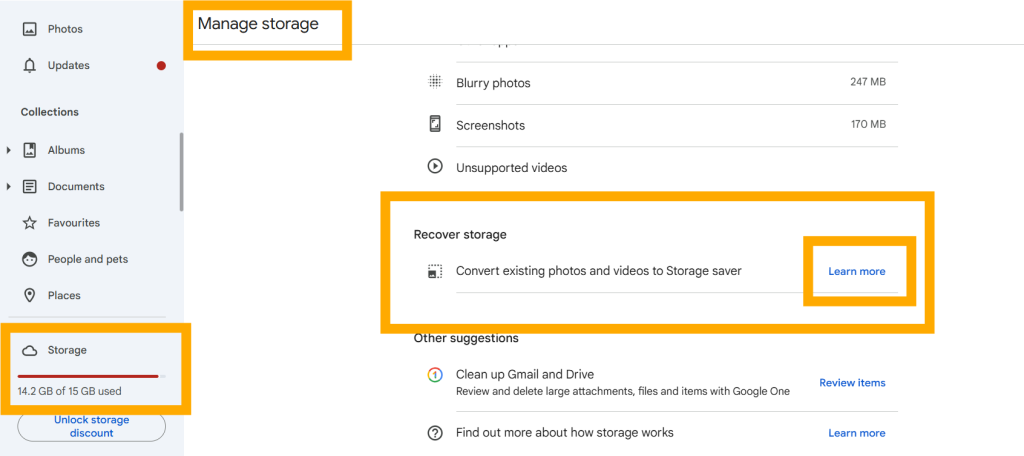
Step 2: Access the Storage Option

Click on the Storage option. This will redirect you to the Manage storage page.

Step 3: Navigate to “Recover Storage”

On the Manage storage page, find and select the Recover storage option.

Step 4: Learn More About Compression

Click on the Learn more button under the “Recover storage” section.
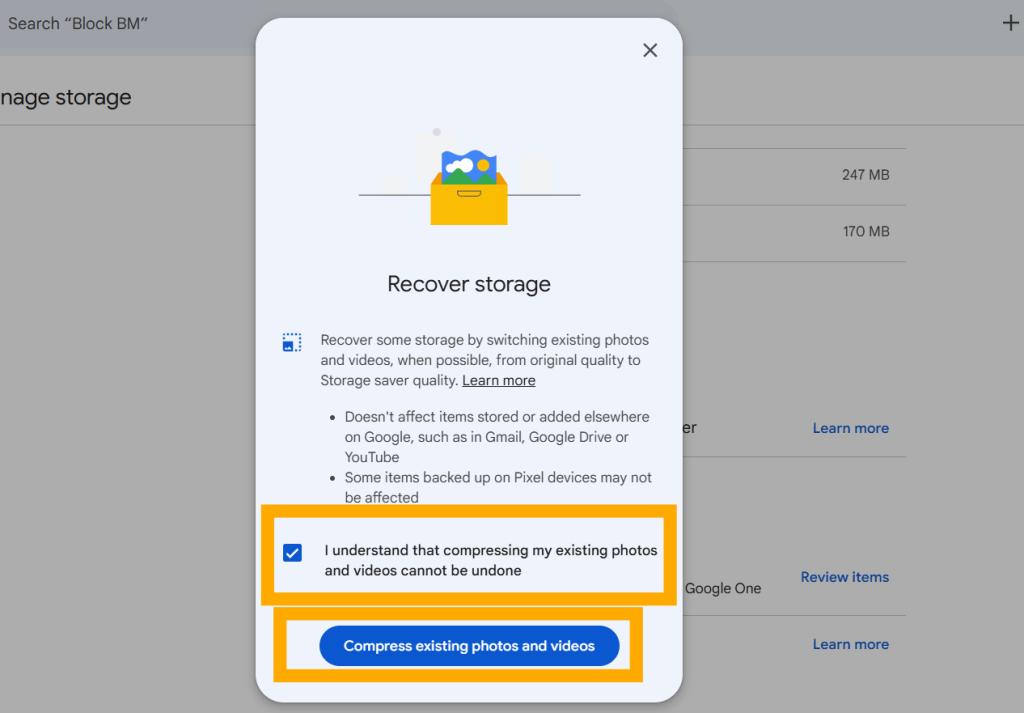
Step 5: Confirm Your Decision

Check the box that says:
“I understand that compressing my existing photos and videos cannot be undone.”
This is an important step as compression is irreversible.
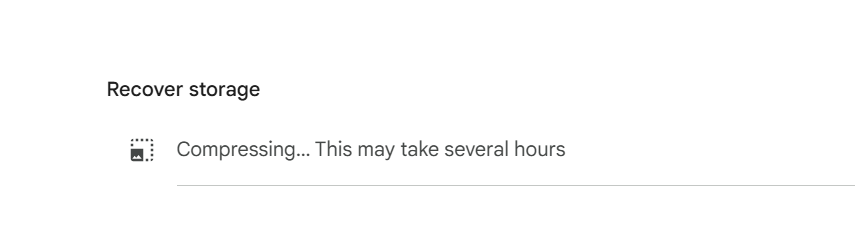
Step 6: Compress Your Photos and Videos

Click on the Compress existing photos and videos button. The compression process will begin, and your photos and videos will be resized to take up less space.

What Happens Next?

Once the process is complete, your photos and videos will still be accessible, but they will take up approximately 50% less space on your Google Drive. This is a great way to optimize storage without losing your precious memories.

Start now and free up space on your Google Drive effortlessly!

Related Posts

Path to Google Cloud Professional DevOps Certification

In the current tech world, building an application is only half the battle. The real challenge starts when that application goes live and has to handle thousands…

Step-by-Step Guide to Implement Azure Security Technologies

In the old days of IT, we built high walls around our data centers and assumed everything inside was safe. Those days are gone. Today, the “perimeter”…

Why Practical Experience is Key in Azure DevOps Expert Training

In the fast-moving world of technology, the way we manage software has changed forever. It is no longer enough to just write code; we must now master…

Mastering Azure Storage and Data Platforms

The move to the cloud is no longer a choice for modern enterprises; it is a necessity. However, simply moving workloads to the cloud isn’t enough. Organizations…

Common Challenges in AWS Data Engineering and Solutions

As an industry veteran who has navigated the evolution from on-premise server racks to serverless cloud architectures, I have witnessed a massive shift. Companies are no longer…

ERP vs CRM – What’s the Real Difference?

In the world of business software, two terms are often confused: ERP (Enterprise Resource Planning)CRM (Customer Relationship Management) Many companies assume they are similar. Some even believe…

0 0 votes
Article Rating
Subscribe
Notify of
guest
0 Comments
Oldest
Newest Most Voted
Inline Feedbacks
View all comments
0
Would love your thoughts, please comment.x
()
x