MOTOSHARE ๐Ÿš—๐Ÿ๏ธ
Turning Idle Vehicles into Shared Rides & Earnings

From Idle to Income. From Parked to Purpose.
Earn by Sharing, Ride by Renting.
Where Owners Earn, Riders Move.
Owners Earn. Riders Move. Motoshare Connects.

With Motoshare, every parked vehicle finds a purpose. Owners earn. Renters ride.
๐Ÿš€ Everyone wins.

Start Your Journey with Motoshare

Generate Instagram Graph Api Access token

To generate an Instagram Graph API access token, you’ll need to follow these steps:

Create a Facebook Developer Account:

  • Visit the Facebook for Developers website (https://developers.facebook.com/) and create an account if you don’t have one already.
  • Complete the necessary setup steps, including verifying your account.

Create a Facebook App:

  • Once you have a developer account, go to the Facebook Developer Dashboard.
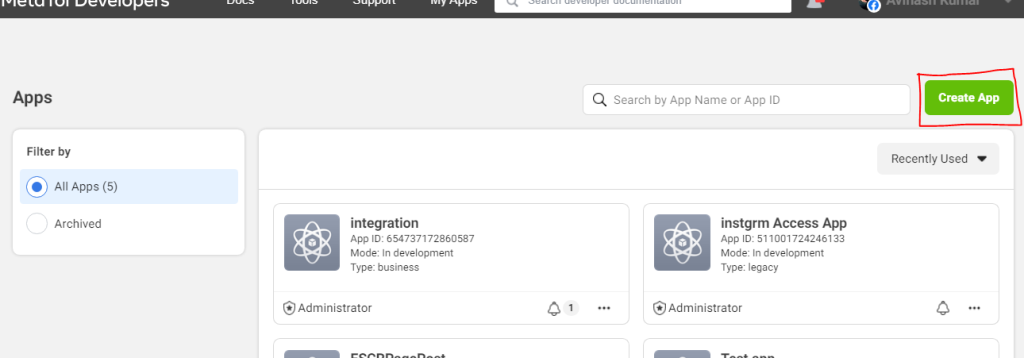
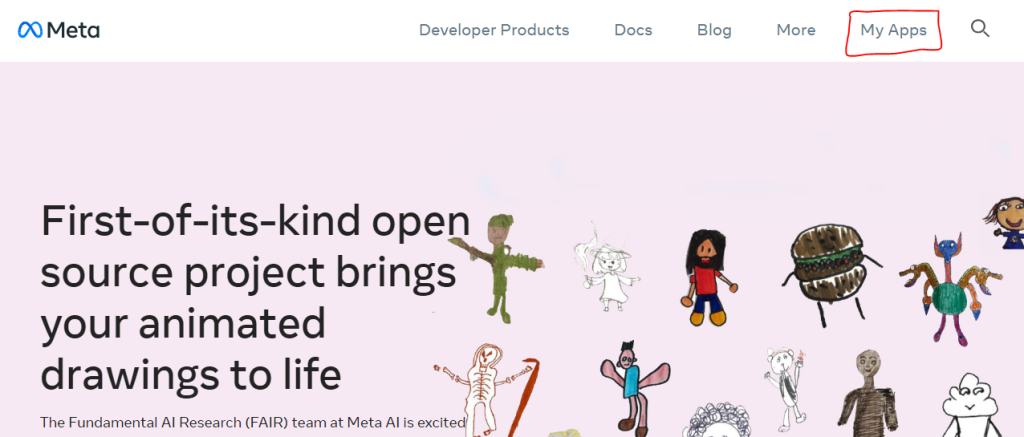
  • Click on the “My Apps” button and select “Create App” to start creating a new app.
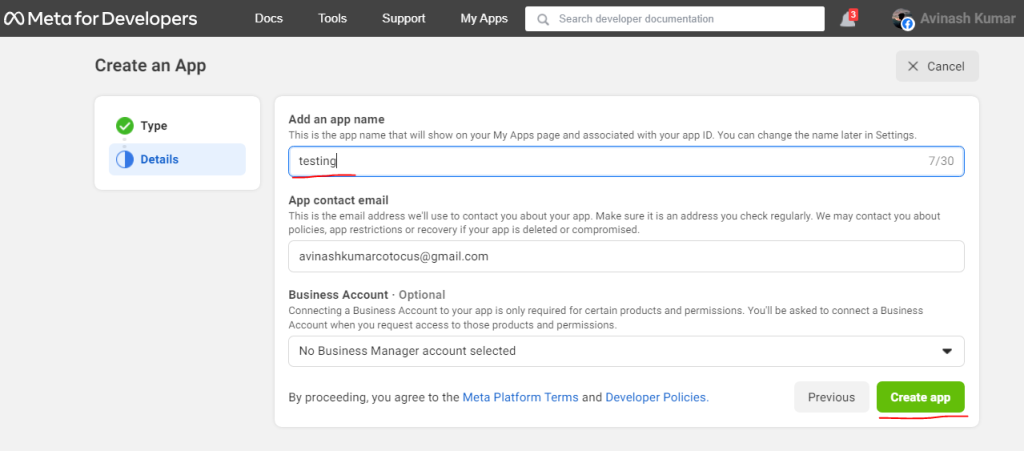
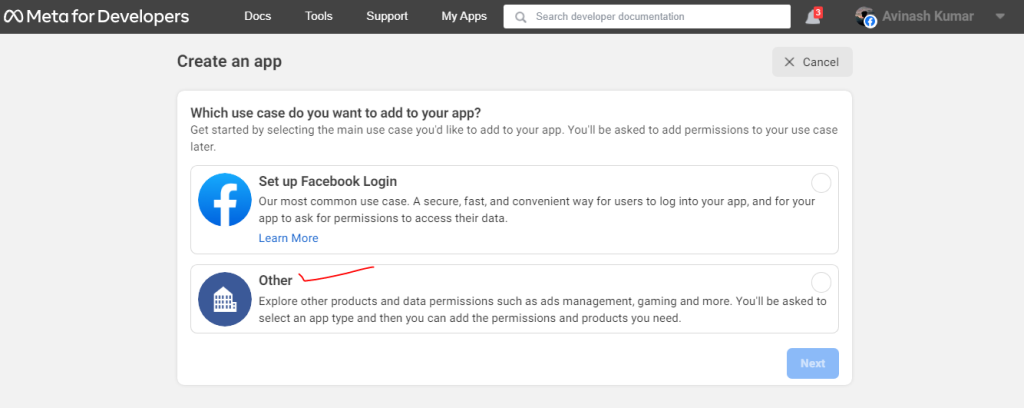
  • Fill in the required information for your app, such as the name, purpose, and contact email.

Add Instagram to Your App:

  • After creating your app, go to the app dashboard.
  • In the left-hand menu, click on “Settings” and then “Basic.”
  • Scroll down to the “Add Platform” section and click on the “Set Up” button next to the Instagram logo.
  • Follow the instructions to connect your Instagram account to the app. This step requires you to have an Instagram account.
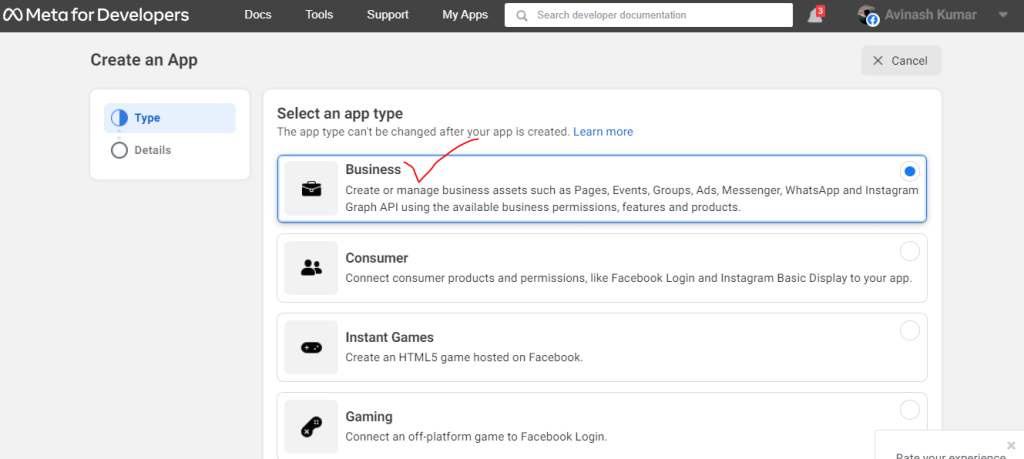
Configure App Settings:

  • Once your Instagram account is connected, go back to the app dashboard.
  • In the left-hand menu, click on “Instagram Basic Display.”
  • Under the “Basic Display” section, you’ll find a section called “Token Generation.” Click on the “Create Token” button.
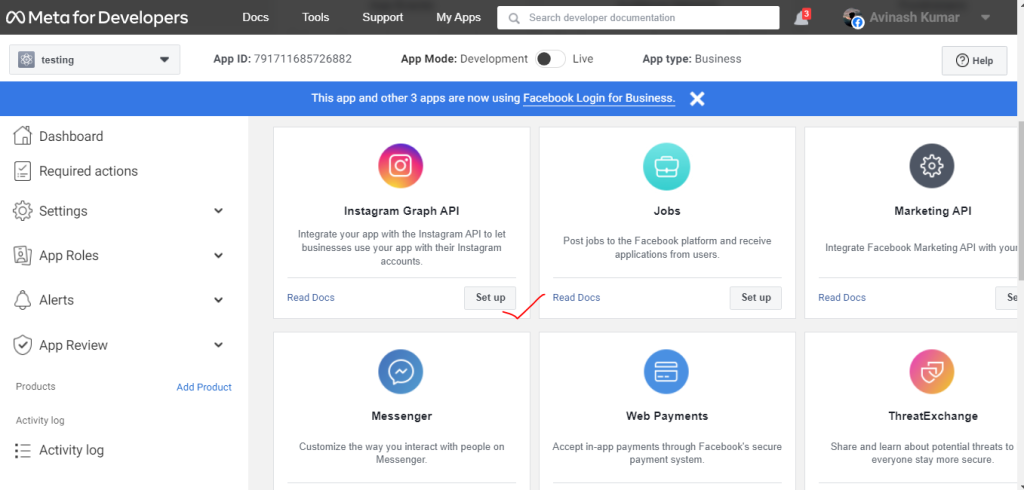
Choose Permissions:

  • In the token generation window, you’ll see a list of permissions that your app can request from the Instagram Graph API.
  • Select the permissions that your blog requires to access Instagram data. Keep in mind that certain permissions may require additional review and approval from Facebook.

Generate Access Token:

  • After selecting the permissions, click on the “Generate Token” button.
  • The generated access token will be displayed on the page.
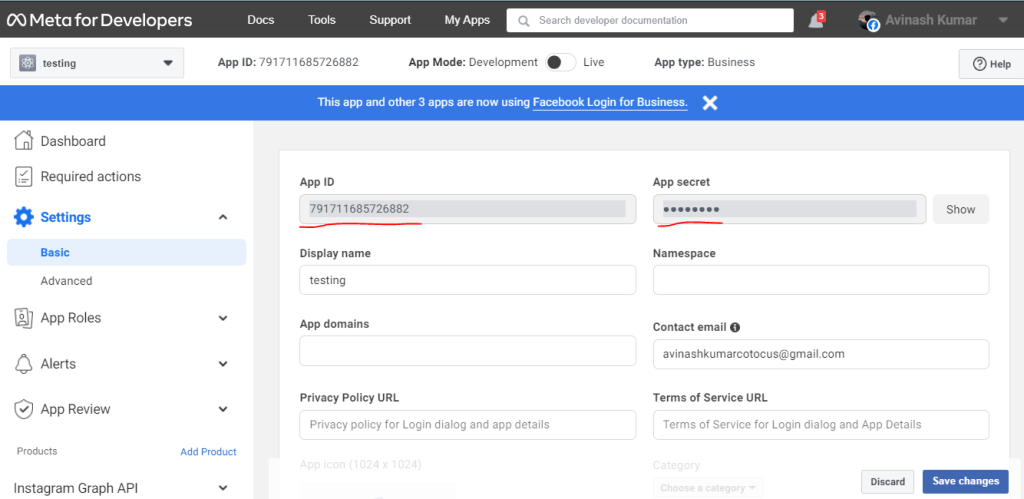
Test and Use the Access Token:

  • Copy the access token and securely store it.
  • You can now use this access token in your blog’s code to make requests to the Instagram Graph API and retrieve the desired data.

Related Posts

DevOps Salary and Career Growth: The Master Report

DevOps has cemented its position as one of the most critical and highest-paying domains in the IT landscape. As organizations shift toward cloud-native architectures, the reliance on…

Read More

DevOps Certification Roadmap for Building a Strong Engineering Career

Introduction Navigating the world of DevOps certifications can feel completely overwhelming. With hundreds of badges, certificates, and tool-based credentials available, engineering professionals often struggle to figure out…

Read More

The Essential Guide to Building Robust Continuous Delivery Pipelines

Introduction In the early days of software development, releasing a new feature was often a high-stakes, stressful event. Teams would spend weeks writing code, followed by days…

Read More

A Practical Guide to Continuous Integration in DevOps

In the past, teams would work in isolation for weeks, sometimes months, hoarding their changes locally. When the time came to merge all that code into the…

Read More

Mastering the DevOps Lifecycle for Scalable Cloud-Native Applications

Introduction In todayโ€™s competitive digital landscape, the speed of software delivery has become a critical business differentiator. Organizations are under constant pressure to push features faster, ensure…

Read More

Strategies for Accelerating Release Cycles Using DevOps Deployment Process Engineering

Introduction The software engineering landscapes of recent years have undergone a massive paradigm shift. The rapid growth of cloud-native applications has changed how software is designed, managed,…

Read More
0 0 votes
Article Rating
Subscribe
Notify of
guest
1 Comment
Oldest
Newest Most Voted
Inline Feedbacks
View all comments
trackback

[…] generate-instagram-graph-api-access-token […]

1
0
Would love your thoughts, please comment.x
()
x