In the era of visual content dominance, GIFs have become an integral part of our online communication. These short, looping animations add an element of fun, creativity, and expressiveness to our messages and social media posts. While there is a plethora of pre-existing GIFs available, there’s something special about creating your own custom GIFs. That’s where image to GIF tools come into play, allowing us to transform static images into dynamic and captivating animations.
What is Function and feature of Image to GIF tool
An image to GIF tool is a software or online service that enables users to convert static images into animated GIFs. Whether you’re a social media enthusiast, a marketer, or simply someone who loves visual storytelling, these tools provide an easy and efficient way to breathe life into your images. By leveraging various customization options, you can control the duration, frame rate, and visual effects, resulting in engaging and eye-catching GIFs that grab attention.
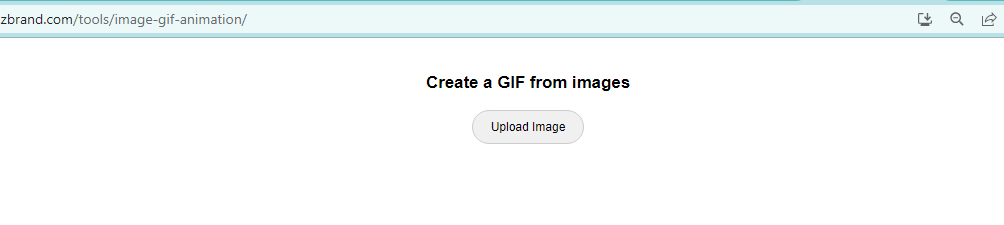
The process of converting an image to a GIF typically involves a few simple steps
Selecting the Image: Begin by choosing the image you want to transform into a GIF. It can be a photograph, a digital illustration, a graphic design, or any other static image format. Next, you upload the selected image to the image to GIF tool’s interface. Depending on the tool you’re using, this can be done by dragging and dropping the image or using the “Upload” button.
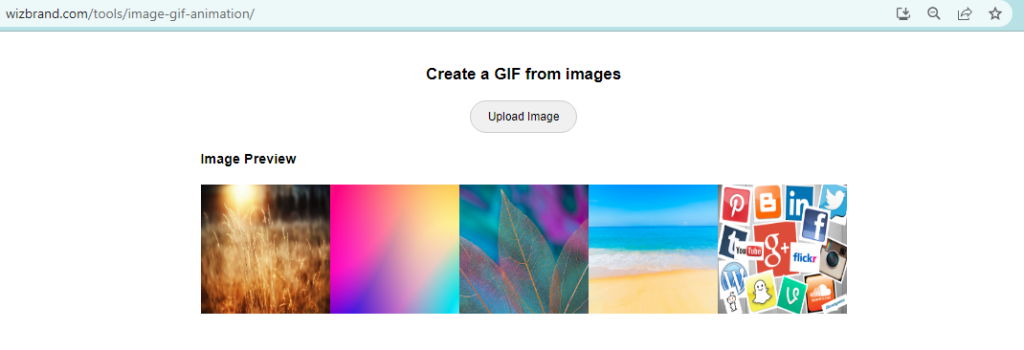
After making the necessary adjustments, you can preview the resulting GIF in real-time. If needed, you can further refine the settings until you achieve the desired outcome. Once you’re satisfied with the GIF, you can proceed to generate the final animation. The tool will process the image and transform it into a GIF file format. You can then download and save it to your device for immediate use.
These tools are designed with user-friendliness in mind. They often have intuitive interfaces and step-by-step processes, ensuring that even beginners can create GIFs effortlessly.
How Wizbrand‘s Image to GIF tool would help?
Wizbrand’s Image to GIF tool combines user-friendly functionality, extensive customization options, and high-quality output to empower users in creating visually captivating GIFs. Whether you’re an individual looking to add some flair to your personal messages or a business aiming to elevate your branding and marketing efforts, Wizbrand’s tool is designed to meet your diverse needs and unlock the full potential of image to GIF conversion.
These are useful links
