Introduction
The global software landscape operates in an ecosystem defined by rapid innovation, where traditional, siloed engineering models create friction, manual configuration errors, and extended release cycles that fail to meet modern user expectations. To bridge this operational gap and transform fragmented processes into automated, predictable workflows, modern organizations adopt DevOps principles to unify development and IT operations into a single continuous delivery framework. Implementing these practices allows engineering departments to replace legacy bottlenecks with automated validation engines, and for professionals seeking to master these methodologies, structured educational platforms like DevOpsSchool provide the comprehensive training, toolchain mastery, and architectural frameworks necessary to drive reliable, high-speed software releases without sacrificing system stability.
What Is Software Delivery?
Software delivery represents the entire lifecycle required to conceptualize, develop, validate, and deploy a software application or update to end users. It encompasses every phase an artifact passes through from the initial commit in a version control system to a running process executing inside a production environment.
The Software Development Lifecycle (SDLC)
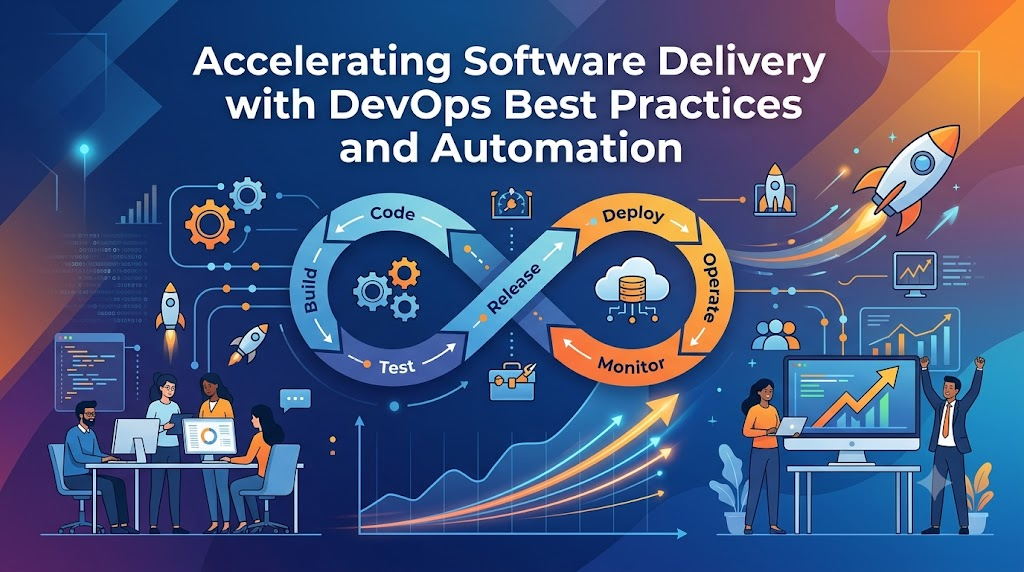
The modern software development lifecycle involves several sequential and overlapping stages:
- Planning and Architecture: Defining product requirements, system design, and infrastructure requirements.
- Code Development: Writing application logic within local workspaces and managing source code via version control repositories.
- Build and Integration: Compiling source code, resolving dependencies, and packaging code into deployable artifacts like binaries or container images.
- Testing and Verification: Executing automated validation suites to ensure functional correctness, security compliance, and performance stability.
- Deployment and Release: Provisioning production infrastructure and routing user traffic to the newly built application artifacts.
- Operations and Monitoring: Observing application behavior in production, gathering performance metrics, and ensuring runtime reliability.
Importance of Timely Delivery
Timely software delivery ensures that business strategies remain aligned with market realities. When a software update takes months to transition from development to production, the market conditions that justified the feature may have fundamentally changed. Delays in delivery result in missed revenue opportunities, prolonged vulnerability exposure, and diminished customer retention.
The Relationship Between Development and Operations
Historically, development teams focused primarily on feature velocity and code throughput, while operations teams focused on system uptime, infrastructure stability, and risk mitigation. These competing incentives created natural operational tension.
DevOps re-aligns these objectives by establishing a shared responsibility model. Development teams take ownership of production stability by writing testable, observable code, while operations teams empower development velocity by building programmatic self-service platforms, automated environments, and standardized delivery guardrails.
Challenges of Traditional Software Delivery
Traditional software delivery frameworks introduce systemic inefficiencies that impede delivery speed and introduce operational risks. Understanding these friction points highlights the necessity of architectural transformation.
Slow Release Cycles
In legacy structures, releases are batched into massive, infrequent deployments occurring monthly, quarterly, or bi-annually. This massive batching amplifies deployment risk. A single defective code change within a batch containing hundreds of updates can cause the entire deployment to fail, forcing complex debugging sessions and extensive rollback procedures.
Manual Deployments
Relying on engineers to execute manual step-by-step instructions via interactive terminal sessions or graphical interfaces invites human error. Simple mistakes like misconfiguring environment variables, applying incorrect file permissions, or running database migration scripts out of order lead to production outages and configuration drift across hosting environments.
Communication Gaps and Silos
When engineering units operate in functional silos, communication becomes transactional and reactive. Developers lack visibility into the operational realities of production environments, leading to the “it worked on my machine” phenomenon. Conversely, operations engineers face challenges supporting complex applications without an understanding of the underlying codebase architecture.
Testing Delays
Traditional quality assurance often depends on manual test execution after the development phase concludes. Code packages sit in queues waiting for verification teams to manually step through test plans. This late-stage testing postpones bug discovery until late in the lifecycle, making remediation significantly more expensive and disruptive.
Infrastructure Bottlenecks
When infrastructure provisioning depends on opening manual service desk tickets, developers face prolonged delays waiting for system administrators to allocate virtual machines, configure networks, or provision databases. This operational friction stalls development momentum and delays integration validation.
| Traditional Scenario Component | Impact on Engineering Teams |
| Manual Server Configuration | Engineers manually update configuration files via SSH, creating untracked environmental drift across staging and production systems. |
| End-of-Cycle Manual Testing | Quality assurance teams spend weeks running manual regression scripts at the end of a sprint, discovering systemic bugs late in the process. |
| Ticket-Based Infrastructure | Developers wait days or weeks for operations teams to provision compute resources, storage nodes, or network routing rules. |
What Is DevOps?
DevOps is a cultural, operational, and architectural philosophy that unifies software development (Dev) and IT operations (Ops) around automated pipelines, shared ownership, and continuous optimization. It shifts organizations away from distinct project phases toward a continuous cycle of code integration, testing, deployment, and real-time observation.
Core Principles of DevOps
The foundations of DevOps rest upon distinct pillars:
- Culture of Collaboration: Eradicating organizational silos to establish shared accountability for software quality and uptime.
- Automation of Everything: Replacing error-prone manual interventions with programmatic systems across compilation, testing, and deployment.
- Lean Principles: Minimizing batch sizes, reducing work-in-progress (WIP) limits, and eliminating process waste to maximize delivery efficiency.
- Data-Driven Feedback: Implementing robust monitoring systems to gather precise metrics from production, informing future development priorities.
The Automation Culture
Automation acts as the catalyst for DevOps scaling. Instead of treating system configuration or application deployment as custom engineering events, DevOps treats these processes as deterministic software executions. Infrastructure architectures, verification rules, and deployment policies are codified, version-controlled, and executed through automated orchestration engines.
Collaboration Model and Continuous Improvement
DevOps introduces cross-functional product teams where developers, operations specialists, security engineers, and product owners collaborate daily throughout the application lifecycle. This alignment fosters continuous iteration. Teams regularly analyze production incidents, evaluate pipeline performance, and run retrospectives to optimize software delivery mechanics.
Why Faster Software Delivery Matters
Accelerating software delivery directly influences an organization’s competitive posture and market resilience. Speed provides significant operational advantages that extend far beyond engineering efficiencies.
Competitive Advantage and Market Responsiveness
Organizations capable of delivering updates to production within hours can exploit market opportunities far faster than competitors tied to multi-month release cycles. Whether launching a counter-feature or responding to changing regulatory requirements, delivery velocity enables rapid market adaptation.
Customer Satisfaction and Trust
Users expect digital services to evolve dynamically. Rapid delivery loops allow engineering teams to address user complaints, patch interface bugs, and ship feature enhancements without disrupting user workflows. This responsiveness increases customer satisfaction, improves Net Promoter Scores (NPS), and minimizes user churn.
Innovation Speed and Risk Mitigation
High delivery velocity reduces the cost of failure. When deploying changes takes minutes rather than weeks, product teams can run real-world A/B tests and gather real-time data on user preferences. If a hypothesis fails or a feature underperforms, the engineering team can quickly iterate or roll back the update, lowering the business risk of technical innovation.
Operational Efficiency and Lower Costs
Automating deployment pipelines reduces the engineering effort required to manage releases. Instead of routing dozens of engineers into weekend-long deployment war rooms, releases run as automated background tasks. This optimization frees valuable engineering talent to focus on high-priority feature engineering and architecture scaling.
How DevOps Accelerates Software Delivery
DevOps accelerates software delivery by transforming sequential, manual processes into an integrated, programmatic pipeline. Every phase of the delivery lifecycle is optimized to remove friction and accelerate feedback.
| DevOps Practice | Impact on Delivery Speed | Business Benefit |
| Continuous Integration (CI) | Merges code changes automatically into a shared branch, triggering instant build and automated test validation. | Reduces integration debt, uncovers code defects within minutes, and maintains a clean, releasability baseline. |
| Continuous Delivery (CD) | Automates the packaging and staging of verified code artifacts, rendering them ready for production deployment. | Lowers deployment risk, eliminates manual staging steps, and enables on-demand release capabilities. |
| Infrastructure as Code (IaC) | Programmatically provisions and manages infrastructure through version-controlled definition files. | Eliminates manual environment configuration delays and ensures perfect consistency across staging and production. |
| Automated Testing | Executes comprehensive test suites (unit, integration, security) directly inside the deployment pipeline. | Guarantees deep quality checks at runtime speed, removing manual quality assurance queues. |
| Monitoring & Observability | Tracks application behavior, performance telemetry, and system exceptions continuously in production. | Enables immediate anomaly detection, accelerating root-cause analysis and mean time to resolution (MTTR). |
| DevSecOps Integration | Embeds static and dynamic security scanning tools into early phases of the build and delivery pipeline. | Blocks vulnerable code from advancing, ensuring compliance without stalling release schedules. |
By linking these automated practices together, organizations eliminate the hand-off friction, manual verification queues, and configuration errors that traditionally slow down software delivery.
Continuous Integration (CI): The Foundation of Speed
Continuous Integration (CI) requires developers to merge code changes into a central repository’s primary branch frequently—often multiple times per day. Every commit triggers an automated compilation and validation loop, ensuring that new code changes mesh seamlessly with the existing codebase.
Frequent Code Integration
In legacy environments, developers worked in isolation on long-lived feature branches for weeks or months. Merging these massive, divergent branches back together created “integration hell”—a complex puzzle of conflicting code changes that took days to resolve manually. CI prevents this by encouraging small, incremental code commits. This minimizes branch divergence and simplifies conflict resolution.
Automated Build Validation
The moment code arrives in the version control system, the CI engine initializes an isolated environment, pulls down the source code, resolves external library dependencies, and compiles the application into executable binaries or artifacts. If an engineer forgets a required library or commits syntax errors, the build breaks immediately, alerting the author before the problematic changes can impact other team members.
Faster Issue Detection via Code Validation
Automated validation runs alongside compilation. The CI pipeline executes static code analysis tools to scan for anti-patterns, style violations, and maintainability issues. It then runs unit test suites to verify core logic correctness. Because this evaluation happens minutes after the code is written, the developer retains the full context of their work, allowing them to locate and patch defects almost instantly.
[Developer Commit] ──> [Git Repository] ──> [Automated CI Trigger]
                                                    │
             ┌──────────────────────────────────────┴──────────────────────────────────────┐
             ▼                                      ▼                                      ▼
    [Build Compilation]                   [Static Code Analysis]                 [Unit Test Execution]
             │                                      │                                      │
             └──────────────────────────────────────┬──────────────────────────────────────┘
                                                    ▼
                                     [Verified Deployable Artifact]
Continuous Delivery and Continuous Deployment
While Continuous Integration focuses on validating new code changes, Continuous Delivery (CD) and Continuous Deployment extend this automation through the remaining phases of the release cycle, ensuring artifacts safely reach end users.
Continuous Delivery
Continuous Delivery ensures that every code change passing through the CI pipeline is automatically built, tested, and staged in a production-ready state. The artifact can be deployed to production at any moment with a single manual approval click. This approach gives business stakeholders complete control over when features launch, while ensuring the underlying technical delivery mechanics remain fully automated.
Continuous Deployment
Continuous Deployment eliminates manual interventions entirely. Every validated code change that passes all validation and compliance checks in the pipeline deploys straight to the production environment automatically. This model requires mature automated testing and sophisticated monitoring frameworks, allowing organizations to achieve high release frequencies safely.
Technical Divergence between Delivery and Deployment
The choice between Continuous Delivery and Continuous Deployment depends on business requirements, regulatory mandates, and operational maturity levels.
| Feature | Continuous Delivery | Continuous Deployment |
| Production Gate | Requires manual sign-off or an explicit approval click from an authorized stakeholder. | Fully automated; code flows straight to production once pipeline validations pass. |
| Human Intervention | Low; restricted entirely to the final production release authorization step. | Zero; humans interact with the code only during writing, code review, and triage phases. |
| Ideal For | Heavily regulated industries, enterprise systems, and platforms requiring business-aligned release schedules. | SaaS systems, cloud-native web services, and fast-evolving consumer applications. |
| Risk Mitigation | Managed via strategic operational staging and scheduled release windows. | Managed via automated canary rollouts, blue-green environments, and automated rollbacks. |
Automation: The Core Driver of Faster Delivery
Automation replaces variable human intervention with deterministic software operations. It ensures that critical tasks execute identically every time, eliminating configuration errors and accelerating workflow execution.
Eliminating Repetitive Tasks
Manual software operations suffer from systemic inefficiencies. Tasks like copying compiled files to remote servers, restarting application processes, setting up load balancers, and updating database tables manually consume precious engineering hours. Automating these repetitive operations frees engineering talent to focus on core product architecture and high-value feature development.
Reducing Human Error and Enhancing Workflows
Even highly trained engineers can miskey commands or miss steps during complex manual deployments under pressure. Automated workflows execute pre-validated code logic consistently across all target systems. This deterministic repeatability ensures that if an automation script provisions a healthy staging environment, it will deploy an identical, stable production environment.
Core Pillars of the Automation Ecosystem
Comprehensive automation spans the entire delivery architecture:
- Build Automation: Resolving package dependencies, compiling source files, and building optimized container images or deployable packages automatically.
- Test Automation: Running comprehensive test matrices across varying screen dimensions, operating systems, and network profiles without human intervention.
- Deployment Automation: Transitioning new application versions into production clusters using zero-downtime deployment patterns.
- Infrastructure Automation: Spinning up underlying compute resources, storage volumes, and network components using declarative code configurations.
Automated Testing for Faster Releases
In high-velocity DevOps environments, manual quality assurance gates create operational bottlenecks. Automated testing embeds quality validation directly inside the delivery pipeline, ensuring thorough security and functional checks run at execution speed.
Shifting Left for Testing Optimization
DevOps champions a “shift-left” approach to quality assurance. Rather than treating testing as an isolated phase executed right before production, validation occurs early and often throughout the delivery cycle. Automated test suites run alongside every code commit, allowing teams to catch regressions and architecture flaws early when they are easiest to fix.
Comprehensive Test Matrix Workflows
A robust delivery pipeline runs multiple layers of automated testing to validate application changes completely:
| Testing Type | Purpose | Delivery Benefit |
| Unit Testing | Validates isolated code blocks, individual functions, and class methods in memory. | Provides near-instant feedback to developers, catching logic flaws within seconds. |
| Integration Testing | Verifies data exchange interfaces and communication channels between internal services and databases. | Ensures decoupled architectural modules interact correctly before deployment. |
| Functional Testing | Validates end-to-end user journeys and system interactions against product requirements. | Guarantees critical business capabilities and user workflows function correctly. |
| Performance Testing | Evaluates application response times, memory footprints, and resource usage under load. | Identifies capacity limits and resource leaks before changes reach production environments. |
Infrastructure as Code (IaC)
Traditionally, provisioning hosting infrastructure required system administrators to manually navigate cloud management consoles or physically rack servers, leading to configuration drift and environmental inconsistencies. Infrastructure as Code (IaC) solves this by managing infrastructure definitions using version-controlled configuration files.
Automated Infrastructure Provisioning
With IaC, server setups, network configurations, load balancers, storage policies, and security firewalls are explicitly defined in text files. When these files are modified, orchestration engines read the specifications and programmatically provision or modify the target infrastructure using cloud APIs.
Environment Consistency and Eliminating Configuration Drift
IaC ensures that development, staging, testing, and production environments match perfectly. Because the identical configuration file provisions every environment, subtle errors caused by minor differences across development and production systems are completely eliminated.
Core Enterprise IaC Tools
Modern platform engineering relies on distinct IaC technologies:
- Terraform: An open-source, cloud-agnostic tool used to declare and manage complex multi-cloud infrastructure state using declarative configurations.
- Ansible: An open-source configuration management engine that automates application deployment, package management, and system updates over SSH or WinRM without requiring remote agents.
- CloudFormation: Amazon Web Services’ native tool used to provision and manage AWS resource stacks via declarative JSON or YAML templates.
Containerization and Faster Deployments
Containerization wraps application code together with its exact runtime engines, system libraries, configuration files, and dependencies into a single, isolated package. This architectural abstraction ensures that applications execute identically across any hosting machine.
Docker Fundamentals
Docker popularized containerization by providing an elegant, standard format for packaging applications. Developers write a Dockerfile that declares the base operating system layer, required packages, application files, and environment settings. The resulting immutable container image runs consistently anywhere a container runtime is installed, eliminating the “it worked on my machine” problem entirely.
Environment Consistency and Deployment Portability
Because container images are immutable, the exact image verified by quality assurance teams in a staging cluster is the identical image deployed to production. Containers abstract away differences in underlying hardware and operating system kernels, making deployments portable across local workstations, on-premise private clouds, and public cloud infrastructure.
Enhancing Scalability and Resource Density
Containers share the host machine’s operating system kernel, making them significantly lighter than traditional virtual machines. They initialize in milliseconds and consume far less CPU and memory. This efficiency allows engineering teams to pack workloads densely onto underlying host servers and scale application instances up or down rapidly to match fluctuating user traffic.
Kubernetes and Scalable Software Delivery
While containers isolate individual application components, managing hundreds of containers across distributed infrastructure requires an enterprise-grade orchestration engine. Kubernetes (K8s) serves as the standard platform for automating container deployment, scaling, and operational management.
Automated Deployment and Rollout Controls
Kubernetes allows engineering teams to declare the desired state of their containerized services using configuration files. The orchestrator monitors the active cluster state and coordinates updates automatically. When rolling out a new release, Kubernetes gradually updates container instances while verifying application health, preventing service downtime.
Self-Healing Infrastructure
If an application container crashes, runs out of memory, or fails its health check, Kubernetes automatically terminates the failed container and provisions a healthy instance to replace it. If an entire underlying cloud host server fails, the orchestrator instantly reschedules all affected containers onto alternative healthy nodes across the cluster, preserving system uptime without human intervention.
Automated Load Balancing and Traffic Management
Kubernetes manages internal service discovery and load balancing natively. It exposes containers to the network using dedicated IP addresses and DNS names, distributing incoming user traffic evenly across healthy application instances to handle load spikes gracefully.
Collaboration: Breaking Down Silos
While tools and automation form the technical foundation of DevOps, cultural transformation and shared ownership drive its ultimate success. Eliminating operational silos allows organizations to accelerate communication and remove delivery roadblocks.
Shared Ownership and Eradicating Blame Culture
In traditional IT models, a production outage triggers finger-pointing between separate development and operations teams. DevOps establishes a shared-fate culture. When developers share responsibility for production availability, they write cleaner, more observable code. When operations teams share accountability for feature throughput, they focus on building intuitive self-service delivery platforms.
Cross-Functional Alignment
DevOps groups professionals from different specialties—development, security, quality assurance, and operations—into dedicated product teams focused on specific business capabilities. This alignment enables near-instant communication, allowing teams to make quick architectural decisions, resolve code blockers internally, and ship features without waiting on cross-department approvals.
| Organizational Attribute | Traditional Teams | DevOps Teams |
| Structure | Isolated functional silos (Development, QA, Operations, Security). | Integrated, cross-functional product teams. |
| Primary Focus | Feature velocity versus system stability. | End-to-end product value, quality, and user experience. |
| Communication | Transactional, ticket-driven, and asynchronous. | Continuous, collaborative, and highly integrated. |
| Accountability | Split responsibility boundaries between teams. | Shared accountability for code performance and runtime availability. |
Faster Feedback Loops
The time elapsed between an engineer committing a line of code and receiving data on how that code performs in production defines a feedback loop. DevOps minimizes this window, enabling rapid code correction and agile product iteration.
[Write Code] ──> [Automated CI/CD Validation] ──> [Production Release]
     ▲                                                    │
     └───────────── [Real-Time Monitoring Feedback] ──────┘
Real-Time Monitoring and Diagnostic Signals
Automated delivery pipelines provide developers with immediate performance insights. If a code change slows down API responses or triggers database query exceptions in a staging environment, automated tracking systems catch the issue immediately. This fast feedback allows developers to fix problems before they ever impact live users.
User Feedback Integration and Continuous Optimization
High release velocity allows product teams to gather real-world usage data directly from production. By pushing small changes incrementally, product owners can observe user interactions, analyze system metrics, and adjust product strategies dynamically based on objective usage data rather than subjective guessing.
Monitoring and Observability
To run high-frequency deployment pipelines safely, engineering teams must maintain complete visibility into system health. Observability allows teams to understand a distributed application’s internal state by analyzing its external outputs.
Three Pillars of Modern Observability
Comprehensive system visibility relies on gathering three primary telemetry types:
- Metrics: Numerical data points measured over intervals (such as CPU consumption, memory footprints, API request volumes, and error rates) used to analyze system behavior trends.
- Logs: Immutable, time-stamped text records of events generated by application services and infrastructure components, crucial for diagnosing root causes during incidents.
- Traces: End-to-end paths of requests navigating through distributed microservices architectures, vital for identifying processing latencies and cross-service bottlenecks.
Industry-Standard Observability Architectures
Enterprise monitoring systems rely on proven technology stacks:
- Prometheus and Grafana: Prometheus functions as a time-series data store that pulls performance metrics from infrastructure components, while Grafana visualizes these metrics using real-time, interactive dashboards.
- The ELK Stack (Elasticsearch, Logstash, Kibana): Logstash collects and processes log data, Elasticsearch stores and indexes the text records, and Kibana provides an interface to query and analyze log events.
Operational Benefits of Observability Systems
Implementing robust telemetry provides clear advantages:
- Reduces mean time to resolution (MTTR) by pinpointing the source of production failures instantly.
- Identifies system capacity constraints and memory leaks before they disrupt user workflows.
- Triggers automated self-healing scripts and auto-scaling rules when performance metrics breach safe thresholds.
Security Without Slowing Delivery
Accelerating delivery velocity must not come at the expense of application security. DevSecOps embeds automated security assessments and compliance checks directly into every phase of the CI/CD pipeline, ensuring safety at runtime speed.
Shift-Left Security Integration
In legacy lifecycles, security reviews were conducted manually right before a major release, often uncovering structural flaws that forced expensive re-architecture delays. DevSecOps shifts security left, running automated vulnerability checks alongside every code integration.
Core DevSecOps Tooling
Modern delivery pipelines embed specialized security scanners to automate protection:
- SonarQube: Performs static application security testing (SAST) to detect code vulnerabilities, bugs, and security hotspots directly inside the source code repository.
- Trivy: Scans container images, filesystem directories, and configuration files to catch known vulnerabilities (CVEs) and misconfigurations early.
- Snyk: Monitors open-source software dependencies to find and automatically patch security vulnerabilities within external code packages.
[Developer Push] ──> [SonarQube: Code Quality] ──> [Trivy: Container Scan] ──> [Snyk: Dependency Scan] ──> [Safe Release]
Measuring Software Delivery Performance
To optimize software delivery efficiency, engineering organizations track precise performance indicators. The DevOps Research and Assessment (DORA) group identifies four key metrics that differentiate high-performing engineering teams from laggards.
| Metric | Meaning | Business Impact |
| Deployment Frequency | How often an organization successfully releases code updates to production. | Indicates engineering agility, small batch sizes, and market responsiveness. |
| Lead Time for Changes | The duration it takes for a code commit to successfully land in production. | Reflects pipeline efficiency and the velocity of engineering feedback loops. |
| Change Failure Rate | The percentage of production deployments that result in service degradation or require rollbacks. | Measures pipeline verification quality and testing effectiveness. |
| Mean Time to Restore (MTTR) | The average time required to recover from a production outage or service degradation. | Reflects infrastructure resilience, observability maturity, and incident response efficiency. |
Real-World Example: Traditional Delivery vs DevOps Delivery
To see how DevOps transforms operations, consider a realistic enterprise scenario: an engineering team releasing a new high-priority feature to an application platform.
Scenario: Releasing a New Feature
The Traditional Delivery Process
A developer completes a feature after working on a local branch for three weeks. They merge the changes into a shared branch, triggering widespread code conflicts that require two days of manual debugging to resolve.
Once integrated, the code package is sent to a quality assurance team, who spends a week manually stepping through test scripts. When bugs are found, the code is sent back to development, repeating the cycle.
Finally, the compiled package is handed to operations via a service ticket for deployment. The deployment occurs over a weekend during a scheduled maintenance window. Because an environment setting is misconfigured manually on the production server, the application crashes, forcing a chaotic, manual rollback process that disrupts operations for hours.
The DevOps Delivery Process
The developer writes code in small increments, committing changes multiple times a day. Each commit triggers an automated CI/CD pipeline that compiles the code, runs unit tests, and validates code quality in minutes.
The verified artifact deploys automatically to a staging environment where automated integration and performance tests execute immediately. Once validated, the artifact progresses to production using a canary deployment strategy, routing traffic to the new version gradually.
An automated monitoring tool catches a minor anomaly in the new version’s memory usage, triggers an automated rollback to the previous stable release, and alerts the development team with diagnostic logs. No downtime occurs, and users experience zero service disruption.
TRADITIONAL HIGH-RISK TIMELINE (Weeks of Manual Delays)
[ Dev: 3 Weeks ] ──> [ Merge Conflicts: 2 Days ] ──> [ Manual QA: 1 Week ] ──> [ Weekend Manual Push: Outage & Rollback ]

DEVOPS CONTINUOUS TIMELINE (Minutes of Automated Pipelines)
[ Small Commit ] ──> [ Auto Build & Test: 5 Mins ] ──> [ Canary Release: 15 Mins ] ──> [ Automated Health Verification ]
Business Benefits of Faster Software Delivery
Transforming engineering workflows directly boosts an organization’s bottom line. High delivery speed provides clear advantages across business operations:
- Increased Market Agility: Businesses can outpace competitors by turning customer insights into live software features within hours.
- Lower Operational Costs: Automation eliminates manual configuration work, reducing overhead costs and freeing developers to focus on product innovation.
- Improved System Stability: Shipping smaller, incremental updates reduces deployment risk and ensures higher application availability.
- Higher Revenue Growth: Delivering value to users continuously boosts customer retention, improves engagement, and accelerates product monetization.
DevOps Software Delivery in Startups vs Enterprises
While DevOps core principles remain consistent, implementation strategies differ significantly based on an organization’s scale, infrastructure legacy, and governance demands.
| Operational Area | Startup Approach | Enterprise Approach |
| Team Structure & Scale | Small, highly fluid teams where engineers handle multiple roles across development and operations. | Large, specialized cross-functional product units supported by dedicated platform engineering teams. |
| Automation Maturity | Built natively from scratch using modern public cloud services and lightweight CI tools. | Gradual modernization of legacy systems using hybrid-cloud models and automated compliance rails. |
| Governance & Security | Informal, fast peer reviews with automated guardrails embedded directly within the code repository. | Strict compliance rules (such as SOC2 or HIPAA) integrated into the deployment pipeline via automated verification gates. |
| Deployment Frequency | Highly frequent, on-demand continuous deployment pushes directly to production multiple times a day. | Structured continuous delivery cycles managed via canary testing and automated progressive rollouts. |
Common Obstacles to Faster Delivery
Transitioning to modern DevOps workflows presents distinct organizational and technical challenges that require deliberate mitigation strategies.
Technical Debt and Legacy Architectures
Monolithic, tightly coupled legacy systems are difficult to test and deploy independently. Modifying a single component can unexpectedly break unrelated features, stalling delivery velocity.
Solution: Break down monolithic software into decoupled microservices over time, using clear API contracts to allow teams to develop, test, and deploy services independently.
Manual Approval Gates and Bureaucracy
Even with automated testing, release pipelines can stall if changes require multiple levels of manual management approvals.
Solution: Replace manual oversight with automated compliance gates. Programmatic validation tools can verify test coverage, security scans, and code reviews automatically, leaving manual sign-offs for high-risk releases only.
Weak Testing Coverage and Low Automation
If automated test suites are flaky or provide poor coverage, teams lose confidence in their pipelines, falling back on manual testing queues.
Solution: Invest in building a dependable automated test suite. Prioritize writing unit and integration tests for critical business logic, and eliminate flaky tests to maintain pipeline reliability.
Organizational Resistance and Culture Clashes
Teams accustomed to working in functional silos often resist adopting shared-fate delivery workflows.
Solution: Drive change from leadership down while empowering engineers from the bottom up. Align individual goals with team-wide DORA metrics, and cultivate a supportive, blame-free learning culture.
Best Practices for Accelerating Software Delivery
To optimize engineering throughput and maintain high delivery quality, teams should prioritize core operational workflows:
- Automate the Build Early: Create automated compilation and dependency management workflows at the very start of a project.
- Keep Batch Sizes Small: Break large features into small, incremental code changes to simplify code reviews and reduce deployment risk.
- Incorporate Test Automation: Run unit, integration, and security tests automatically on every commit to catch defects early.
- Manage Infrastructure as Code: Define and manage all environments programmatically using version-controlled files to eliminate configuration drift.
- Monitor Production Continuously: Use automated monitoring and tracing tools to maintain complete visibility into application health and user experience.
- Foster Open Collaboration: Bring development, security, and operations specialists together into cross-functional teams to eliminate communication silos.
Actionable Implementation Checklist
Use this step-by-step checklist to guide your organization’s engineering transformation:
- Store all application source code, configuration files, and infrastructure definitions in a central git repository.
- Configure a automated CI engine to build code packages and run unit tests on every pull request.
- Implement a strict peer code-review process to ensure quality before code is merged into the main branch.
- Use toolchains like Terraform or Ansible to provision and manage development, staging, and production environments programmatically.
- Package applications inside lightweight container images to guarantee consistent runtime behavior across all systems.
- Embed automated static code analysis and dependency scanners into the build pipeline to catch security vulnerabilities early.
- Set up automated canary rollouts or blue-green environments to ensure zero-downtime production deployments.
- Deploy real-time log aggregation and metrics monitoring engines to track system health and catch anomalies early.
Tools That Support Faster Software Delivery
Modern DevOps architectures rely on integrated tools to automate, manage, and observe applications throughout the software delivery lifecycle.
| Category | Tool Name | Core Purpose |
| Source Code Control | Git / GitHub | Serves as the version control baseline for tracking code changes, managing branches, and running peer reviews. |
| CI/CD Automation | Jenkins / GitHub Actions | Orchestrates build, test, and deployment workflows automatically across the delivery pipeline. |
| Containerization | Docker | Packages applications along with their exact dependencies into lightweight, immutable container images. |
| Container Orchestration | Kubernetes | Manages container deployment, horizontal scaling, traffic routing, and self-healing across infrastructure clusters. |
| Infrastructure as Code | Terraform | Provisions and manages multi-cloud infrastructure states programmatically using declarative configurations. |
| Observability Telemetry | Prometheus & Grafana | Prometheus collects time-series performance metrics, while Grafana visualizes system health on real-time dashboards. |
Future Trends in Software Delivery
As cloud-native architectures continue to mature, software delivery workflows evolve to incorporate new paradigms that further enhance velocity, security, and infrastructure resilience.
GitOps Delivery Paradigms
GitOps extends Infrastructure as Code by using Git repositories as the single source of truth for an entire system’s desired operational state. Automated controllers running inside Kubernetes clusters continuously compare the live infrastructure state with the definitions stored in Git. If a change is merged into the repository, the controller applies it to the cluster automatically. If unauthorized manual changes cause configuration drift in production, the controller reverses them instantly to match the Git definition.
AI-Assisted Deployments and Intelligent Orchestration
Artificial intelligence and machine learning are increasingly integrated into deployment pipelines. AI-driven testing engines identify high-risk code changes and run targeted validation tests automatically, reducing pipeline execution times. During production rollouts, intelligent monitoring systems analyze live telemetry logs, detect anomalies ahead of time, and orchestrate automated rollbacks before users experience service degradation.
Platform Engineering and Self-Service Portals
To prevent developer cognitive overload from managing complex cloud toolchains, organizations are moving toward platform engineering. Internal platform teams build an Internal Developer Platform (IDP)—a curated, self-service layer that abstracts away complex underlying infrastructure. Developers can provision resources, spin up compliant pipelines, and deploy services independently through simple portals or APIs, bypassing manual configuration hurdles.
Certifications & Learning Paths
Adopting DevOps practices requires mastering specific toolchains, cloud architectures, and operational mindsets. Aspiring professionals can build deep expertise through structured training and industry-recognized certifications.
Comprehensive educational ecosystems, such as DevOpsSchool, provide well-rounded curriculums that blend theoretical principles with hands-on labs, helping engineers master the entire delivery lifecycle.
| Professional Certification | Intended Audience | Skill Level | Core Architectural Focus |
| Certified Kubernetes Administrator (CKA) | Systems Administrators, DevOps Engineers, Platform Architects. | Advanced | Cluster architecture, container orchestration, service networking, and troubleshooting. |
| AWS Certified DevOps Engineer | Cloud Engineers, SRE Professionals, Systems Engineers. | Advanced | Cloud infrastructure provisioning, automated provisioning, log aggregation, and disaster recovery. |
| HashiCorp Certified: Terraform Associate | Automation Specialists, Cloud Architects, Platform Engineers. | Intermediate | Declarative cloud resource provisioning, state file management, and modular infrastructure design. |
| Docker Certified Associate (DCA) | Software Developers, Systems Engineers, Release Architects. | Intermediate | Container image optimization, application isolation, security profiles, and container networking. |
Common Beginner Mistakes
When starting a DevOps transformation, avoiding common implementation pitfalls ensures a smoother transition and more reliable delivery pipelines.
Focusing Exclusively on Toolchains While Ignoring Culture
A common mistake is assuming that installing tools like Kubernetes or Jenkins instantly grants DevOps maturity. Tools are only as effective as the processes they support. If an organization automates inefficient workflows without breaking down team silos or encouraging collaboration, it simply moves bad code faster. Focus on team culture, open communication, and shared ownership first.
Neglecting Automated Testing Infrastructure
Attempting to build continuous deployment pipelines without a dependable automated testing layer is risky. Pushing code changes directly to production without thorough automated validation leads to frequent outages and service instability. Prioritize building reliable unit, integration, and security test suites before accelerating your deployment automation.
Overcomplicating Pipeline Design Early On
Building complex, multi-stage pipelines with advanced scaling configurations right from the start leads to maintenance headaches and slow debugging cycles. Start with simple workflows: automate code compilation, run basic unit tests, and deploy to a single environment cleanly. Iterate and add complexity only as your product needs grow.
Actionable Technical Recommendations
To ensure a solid foundation, focus on these baseline technical practices:
- Treat your delivery pipeline configuration just like application source code—store it in version control and review it regularly.
- Ensure that every code build produces a single, immutable artifact that moves unmodified through all staging environments.
- Verify that your code changes remain small and are merged frequently into the primary branch to avoid painful integration conflicts.
- Implement basic application monitoring and alert systems early to maintain clear visibility into system health.
FAQs
1. How does DevOps accelerate software delivery?
DevOps accelerates delivery by replacing manual, disconnected deployment steps with an automated, integrated pipeline. By combining development and operations teams into cross-functional units, it removes communication friction and approval delays. Automation tools handle code compilation, quality checks, and environment provisioning, allowing organizations to release features within minutes instead of weeks.
2. What role does CI/CD play in improving deployment velocity?
CI/CD provides the automated framework that enables fast, reliable software updates. Continuous Integration ensures that code changes are merged frequently and validated immediately through automated builds and testing. Continuous Delivery/Deployment automates packaging and release tasks, allowing stable updates to flow smoothly from code repositories to production environments with minimal manual effort.
3. Is automation mandatory to achieve true DevOps workflows?
Yes, automation is an essential component of DevOps. Manual processes are slow, variable, and prone to human error, creating delivery bottlenecks. Automating repetitive tasks like code validation, infrastructure setup, and application deployments ensures consistent, predictable results at speed, allowing engineering teams to scale operations effectively.
4. How does test automation prevent deployment bottlenecks?
In legacy environments, software releases often sit in quality assurance queues for days while teams run manual checks. Test automation solves this by embedding comprehensive test suites directly into the delivery pipeline. These validation tests run automatically on every code commit, giving developers near-instant feedback and ensuring software quality without slowing down the release cycle.
5. Does accelerating delivery speed lower software stability?
No, when implemented correctly, DevOps improves both delivery speed and system stability. Breaking updates down into small, incremental changes minimizes the risk of any single deployment. Automated pipelines provide thorough, consistent testing before code reaches production, and real-time monitoring tools enable immediate anomaly detection and rapid rollbacks if issues occur.
6. Can small engineering startups benefit from adopting DevOps?
Absolutely. Startups need to iterate quickly and find product-market fit without incurring high operational overhead. Adopting DevOps early allows small teams to build efficient, automated deployment workflows from scratch, preventing technical debt, reducing manual operational tasks, and allowing developers to focus on feature innovation.
7. What primary delivery metrics should engineering teams track?
Teams should monitor the four core DORA metrics to evaluate delivery performance: Deployment Frequency (how often code is shipped), Lead Time for Changes (how long code takes to reach production), Change Failure Rate (the percentage of releases causing issues), and Mean Time to Restore (the average time to recover from a production outage).
8. How does Kubernetes improve application deployment speed?
Kubernetes automates containerized application deployment, scaling, and operational management. It handles traffic routing, load balancing, and rolling updates natively, allowing teams to deploy new application versions with zero user downtime. Its self-healing capabilities also ensure high availability by automatically replacing unhealthy containers instantly.
9. What is the core difference between Continuous Delivery and Continuous Deployment?
Continuous Delivery ensures that every code change passing through the pipeline is built, tested, and ready for production, but requires a manual sign-off or approval click to deploy. Continuous Deployment automates the final step entirely, pushing every validated code update straight to production without human intervention.
10. How does Infrastructure as Code (IaC) eliminate deployment delays?
IaC replaces manual environment configuration tasks with automated scripts that manage infrastructure using text files. When these configuration files are executed, orchestration engines provision servers, networks, and storage resources automatically via cloud APIs. This ensures consistent environments and removes manual ticketing delays.
11. What does “Shift-Left” mean in a DevOps context?
“Shift-Left” refers to executing quality assurance, security compliance, and performance testing tasks early in the software development lifecycle, rather than waiting until right before a production release. Catching defects early makes remediation much simpler and cheaper, preventing late-stage delivery blockers.
12. How does DevSecOps ensure compliance without slowing down pipelines?
DevSecOps embeds automated security tools (such as static code analysis and container vulnerability scanners) directly into the CI/CD pipeline. These scanners run automatically on every code integration, catching compliance flaws and security risks instantly during development and avoiding manual, late-stage security audits.
13. How do cross-functional teams reduce software delivery friction?
Cross-functional teams group developers, security specialists, quality engineers, and operations professionals into single, unified units focused on specific products. This alignment eliminates traditional team dependencies, enables fast decision-making, and removes hand-off bottlenecks, accelerating overall delivery speed.
14. What is configuration drift, and how does DevOps solve it?
Configuration drift occurs when manual updates applied directly to servers cause staging and production environments to slowly mismatch over time, leading to unexpected deployment failures. DevOps resolves this by managing infrastructure programmatically through version-controlled files (IaC), ensuring every environment is provisioned identically.
15. How should an organization start its DevOps transition?
Begin by focusing on culture and identifying small, high-impact improvements. Bring development and operations engineers together to map out your current delivery workflow and identify bottlenecks. Start by automating simple processes—like code compilation or unit testing—and gradually expand automation toward environments and deployments as team confidence grows.
Final Thoughts
Accelerating software delivery is not about pushing developers to write code faster or cutting corners on quality assurance. It requires a thoughtful re-engineering of the entire software delivery lifecycle, replacing legacy silos and manual interventions with automated pipelines, consistent environments, and collaborative workflows. By adopting core DevOps practices like Continuous Integration, Continuous Delivery, Infrastructure as Code, and automated testing, organizations can transform their release processes into predictable, high-frequency operations. This transformation reduces deployment risk, improves system stability, and allows engineering teams to respond dynamically to changing market demands. Success relies on balancing technical tools with cultural alignment. True agility is achieved when cross-functional teams take shared responsibility for software quality, runtime availability, and continuous optimization, allowing organizations to deliver continuous business value safely and at scale.
