Introduction
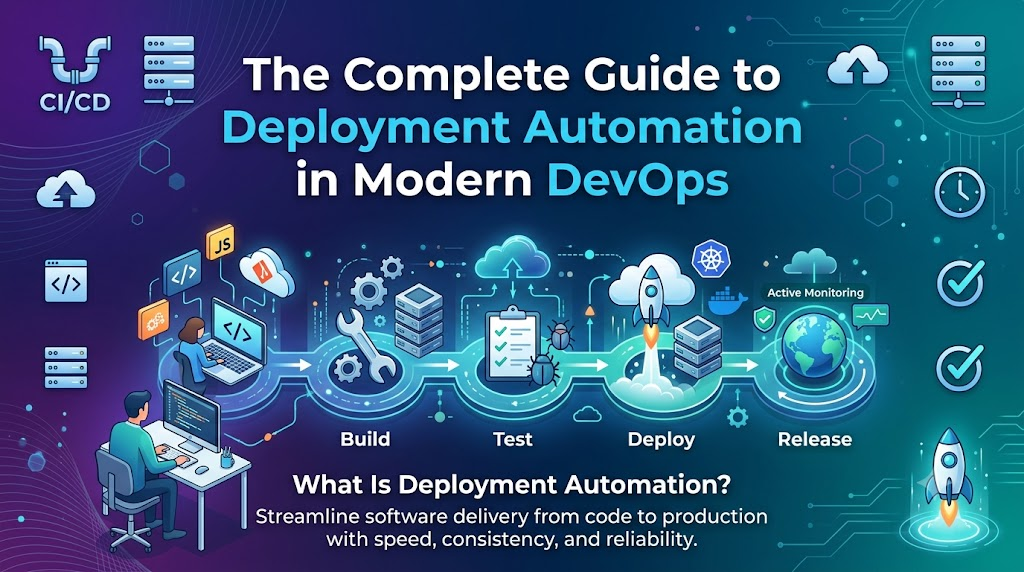
Modern software delivery demands unprecedented speed and reliability, yet traditional manual deployments—fraught with tedious SSH file transfers, hand-edited configuration files, and late-night maintenance windows—frequently introduce high error rates, environment drift, and costly downtime. Deployment automation solves this operational friction by removing manual human intervention, replacing fragile release procedures with standardized, repeatable CI/CD pipelines that compile, test, and release code changes automatically across cloud environments. By transforming software delivery into an assembly-line model, deployment automation enables engineering teams to deploy software updates rapidly and securely, making a deep understanding of these principles essential for modern DevOps professionals and teams leveraging training ecosystems like DevOpsSchool.
What Is Deployment Automation?
Deployment Automation is the practice of using automated tools, scripts, and managed processes to move software components across different environments—such as development, staging, testing, and production—without manual human steps.
+-------------------------------------------------------------------------------+
|                      DEPLOYMENT AUTOMATION PIPELINE                           |
|                                                                               |
|  +------------------+     +------------------+     +-----------------------+  |
|  |   Source Code    |     |  Continuous      |     | Target Infrastructure |  |
|  |                  |     |  Integration     |     |                       |  |
|  |  * Application   |     |  * Code Build    |     |  * Cloud Servers      |  |
|  |  * Configs       | --> |  * Unit Tests    | --> |  * Kubernetes Clusters|  |
|  |  * Scripts       |     |  * Containerize  |     |  * Edge Devices       |  |
|  +------------------+     +------------------+     +-----------------------+  |
|                                                                               |
+-------------------------------------------------------------------------------+
Instead of relying on a system administrator to execute commands manually on production servers, deployment automation executes standardized workflows triggered by specific events—such as pushing new code into a Git repository.
Core Objectives of Deployment Automation
- Eliminate Human Intervention: Automate server provisioning, software installation, configuration updates, and service restarts.
- Guarantee Consistency: Ensure that code behaves identically in staging and production environments by eliminating environment drift.
- Enable Continuous Delivery: Create an assembly-line model for code where every change passes through systematic validation checks before reaching users.
- Accelerate Feedback Loops: Allow developers to receive immediate feedback on whether their changes work in real-world environments.
Real-World Analogy
Consider a modern automotive assembly factory. In early car manufacturing, every component was fitted manually by workers using hand tools, leading to slight variations between vehicles and slow production rates.
Today, robotic assembly lines construct cars using exact, repeatable automated operations. Deployment automation brings this exact assembly-line precision to software engineering.
Why Deployment Automation Matters in DevOps
In a modern DevOps culture, speed and stability are not mutually exclusive—they reinforce each other. Deployment automation sits at the absolute center of this paradigm shift.
                  ┌──────────────────────────────┐
                  │   Accelerated Delivery       │
                  │   Higher Release Speed       │
                  └──────────────┬───────────────┘
                                 │
                                 ▼
┌────────────────────────┐              ┌────────────────────────┐
│  Drastic Reduction     │   DevOps     │  Standardized,         │
│  in Human Errors       │  Delivery    │  Repeatable Workflows  │
└───────────┬────────────┘  Engine      └───────────┬────────────┘
            │                                       │
            ▼                                       ▼
  ┌───────────────────────────────────────────────────┐
  │   High Scalability & Rapid Enterprise Velocity    │
  └───────────────────────────────────────────────────┘
- Accelerated Delivery Speed: Features, bug fixes, and security patches reach end users in minutes or hours rather than weeks or months.
- Drastic Reduction in Human Error: Automated scripts execute the exact same instructions every time, removing fat-finger command mistakes, missed configuration steps, and misplaced files.
- Consistent Environments: Infrastructure and software configurations are codified, preventing the classic “it works on my machine” dilemma.
- Scalability Across Infrastructure: Whether deploying code to 2 servers or 2,000 cloud instances across multiple continents, automated pipelines execute the operation concurrently and uniformly.
- Improved Team Productivity: Engineers spend less time managing tedious deployment documentation or fighting release fires, allowing them to focus on writing core business logic.
Manual Deployment vs Automated Deployment
| Evaluation Criteria | Manual Deployment | Automated Deployment |
| Execution Speed | Slow (hours to days) | Fast (seconds to minutes) |
| Error Rate | High (susceptible to human mistake) | Very Low (standardized execution) |
| Repeatability | Low (depends on who performs it) | High (identical across environments) |
| Scalability | Hard to scale across large clusters | Highly scalable across cloud infrastructure |
| Operational Effort | Requires dedicated ops window | Hands-off, self-service pipeline |
| Rollback Complexity | Difficult, risky, and time-consuming | Immediate, low-risk automated rollbacks |
| Audit & Visibility | Fragmented manual logs | Fully tracked via version control & pipeline logs |
How Deployment Automation Works
An automated deployment process follows a well-defined, event-driven workflow that converts raw source code into running applications across production environments.
[Developer Push] ──> [Git Repo] ──> [CI Build & Test] ──> [Artifact Storage] ──> [CD Pipeline Deploy] ──> [Health Check] ──> [Production Live]
1. Code Commit & Trigger
A software developer writes code, passes local unit checks, and commits the code to a central source control system (such as Git). Pushing the commit triggers a webhook event that initiates the continuous integration pipeline.
2. Automated Build & Compilation
The deployment server pulls the fresh source code, retrieves all necessary dependencies, and compiles binaries or constructs container images (e.g., Docker images).
3. Automated Quality & Security Testing
Before any code approaches production, automated test suites validate application behavior. This includes running unit tests, integration tests, static code security analysis (SAST), and dependency vulnerability scans.
4. Artifact Packaging & Versioning
Once tests pass, the built software is packaged into an immutable artifact (e.g., a Docker image, a .jar file, or a .tar.gz bundle), tagged with a unique version identifier, and stored in a secure artifact repository.
5. Target Environment Provisioning
If the target environment does not exist or requires modification, automated Infrastructure as Code (IaC) tools provision the necessary cloud resources, networking, and security groups.
6. Orchestrated Deployment Execution
The deployment pipeline updates the target infrastructure with the newly built artifact using zero-downtime release strategies (such as Blue-Green or Canary releases).
7. Post-Deployment Validation & Monitoring
Automated health checks probe the newly deployed application endpoints. If health checks pass, traffic is fully routed to the new version. If health checks fail, the system automatically triggers a rollback to the last known stable release.
Key Components of Deployment Automation
To construct an enterprise-grade automated deployment engine, several specialized architectural layers must work seamlessly together.
| Architectural Component | Core Purpose | Popular Example Tools |
| Version Control System | Manages code source, history, branching, and triggers | Git, GitHub, GitLab, Bitbucket |
| CI/CD Pipeline Engine | Orchestrates build, test, and release workflows | Jenkins, GitHub Actions, GitLab CI, Azure DevOps |
| Artifact Repository | Stores built binaries, packages, and container images | JFrog Artifactory, Sonatype Nexus, AWS ECR, Docker Hub |
| Testing Automation | Executes automated verification suites | JUnit, Selenium, Cypress, PyTest |
| Infrastructure as Code | Provisions cloud servers, networks, and environments | Terraform, AWS CloudFormation, OpenTofu, Pulumi |
| Configuration Management | Configures running servers and installs packages | Ansible, Chef, Puppet |
| Container & Orchestration | Packages applications and manages runtime clusters | Docker, Kubernetes, Red Hat OpenShift |
| Observability & Monitoring | Tracks performance, error logs, and metrics post-release | Prometheus, Grafana, Datadog, ELK Stack |
Role of CI/CD in Deployment Automation
Continuous Integration (CI) and Continuous Delivery/Continuous Deployment (CD) form the backbone of modern software release pipelines.
       CONTINUOUS INTEGRATION                   CONTINUOUS DELIVERY                 CONTINUOUS DEPLOYMENT
┌─────────────────────────────────┐   ┌─────────────────────────────────────┐   ┌──────────────────────────┐
│ Code -> Build -> Test -> Package │ ──>│ Staging Deploy -> Automated Acceptance│ ──>│ Automated Auto-Deploy    │
│                                 │   │ Testing -> Manual Approval Gate     │   │ Direct to Production     │
└─────────────────────────────────┘   └─────────────────────────────────────┘   └──────────────────────────┘
- Continuous Integration (CI): Focuses on regularly integrating code changes into a shared repository. Every commit automatically triggers a build and test run to detect integration bugs early.
- Continuous Delivery (CD): Takes validated code from the CI process and automatically prepares it for release. Deployments to staging or production are fully automated, though the final push to production may require a single manual approval click.
- Continuous Deployment (CD): Extends Continuous Delivery by removing manual approvals entirely. Every change that successfully passes all automated pipeline gates is automatically released directly to production users.
Industry-Standard CI/CD Engines
- Jenkins: Highly customizable, open-source automation server supported by a vast ecosystem of plugins.
- GitHub Actions: Native CI/CD engine built directly into GitHub repositories, enabling simple YAML-driven workflows.
- GitLab CI/CD: Fully integrated DevOps platform managing everything from planning to pipeline execution and security scanning.
- Azure DevOps: Enterprise platform offering end-to-end management for pipelines, boards, repositories, and release artifacts.
Deployment Automation with Containers
Containerization revolutionized deployment automation by solving dependency management issues.
+-------------------------------------------------------------------------+
|                         DOCKER CONTAINER IMAGE                          |
|                                                                         |
|  +-------------------------------------------------------------------+  |
|  | Application Binaries & Compiled Code                              |  |
|  +-------------------------------------------------------------------+  |
|  | Runtime Engine (Node.js, Python, Java JRE, .NET)                 |  |
|  +-------------------------------------------------------------------+  |
|  | System Libraries & OS Dependencies                                |  |
|  +-------------------------------------------------------------------+  |
|  | Environment Variables & Configuration Templates                   |  |
|  +-------------------------------------------------------------------+  |
|                                                                         |
+-------------------------------------------------------------------------+
Historically, applications often failed during production releases because the target production server was running a slightly different OS patch, library version, or runtime environment than the developer’s workstation.
How Containers Simplify Releases
- Immutable Artifacts: Containers package application code along with its exact runtime, system libraries, configuration files, and dependencies into a single immutable image.
- Environment Consistency: A container image runs identically on a developer’s laptop, a staging server, or an enterprise cloud cluster.
- Fast Startup Times: Lightweight containers start up in milliseconds or seconds, drastically reducing deployment times compared to heavy virtual machines.
Tools like Docker build these portable runtime units, which are stored in container registries (such as Docker Hub or AWS ECR) before being pulled directly into target deployment environments.
Kubernetes and Deployment Automation
While Docker provides individual containers, managing hundreds of microservices across large server pools requires an orchestration engine. Kubernetes serves as the industry standard for automated container deployment, scaling, and operational management.
                     ┌──────────────────────────────┐
                     │   Kubernetes Control Plane   │
                     └──────────────┬───────────────┘
                                    │ (Desired State Defined via Declarative Manifests)
                                    ▼
       ┌────────────────────────────┼────────────────────────────┐
       │                            │                            │
       ▼                            ▼                            ▼
┌──────────────┐             ┌──────────────┐             ┌──────────────┐
│ Worker Node  │             │ Worker Node  │             │ Worker Node  │
│ ┌──────────┐ │             │ ┌──────────┐ │             │ ┌──────────┐ │
│ │ Pod v2   │ │             │ │ Pod v2   │ │             │ │ Pod v2   │ │
│ └──────────┘ │             │ └──────────┘ │             │ └──────────┘ │
└──────────────┘             └──────────────┘             └──────────────┘
Core Kubernetes Release Features
- Declarative Configuration: Engineers define the desired state of the application in YAML manifests or Helm charts. Kubernetes continuously adjusts the cluster to match this configuration.
- Automated Rollouts & Rollbacks: Kubernetes natively manages rolling deployments, replacing old container versions with new ones sequentially while monitoring application health.
- Self-Healing Infrastructure: If a deployed container crashes or fails health probes, Kubernetes automatically terminates and replaces it without human intervention.
- GitOps Workflows: Modern Kubernetes automation uses GitOps engines like Argo CD or Flux. These tools continuously synchronize the actual state of the cluster with configuration files stored in Git repositories.
Infrastructure as Code in Deployment Automation
Automating application code releases is only half the battle; the underlying infrastructure (servers, networks, databases, load balancers) must also be automated. Infrastructure as Code (IaC) allows engineering teams to define hardware and cloud infrastructure using machine-readable code files.
┌─────────────────────────┐          ┌──────────────────────────┐          ┌─────────────────────────┐
│ Declarative IaC Code    │ ───────> │  IaC Engine Executed     │ ───────> │ Provisioned Cloud Infra │
│ (Terraform / OpenTofu)  │          │  (Plan & Apply)          │          │ (VPC, EC2, K8s, RDS)    │
└─────────────────────────┘          └──────────────────────────┘          └─────────────────────────┘
Benefits of IaC in Deployment Pipelines
- Elimination of Configuration Drift: Servers are never configured manually. If environment parameters change, the code is updated and applied uniformly.
- On-Demand Ephemeral Environments: Pipelines can provision an exact clone of production infrastructure, run automated tests, and tear it down automatically upon completion.
- Version-Controlled Infrastructure: Changes to networks or cloud infrastructure pass through code reviews and Git commit histories just like application code.
Standard IaC Tools
- Terraform / OpenTofu: Declarative tools for provisioning cloud infrastructure across multiple cloud platforms (AWS, Azure, GCP).
- Ansible: Agentless configuration management tool used to install software, manage files, and configure operating system settings.
- AWS CloudFormation / Azure ARM: Native cloud provider templating engines for managing infrastructure resources.
Deployment Strategies Used in Automation
To prevent downtime and reduce operational risk, deployment automation pipelines implement specific deployment strategies tailored to application architectures.
1. Rolling Deployment:
   [Old v1] [Old v1] [Old v1] ──> [New v2] [Old v1] [Old v1] ──> [New v2] [New v2] [New v2]

2. Blue-Green Deployment:
   Router ──> [Blue Environment (v1 - Active)]
   Router ──(Switch Traffic)──> [Green Environment (v2 - New Active)]

3. Canary Deployment:
   Router ──> 90% Traffic ──> [Current Production v1]
   Router ──> 10% Traffic ──> [Canary Instance v2] (Gradually Increases if Healthy)
1. Rolling Deployment
Replaces running instances of the old application version with the new version incrementally across the server pool. This ensures the service remains available without requiring double the infrastructure capacity.
2. Blue-Green Deployment
Maintains two identical physical or virtual environments: Blue (currently serving live traffic) and Green (idle environment where the new release is deployed and tested). Once validated, the router or load balancer instantly switches live traffic from Blue to Green, enabling zero-downtime releases and near-instantaneous rollbacks.
3. Canary Deployment
Rolls out the new software version to a small, controlled subset of users (e.g., 5% of traffic) while the remaining users continue on the stable version. Automated monitoring tools evaluate error rates and performance metrics; if stable, the release expands to 100% of the user base.
4. Feature Flag Deployment
Separates code deployment from feature exposure. Code is deployed into production with new features wrapped in conditional logic (feature flags). Product managers can toggle features on or off for specific user segments dynamically without redeploying code.
| Deployment Strategy | Infrastructure Cost | Risk Level | Rollback Speed | Ideal Use Case |
| Rolling | Low (uses existing nodes) | Medium | Moderate | General microservices & container clusters |
| Blue-Green | High (requires 2x instances) | Very Low | Instant (router swap) | Mission-critical legacy & enterprise systems |
| Canary | Low to Medium | Very Low | Fast (traffic reroute) | High-traffic web applications & SaaS |
| Feature Flags | Minimal | Lowest | Instant (toggle off) | Dynamic feature releases & A/B testing |
Monitoring and Validation After Deployment
An automated deployment pipeline must verify that a newly released service functions correctly in production before completing execution.
[Deploy New Code] ──> [Execute Synthetic Checks] ──> [Prometheus Metrics Check]
                                                            │
                            ┌───────────────────────────────┴───────────────────────────────┐
                            ▼                                                               ▼
                 [Metrics Within SLA]                                            [Error Spikes Detected]
                            │                                                               │
                            ▼                                                               ▼
               [Mark Release Successful]                                        [Trigger Auto Rollback]
Post-Deployment Health Verification
- Automated Health Checks & Synthetic Probes: The pipeline sends HTTP ping requests or simulates user paths to confirm that service endpoints respond with successful HTTP
200 OKstatus codes. - Metric Aggregation & Anomaly Detection: Systems continuously monitor error rates, latency spikes, and CPU/memory usage immediately following a deployment.
- Automated Rollback Systems: If performance indicators drop below configured SLAs within a specific window (e.g., 5 minutes post-release), the pipeline automatically rolls back to the previous stable release.
Essential Observability Tools
- Prometheus & Grafana: Metric collection and real-time visualization dashboards.
- Datadog / New Relic: Application Performance Monitoring (APM) engines tracking request traces and user experience metrics.
- ELK / PLG Stack (Elasticsearch, Logstash, Kibana or Promtail, Loki, Grafana): Centralized log aggregation engines for analyzing real-time application logs.
Benefits of Deployment Automation
              ┌──────────────────────────────────────────────┐
              │  Core Benefits of Deployment Automation      │
              └──────────────────────┬───────────────────────┘
                                     │
   ┌──────────────────┬──────────────┴───────┬──────────────────┐
   ▼                  ▼                      ▼                  ▼
┌─────────────┐  ┌─────────────┐        ┌─────────────┐  ┌─────────────┐
│ High Release│  │ System      │        │ Reduced     │  │ Enhanced    │
│ Speed       │  │ Stability   │        │ Overhead    │  │ Security    │
└─────────────┘  └─────────────┘        └─────────────┘  └─────────────┘
- Accelerated Time-to-Market: Product updates move seamlessly from code repository to live production environments, allowing companies to respond rapidly to market changes.
- Increased Software Quality & Reliability: Automated testing and standard release strategies reduce production bugs, minimizing downtime and service outages.
- Drastically Reduced Operational Overhead: Operations and engineering teams spend far less time managing release checklists, reducing burnout and operational costs.
- Enhanced Security & Compliance: Centralized pipelines ensure that access control policies, security scanning tools, and compliance checks run automatically during every release.
- Improved Developer Experience: Self-service deployment pipelines empower developers to take ownership of their code all the way to production.
Challenges in Deployment Automation
While deployment automation offers immense advantages, implementing it presents specific operational hurdles.
Challenge: Initial Setup Complexity ───────> Solution: Standardize Golden Templates
Challenge: Toolchain Sprawl        ───────> Solution: Establish Unified Platform Engineering
Challenge: Pipeline Security Vulnerabilities ─> Solution: Shift-Left DevSecOps Integration
1. Initial Infrastructure Setup Complexity
- Challenge: Designing robust, secure, and flexible automation pipelines requires significant upfront engineering time and deep domain expertise.
- Solution: Start small. Automate basic build and deployment steps for a single non-critical microservice before expanding across the enterprise ecosystem.
2. Toolchain Sprawl & Fragmentation
- Challenge: Organizations often adopt dozens of disparate tools for building, testing, provisioning, and monitoring, creating maintenance overhead.
- Solution: Standardize software architecture by using unified platform management tools and standardized internal developer platforms (IDPs).
3. Pipeline Security & Secrets Management
- Challenge: Automation pipelines require elevated access privileges to infrastructure, making them attractive targets for cyberattacks.
- Solution: Integrate strict access controls, manage secrets using specialized tools (like HashiCorp Vault), and scan pipeline definition files for security risks.
Best Practices for Deployment Automation
- Treat Pipeline Definitions as Code: Store pipeline configurations alongside application code in version control, allowing them to undergo peer review and versioning.
- Maintain Environment Parity: Keep dev, test, staging, and production environments as identical as possible to prevent surprise bugs during release.
- Enforce Immutability: Never modify running application code or server settings directly in production. Rebuild and redeploy immutable images or artifacts instead.
- Fail Fast in the Pipeline: Place light, quick validation steps (linting, unit tests) at the front of the pipeline so developers receive feedback within minutes.
- Implement Robust Automated Rollbacks: Ensure that every automated deployment pipeline includes an equally reliable, automated rollback mechanism.
- Integrate Centralized Secrets Management: Never hardcode passwords, API keys, or private SSH tokens inside repository code or pipeline scripts. Use dynamic secret management platforms.
Deployment Automation Security Practices (DevSecOps)
In modern software delivery, security must be built directly into the release pipeline rather than added as an afterthought.
       DEVSECOPS AUTOMATED SECURITY GATES
┌────────────────────────────────────────────────────────┐
│ 1. Static Application Security Testing (SAST)          │
│ 2. Software Bill of Materials (SBOM) & Dependency Scan │
│ 3. Container Image Vulnerability Scanning             │
│ 4. Secrets Detection in Source Code                    │
│ 5. Dynamic Application Security Testing (DAST)         │
└────────────────────────────────────────────────────────┘
- Shift-Left Security: Automated security analysis runs during early pipeline stages, catching vulnerabilities long before code reaches production.
- Secret Management: Store sensitive credentials in specialized secret stores (e.g., HashiCorp Vault, AWS Secrets Manager) and inject them into runtime environments dynamically.
- Vulnerability Scanning: Use automated tools (such as Trivy or Grype) to scan container images and third-party software packages for known CVEs (Common Vulnerabilities and Exposures).
- Role-Based Access Control (RBAC): Apply least-privileges security models to pipelines, ensuring build tools have access only to necessary environments and resources.
Real-World Deployment Automation Workflow Example
Here is how a real-world enterprise deployment process works end-to-end for a web application deployed to a Kubernetes cluster on public cloud infrastructure.
[Developer Push]
       │
       ▼
[GitHub Repository] ──(Webhook Trigger)──> [GitHub Actions CI]
                                                  │
       ┌──────────────────────────────────────────┴──────────────────────────────────────────┐
       ▼                                                                                     ▼
[Run Unit Tests & SAST]                                                         [Build Docker Container Image]
       │                                                                                     │
       └──────────────────────────────────────────┬──────────────────────────────────────────┘
                                                  │
                                                  ▼
                                    [Trivy Vulnerability Scan]
                                                  │
                                                  ▼
                                    [Push to AWS ECR Registry]
                                                  │
                                                  ▼
                                    [GitOps Sync (Argo CD)]
                                                  │
                                                  ▼
                                    [Canary Deploy to Kubernetes]
                                                  │
                                                  ▼
                                    [Prometheus Health Check]
                                                  │
       ┌──────────────────────────────────────────┴──────────────────────────────────────────┐
       ▼                                                                                     ▼
[Metrics Healthy -> 100% Traffic]                                             [Errors Detected -> Auto Rollback]
1. Code Commit
A developer pushes updated code to the main branch of a GitHub repository.
2. CI Pipeline Triggered
GitHub Actions initiates a workflow pipeline. It runs unit tests, executes code linting, and conducts a static security scan.
3. Container Build & Scanning
Upon successful test completion, the pipeline builds a Docker image. Trivy scans the image for vulnerabilities, tags it with the Git commit hash, and pushes it to Amazon Elastic Container Registry (ECR).
4. GitOps Deployment Trigger
The pipeline updates the image tag in a dedicated Kubernetes deployment repository. Argo CD detects the repository change and initiates a canary rollout on the target Kubernetes cluster.
5. Automated Validation & Promotion
Prometheus monitors error rates and latency for the canary pods over a 10-minute window. Since metrics remain healthy, Argo CD routes 100% of production user traffic to the updated application version.
Deployment Automation Tools Ecosystem
| Category | Primary Tools | Role in the Ecosystem |
| CI/CD Orchestration | Jenkins, GitHub Actions, GitLab CI, Azure DevOps, CircleCI | Manages, executes, and coordinates build-to-release workflows |
| Container Engines | Docker, Podman, Containerd | Packages application binaries and dependencies into portable units |
| Orchestration & GitOps | Kubernetes, Helm, Argo CD, Flux | Manages cluster containers, scaling, and state synchronization |
| Infrastructure as Code | Terraform, OpenTofu, Ansible, AWS CloudFormation, Pulumi | Provisions and configures cloud resources and operating systems |
| Observability & Logging | Prometheus, Grafana, Datadog, ELK Stack, Jaeger | Monitors runtime performance, error rates, and system traces |
| Security & Compliance | HashiCorp Vault, Trivy, SonarQube, Snyk, Checkov | Manages credentials, scans code/images, and enforces policies |
Deployment Automation in Different Industries
               INDUSTRY-SPECIFIC DEPLOYMENT PRIORITIES
┌──────────────────────┬──────────────────────┬──────────────────────┐
│  Banking & Finance   │     E-Commerce       │ SaaS & Cloud Platforms│
│  * Strict Audit Trail│  * Zero Downtime     │ * Multi-Tenant Deploy│
│  * Compliance Gates  │  * Peak Load Scaling │ * Progressive Canary │
└──────────────────────┴──────────────────────┴──────────────────────┘
Banking & Finance
Financial platforms rely on deployment automation to meet strict regulatory compliance standards. Pipelines include audit logging, separation of duties, automated security analysis, and immutable record tracking to comply with industry frameworks.
Healthcare
Healthcare applications prioritize data privacy and system availability. Automated pipelines run automated compliance checks to ensure data handling adheres to regulations like HIPAA before promoting code updates to live environments.
E-Commerce
For retail platforms, downtime during major sales directly impacts revenue. E-Commerce engineering teams leverage automated Blue-Green and Canary releases to roll out updates continuously with zero service disruption.
SaaS & Cloud Platforms
Software-as-a-Service companies use automated delivery workflows to push hundreds of micro-updates daily across multi-tenant cloud environments without manual intervention.
Career Opportunities Related to Deployment Automation
As organizations transition to cloud-native platforms, professionals skilled in deployment automation are in high demand globally.
                               ┌───────────────────────────────────┐
                               │ Deployment Automation Specialist  │
                               └─────────────────┬─────────────────┘
                                                 │
      ┌──────────────────────┬───────────────────┴───────────────────┬──────────────────────┐
      ▼                      ▼                                       ▼                      ▼
┌──────────────┐      ┌──────────────┐                        ┌──────────────┐      ┌──────────────┐
│ DevOps       │      │ Platform     │                        │ Site         │      │ DevSecOps    │
│ Engineer     │      │ Engineer     │                        │ Reliability  │      │ Engineer     │
│              │      │              │                        │ Engineer     │      │              │
└──────────────┘      └──────────────┘                        └──────────────┘      └──────────────┘
Key Industry Roles
- DevOps Engineer: Builds, maintains, and optimizes continuous integration and delivery pipelines, connecting development and operational processes.
- Platform Engineer: Creates internal developer platforms (IDPs) that enable development teams to run automated deployments self-sufficiently.
- Site Reliability Engineer (SRE): Focuses on system availability, performance, monitoring, and automated incident recovery.
- DevSecOps Engineer: Integrates security tools, vulnerability scanners, and compliance checks directly into automated release pipelines.
High-Value Skill Sets
- Deep proficiency with Linux operating systems and shell scripting (Bash, Python).
- Hands-on expertise with Git, CI/CD engines, and container orchestration (Kubernetes).
- Strong command of Infrastructure as Code principles (Terraform, Ansible).
- Solid understanding of cloud computing environments (AWS, Azure, GCP).
Certifications & Learning Paths
Building expertise in deployment automation requires structured, hands-on learning across several core domains.
Recommended Learning Roadmap:
  [Linux & Scripting]
         │
         ▼
  [Git & Source Control]
         │
         ▼
  [Containerization (Docker)]
         │
         ▼
  [CI/CD Pipelines (Jenkins/GitHub Actions)]
         │
         ▼
  [Infrastructure as Code (Terraform)]
         │
         ▼
  [Orchestration (Kubernetes & GitOps)]
Comprehensive educational ecosystems such as DevOpsSchool offer structured training tracks, hands-on projects, and mentorship designed to guide engineers through real-world software delivery automation practices.
| Certification | Industry Focus | Skill Level | Core Area Assessed |
| Certified Kubernetes Administrator (CKA) | CNCF / Linux Foundation | Intermediate to Advanced | Kubernetes cluster setup, operations, and management |
| AWS Certified DevOps Engineer | Amazon Web Services | Professional | AWS deployment automation, CI/CD, and monitoring |
| HashiCorp Certified: Terraform Associate | HashiCorp | Intermediate | Infrastructure provisioning as code |
| Docker Certified Associate (DCA) | Mirantis / Docker | Intermediate | Container creation, deployment, and networking |
| Certified DevSecOps Professional (CDP) | Practical DevSecOps | Advanced | Pipeline security, SAST/DAST integration, and compliance |
Common Beginner Mistakes
- Overcomplicating Pipelines Early On: Designing massive, complex pipelines before mastering simple build-and-deploy steps.
- Ignoring Linux Fundamentals: Attempting to learn advanced cloud automation tools without a solid baseline in Linux commands, permissions, and networking.
- Hardcoding Environment Secrets: Embedding access tokens, passwords, or private keys directly inside Git repositories or pipeline files.
- Bypassing Automated Testing: Automating the deployment of unvalidated code, which simply delivers broken software to production faster.
- Neglecting Post-Deployment Observability: Assuming a deployment was successful just because the pipeline finished, without verifying system health metrics.
Future of Deployment Automation
Software delivery models continue to evolve rapidly alongside emerging technologies.
       FUTURE TRENDS IN DEPLOYMENT AUTOMATION
┌──────────────────────────────────────────────────┐
│ 1. AI-Driven Smart Pipelines & Self-Healing      │
│ 2. Universal GitOps Adoption                     │
│ 3. Internal Developer Platforms & Self-Service   │
│ 4. Automated Autonomous Cloud Operations          │
└──────────────────────────────────────────────────┘
- AI-Assisted Release Management: Machine learning models will analyze real-time deployment metrics, predict release failures, and automatically optimize rollback decisions.
- Universal Adoption of GitOps: Git repositories will serve as the single source of truth for both application state and infrastructure configurations across all enterprise systems.
- Expansion of Platform Engineering: Centralized platform teams will build self-service developer portals, abstracting complex pipeline details away from product developers.
- Autonomous Cloud Operations: Self-healing cloud environments will automatically detect runtime issues, generate fixes, run automated tests, and deploy patches with minimal human involvement.
FAQs (Frequently Asked Questions)
What is Deployment Automation?
Deployment Automation is the practice of using automated scripts, pipelines, and tools to move software from source code repositories into production environments without manual intervention.
Why is deployment automation important?
It eliminates human error, speeds up feature releases, guarantees environment consistency, and allows engineering teams to deploy software reliably at scale.
How does deployment automation work?
It follows an event-driven workflow where code changes trigger automated builds, quality checks, infrastructure setup, artifact deployments, and post-release health checks.
Is deployment automation part of DevOps?
Yes, deployment automation is a core pillar of DevOps culture, enabling seamless collaboration between development and operations teams through continuous delivery.
What tools are used for deployment automation?
Common tools include Jenkins, GitHub Actions, GitLab CI, Docker, Kubernetes, Terraform, Ansible, and Argo CD.
What is the role of CI/CD in deployment automation?
CI (Continuous Integration) automates code building and testing, while CD (Continuous Delivery/Deployment) automates packaging and releasing code to target environments.
Is Kubernetes required for deployment automation?
No, Kubernetes is not strictly required. You can automate deployments to virtual machines, bare-metal servers, or serverless platforms using tools like Ansible or Terraform.
What is the difference between Continuous Delivery and Continuous Deployment?
Continuous Delivery automates software preparation up to production, requiring a final manual approval to release. Continuous Deployment releases validated code to production automatically.
How does deployment automation prevent downtime?
It uses progressive release strategies like Blue-Green, Canary, and Rolling deployments, ensuring continuous service availability while updates are applied.
What happens if an automated deployment fails?
Modern pipelines conduct automated post-deployment health checks. If errors occur, the system automatically initiates a rollback to the previous stable release.
What is Infrastructure as Code (IaC)?
IaC is the practice of defining, provisioning, and managing cloud infrastructure using machine-readable code files rather than manual dashboard configurations.
What is GitOps?
GitOps is an operational framework where Git repositories serve as the single source of truth for infrastructure and application configurations, with automated controllers synchronizing system state.
How does security fit into deployment automation?
Security tools run automatically within pipelines to scan code, dependencies, and container images for vulnerabilities before software reaches production.
What skills are needed to learn deployment automation?
Key skills include Linux administration, shell scripting, Git version control, CI/CD pipeline configuration, containerization, and basic cloud networking.
How long does it take to learn deployment automation?
With consistent, hands-on practice, a beginner can master core concepts and build basic release pipelines within 3 to 6 months.
Final Thoughts
Deployment automation has transformed software development from a slow, risky process into a fast, predictable engineering discipline. By eliminating manual steps, codifying infrastructure, and automating health checks, organizations can deliver continuous value to users safely.
Mastering deployment automation requires understanding core concepts rather than just learning individual tools. Focus on building clean, repeatable release workflows, automating quality gates, and prioritizing security throughout the delivery pipeline.
For developers, cloud engineers, and technical leaders, developing expertise in modern release pipelines and cloud-native architectures remains one of the most impactful career investments in contemporary software engineering.
