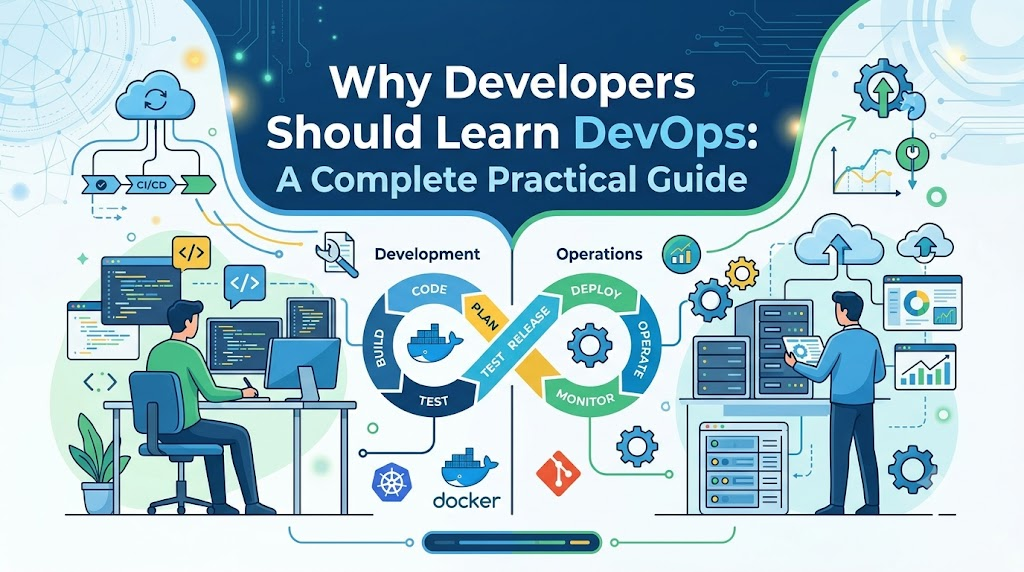
Writing clean, functional code is only the first step in creating reliable software. In modern engineering teams, the journey from a local code editor to a live production environment involves automated testing, containerization, environment configuration, infrastructure management, and continuous monitoring. When developers focus solely on application logic without understanding how their software is built, packaged, and operated, issues inevitably arise during releases. Learning DevOps bridges this gap. It gives developers visibility into the full software delivery lifecycle, reduces repetitive manual tasks, and eliminates the dreaded “it works on my machine” dilemma. Whether you write Java, Python, TypeScript, or Go, acquiring core DevOps skills helps you write software that behaves predictably in real-world environments.
This guide explores what DevOps actually entails for developers, why it matters for your day-to-day workflow, the core skills worth learning, and a practical roadmap to get started.
What Is DevOps?
DevOps is a set of practices, cultural philosophies, and tools designed to integrate software development (Dev) with IT operations (Ops). Traditionally, these two disciplines operated in separate silos: developers wrote features and tossed them over the wall, while operations teams managed deployments, maintained servers, and handled production incidents. This separation frequently caused conflicting priorities, slow release cycles, and finger-pointing when deployments failed.
At its core, DevOps establishes:
- Shared Responsibility: Development and operations work toward common goals—delivering valuable features rapidly while keeping production stable and secure.
- Automation: Manual, error-prone steps in testing, building, provisioning, and releasing software are replaced with automated pipelines.
- Continuous Feedback: Real-time telemetry, automated test results, and production monitoring provide immediate feedback to engineers, allowing rapid detection and correction of flaws.
Culture vs. Tools
A common misconception is that DevOps is merely a collection of software tools like Docker, Jenkins, or Kubernetes. While tooling is vital, tools alone do not create DevOps.
DevOps is fundamentally a way of working that emphasizes collaboration, rapid iteration, and shared ownership of the application lifecycle. Installing a continuous integration server without fostering a culture of writing dependable automated tests will not improve deployment stability. DevOps is neither a standalone programming language nor a single packaged product; it is an engineering discipline that transforms how teams design, deliver, and maintain software.
Why Should Developers Learn DevOps?
Understanding how applications are deployed and run fundamentally changes how you write code. Here is why investing time in DevOps concepts pays off directly in your day-to-day development work:
1. Understanding the Complete Software Delivery Lifecycle
When you understand what happens after a pull request merges, you design better software. For instance, knowing how your application boots in a cloud cluster helps you implement proper health-check endpoints, handle graceful shutdowns on termination signals, and structure configuration variables cleanly.
2. Eliminating Repetitive Manual Work
Manual compilation, ad-hoc server configuration, and manual file uploads are slow and error-prone. By learning automation practices, you can automate routine local setups, test executions, and sandbox deployments, freeing up time for architectural thinking and core feature development.
3. Improving Build, Testing, and Deployment Processes
Understanding build automation tools allows you to optimize dependency caching and multi-stage container builds. If a test suite takes forty minutes to run, a developer who understands pipeline stages can split tests into parallel jobs or isolate integration tests, cutting feedback loops down to minutes.
4. Resolving Environment-Related Inconsistencies
The classic excuse—”It worked on my machine, so it must be an operations issue”—stems from environmental divergence. By mastering containerization and environment variables, you ensure your local setup mirrors staging and production closely, eliminating unexpected runtime crashes caused by mismatched library versions or missing paths.
5. Collaborating Effectively with Operations and Security Teams
When developers and operations speak the same technical language, architectural planning becomes collaborative rather than confrontational. You can meaningfully discuss resource limits, database migration strategies, connection pooling, and ingress routing without misunderstandings.
6. Observing Application Behavior in Production
Writing code that functions under controlled local testing is very different from managing traffic spikes, database contention, and intermittent network timeouts in production. Understanding logging structures, metrics collection, and distributed tracing helps you construct observable applications that are straightforward to diagnose when production errors occur.
7. Strengthening Application Reliability and Security
Security is no longer something evaluated right before a major release. When developers understand basic DevSecOps concepts, they incorporate automated dependency vulnerability scanning, secure secret management, and least-privilege principles directly into their regular coding and pull-request routines.
Key Benefits of DevOps Knowledge for Developers
Adopting DevOps practices delivers direct, tangible benefits across development, debugging, and team collaboration:
- Faster, More Reliable Feedback: Automated unit, integration, and linting checks run on every push, alerting you to regressions within minutes of writing the code.
- Fewer Avoidable Release Failures: Consistent container runtimes and automated artifact validation drastically lower the risk of deployment-day surprises.
- Targeted Debugging: With structured logs and observability metrics, you can trace an uncaught exception back to the exact commit and runtime condition that caused it, rather than sifting through unformatted text logs.
- Better Architecture Decisions: Knowing how cloud infrastructure dynamically scales influences how you handle application state, background job queues, and caching layers.
- Streamlined Team Handoffs: Predictable deployment scripts and container definitions make onboarding new team members and spinning up ephemeral review environments straightforward.
Essential DevOps Skills Every Developer Should Learn
You do not need to become an infrastructure specialist to reap the benefits of DevOps. Focusing on the following core domains provides a solid foundation:
Version Control with Git
Beyond basic commands like git add and git commit, developers need a firm grasp of structured branching strategies (such as trunk-based development or GitHub flow), clean merge conflict resolution, interactive rebasing, semantic tagging, and pull request reviews. Git serves as the single source of truth for both code and automated pipeline triggers.
Linux and Command-Line Fundamentals
Most modern deployment targets, containers, and cloud virtual machines run Linux. Developers should be comfortable with:
- Navigating the file system, managing file permissions, and inspecting processes (
top,ps,kill). - Inspecting network connections and testing endpoints (
curl,netstat,ss). - Reading and filtering application logs (
tail -f,grep,journalctl). - Configuring environment variables and basic shell scripts for task automation.
CI/CD Pipelines
Continuous Integration (CI) and Continuous Delivery/Deployment (CD) automate the validation and rollout of your code. Developers should understand how pipeline definitions work—such as stages, jobs, triggers, artifacts, and caching. Familiarity with pipeline engines like Jenkins, GitLab CI, or GitHub Actions helps you maintain and tweak pipeline definitions whenever project dependencies change.
Build and Testing Automation
Reproducible builds are essential. Developers must master their ecosystem’s build tools (such as Maven/Gradle for Java, npm/pnpm for JavaScript, or pip/Poetry for Python) alongside automated testing frameworks. Understanding how to configure headless testing, mock external dependencies, and generate code coverage reports ensures your pipeline can validate code without human intervention.
Docker and Containers
Containers package an application alongside its runtime, libraries, system utilities, and configurations. Developers should know how to write efficient Dockerfiles, use multi-stage builds to minimize image sizes, handle .dockerignore files, and manage multi-container local environments using Docker Compose.
Cloud Fundamentals
Modern software runs predominantly on cloud providers. Developers should understand basic architectural primitives across services: compute instances, serverless runtimes, managed relational and non-relational databases, virtual private clouds (VPCs), object storage, and identity/access management (IAM) roles.
Infrastructure as Code (IaC)
Infrastructure as Code applies software development principles to server and network provisioning. Familiarity with tools like Terraform or declarative Kubernetes manifests allows you to view infrastructure specifications directly in version control, making environment changes auditable and repeatable.
Configuration and Deployment Automation
Hardcoding settings or embedding credentials directly into codebases introduces severe security risks. Developers must know how to decouple configuration from application logic using environment variables, external configuration stores, and feature flags to support smooth, environment-independent deployments.
Monitoring and Observability
Writing observable code involves three key pillars:
- Logs: Emitting structured JSON logs with appropriate context, severity levels, and trace IDs.
- Metrics: Exposing custom application metrics (e.g., latency, error rates, queue depths) to monitoring scrapers like Prometheus.
- Traces: Participating in distributed tracing to follow a request across multiple microservices.
DevSecOps Fundamentals
Security should be integrated throughout the development process. Developers should practice:
- Scanning dependencies for known CVEs using automated scanners.
- Preventing accidental commits of secrets (API keys, certificates) via pre-commit hooks.
- Running static application security testing (SAST) checks during the CI stage.
How DevOps Improves a Developer’s Daily Workflow
To see how these concepts function in practice, consider a typical development workflow supported by robust DevOps practices:
- Branching and Coding: You create a short-lived feature branch from the mainline, write your code locally, and run fast unit tests inside a local containerized setup that replicates your runtime dependencies.
- Version Control Push: You commit your changes with clear messages and open a pull request.
- Automated Build & Lint: The CI server detects the pull request, spins up an isolated build agent, downloads cached dependencies, and compiles the code.
- Automated Testing & Security Scans: The pipeline runs unit tests, integration tests, static code analysis, and dependency security checks. If a test fails or a critical vulnerability is detected, the pipeline halts immediately, alerting you with actionable output.
- Artifact Packaging: Once all tests pass, the pipeline builds a versioned, immutable Docker image and pushes it to an internal container registry.
- Preview Environment Deployment: The CD system automatically deploys the new container image to an ephemeral preview or staging environment, allowing QA and product teammates to verify the feature.
- Production Release: Once approved, the branch merges to the main branch. The CD pipeline executes a deployment strategy (such as a blue-green or rolling update), migrating database schemas safely and routing live traffic to the updated application without downtime.
- Telemetry and Continuous Monitoring: Live dashboard metrics and error trackers report on the application’s health. If runtime exceptions spike, automated alerts notify the team immediately, allowing rapid rollback or hotfixing.
Throughout this sequence, automation handles routine verification and packaging tasks, allowing the developer to focus on validating business logic and monitoring real-world performance.
Developer Without DevOps vs. Developer With DevOps Knowledge
| Scenario | Developer Without DevOps | Developer With DevOps Knowledge |
| Building and Testing Code | Tests run manually on local machines; builds fail unexpectedly when merged due to environment differences. | Builds and tests are completely automated in a CI pipeline; identical validation runs on every commit. |
| Managing Environment Differences | Relies on manually configured local environments; frequently encounters “works on my machine” defects in staging. | Uses containers to standardize local, staging, and production runtimes; dependencies are tracked and immutable. |
| Handling Deployment Tasks | Builds deployable files manually, copies them over SSH/FTP, or hands files off to an operations team via tickets. | Commits code that triggers automated continuous delivery pipelines; deployments are standardized and repeatable. |
| Diagnosing Production Errors | Scans large, unformatted server logs via terminal or waits for operations to provide error dumps. | Uses structured application logs, error-tracking dashboards, and distributed tracing to pinpoint the root cause. |
| Working with Operations Teams | Interaction is often strained; developers blame infrastructure for bugs, while operations blames code for outages. | Collaborates proactively using shared metrics, joint deployment strategies, and clear system constraints. |
| Responding to Failed Releases | Rollbacks require complex manual interventions, file replacements, or urgent, stressful ad-hoc patches. | Rollbacks are executed smoothly by redeploying the prior stable container image or toggling feature flags. |
Is DevOps Necessary for Every Developer?
It is important to maintain a balanced perspective: not every developer needs to become a dedicated platform engineer or maintain complex Kubernetes clusters.
- Front-End Developers: Benefit primarily from understanding CI/CD automation, build bundling, asset optimization, content delivery networks (CDNs), and preview environments.
- Back-End and Full-Stack Developers: Benefit substantially from deeper knowledge of containerization, database migrations, cloud services, networking, and observability.
- Specialized Roles: Teams working on embedded systems, low-level drivers, or specialized data science algorithms may interact with standard web deployment pipelines less frequently, though basic automation and version control remain universally applicable.
In medium to large organizations, dedicated platform, SRE, and infrastructure teams still manage core cloud backbones, networking topologies, and security governance. A developer learning DevOps is not expected to absorb all infrastructure responsibilities. Rather, the goal is to understand how your code interacts with the underlying platform, enabling you to build resilient software and collaborate efficiently with operations specialists.
How Learning DevOps Supports Career Development
Broadening your technical skill set to include deployment, containerization, and automation increases your impact across engineering teams. Software engineers who understand how to shepherd an application from development through to production are well-positioned to contribute to architectural discussions, reduce delivery bottlenecks, and improve code reliability.
Practical DevOps knowledge opens doors to diverse engineering paths:
- Software Developer with Strong CI/CD Skills: An application engineer who writes quality code and designs efficient delivery pipelines for their team.
- Cloud-Native Application Developer: A specialist focused on building resilient, scalable microservices optimized for containerized cloud platforms.
- DevOps Engineer: An engineer focused on automating delivery infrastructure, building internal tooling, and enhancing release workflows.
- Platform Engineer: A developer who designs and manages internal developer platforms (IDPs) to improve developer experience and delivery speed.
- Site Reliability Engineer (SRE): An engineer focused on system availability, incident management, latency optimization, and infrastructure scalability.
A Step-by-Step DevOps Learning Roadmap for Developers
To build practical skills without getting overwhelmed, follow this structured, milestone-based learning path:
Step 1: Strengthen Git and Linux Fundamentals
- Objective: Become comfortable navigating environments and managing code history efficiently.
- Practical Exercise: Set up a local Linux virtual machine or WSL environment. Write shell scripts to search log files, manipulate text streams with
awkandsed, and manage environment variables. Practice interactive rebasing and merge conflict resolution in Git.
Step 2: Understand Build Processes and Automated Testing
- Objective: Ensure application code builds reproducibly from the command line.
- Practical Exercise: Take an existing application project and configure clean build scripts using Maven, Gradle, npm, or Poetry. Write a suite of unit and integration tests, and ensure the entire test suite runs cleanly via a single terminal command.
Step 3: Learn CI/CD Concepts and Create a Simple Pipeline
- Objective: Automate code validation on every push.
- Practical Exercise: Create a GitHub or GitLab repository for your project. Write a pipeline configuration file that triggers on every push, compiles your application, executes your test suite, and publishes test result reports.
Step 4: Containerize an Application Using Docker
- Objective: Package your software and its dependencies into an immutable artifact.
- Practical Exercise: Write a multi-stage
Dockerfilefor your application to separate build dependencies from the final lightweight runtime image. Create adocker-compose.ymlfile that runs your application alongside an isolated database container.
Step 5: Explore Cloud Fundamentals and Deployment Environments
- Objective: Understand how applications run on modern managed cloud platforms.
- Practical Exercise: Set up a free-tier account on a cloud provider. Deploy your containerized application to a managed container service or a virtual server. Configure security groups, domain routing, and environment secrets properly.
Step 6: Learn Infrastructure Automation
- Objective: Define infrastructure declaratively rather than configuring resources manually via web consoles.
- Practical Exercise: Write a basic Terraform script to provision the cloud server, storage bucket, or network required by your application. Apply the configuration, verify the resources, and run a clean teardown using code.
Step 7: Add Monitoring, Logging, and Security Checks
- Objective: Make your application observable and safe.
- Practical Exercise: Integrate a structured JSON logger into your application. Add an automated security scanning step to your CI pipeline using open-source linters or vulnerability scanners. Set up basic uptime alerts or error-tracking tools.
Step 8: Build an End-to-End Capstone Project
- Objective: Integrate all learned disciplines into a cohesive, production-ready system.
- Practical Exercise: Build and deploy a complete microservice: store its code in Git, automate builds and tests with CI, package it as a container, deploy it through a CD pipeline to cloud infrastructure, and inspect its health using live metrics. Document what you learned along the way.
Common Mistakes Developers Should Avoid When Learning DevOps
When branching into DevOps, avoid these common traps:
- Chasing Tools Before Mastering Concepts: Memorizing the commands of complex orchestration platforms without understanding container basics, process isolation, or networking will cause confusion. Focus on why a tool exists before learning its syntax.
- Trying to Learn Everything Simultaneously: Attempting to master Kubernetes, Terraform, AWS, Jenkins, and Prometheus all in one month leads to burnout. Tackle one layer of the delivery stack at a time.
- Ignoring Networking and Operating System Basics: Tools run on top of operating systems and networks. Neglecting DNS, ports, subnets, HTTP headers, and file system permissions makes troubleshooting deployment failures difficult.
- Treating Testing as Optional: CI/CD pipelines are only as dependable as the test suites running inside them. Automating the deployment of untested code simply deploys bugs to users faster.
- Hardcoding Secrets and API Keys: Never commit database credentials, tokens, or private keys to source control. Use environment variables and dedicated secret management tools right from the start.
- Treating Observability as an Afterthought: Writing code without descriptive errors, health checks, or structured logs makes diagnosing production issues guesswork. Build observability into your application from day one.
- Copying Pipelines Without Understanding Them: Avoid copying pipeline templates from the internet without dissecting what each stage, script, and permission does. Understand every step that interacts with your code.
- Sticking Exclusively to Theory: Reading documentation without provisioning real resources or building hands-on projects leads to shallow learning. Practical debugging is where real DevOps competence develops.
How DevOpsSchool Can Help Developers Learn DevOps
Navigating the wide ecosystem of DevOps practices, container engines, cloud platforms, and pipeline tools can be challenging without structured guidance. For developers seeking an organized educational path, DevOpsSchool provides comprehensive training programs designed to build practical skills across the entire software delivery lifecycle.
As an established platform for technical education, DevOpsSchool focuses on core engineering disciplines including:
- DevOps fundamentals, cultural practices, and workflow integration.
- Source code management and collaborative branching workflows with Git.
- Continuous Integration and Continuous Delivery using industry-standard pipeline tools like Jenkins.
- Containerization, container orchestration, and multi-service management with Docker and Kubernetes.
- Infrastructure as Code and environment automation using tools such as Terraform and Ansible.
- Cloud engineering principles, deployment architectures, and production monitoring.
By combining conceptual explanations with hands-on lab exercises and guided project work, structured learning platforms like DevOpsSchool help developers move beyond theoretical knowledge. This practical approach enables engineers to understand how modern deployment pipelines function, write software that operates reliably in production, and collaborate effectively with operations teams.
Frequently Asked Questions (FAQs)
Why should software developers learn DevOps?
Learning DevOps helps developers understand how their code is tested, built, deployed, and run in production. This knowledge reduces environment-related bugs, eliminates manual tasks through automation, and helps developers write more reliable, observable, and cloud-ready software.
Do developers need to master every DevOps tool?
No. Developers do not need to master every operations and infrastructure tool. Focusing on fundamentals—such as Git, Linux command-line basics, Docker containerization, and basic CI/CD pipeline configuration—provides sufficient foundation for most application development roles.
Is DevOps difficult for beginners to learn?
DevOps can feel overwhelming if you try to learn advanced orchestration and cloud management all at once. However, when approached step-by-step—starting with version control and automated testing before progressing to containers and pipelines—the learning curve is manageable and directly enhances your day-to-day coding.
Which DevOps skills should developers learn first?
Developers should start with version control (Git), Linux command-line basics, and automated testing. Once these fundamentals are clear, the next logical steps are continuous integration (CI) and containerization with Docker.
Can a developer use DevOps practices without becoming a DevOps engineer?
Yes. Many developers apply DevOps principles every day—such as writing clean Dockerfiles, maintaining CI pipeline stages, using feature flags, and structuring application logs—while remaining full-time software engineers.
How does DevOps improve software deployment?
DevOps replaces manual, error-prone deployment steps with automated CI/CD pipelines. This ensures that every code change is consistently tested, packaged into an immutable artifact, and deployed through standardized procedures, resulting in fewer release failures and faster recovery if problems occur.
How long does it take to learn basic DevOps concepts?
A developer with existing coding experience can grasp core DevOps concepts—such as writing Dockerfiles, configuring basic CI pipelines, and running automated tests—within a few weeks of consistent, hands-on practice. Mastering advanced cloud infrastructure and orchestration takes longer and develops through ongoing project experience.
Can DevOps knowledge help developers build cloud-native applications?
Yes. Understanding container lifecycles, environment variables, health checks, horizontal scaling, and cloud networking allows developers to design resilient microservices tailored for modern cloud platforms.
Final Thoughts
Modern software engineering is no longer confined to writing code inside a local development environment. As software delivery cycles accelerate and applications run on distributed cloud infrastructure, the boundaries between development and operations continue to blur. Developers who understand how their code is built, tested, packaged, and observed in production are equipped to build higher-quality software and collaborate more effectively across teams. Learning DevOps does not require you to abandon application development or become an infrastructure administrator overnight. By taking a gradual approach—strengthening your Linux and Git fundamentals, automating your build and test runs, packaging services in containers, and understanding deployment pipelines—you steadily enhance your daily development workflow.
Platforms such as DevOpsSchool offer structured training to help developers master these practices through practical, real-world examples. Ultimately, the greatest benefit of learning DevOps is gaining full ownership of your engineering craft: building software with the confidence that it will run dependably wherever it is deployed.
