images play a crucial role in conveying messages, enhancing user experiences, and capturing attention. Whether you’re a photographer, a marketer, a web developer, or just an avid social media user, you’ve likely encountered the need to edit and optimize images for various purposes. This is where Filerobot Image Editor Tool comes into play. In this comprehensive guide, we’ll walk you through the steps to effectively use Filerobot’s Image Editor Tool and unlock its full potential. Filerobot Image Editor is a powerful and user-friendly online image editing tool that enables you to make quick and precise edits to your images without the need for complex software or extensive technical knowledge. It offers a wide range of features and tools to enhance, resize, crop, filter, and transform your images, making it an ideal choice for individuals and businesses alike.
What is Function and feature of Filerobot Image-editor Tool
The primary function of Filerobot Image Editor is to allow users to edit their images. It offers a wide range of editing capabilities, from basic adjustments to advanced enhancements. Users can improve the overall quality of their images by adjusting parameters such as brightness, contrast, saturation, sharpness, and color balance. You can easily crop images to remove unwanted parts or resize them to fit specific dimensions, all while maintaining the aspect ratio if needed. Rotate images to correct orientation or flip them horizontally or vertically for creative effects. Apply various filters, effects, and presets to transform the mood and style of your images. This feature is especially popular for social media and artistic image editing.
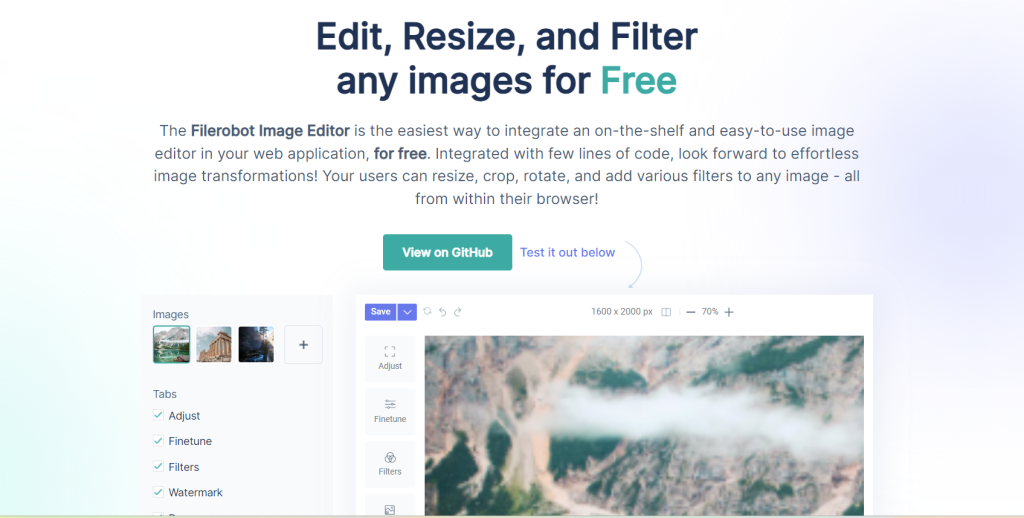
Add text to your images with customizable fonts, sizes, colors, and positioning. This is useful for creating memes, banners, or adding captions. Insert shapes, lines, icons, and stickers to your images for graphical elements or to create engaging visuals. Once you’re logged in, navigate to the Image Editor Tool. You can either upload an image from your device or select one from your Filerobot media library if you’ve previously uploaded images.
Filerobot’s interface is designed to be intuitive, making it accessible to users of all skill levels. Being a cloud-based tool means you can access and edit your images from anywhere with an internet connection, without the need to download or install software. Filerobot offers a wide array of editing tools, making it suitable for a variety of image editing tasks, from basic corrections to advanced creative enhancements. As you make edits, Filerobot provides real-time previews of your changes, ensuring you can see the results before saving. You can choose from various image formats (JPEG, PNG, etc.) and adjust the image quality to suit your needs before exporting. It can be integrated with other applications, websites, and content management systems, making it a versatile tool for businesses and developers. Collaborate seamlessly with team members, clients, or collaborators by sharing access to edited images or working on them together. Filerobot is designed to work well on various devices and screen sizes, ensuring a consistent and enjoyable user experience. Users can store edited images in their Filerobot media library for easy access and organization.
How Wizbrand‘s Convert Filerobot Image-editor Tool would help?
Wizbrand’s Convert Filerobot Image-Editor Tool is a powerful solution that builds upon the capabilities of Filerobot Image Editor. It offers additional features and functionalities designed to further enhance your image editing and optimization workflow. Wizbrand’s tool likely includes advanced image compression algorithms. This is incredibly valuable for web developers and online businesses as it helps in reducing image file sizes without compromising quality. Smaller image sizes result in faster website loading times, improved user experiences, and better search engine rankings. It’s likely that Wizbrand’s tool offers customizable workflows, enabling users to define and automate specific image editing and optimization sequences. This is especially useful for businesses with repetitive image processing needs.
