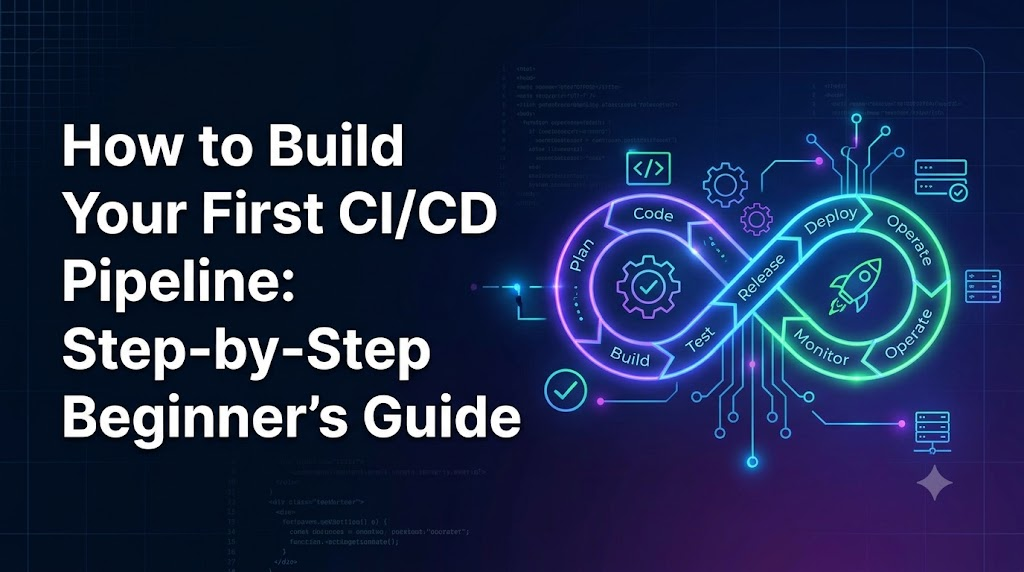
Every developer remembers the anxiety of manual software releases: running build scripts locally, forgetting to execute unit tests, opening an FTP or SSH connection to an active server, manually copying files, and hoping nothing crashes in production. When something inevitably breaks, tracing which commit introduced the bug turns into a stressful forensic investigation.
A Continuous Integration and Continuous Delivery (CI/CD) pipeline transforms this error-prone manual routine into an automated, reliable, and repeatable engineering workflow.
This hands-on guide walks through how to build your first working CI/CD pipeline from scratch using a real, lightweight application. We will focus on practical engineering foundations: validating code automatically, managing pipeline configuration, testing failure modes, and handling deployment safely without overcomplicating your architecture on day one.
1. What Is CI/CD? (And Why It Matters)
At its core, CI/CD is an automated software delivery process, not just a specific vendor tool. It establishes a repeatable path for code changes to move from a developer’s workstation to production.
+---------------------------------------------------------------------------------------+
|                                  THE CI/CD SPECTRUM                                   |
+---------------------------------------------------------------------------------------+

  Developer Pushes Code
            │
            ▼
   ┌─────────────────┐
   │   Automated     │  Continuous Integration (CI)
   │  Build & Test   │  Merges and validates code changes frequently.
   └────────┬────────┘
            │ Passes
            ▼
   ┌─────────────────┐
   │ Staging Deploy  │  Continuous Delivery (CD)
   │ & Artifact Prep │  Automatically prepares deployable releases (manual trigger to prod).
   └────────┬────────┘
            │
      ┌─────┴────────────────┐
      │                      │
      ▼ Manual Approval      ▼ Fully Automated
┌──────────────┐      ┌──────────────┐
│  Production  │      │  Production  │  Continuous Deployment (CD)
│ (Cont. Del.) │      │(Cont. Deploy)│  Every passing commit releases directly to users.
└──────────────┘      └──────────────┘
Understanding the distinctions among the three phases prevents architectural confusion:
Continuous Integration (CI)
Continuous Integration requires developers to merge code changes into a shared repository frequently—often several times a day. Each push triggers an automated build and test sequence.
- The Goal: Detect integration bugs, syntax errors, and broken test suites early before they compound.
- The Value: CI answers the question: “Does this new code integrate cleanly without breaking existing functionality?”
Continuous Delivery (CD)
Continuous Delivery takes passing builds from CI and packages them into deployable artifacts (such as a zip bundle, tarball, or container image). The release is automatically deployed to staging or testing environments and made ready for production deployment at any moment.
- The Distinguishing Factor: The final push to production requires a deliberate manual approval (e.g., clicking a “Deploy” button or approving a release gate).
Continuous Deployment (CD)
Continuous Deployment removes the manual approval step entirely. If a code change passes through all automated testing, security, and quality gates, it deploys directly into live production without human intervention.
- The Reality Check: While continuous deployment is an admirable benchmark, most real-world teams begin with Continuous Integration and graduate to Continuous Delivery. You do not need automated production releases on day one to reap massive benefits from CI/CD.
Key Benefits
- Early Defect Detection: Failures are detected minutes after pushing code, pinpointing the exact offending commit.
- Elimination of “Works on My Machine”: Code executes in a clean, isolated runner environment identical for all team members.
- Predictable Releases: Releasing software becomes a mundane, low-risk routine rather than a high-stakes event.
2. Prerequisites: What You Need Before Starting
A common trap for beginners is trying to learn CI/CD, Docker, Kubernetes, AWS infrastructure, and microservices simultaneously. That approach quickly becomes overwhelming.
To build your first pipeline, keep your scope minimal:
- A Git Repository: Hosted on a modern platform like GitHub or GitLab.
- A Small, Functional Application: A basic API or web app with a straightforward dependency manifest.
- Reproducible Local Commands: At least one command to install dependencies, one command to build/lint (if applicable), and one command to run automated tests.
- Access to a CI/CD Runner Platform: Hosted runners provided directly by your Git platform (e.g., GitHub-hosted runners).
- (Optional) A Simple Deployment Target: A static hosting bucket, a staging test server, or a Platform-as-a-Service (PaaS) instance.
For this tutorial, our example application will be a clean Node.js REST API built with Express, tested using Jest, and configured with npm. The exact principles apply whether your app uses Python, Go, Java, or Rust.
3. Choosing a CI/CD Tool for Your First Pipeline
There are dozens of CI/CD tools available:
- GitHub Actions: Deeply integrated into GitHub repositories, zero server management, vast marketplace of pre-built actions, generous free tier.
- GitLab CI/CD: Native to GitLab, highly structured YAML configuration, built-in container registry, excellent enterprise governance.
- Jenkins: Self-hosted open-source automation server, infinitely customizable via plugins, but requires significant operational overhead and maintenance.
- CircleCI / Bitbucket Pipelines: Mature cloud and hybrid CI/CD platforms with robust caching and workflow visualizers.
Why We Are Using GitHub Actions in This Guide
For your first pipeline, GitHub Actions is the most practical choice:
- Zero Infrastructure Setup: It runs on managed cloud runners (Ubuntu, Windows, macOS) provided out of the box.
- Unified Context: Your code, pull requests, issues, and pipelines live in the exact same dashboard.
- Declarative YAML: Pipeline workflows are defined as code directly inside your repository under
.github/workflows/.
4. The Application Setup
Let’s inspect the sample project structure. Our repository will have the following layout:
Plaintext
my-first-pipeline/
├── .github/
│   └── workflows/
│       └── ci-cd.yml       <-- Our CI/CD pipeline definition
├── src/
│   ├── app.js             <-- Express application
│   └── server.js          <-- Server listener entry point
├── tests/
│   └── app.test.js        <-- Unit/integration tests
├── package.json           <-- Dependencies and scripts
└── package-lock.json      <-- Pinned dependency tree
The Code: src/app.js
This simple service exposes a health-check endpoint:
JavaScript
const express = require('express');
const app = express();

app.use(express.json());

app.get('/health', (req, res) => {
  res.status(200).json({ status: 'ok', uptime: process.uptime() });
});

module.exports = app;
The Test: tests/app.test.js
An automated test using Supertest and Jest to verify that our route responds with an HTTP 200 status:
JavaScript
const request = require('supertest');
const app = require('../src/app');

describe('GET /health', () => {
  it('should return 200 OK and status: ok', async () => {
    const response = await request(app).get('/health');
    expect(response.statusCode).toBe(200);
    expect(response.body.status).toBe('ok');
  });
});
The Manifest: package.json
Crucially, our local package.json defines standard scripts to run tests and builds:
JSON
{
  "name": "my-first-pipeline",
  "version": "1.0.0",
  "main": "src/server.js",
  "scripts": {
    "start": "node src/server.js",
    "test": "jest --runInBand --detectOpenHandles"
  },
  "dependencies": {
    "express": "^4.19.2"
  },
  "devDependencies": {
    "jest": "^29.7.0",
    "supertest": "^6.3.4"
  }
}
Engineering Rule of Thumb: If a build or test step cannot run reliably on your local terminal via a single command, it will not run reliably in a CI/CD runner. Always verify
npm testworks locally before automating it.
5. Building the Pipeline Step by Step
Now let’s write our pipeline configuration file.
In GitHub Actions, workflows are stored as YAML files located in .github/workflows/. Create a file named .github/workflows/ci-cd.yml.
The Complete Workflow File
YAML
name: Build, Test, and Stage

# 1. Triggers: When should this pipeline execute?
on:
  push:
    branches: [ "main" ]
  pull_request:
    branches: [ "main" ]

# Explicit, least-privilege token permissions
permissions:
  contents: read

jobs:
  # Job 1: Validate, Lint, and Test the codebase
  test:
    name: Run Unit Tests
    runs-on: ubuntu-latest
    timeout-minutes: 15

    steps:
      - name: Check out repository code
        uses: actions/checkout@v4

      - name: Set up Node.js runtime environment
        uses: actions/setup-node@v4
        with:
          node-version: '20'
          cache: 'npm'

      - name: Install dependencies cleanly
        run: npm ci

      - name: Execute automated test suite
        run: npm test

      - name: Package build artifact
        run: |
          mkdir -p dist
          tar --exclude='./.git' --exclude='./node_modules' --exclude='./tests' -czf dist/app-release.tar.gz .

      - name: Upload compiled release artifact
        uses: actions/upload-artifact@v4
        with:
          name: app-release
          path: dist/app-release.tar.gz
          retention-days: 7

  # Job 2: Deploy to a test/staging environment (runs only on push to main)
  deploy-staging:
    name: Deploy to Test Environment
    needs: test
    if: github.ref == 'refs/heads/main' && github.event_name == 'push'
    runs-on: ubuntu-latest
    timeout-minutes: 10

    steps:
      - name: Download release artifact
        uses: actions/download-artifact@v4
        with:
          name: app-release

      - name: Simulate deployment step
        env:
          STAGING_API_KEY: ${{ secrets.STAGING_API_KEY }}
        run: |
          echo "Connecting to test environment..."
          if [ -z "$STAGING_API_KEY" ]; then
            echo "Error: Missing deployment secret STAGING_API_KEY"
            exit 1
          fi
          echo "Simulating upload and activation of app-release.tar.gz to staging..."
          echo "Release successfully validated and deployed to test environment."
Anatomy of the Pipeline: Detailed Breakdown
Let’s inspect each component of this configuration to understand what it does and why it matters:
1. Triggers (on:)
YAML
on:
  push:
    branches: [ "main" ]
  pull_request:
    branches: [ "main" ]
- What it does: Dictates what events invoke the pipeline. It runs whenever code is pushed to
mainor when a pull request targetingmainis created or updated. - Why it matters: Pull requests get immediate test feedback before code merges, protecting the health of the primary branch.
- Common Pitfall: Forgetting to limit branches, which can cause test suites to trigger unintentionally across temporary feature branches or tag creations.
2. Runner Environment (runs-on: ubuntu-latest)
- What it does: Provisions a clean, isolated virtual machine run by the platform.
- Why it matters: Guarantees that builds run in a consistent, clean-room environment rather than inheriting configuration debris from previous jobs.
3. Checkout (actions/checkout@v4)
- What it does: Clones your Git repository into the runner’s workspace.
- Why it matters: The virtual machine starts completely empty. Without this step, your scripts have no files to read or compile.
4. Setting up Runtime and Dependency Caching
YAML
- uses: actions/setup-node@v4
  with:
    node-version: '20'
    cache: 'npm'
- What it does: Installs the exact specified runtime version (Node 20 LTS) and caches package manager files based on your
package-lock.json. - Why it matters: Eliminates version drift between local developer machines and CI. Caching prevents downloading hundreds of megabytes of identical packages on every run, saving minutes of build time.
5. Deterministic Dependency Installation (npm ci)
- What it does: Installs packages using
npm cirather thannpm install. - Why it matters:
npm installmay resolve updated dependencies and rewrite lockfiles dynamically. In contrast,npm cistrictly honorspackage-lock.jsonand throws an immediate error if the lockfile and manifest are out of sync. - Common Pitfall: Running
npm installinside CI pipelines can cause builds to mysteriously break when upstream third-party dependencies release patch updates.
6. Executing Tests (npm test)
- What it does: Executes your test suite.
- How it works: GitHub Actions monitors the shell exit status. If
npm testcompletes with exit code0, the step succeeds. If any assertion fails or an uncaught exception triggers, it exits with non-zero (e.g.,1), terminating the job immediately.
7. Artifact Creation and Preservation
YAML
- uses: actions/upload-artifact@v4
  with:
    name: app-release
    path: dist/app-release.tar.gz
- What it does: Packages your verified application bundle and stores it in cloud storage attached to the workflow run.
- Why it matters: Builds and tests happen once. Subsequent stages (such as staging or production deployments) should reuse this validated artifact rather than rebuilding code from scratch.
8. Job Dependencies and Execution Conditions (needs: test, if:)
YAML
deploy-staging:
  needs: test
  if: github.ref == 'refs/heads/main' && github.event_name == 'push'
- What it does: The deployment job will not execute unless the
testjob completes with complete success (needs: test). Furthermore, it only runs when code actually merges intomain, avoiding staging deployments on unmerged pull requests.
6. How the Workflow Executes in Practice
To visualize the lifecycle of a code change, consider this timeline:
[Developer Terminal]
   │
   ├─► git add . && git commit -m "feat: enhance health check"
   └─► git push origin feature/health-endpoint
            │
            ▼
[Pull Request Opened]
   │
   ├─► GitHub triggers 'test' job on an isolated Ubuntu runner
   │   ├── Clones repository
   │   ├── Installs Node.js 20
   │   ├── Runs `npm ci` (restoring cached modules)
   │   └── Runs `npm test`
   │
   ├─► ALL TESTS PASS (Exit code 0)
   │   └── PR shows green checkmark: "All checks have passed"
   │
   └─► Developer reviews & merges PR into 'main'
            │
            ▼
[Push to 'main' Detected]
   │
   ├─► Step 1: 'test' job executes again on merged commit
   │   └── Creates and uploads 'app-release.tar.gz' artifact
   │
   └─► Step 2: 'deploy-staging' job triggers
       ├── Downloads verified 'app-release.tar.gz'
       ├── Pulls secrets safely via environment injection
       └── Deploys release bundle to test environment
7. Testing and Verifying Your Pipeline
A green build icon can be deceptively reassuring. Verification requires proving that the pipeline reliably catches defects and safely executes releases.
Follow this verification procedure:
Step 1: Commit and Push the Valid Pipeline
Add the workflow file, commit, and push it:
Bash
git checkout -b setup-ci-pipeline
git add .github/workflows/ci-cd.yml
git commit -m "ci: add GitHub Actions workflow"
git push origin setup-ci-pipeline
Open a pull request on GitHub. Navigate to the Actions tab. You should see your workflow run, execute the test job, and pass. Notice that deploy-staging is skipped because the code is in a PR branch, not main.
Step 2: Configure Pipeline Secrets
To test our deployment job, configure the required secret:
- Navigate to your GitHub Repository -> Settings -> Secrets and variables -> Actions.
- Click New repository secret.
- Set Name to
STAGING_API_KEYand Value to a test string (e.g.,mock-staging-key-12345). - Click Add secret.
Merge the PR into main. Navigate to the Actions tab again. You should see both test and deploy-staging run sequentially and succeed.
Step 3: Deliberately Break a Test (The Red Test Verification)
The truest test of a CI pipeline is whether it stops broken code from proceeding.
- Open
src/app.jsand change the health status response:JavaScript// Change 'ok' to 'maintenance' res.status(200).json({ status: 'maintenance', uptime: process.uptime() }); - Commit and push this change to a new branch and open a pull request.
- Observe the Actions tab.
Plaintext
FAIL tests/app.test.js
  ● GET /health › should return 200 OK and status: ok

    expect(received).toBe(expected) // Object.is equality

    Expected: "ok"
    Received: "maintenance"

      7 |     const response = await request(app).get('/health');
      8 |     expect(response.statusCode).toBe(200);
    > 9 |     expect(response.body.status).toBe('ok');
        |                                  ^
     10 |   });

Error: Process completed with exit code 1.
The pipeline detects the failure, marks the check with a red cross, blocks the pull request merge, and stops the release from proceeding.
Revert your change, push again, and watch the pipeline turn green. You now have verified proof that your automation acts as a functional quality gate.
8. Troubleshooting Common Beginner Failures
When a pipeline fails, avoid guessing. Look closely at the raw execution logs. Here are the most common failures beginners encounter and how to fix them:
1. Workflow Doesn’t Trigger
- Symptom: You push a commit, but nothing appears under the Actions tab.
- Probable Causes:
- File location: The configuration must reside in
.github/workflows/(plural). Placing it in.github/workflow/is a frequent typo. - YAML indentation error: Missing dashes or bad spacing prevent GitHub from parsing the file. Test your file in a YAML linter if needed.
- Branch mismatch: Check the
branches:filter in theon:block against your actual Git branch name.
- File location: The configuration must reside in
2. Dependency or Command Failures (command not found)
- Symptom: The runner outputs
/bin/sh: line 1: jest: command not found. - Probable Cause: Running a binary not installed globally or not mapped in
package.json. - Fix: Never call CLI dev dependencies directly in raw CI scripts if they aren’t globally installed on the image. Always route commands through your package manager scripts (e.g.,
npm test,npm run build), which automatically resolve local./node_modules/.bin/paths.
3. Discrepancies Between Local and CI Builds
- Symptom: The project builds cleanly on your laptop but fails in CI with unexpected module errors.
- Probable Cause: Local untracked files or OS case-sensitivity. Mac and Windows file systems are case-insensitive by default; Linux runners are strictly case-sensitive. Importing
./Appwhen the file is named./app.jsworks locally on macOS but fails in Linux runners. - Fix: Match casing exactly in all import paths and ensure all necessary files are committed to Git.
4. Missing Secrets or Empty Variables
- Symptom: Deployment step fails instantly with
Error: Missing deployment secret. - Probable Cause: Typo in secret name or secrets not accessible in pull requests originating from forked repositories (a security feature in GitHub Actions).
- Fix: Double-check secret names between your YAML file (
${{ secrets.STAGING_API_KEY }}) and your repository settings.
9. Foundational Security Best Practices
Security must be built into your CI/CD process from day one, not bolted on after a breach.
1. Never Commit Plaintext Credentials
Never commit API tokens, database connection strings, passwords, or private keys to source control. Always store sensitive values in your repository’s native Secret Manager and inject them as environment variables during pipeline runtime:
YAML
env:
  DATABASE_URL: ${{ secrets.DB_CONNECTION_STRING }}
2. Enforce Least-Privilege Permissions
By default, some CI runners grant wide permissions to the automated workflow token. Always explicitly restrict permissions in your YAML file:
YAML
permissions:
  contents: read
If a job only needs to checkout code, grant it contents: read and nothing else.
3. Pin Dependencies and Workflow Actions
Public marketplace actions run arbitrary code inside your runner. Pin trusted third-party actions to specific semantic versions or commit SHAs (e.g., actions/checkout@v4 or full SHA hashes) rather than tracking @main.
4. Separate Environments
Maintain clear separation between test, staging, and production environments. Never use production credentials inside unit test jobs.
10. Where to Go From Here: Next Steps
Congratulations—you have built, executed, verified, and secured your first working CI/CD pipeline.
As your project grows, your pipeline can evolve organically. Here is a sensible progression for adding complexity:
[Now] Basic CI Pipeline
  └─► Linting, dependency installation, and unit tests
        │
[Next] Code Quality & Security Scanning
  └─► Add Static Application Security Testing (e.g., CodeQL, npm audit)
        │
[Later] Containerization & Artifact Registry
  └─► Build Docker image, scan image vulnerabilities, push to registry
        │
[Advanced] Staging & Deployment Strategies
  └─► Automated staging deploy, smoke tests, manual production approval gate
- Add Static Code Quality Checks: Add a linter (like ESLint or Ruff) and security audit commands (like
npm audit) to run before your unit tests. - Containerize with Docker: If your application deploys as a container, add a job that builds the Docker image and publishes it to a container registry (like GitHub Packages or Docker Hub) only when tests pass.
- Introduce Manual Approval Gates: Use GitHub Environments to add protection rules requiring a designated team member to approve releases before they deploy to production.
- Monitor Performance: Track pipeline duration. Optimize caching strategies when your build times exceed 5–10 minutes.
Conclusion
Automating your build, test, and release cycle removes the guesswork, inconsistency, and anxiety from shipping software. By starting with a minimal, reliable CI pipeline—installing dependencies cleanly, running automated tests, and packaging verified artifacts—you establish a resilient foundation that scales alongside your application.
The most effective way to master CI/CD is through direct experience: clone a small repository, add the workflow file provided above, push a commit, and watch your automated pipeline take over.
