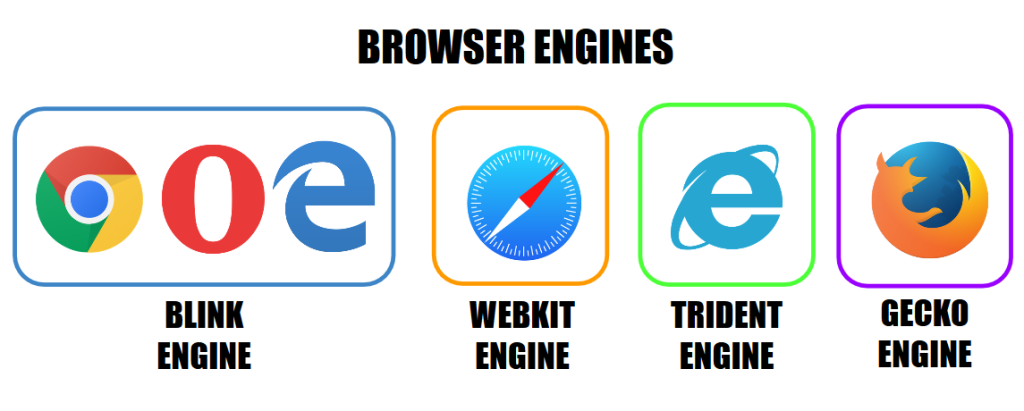
In the dynamic world of web development, ensuring that your website appears and functions consistently across different browsers is a fundamental challenge. One of the key factors contributing to inconsistencies in website rendering is the varying levels of support for HTML and CSS features among different browsers.
HTML (Hypertext Markup Language) and CSS (Cascading Style Sheets) are constantly evolving, with new features being introduced, existing ones being modified, and obsolete ones being deprecated. Each time a change occurs, browsers must adapt to maintain compatibility with the latest standards.
One such example of evolving CSS features is the introduction of the “flexbox” layout mode in CSS3. Flexbox offers a more intuitive way to design page layouts, ensuring elements behave predictably as the layout is resized or adjusted. However, since flexbox is relatively new, not all browsers fully support it.
When a browser encounters CSS or HTML code that it doesn’t understand or support, it may fail to render the page correctly, leading to broken layouts or design inconsistencies. This can be particularly problematic if a significant portion of your audience uses browsers that lack support for certain features.
To address browser compatibility issues, developers employ various strategies. One common approach is to create multiple stylesheets tailored to different browsers. After designing and testing the website on a primary browser, developers create additional stylesheets to address compatibility issues in other browsers.
These alternative stylesheets contain adjustments and workarounds specifically targeted at browsers lacking support for certain HTML or CSS properties. While this method may not guarantee a perfectly uniform appearance across all browsers, it helps ensure that the website remains functional and visually appealing to users regardless of their browser choice.
In addition to creating multiple stylesheets, developers can use feature detection techniques to identify unsupported features and provide fallback options or alternative designs. Feature detection allows developers to deliver a more tailored experience based on the capabilities of each user’s browser.
Ultimately, navigating browser compatibility issues requires a combination of careful planning, thorough testing, and ongoing maintenance. By staying informed about the latest web standards and browser updates, developers can mitigate compatibility issues and deliver a seamless user experience across diverse browsing environments.
