In an age where digital data is the backbone of our personal and professional lives, ensuring its security has never been more critical. With the growing number of cyber threats and data breaches, protecting sensitive information has become a top priority for individuals and organizations alike. One powerful ally in this battle for data security is the PDF Encrypt File tool. PDF encryption is a method of securing PDF documents by employing cryptographic algorithms to protect the content from unauthorized access. When you encrypt a PDF file, it becomes unreadable without the correct decryption key or password. This makes it an invaluable tool for protecting sensitive files, be it financial records, legal documents, intellectual property, or any other confidential data.
What is Function and feature of PDF Encrypt File tool
Dedicated PDF Encrypt File tools are specifically designed to provide robust security features. They offer advanced encryption algorithms and options to set strong passwords, making it significantly harder for unauthorized individuals to gain access.
Choose the PDF file you want to encrypt by clicking the “Upload” or “Choose File” button in the PDF Encrypt File Tool. Use the file explorer to locate and select the desired PDF file from your computer.
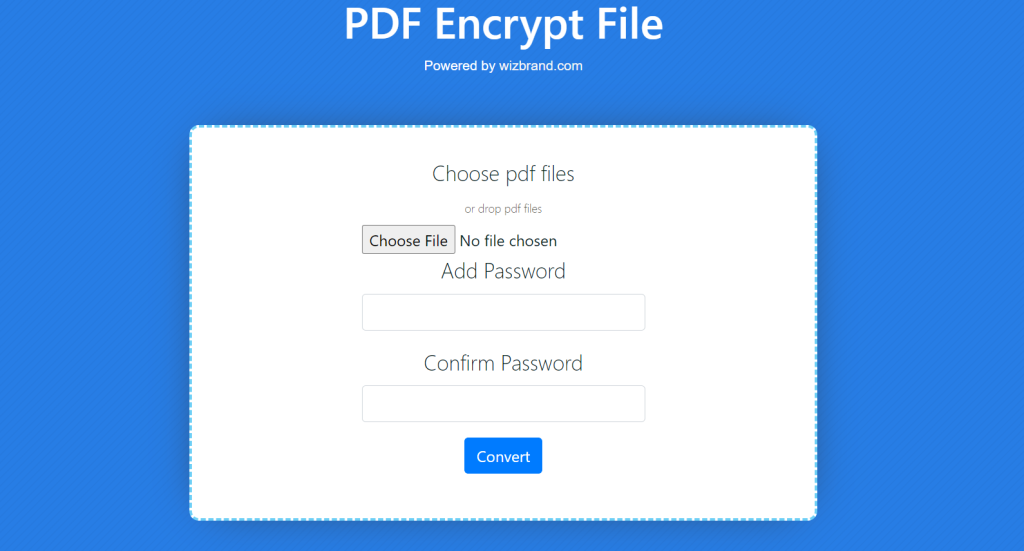
Enter a strong and unique password in the “Password” field to protect your PDF file. Click on the “Convert” button to start the encryption process.
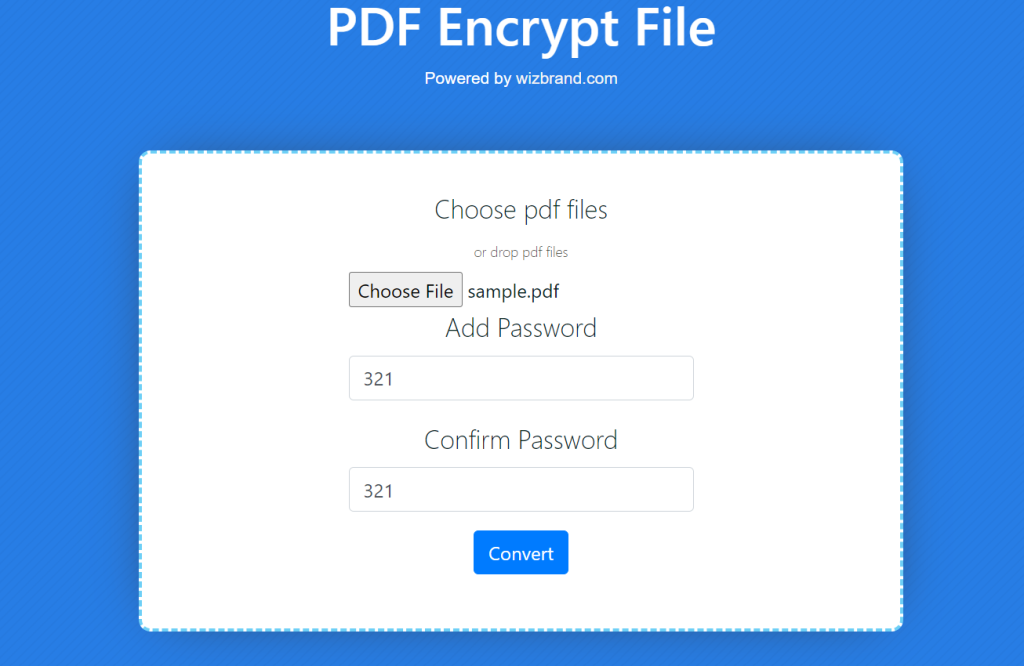
Once the encryption is complete, button for the encrypted PDF file. Click on the download link or button to save the encrypted PDF file to your computer.
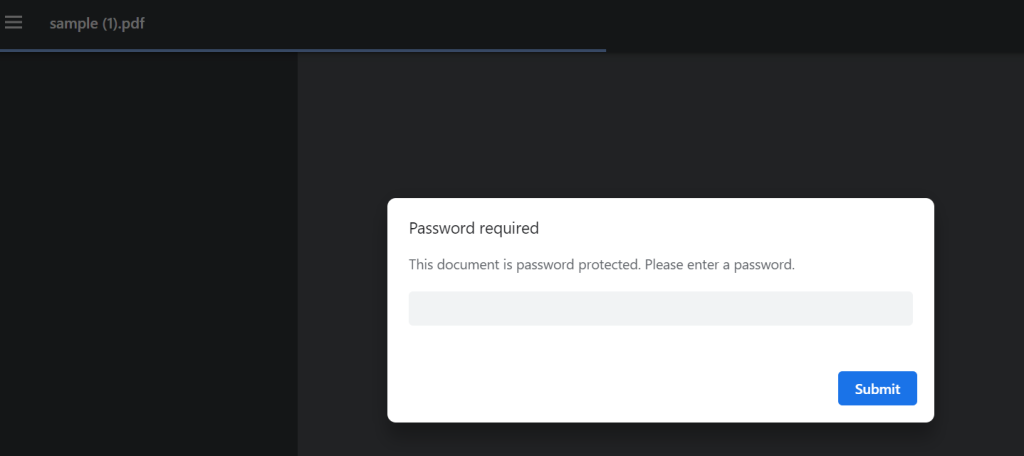
To open the encrypted PDF file, locate it on your computer and double-click on it. The PDF reader application will prompt you to enter the password you set earlier. Enter the correct password and click “OK” or press “Enter” to unlock and access the file.
These tools often come with a user-friendly interface, making the encryption process simple and accessible to all users, regardless of their technical expertise. For organizations or individuals dealing with multiple PDF files, a dedicated tool can offer batch encryption functionality, saving time and effort when securing multiple documents simultaneously. Many PDF Encrypt File tools seamlessly integrate with existing workflows and document management systems, enabling secure and efficient data handling. Look for a tool that offers robust encryption methods, such as 128-bit or 256-bit AES encryption, as these provide stronger security. Users can set strong passwords or passphrases to lock their PDF files. These passwords act as the decryption keys, allowing only authorized individuals to access the content.
How Wizbrand‘s PDF Encrypt File tool would help?
In an age where data security is of utmost importance, finding reliable and efficient solutions to protect sensitive information is crucial. With PDF files being a common medium for document sharing, safeguarding their content from unauthorized access becomes a priority. Enter Wizbrand’s PDF Encrypt File Tool, a powerful web-based resource designed to enhance data security.

[…] July 29, 2023 […]