Converting PowerPoint presentations (PPT) to PDF format is a common need for sharing and preserving document integrity. With a reliable PPT to PDF converter, the process becomes effortless. This blog explores the benefits of using a converter tool, including maintaining formatting consistency, universal compatibility, and ease of distribution. Discover how this simple solution can streamline your document management workflow.
What is Function and feature of PPT to PDF Convertor tool
PPT to PDF converter tools offer a seamless way to transform PowerPoint presentations into PDF files. In this blog post, we delve into the functions and features of these converter tools, highlighting their efficiency and versatility in document conversion.
Efficient Conversion: PPT to PDF converters swiftly convert presentations, ensuring a smooth transition while maintaining formatting and visual elements. Many converter tools allow users to convert multiple PPT files to PDF simultaneously, saving time and effort,
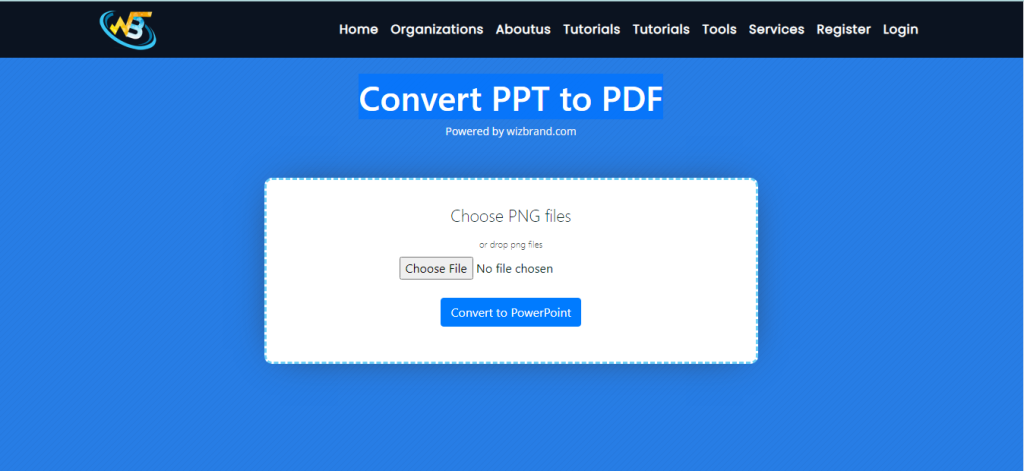
The simple process of using the Wizbrand website’s PPT to PDF converter tool, enabling you to effortlessly transform your files and download them in PDF format, Start by visiting the Wizbrand website, your go-to platform for efficient file conversions. Find the dedicated PPT to PDF converter tool on the website’s interface.
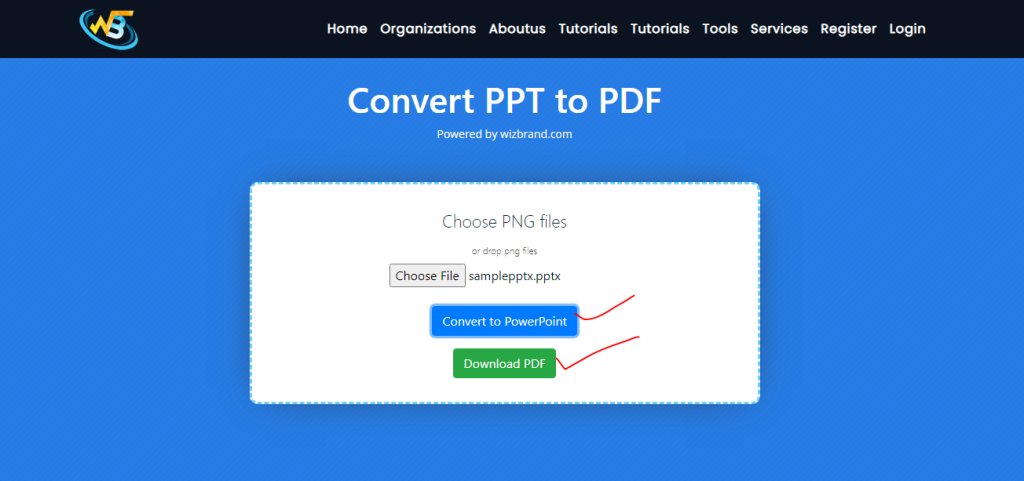
Click on the “Choose Your File” button and select the PPT file you wish to convert. After selecting your file, click on the “Convert” button to begin the conversion process. Once the conversion is complete, a download option will be provided. Click on it to download your converted file in PDF format.
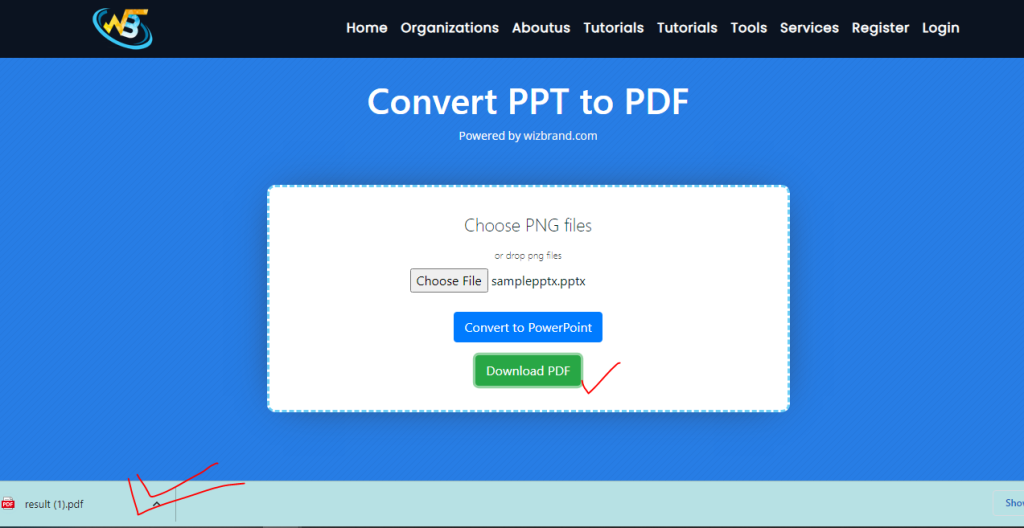
With the user-friendly PPT to PDF converter tool on the Wizbrand website, you can easily convert your PowerPoint presentations to PDF files. By following these steps – visiting the website, accessing the converter, selecting your file, initiating conversion, and downloading the PDF – you can seamlessly convert and obtain your converted files
How Wizbrand‘s convert PPT to PDF tool would help ?
Wizbrand’s PPT to PDF conversion tool offers a range of benefits for users. With its user-friendly interface and efficient conversion process, it simplifies the task of transforming PowerPoint presentations into PDF format. The tool ensures accurate preservation of formatting, layout, and visual elements, resulting in high-quality PDF outputs. Additionally, Wizbrand’s tool allows batch conversion, saving valuable time for users handling multiple files. Experience the convenience and reliability of Wizbrand’s convert PPT to PDF tool, making document conversion hassle-free and delivering professional results.
