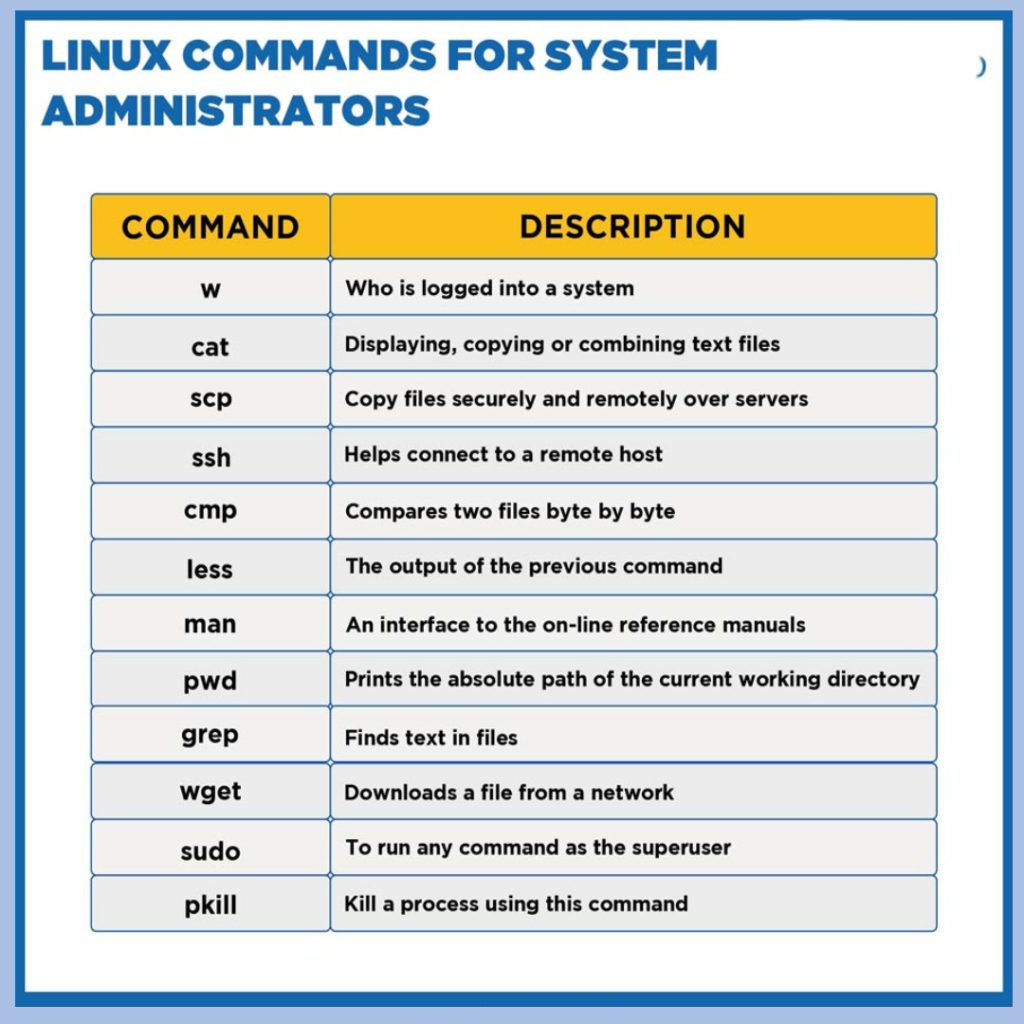
Linux administrators play a crucial role in maintaining and managing Linux-based systems. The command line is their gateway to efficiency and control. we will explore the top 50 Linux commands that every administrator should be well-versed in. These commands cover a wide range of tasks, from system monitoring to security, file management to network administration, empowering administrators to streamline their workflows and ensure the smooth operation of Linux environments.
pwd (Print Working Directory):
- Displays the current working directory, providing a quick reference for administrators navigating the file system.
ls (List):
- Lists files and directories in the current directory, aiding in file management.
cd (Change Directory):
- Navigates through directories, facilitating efficient movement within the file system.
cp (Copy):
- Copies files or directories from one location to another.
mv (Move):
- Moves or renames files and directories.
rm (Remove):
- Deletes files or directories. Caution is advised, as this command is irreversible.
mkdir (Make Directory):
- Creates new directories in the specified location.
rmdir (Remove Directory):
- Deletes empty directories.
chmod (Change Mode):
- Modifies file permissions, specifying who can read, write, or execute a file.
chown (Change Owner):
- Changes the ownership of a file or directory, essential for security and access control.
ps (Process Status):
- Displays information about active processes, aiding in system monitoring.
top:
- Provides a dynamic, real-time view of system processes, CPU usage, and memory utilization.
kill:
- Terminates a running process by sending a signal to its process ID.
df (Disk Free):
- Shows disk space usage, helping administrators manage storage efficiently.
du (Disk Usage):
- Displays the size of directories, assisting in identifying space-consuming files.
free:
- Shows system memory usage and available resources.
uname (Unix Name):
- Displays system information, including the kernel version and machine architecture.
ifconfig (Interface Configuration):
- Configures and displays network interface parameters.
ping:
- Tests network connectivity by sending ICMP echo requests to a specified host.
traceroute:
- Maps the route that packets take to reach a destination, aiding in network troubleshooting.
netstat (Network Statistics):
- Shows network-related information, including active connections and listening ports.
ss (Socket Statistics):
- Provides detailed socket statistics, complementing netstat.
grep (Global Regular Expression Print):
- Searches for a specific pattern in files or command output.
sed (Stream Editor):
- Edits and transforms text streams using regular expressions.
awk:
- A versatile text processing tool for pattern scanning and text extraction.
cat (Concatenate):
- Displays the content of a file or concatenates files.
head and tail:
- Display the first or last few lines of a file, respectively.
nano/vi (Text Editors):
- Basic text editors for creating or editing files directly from the command line.
wget/curl:
- Download files from the internet using command-line tools.
tar (Tape Archive):
- Creates compressed or uncompressed archive files.
gzip:
- Compresses or decompresses files using the gzip algorithm.
find:
- Searches for files and directories based on specified criteria.
locate:
- Finds files by searching a pre-built database of file locations.
ssh (Secure Shell):
- Establishes secure remote connections between systems.
scp (Secure Copy):
- Copies files securely between local and remote systems.
rsync:
- Efficiently synchronizes files and directories between systems.
chmod:
- Changes file permissions for read, write, and execute access.
chroot (Change Root):
- Changes the root directory for a specified command.
history:
- Displays a list of recently executed commands.
date:
- Shows or sets the system date and time.
cal (Calendar):
- Displays a calendar for the specified month or year.
uptime:
- Shows how long the system has been running and current system load.
who:
- Displays information about currently logged-in users.
passwd:
- Allows users to change their login password.
useradd/userdel:
- Adds or deletes user accounts on the system.
groupadd/groupdel:
- Adds or deletes user groups.
crontab:
- Manages scheduled tasks and cron jobs.
journalctl:
- Views and queries messages from the journal, including system logs.
systemctl:
- Controls the systemd system and service manager.
reboot/shutdown:
- Reboots or shuts down the system gracefully.
