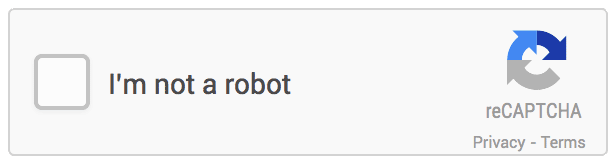
Google reCAPTCHA is a powerful tool that can help protect your Laravel project from spam and abuse. By integrating reCAPTCHA into your project, you can prevent bots from submitting forms and protect your users’ data. In this blog post, we’ll guide you through the steps to implement Google reCAPTCHA in your Laravel project.
Step 1: Create a Google reCAPTCHA Site
The first step is to create a Google reCAPTCHA site. To do this, go to the reCAPTCHA website (https://www.google.com/recaptcha/admin/create) and sign in with your Google account. Then, follow these steps:
- Select reCAPTCHA v3 as the reCAPTCHA type.
- Add a label for your site.
- Enter the domain name of your Laravel project.
- Accept the reCAPTCHA terms of service.
- Click on the “Submit” button.
Once you’ve completed these steps, you’ll be given a site key and a secret key that you’ll use to integrate reCAPTCHA into your Laravel project.
Step 2: Install the Google reCAPTCHA Package in Laravel
Next, you’ll need to install the Google reCAPTCHA package in Laravel. You can do this using Composer, which is the default package manager for Laravel. Open up your terminal and run the following command:
composer require greggilbert/recaptchaThis will install the package into your Laravel project.
Step 3: Add the Site Key and Secret Key to Your .env File
Now that you have the reCAPTCHA package installed, you’ll need to add the site key and secret key to your Laravel project’s .env file. Open up the .env file and add the following lines:
RECAPTCHA_SITE_KEY=your_site_key_here RECAPTCHA_SECRET_KEY=your_secret_key_hereMake sure to replace “your_site_key_here” and “your_secret_key_here” with the site key and secret key that you received from Google.
Step 4: Add the reCAPTCHA Widget to Your Form
Next, you’ll need to add the reCAPTCHA widget to your Laravel form. You can do this by adding the following code to your form:
{{ app(‘captcha’)->display() }}This will display the reCAPTCHA widget on your form.
Step 5: Validate the reCAPTCHA Response
Finally, you’ll need to validate the reCAPTCHA response in your Laravel controller. To do this, add the following code to your controller:
$this->validate($request, [ ‘g-recaptcha-response’ => ‘required|captcha’ ]);This code will validate that the reCAPTCHA response is present and correct. If the validation fails, an error message will be displayed to the user.

[…] Implementation of Google reCAPTCHA […]