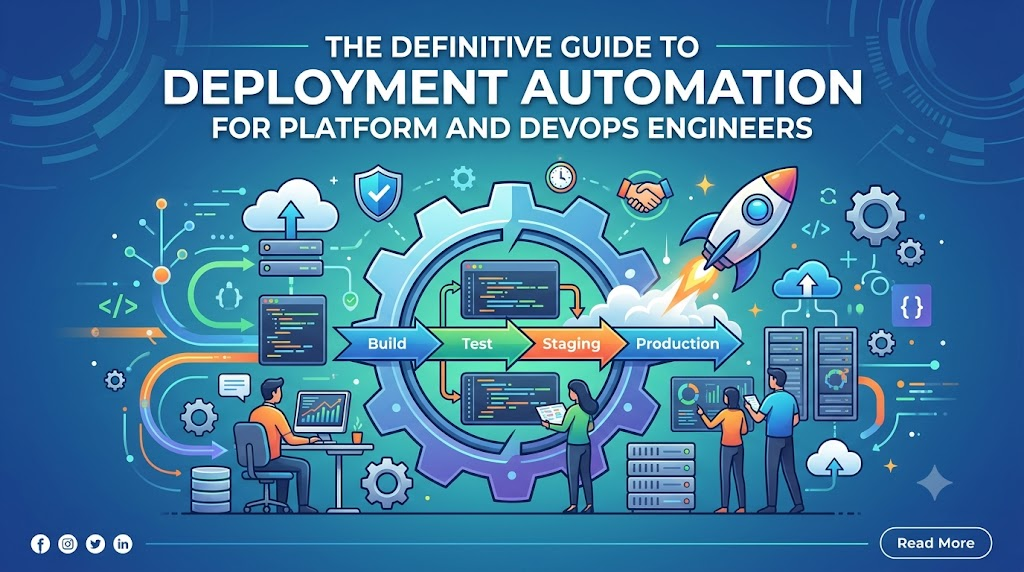
Introduction
The demand for rapid software delivery has never been higher, yet traditional manual deployment processes—characterized by late-night war rooms, long checklists, and high-stress coordination—introduce severe operational risks, human errors, and prolonged system downtime. A single mistyped command or incorrect environment variable can trigger catastrophic production outages, and as infrastructure scales from a few local nodes to thousands of cloud-native microservices, managing updates manually becomes entirely impossible. This is where deployment automation becomes critical; it serves as a foundational pillar of modern DevOps culture by shifting the execution of software releases from human hands to automated, repeatable engines. By establishing predictable, error-free pipelines, organizations can seamlessly transform software updates from high-risk events into routine, non-disruptive workflows, a transition fully supported by educational ecosystems like DevOpsSchool that equip engineering teams with the practical frameworks needed to scale modern software delivery safely.
What Is Deployment Automation?
Deployment automation is the process of using software tools and structured workflows to move code seamlessly from a centralized version control system into various testing, staging, and production environments without human intervention. The primary objective is to eliminate the manual tasks associated with software delivery, ensuring that every software release follows an identical, verifiable path.
In a traditional environment, a deployment engineer performs several disparate tasks: manually stopping application servers, fetching build artifacts, updating configuration values, migrating database schemas, and restarting services. In an automated deployment model, these tasks are encoded into scriptable processes, configuration management manifests, or pipeline definitions. The automated engine handles the orchestration, handling errors and tracking status updates transparently.
The Relationship with DevOps
Deployment automation is not an isolated practice; it is a core pillar of DevOps culture. DevOps emphasizes collaboration, continuous feedback, and automation across the entire software development lifecycle. Automation eliminates friction between development teams (who want to ship code fast) and operations teams (who want to maintain system stability).
When software deployments are completely automated, the human element is redirected toward designing better delivery frameworks, writing automated tests, and improving system architecture. Instead of spending hours managing a single release, engineers focus on building resilient systems that can self-heal, scale dynamically, and update automatically.
Why Manual Deployments Are Challenging
To truly appreciate the value of an automated system, we must examine the fundamental challenges associated with manual deployment methods.
Human Errors
Humans are poorly suited for executing repetitive, highly precise technical tasks over long periods. When an engineer manually copies compiled artifacts, edits configuration files on live servers, or executes complex SQL scripts across multiple databases, the probability of error is high. A single typo in a path name or an accidental omission of a configuration flag can immediately break an application.
Downtime Risks
Manual deployments typically take a long time to complete. Because the steps are performed sequentially by a human operator, application services often need to be taken offline for extended periods. This results in planned downtime windows, which disrupt user experiences and decrease system availability metrics.
Slow Release Cycles
Because manual operations are stressful and prone to failure, organizations tend to delay releases. Features are batched together into massive, quarterly, or bi-annual update packages. These large releases are inherently riskier because they introduce thousands of code changes simultaneously, making troubleshooting extremely complex when something goes wrong.
Inconsistent Environments
One of the most common issues in software operations is environment drift. When configurations are applied manually, staging, testing, and production environments gradually drift apart. An application might work perfectly fine in a staging environment but fail completely in production simply because someone forgot to manually install a specific library dependency or OS patch on the production server.
Rollback Difficulties
If a manual deployment fails mid-way, returning the system to its previous stable state is incredibly difficult. Operators must figure out which files were changed, which database updates were applied, and what configurations were altered. Without an automated, reliable rollback mechanism, fixing a broken production system often involves hours of high-stress debugging while the system remains completely offline.
How Deployment Automation Works
An automated deployment process follows a highly orchestrated, multi-step workflow. Each phase is triggered automatically by specific events, ensuring a smooth flow of code from a developer’s machine to the end user.
[Code Commit] -> [Build Process] -> [Automated Testing] -> [Artifact Creation]
                                                                  |
[Monitoring]  <- [Validation]     <- [Deployment Engine]  <- [Target Env]
1. Code Commit
The workflow begins when a developer pushes a code change, bug fix, or new feature to a centralized repository, such as Git. This push triggers a webhook that notifies the automation server that new code is ready for processing.
2. Build Process
The automation system pulls the latest code and initializes the build phase. During this step, source code is compiled into machine-readable formats. Dependencies are resolved, libraries are downloaded, and asset compilation (like minifying JavaScript or CSS) takes place.
3. Automated Testing
Before code can move forward, it must pass through a strict testing gauntlet. The automation server executes thousands of unit tests, integration tests, and code quality scans. If a single test fails, the entire pipeline stops immediately, and the development team is notified. This prevents buggy code from entering the pipeline.
4. Artifact Creation
Once the tests pass, the compiled application is packaged into an immutable artifact. This could be a Docker container image, a ZIP archive, an RPM package, or a Java JAR file. This artifact is assigned a unique version number and stored in a secure artifact repository.
5. Deployment
The deployment engine picks up the new artifact and targets the designated environment (such as staging or production). It communicates with the destination servers, cloud platforms, or Kubernetes clusters to distribute the artifact, update configurations, and start the new application versions according to defined strategy rules.
6. Validation
After the files are deployed and services are restarted, the automation system runs automated health checks and post-deployment validation tests. It pings application endpoints, verifies database connectivity, and ensures that the core services are running correctly.
7. Monitoring
Once validation passes, the system hands over control to active production monitoring networks. These tools continually track application performance, error rates, and system resource utilization to ensure the new deployment remains stable over time.
Understanding the CI/CD Pipeline
Deployment automation is an integral part of the larger Continuous Integration and Continuous Delivery/Continuous Deployment (CI/CD) ecosystem. While these terms are frequently used interchangeably, they represent distinct phases along the delivery pipeline.
+-------------------------------------------------------------------------+
|                          The CI/CD Pipeline                             |
+-----------------------+------------------------+------------------------+
| Unit Testing          | Integration Testing    | Staging Deployment     |
| Code Compilation      | Environment Matching   | Production Push        |
| Artifact Packaging    | Automated Smoke Tests  | Automated Rollbacks    |
+-----------------------+------------------------+------------------------+
| Continuous Integration|  Continuous Delivery   | Continuous Deployment  |
+-----------------------+------------------------+------------------------+
Continuous Integration (CI)
Continuous Integration focuses on the initial phases of the development cycle. Developers frequently commit code changes to a shared repository. Every commit triggers an automated build and test sequence. The goal of CI is to detect code integration issues early, ensuring that the main codebase remains healthy and functional.
Continuous Delivery (CDelivery)
Continuous Delivery takes over where CI leaves off. It ensures that every build that passes the testing phase is packaged and ready to be deployed to production at any given moment. In a Continuous Delivery model, the deployment to the staging or testing environment might be entirely automated, but the final push to the live production environment requires manual operational approval.
Continuous Deployment (CDeployment)
Continuous Deployment eliminates the final manual gate entirely. Every code change that successfully passes through the CI build, testing phases, and staging validations is automatically deployed directly into the live production environment without human intervention. This represents the highest level of maturity in deployment automation.
Key Components of Deployment Automation
An automated deployment framework relies on several interconnected components working in harmony. The table below outlines these core modules:
| Component | Purpose | Benefit |
| Version Control System | Manages, tracks, and stores code changes over time. | Provides a single source of truth and full change history. |
| Build Automation Server | Compiles code and packages dependencies automatically. | Guarantees consistent, repeatable compilation steps. |
| Automated Testing Suite | Evaluates code behavior, security compliance, and performance. | Catches defects early before they reach users. |
| Artifact Repository | Stores and indexes built packages, container images, and binaries. | Ensures package immutability and version control. |
| Deployment Engine | Orchestrates the delivery of artifacts to target servers. | Removes human execution errors during release tasks. |
| Monitoring Framework | Tracks real-world performance, application logs, and system metrics. | Identifies post-deployment issues instantly. |
| Rollback System | Reverts infrastructure to a prior stable version during failures. | Minimizes system downtime during production incidents. |
Component Deep Dive
Version Control
Tools like Git serve as the trigger mechanism for the entire automation workflow. Code cannot be tracked or deployed accurately if it does not live within a managed repository where every change is audited.
Build Automation
Build engines clear out local development machine inconsistencies. By building code in clean, isolated temporary environments, teams ensure that the application does not rely on hidden local configurations unique to a single developer’s computer.
Testing Suites
Without automated testing, automated deployment is dangerous. High-speed pipelines require fast feedback loops consisting of unit, integration, and security scanning tools to validate application health rapidly.
Artifact Repositories
Artifact systems act as storage lockers for built software packages. Once an artifact is verified and saved, it cannot be edited. If you need to fix a bug, you must build a new artifact version rather than patching an existing package.
Deployment Engines
These tools run the actual update scripts, interface with cloud providers, apply container definitions, update load balancers, and verify that the target environment has transitioned to the desired state.
Monitoring Systems
A successful deployment process does not stop when the files are transferred. Automated monitoring tools check CPU metrics, network traffic, memory footprints, and error logs to confirm the system behaves well under load.
Rollback Architecture
If the monitoring system detects an increase in 500-series HTTP errors or application crashes following a fresh release, the rollback system instantly points the traffic back to the previous stable artifact version.
Deployment Strategies
When updating a live production system, teams must choose a deployment strategy that aligns with their risk tolerance and infrastructure capabilities. The choice of strategy dictates how traffic shifts from the old version (Version A) to the new version (Version B).
Blue-Green:   [Router] -> Switches 100% from [Env Blue (V1)] to [Env Green (V2)]
Canary:       [Router] -> Splits traffic: 95% to [V1], 5% to [V2] (Gradually increases V2)
Rolling:      [Nodes]  -> Updates instances sequentially: [V1, V1, V1] -> [V2, V1, V1] -> [V2, V2, V2]
Blue-Green Deployment
This approach utilizes two identical physical or virtual production environments. One environment (Blue) runs the active production code, while the other (Green) sits idle or serves as a staging area.
When a new version is ready, it is deployed to the Green environment. Full functional testing is carried out on Green. Once verified, the load balancer or network router updates its routing tables to direct 100% of incoming production traffic to Green. If an issue is encountered, the router instantly switches traffic back to Blue, reducing downtime to near zero.
Canary Deployment
A Canary deployment involves introducing the new software version to a very small fraction of the live user base first. For example, 95% of users route to the stable old version, while 5% access the new release.
The operations team monitors the behavior of the 5% canary group closely. If error rates remain flat and performance is optimal, the automation engine gradually scales up the percentage of traffic going to the new version until it handles 100% of production workloads.
Rolling Deployment
In a rolling deployment model, servers or container pods are upgraded sequentially in small batches rather than all at once. For instance, if an application runs across ten instances, the automation engine will take down two instances, upgrade them to the new version, verify their health, and place them back online.
It then repeats this process for the remaining instances until all ten run the new code version. This ensures that the system maintains capacity throughout the update process.
Recreate Deployment
The Recreate strategy is a direct approach where all existing instances of Version A are shut down simultaneously before Version B is started. While this approach guarantees that two conflicting versions of the software never run at the same time (which simplifies database management), it introduces a window of complete service unavailability while the new instances initialize.
Shadow Deployment
Shadow deployments involve running Version B alongside Version A, fork-routing production traffic to both versions simultaneously. The response from Version B is dropped or logged, while only the response from Version A is sent back to the end user. This allows teams to test how the new version handles real-world production loads and data variants without risking any user-facing disruptions.
Strategy Comparison Matrix
| Strategy | Downtime | Risk Level | Best Use Case |
| Blue-Green | Zero | Very Low | Mission-critical monolithic architectures with ample infrastructure budget. |
| Canary | Zero | Low | High-traffic applications, microservices, and user-facing web portals. |
| Rolling | Zero | Medium | Standard cloud-native container workloads with resource constraints. |
| Recreate | Exists | High | Non-production testing environments or legacy apps handling migrations. |
| Shadow | Zero | Low | Critical backend data processors, APIs, and algorithmic engines. |
Infrastructure as Code and Deployment Automation
Modern software deployment cannot be separated from the underlying hardware or cloud architecture it runs on. Historically, infrastructure was built manually by sysadmins clicking through cloud dashboards or racking physical servers. This created environment drift, where target nodes were configured slightly differently.
Infrastructure as Code (IaC) resolves this problem by defining networks, virtual machines, firewalls, load balancers, and storage clusters using descriptive configuration files. By treating infrastructure setup exactly like application source code, teams can fully automate environment provisioning within their deployment pipelines.
+------------------+     +--------------------+     +------------------------+
| IaC Definitions  | --> | Provisioning Engine| --> | Identical Target Envs  |
| (Terraform/Code) |     | (Terraform/Ansible)|     | (Dev, Stage, Prod)    |
+------------------+     +--------------------+     +------------------------+
Configuration Management
Once machines are provisioned, configuration management tools ensure they contain the required packages, directory structures, user access rules, and security policies. The entire ecosystem stays standardized and repeatable.
Core IaC and Automation Tools
Terraform
An open-source declarative tool designed to provision cloud resources across multiple providers (such as AWS, Azure, and Google Cloud Platform). It creates a reproducible state blueprint of the infrastructure ecosystem.
Ansible
An agentless configuration tool that connects to target nodes via SSH or WinRM to install packages, manage configuration files, adjust system parameters, and deploy application binaries reliably.
CloudFormation
An AWS-native declarative service that allows engineers to model and set up Amazon Web Services resources using JSON or YAML template files.
Kubernetes and Automated Deployments
Containerization has transformed how modern engineering teams build and manage applications. Kubernetes stands as the dominant platform for container orchestration, offering native capabilities that simplify the deployment automation process.
+-----------------------------------------------------------------+
|                       Kubernetes Cluster                        |
|                                                                 |
|     +-----------------------------------------------------+     |
|     |                 Deployment Object                   |     |
|     +-----------------------------------------------------+     |
|                                |                                |
|                 +--------------+--------------+                 |
|                 |                             |                 |
|        +-----------------+           +-----------------+        |
|        |   ReplicaSet A  |           |   ReplicaSet B  |        |
|        +-----------------+           +-----------------+        |
|                 |                             |                 |
|         [Pod][Pod][Pod]               [Pod][Pod][Pod]           |
|            Version 1.0                   Version 2.0            |
+-----------------------------------------------------------------+
Key Kubernetes Automation Modules
- Deployment Objects: A Kubernetes Deployment object acts as a declarative declaration file detailing the desired state for application container groups (Pods). The platform handles the transition to that state automatically.
- ReplicaSets: These mechanisms maintain a stable set of identical, running Pod instances at any given moment, scaling resources up or down according to load requirements.
- Rolling Updates: Kubernetes uses rolling updates by default. When an image version changes within a Deployment manifest, Kubernetes starts new Pods, waits for them to pass readiness checks, and slowly terminates the old versions.
- Automated Rollbacks: If new pods continuously fail their internal readiness probes, the Kubernetes controller pauses the rolling progression, allowing operators to trigger an instant rollback to the previous ReplicaSet state.
- Self-Healing Features: If a node hosting container applications goes offline, Kubernetes detects the loss and schedules new container replacements on healthy nodes instantly, maintaining availability without human intervention.
Security in Deployment Automation
Automating software delivery increases speed, but it also creates security risks if not managed properly. Pipelines hold extensive administrative privileges, allowing them to create cloud resources and modify production systems. Securing this pipeline is a core focus of DevSecOps.
[Code Commit] -> [Vulnerability Scan] -> [Secret Inject] -> [Secure Deploy]
Secret Management
Hardcoding database passwords, API keys, or SSL certificates directly into source code repositories is a severe security risk. Modern deployment automation systems integrate with secure secret vaults. The pipeline fetches these sensitive credentials dynamically at runtime, injecting them safely into memory without exposing them to the code logs.
Secure Execution Pipelines
Access controls must restrict who can modify pipeline definition files or trigger production releases. Implementing Multi-Factor Authentication (MFA), role-based permissions, and signed Git commits prevents unauthorized access to production environments.
Automated Vulnerability Scanning
Security tools run scans automatically during the early phases of the deployment process. Static Application Security Testing (SAST) tools analyze source code for vulnerabilities, while Software Composition Analysis (SCA) systems check external libraries for known security bugs before packaging artifacts.
Compliance Checks
For heavily regulated sectors like finance or healthcare, pipelines can execute compliance-as-code scripts. These checks ensure that all storage buckets are private, traffic remains encrypted, and auditing logs are turned on before allowing infrastructure to go live.
Monitoring After Deployment
A software release is not complete just because the deployment tool reports a success status. Real success means the application performs optimally under real-world usage. Post-deployment monitoring gives teams visibility into system behavior right after an update.
[Application Logs] \
[System Metrics]   ---> [Monitoring Engine] ---> [Alerts / Dashboard]
[Network Traffic]  /
Application Metrics
Monitoring tools look for spikes in error rates, HTTP 5xx responses, application crashes, and slow database query times. If error numbers jump right after a deployment, it indicates an issue with the new code version.
Infrastructure Health
Engineers track physical hardware and cluster utilization, looking at CPU spikes, memory leaks, disk storage exhaustion, and network bottlenecks that might be triggered by the new software release.
Log Aggregation and Analysis
Modern microservices generate vast amounts of log data. Centralized log analytical engines aggregate outputs from all application nodes into a single place, allowing developers to search through trace errors easily.
Alerts and Response
Automated alert systems notify on-call engineering teams via chat channels or on-call paging apps the moment post-deployment metrics cross defined safety thresholds. If metrics degrade severely, the deployment pipeline can automatically trigger a rollback to prevent user disruption.
Core Observability Tools
- Prometheus: A time-series database designed to collect and store real-time performance metrics from applications and infrastructure nodes.
- Grafana: A visualization engine that connects to data backends to render real-time tracking dashboards and manage alerting logic.
- ELK Stack (Elasticsearch, Logstash, Kibana): A suite designed to collect, process, index, parse, and visualize unstructured log files from distributed systems.
- Datadog: An enterprise SaaS monitoring platform providing full-stack visibility, tracing, and security observation across cloud architectures.
Real-World Deployment Automation Workflow
To see how these systems fit together, let us trace a real-world, step-by-step workflow for a modern containerized web application.
1. Git Push -> 2. CI Build -> 3. Run Tests -> 4. Image Push -> 5. CD Deploy -> 6. Health Check -> 7. Live Monitor
- Step 1: Code Push: A software engineer finishes working on a new feature branch and merges the code into the main repository branch after passing peer review.
- Step 2: Build Triggers: The Git server sends a webhook notification to the CI/CD pipeline server. The server initializes a clean workspace build container and compiles the source code.
- Step 3: Test Execution: The build engine runs the unit testing suite. Next, security scanners check dependencies for vulnerabilities. If any checks fail, the pipeline halts and alerts the developer.
- Step 4: Artifact Archival: Once all tests pass, the system builds a new Docker container image, tags it with the Git commit hash, and pushes it to a secure container registry.
- Step 5: Staging Updates: The deployment tool updates the staging environment using the new container image version. Automated functional tests run to confirm the system works correctly.
- Step 6: Production Promotion: Following successful staging verification, the system initiates a Canary deployment in production. It replaces 10% of old containers with the new image version.
- Step 7: Automated Health Checks: The deployment engine pings the internal health endpoints of the new containers. It monitors live production error rates for fifteen minutes.
- Step 8: Final Rollout or Reversion: If error rates remain normal, the engine continues replacing the remaining old containers until the upgrade is at 100%. If errors spike, the engine automatically terminates the new containers and routes all traffic back to the older stable version.
Benefits of Deployment Automation
Moving from manual operations to an automated delivery model provides significant benefits across an entire engineering organization.
Faster Software Releases
Automation reduces the time it takes to move code from development to production. What used to take days of planning and manual execution can now be completed in minutes, allowing teams to deliver value to customers much faster.
Significantly Reduced Errors
By replacing manual command execution with repeatable, codified pipelines, teams eliminate the human errors that cause production outages. The exact same deployment process is run in testing, staging, and production environments, ensuring predictable results.
Environment Consistency
Automation platforms enforce consistency across the entire infrastructure footprint. By combining Infrastructure as Code with automated artifact delivery, dev, test, and production systems remain identical, eliminating configuration drift.
Better Resource Scalability
Automated systems adapt quickly to changing usage patterns. Pipelines can provision new compute clusters, spin up additional containers, or scale down idle testing environments automatically based on real-time demands.
Engineering Team Productivity
Engineers no longer have to spend weekends running manual deployment scripts or sitting in late-night release war rooms. Freeing up this time allows development and operations teams to focus on core product features, system performance, and architecture design.
Common Challenges and Solutions
While the benefits of deployment automation are clear, organizations often encounter implementation obstacles along the way. Understanding these challenges helps teams avoid common pitfalls.
Legacy Monolithic Applications
Many older systems were not built with automation in mind. They often feature tightly coupled components, require manual configurations, and have complex database schemas that make automated deployments difficult.
- Solution: Avoid trying to automate the entire legacy system all at once. Break down the release process into smaller steps. Focus on automating the build and packaging phases first, then containerize modules gradually over time.
Pipeline Complexity
As an organization grows, its deployment pipelines can become overly complex, featuring hundreds of nested steps, external integrations, and custom shell scripts that are difficult to maintain.
- Solution: Treat pipeline configurations exactly like application code. Keep pipeline definitions simple, modular, and declarative. Review and refactor deployment scripts regularly to remove redundant steps.
Security and Compliance Governance
In highly regulated sectors, security teams are often hesitant to allow automated pipelines to deploy directly to production without manual sign-offs or formal paper audits.
- Solution: Build security checks directly into the pipeline itself. Automate vulnerability scanning, compliance checks, and audit logging. This provides security teams with verifiable, automated proof of compliance for every release.
Environment Inconsistencies
If development, testing, and production environments utilize different operating systems, database versions, or network topologies, automated releases will fail unexpectedly.
- Solution: Adopt containerization platforms like Docker alongside Infrastructure as Code frameworks. This guarantees that the application runs in an identical software environment regardless of the underlying cloud provider or physical hardware.
Cultural and Team Resistance
Transitioning to an automated deployment model requires a shift in engineering culture. Teams accustomed to manual processes may worry about losing control or fear that automation will cause unexpected production issues.
- Solution: Start with small, low-risk automation projects to build team confidence. Provide comprehensive training through ecosystems like DevOpsSchool to help engineers develop the skills needed to design, maintain, and trust automated pipelines.
Best Practices for Deployment Automation
To build a reliable, secure, and efficient deployment automation system, engineering teams should follow these industry-proven best practices:
- Maintain Immutable Artifacts: Build your application package only once during the early phases of the pipeline. Move this identical artifact through staging and into production without recompiling or repackaging it. Changing code between environments invalidates testing results.
- Decouple Configuration from Code: Store environment-specific variables, database connection strings, and feature flags outside the core application package. Use environment variables or configuration management services to inject these values at runtime.
- Implement Automated Health Probes: Design active readiness and liveness endpoints within your applications. The deployment engine should check these endpoints to verify that a service is fully functional before routing live user traffic to it.
- Enforce Strict Version Control: Every single configuration file, pipeline definition, and infrastructure script must live inside a managed version control repository. Never log directly into a production server to apply manual configuration changes.
- Design Fast Feedback Loops: Keep your build and unit testing phases optimized and fast. If a pipeline takes hours to run, developers will avoid committing code frequently, which slows down the entire development cycle.
- Prioritize Database Migrations: Handle database updates using structured migration scripts that run automatically during the deployment process. Ensure all database changes are backward-compatible so that the application can run smoothly during rolling updates.
Deployment Automation vs. Manual Deployment
To highlight the functional differences between these two methodologies, let us compare their operational characteristics side-by-side:
| Feature | Manual Deployment | Deployment Automation |
| Release Speed | Slow; requires hours or days of planning. | Fast; completed in minutes. |
| Process Reliability | Low; prone to human errors and typos. | High; follows identical, repeatable code steps. |
| Human Error Risk | High; depends on manual operator accuracy. | Minimal; tasks are handled by software engines. |
| Rollback Complexity | High; requires manual troubleshooting. | Low; triggers instant, automated reversions. |
| System Monitoring | Manual; relies on user reports or basic checks. | Automated; uses continuous telemetry systems. |
| Infrastructure Scaling | Difficult; requires manual machine setup. | Seamless; managed via Infrastructure as Code. |
| Team Productivity | Low; drains engineering time and resources. | High; allows engineers to focus on core features. |
Popular Deployment Automation Tools
Building a modern deployment infrastructure requires choosing the right tools for your team’s specific requirements. The market offers several well-established options:
Jenkins
An open-source automation server featuring a vast plugin ecosystem. Jenkins supports building, deploying, and automating projects using code-based pipeline architectures.
GitHub Actions
A native automation platform built directly into the GitHub repository ecosystem. It allows developers to create powerful CI/CD workflows triggered by repository events like pushes, pull requests, or release creation.
GitLab CI/CD
A comprehensive toolset integrated into the GitLab platform. It provides out-of-the-box features for continuous integration, automated testing, security scanning, and multi-environment deployment tracking.
Azure DevOps
A cloud platform from Microsoft providing an end-to-end DevOps toolchain, including Git code hosting, build management, automated testing pipelines, and release tracking frameworks.
Argo CD
A declarative GitOps continuous delivery tool specifically built for Kubernetes. It monitors Git repositories containing cluster definitions and automatically synchronizes the live cluster state with the code configurations.
Spinnaker
An open-source, multi-cloud continuous delivery platform developed by Netflix. It is designed for high-volume enterprise release management across platforms like Kubernetes, AWS EC2, and Google Compute Engine.
Octopus Deploy
An enterprise release management server focusing on complex deployment automation, environment orchestration, configuration management, and runbook handling for both cloud and on-premise targets.
Tool Comparison Summary
| Tool | Purpose | Difficulty | Best For |
| Jenkins | Extensible general automation engine. | Medium to High | Teams needing custom plugin architectures. |
| GitHub Actions | Native repository workflow engine. | Low to Medium | Projects hosted inside GitHub repositories. |
| GitLab CI/CD | Full-scale DevSecOps lifecycle engine. | Low to Medium | Organizations utilizing the GitLab platform ecosystem. |
| Azure DevOps | Enterprise application lifecycle suite. | Medium | Multi-cloud and enterprise Microsoft architectures. |
| Argo CD | Kubernetes GitOps synchronization engine. | Medium | Cloud-native teams running container clusters. |
| Spinnaker | Advanced multi-cloud release framework. | High | Enterprise scale, high-frequency deployment environments. |
| Octopus Deploy | Dedicated release management engine. | Medium | Multi-environment enterprise application delivery. |
Industries Benefiting from Deployment Automation
Automating software delivery provides significant operational benefits across a wide range of industries:
Banking & Finance
Financial institutions operate under strict regulatory requirements and need high system availability. Automated pipelines ensure that security updates, compliance validation, and audit tracking are handled reliably, minimizing the risk of outages during system upgrades.
Healthcare
Healthcare applications handle sensitive patient data and must maintain high reliability. Deployment automation allows teams to roll out updates safely, verify security compliance automatically, and ensure that critical patient systems remain online.
E-Commerce
Online retail platforms experience significant seasonal traffic spikes and require constant feature updates to stay competitive. Automated pipelines allow e-commerce platforms to ship user experience updates continuously and scale infrastructure resources dynamically during major sales events.
SaaS Platforms
Software-as-a-Service providers rely on continuous delivery to push new features, bug fixes, and performance improvements to global user bases. Automation allows SaaS companies to release updates multiple times a day without impacting active users.
Telecom
Telecommunications providers manage complex, distributed network architectures. Automating the delivery of software updates across global edge servers and cloud environments ensures consistent performance and reduces the operational costs of manual system upgrades.
Enterprise IT
Large enterprise IT organizations manage wide arrays of legacy software platforms alongside modern web applications. Automated delivery systems help unify operations, replace manual processes, and accelerate software delivery across diverse business units.
Career Opportunities
The global transition away from manual operations has created a strong demand for skilled professionals who understand how to design, build, and maintain automated deployment systems.
                  +-----------------------------------+
                  |      Enterprise Platform Team     |
                  +-----------------------------------+
                                    |
     +------------------------------+------------------------------+
     |                              |                              |
+------------------------+     +------------------------+     +------------------------+
|    DevOps Engineer     |     |  Site Reliability Eng  |     |   Platform Engineer    |
| Focus: Pipelines & IaC |     | Focus: Uptime & Tuning |     | Focus: Internal Tooling|
+------------------------+     +------------------------+     +------------------------+
Core Professional Roles
- DevOps Engineer: Focuses on bridging the gap between development and operations teams. They design CI/CD pipelines, manage Infrastructure as Code, and maintain release automation systems.
- Release Engineer: Specializes in managing the software release lifecycle. They coordinate complex builds, manage version control strategies, and ensure artifacts flow smoothly through staging into production.
- Platform Engineer: Focuses on building internal developer platforms (IDPs). They design the underlying automated systems and infrastructure tooling that allow developers to self-provision resources and deploy code independently.
- Cloud Engineer: Specializes in designing and managing cloud infrastructure architectures. They configure automated cloud provisioning, optimize network setups, and manage container hosting environments.
- Site Reliability Engineer (SRE): Focuses on application availability, performance, and reliability. They use automation to improve system uptime, manage incident response, and design automated rollback frameworks.
Skill Requirements and Career Growth
To succeed in this field, professionals need a solid foundation in Linux systems administration, version control (Git), containerization (Docker & Kubernetes), Infrastructure as Code (Terraform), and pipeline tools (Jenkins or GitHub Actions).
As companies continue to invest heavily in cloud-native migrations, engineers with expertise in automated delivery systems enjoy excellent career growth opportunities, high industry demand, and competitive compensation packages globally.
Certifications & Learning Paths
Building a career in deployment automation requires a structured approach to learning the underlying technologies and methodologies. The table below outlines key industry certifications that validate these skills:
| Certification | Best For | Skill Level | Focus Area |
| Certified Kubernetes Administrator (CKA) | Kubernetes administrators and platform engineers. | Intermediate | Cluster configuration, pod networking, and cloud-native deployments. |
| AWS DevOps Engineer Professional | Cloud engineers utilizing the AWS platform. | Advanced | Infrastructure automation, provisioning, and cloud CI/CD pipelines. |
| HashiCorp Certified: Terraform Associate | Automation engineers managing Infrastructure as Code. | Beginner to Intermediate | Declarative cloud provisioning and state infrastructure management. |
| Microsoft Certified: DevOps Engineer Expert | Enterprise delivery specialists utilizing Azure. | Advanced | End-to-end application lifecycle management and release orchestration. |
For engineers looking for comprehensive training programs, educational providers like DevOpsSchool offer structured courses covering CI/CD pipelines, container orchestration, configuration management, and Infrastructure as Code frameworks. Combining hands-on project practice with industry certifications helps engineers build the practical skills needed to design and maintain modern automated software delivery systems.
Common Beginner Mistakes: A Checklist
When starting out with deployment automation, beginners frequently encounter common operational missteps. Use this checklist to review and improve your implementation strategy:
- Skipping Automated Testing: Avoid setting up deployment automation pipelines without integrating robust unit and integration testing frameworks. Shipping buggy code faster to production defeats the purpose of automation.
- Ignoring Application Monitoring: Never consider a deployment complete simply because the code transferred successfully. Always integrate active metric dashboards and alerts to monitor post-release system health.
- Neglecting Version Control Standards: Ensure all pipeline scripts, configuration templates, and infrastructure parameters live in version control. Avoid modifying production server settings manually.
- Hardcoding Secret Credentials: Do not leave database passwords, private encryption keys, or API tokens exposed inside repository code files. Use secure runtime secret vaults instead.
- Building Complex, Monolithic Pipelines: Avoid creating massive, unmaintainable deployment configurations filled with nested shell commands. Keep your pipeline workflows clean, modular, and declarative.
- Overlooking Backup and Rollback Rules: Never run a production update pipeline without first configuring a clear, automated rollback strategy to restore service if things go wrong.
Future of Deployment Automation
The landscape of software delivery continues to evolve rapidly. As software architectures become more complex, the tools and methodologies used to deploy code are adapting to meet new challenges.
The Rise of GitOps
GitOps is a modern framework that takes deployment automation to the next level by using Git repositories as the absolute source of truth for infrastructure and application states. Instead of pushing updates to target systems via traditional pipelines, specialized agents running inside Kubernetes clusters pull configuration changes directly from Git, automatically synchronizing the live system state with the repository files.
AI-Assisted Deployments
Artificial Intelligence and Machine Learning are playing an increasing role in modern software delivery. AI-driven deployment engines can analyze historical system metrics, predict potential release failures, optimize canary rollouts automatically, and trigger instant rollbacks without requiring human operators to diagnose logs manually.
Platform Engineering and Developer Self-Service
Platform engineering focuses on reducing cognitive load for development teams by creating internal developer platforms (IDPs). These platforms package complex infrastructure, network configurations, and deployment pipelines into simple, self-service interfaces, allowing developers to deploy code safely and independently while adhering to enterprise standards.
FAQs (15 Questions)
1. What is deployment automation?
Deployment automation is the practice of using software tools and structured pipelines to move code changes automatically from a centralized version control repository into testing, staging, and production environments, eliminating manual execution steps.
2. Why should an organization transition away from manual deployments?
Manual processes are slow, inconsistent, and highly prone to human error. Automation removes operational bottlenecks, reduces system downtime during releases, ensures environment consistency, and allows engineering teams to focus on core product development.
3. What is the difference between Continuous Delivery and Continuous Deployment?
Continuous Delivery ensures that code is automatically built, tested, and ready for release, but requires a manual sign-off before deploying to live production. Continuous Deployment automates the entire process, pushing every passing build directly to production without human intervention.
4. How does a Blue-Green deployment strategy function?
This strategy utilizes two identical production environments (Blue and Green). One environment runs live production traffic while the other receives the new software update. Once testing verifies the update is stable, a load balancer switches user traffic to the upgraded environment instantly.
5. What are Canary deployments?
A Canary deployment involves routing a small percentage of live production traffic (e.g., 5%) to a new software version while the majority of users remain on the older, stable version. If metrics remain healthy, the new version is rolled out to the rest of the infrastructure.
6. What is the role of Infrastructure as Code (IaC) in deployment automation?
IaC allows teams to define servers, networks, load balancers, and security configurations using clear, repeatable text files. This ensures that infrastructure provisioning is fully automated, standardized, and free from configuration drift across environments.
7. Is Kubernetes mandatory for implementing deployment automation?
No. While Kubernetes provides excellent cloud-native container orchestration and built-in rolling update capabilities, deployment automation can be successfully implemented across traditional virtual machines, bare-metal servers, and serverless architectures using tools like Ansible, Jenkins, or GitHub Actions.
8. How do automated rollbacks work?
Automated rollbacks utilize active production monitoring tools. If a new deployment causes application errors or performance degradation that crosses set safety thresholds, the pipeline engine instantly redeploys the previous stable artifact version.
9. What is GitOps?
GitOps is an operational framework where Git repositories serve as the single source of truth for infrastructure and application states. Continuous delivery systems track changes in Git and automatically synchronize the live production environment to match the repository definitions.
10. How can we keep database passwords and API keys secure in automated pipelines?
Never hardcode secrets inside source repositories. Integrate your deployment pipelines with dedicated secret management vaults (such as HashiCorp Vault or AWS Secrets Manager) to securely inject credentials into application memory at runtime.
11. What is environment drift and how does automation resolve it?
Environment drift occurs when manual updates cause testing, staging, and production servers to become configured differently over time. Automation resolves this by using immutable container images and Infrastructure as Code to keep all environments identical.
12. Can legacy monolithic applications be automated?
Yes. While legacy systems present more challenges than modern microservices, teams can automate them by containerizing modules gradually, breaking down delivery steps, and automating the compilation and packaging phases first.
13. Which deployment automation tool is the best option?
There is no single best tool; the right choice depends on your architecture. Teams using GitHub benefit from GitHub Actions, cloud-native Kubernetes teams often prefer Argo CD, and large enterprises with complex multi-cloud setups may choose Octopus Deploy or Spinnaker.
14. What are the core skills needed to become a deployment automation engineer?
Professionals need a solid understanding of version control (Git), Linux administration, container systems (Docker & Kubernetes), Infrastructure as Code (Terraform), and CI/CD workflow tooling (Jenkins, GitLab CI, or GitHub Actions).
15. Is deployment automation difficult for development teams to learn?
Transitioning to automated delivery requires learning new concepts, but the learning curve is manageable with structured guidance. Utilizing training resources like DevOpsSchool provides engineers with the practical, hands-on experience needed to master automated delivery systems.
Final Thoughts
Transitioning to deployment automation is a fundamental milestone in an organization’s engineering journey. Moving away from manual operations removes the stress, human errors, and unpredictable downtime historically associated with software releases. When deployments become consistent, repeatable, and fully automated, they transform from risky operational events into routine, non-disruptive background processes.
However, building a dependable delivery infrastructure requires ongoing commitment. Automation is only as reliable as the testing pipelines, configuration standards, and system monitoring that support it. Teams must continuously refine their code validations, secure their access controls, and ensure their target environments remain standardized using Infrastructure as Code. Focus on small, iterative improvements rather than attempting to automate a complex legacy system overnight. By establishing strong core practices, your team can achieve faster release cycles, improved system stability, and a more productive development ecosystem.
