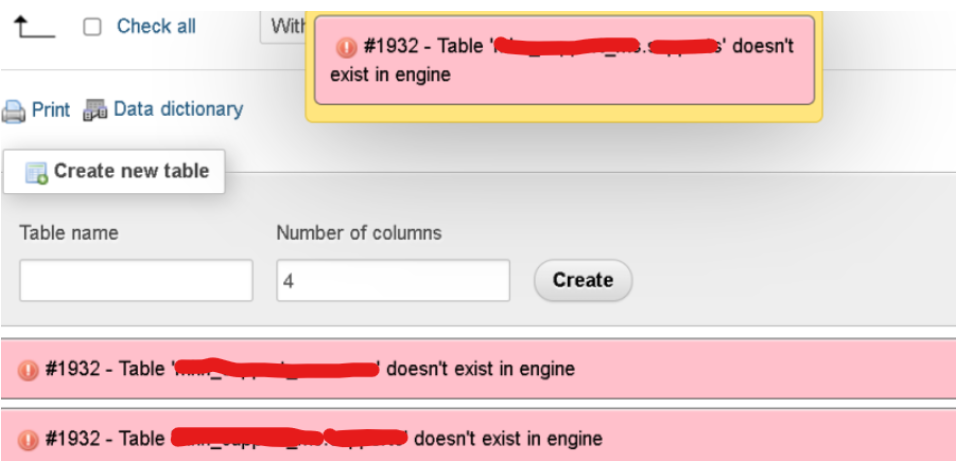
Encountering MySQL error #1932 can be frustrating, especially when it interrupts your database operations. This error typically shows up with the message: “Table doesn’t exist in engine”. While it might seem alarming at first, understanding the causes and knowing how to fix it will help restore normal database function.
What Causes MySQL Error #1932?
This error occurs when the MySQL engine is unable to recognize a specific table, even though it exists in the database. The main reasons include:
- Corrupted Data Files: The data files that MySQL uses to manage tables might become corrupted, causing it to fail in recognizing the table.
- Misconfigured Data Directory: If MySQL is set to look in the wrong directory for table data, it won’t find the tables, leading to this error.
- Incomplete Operations: If a table creation or modification process is interrupted, MySQL may not fully register the table, causing this error.
How to Resolve MySQL Error #1932
Follow these steps to troubleshoot and resolve the error:
Step 1: Check MySQL Configuration File
The first thing to do is review the MySQL configuration file to ensure everything is set up correctly. Locate the configuration file (my.cnf or my.ini, depending on your setup). You can usually find this file in your MySQL installation directory.
Step 2: Verify Data Directory Configuration
Inside the configuration file, search for the innodb_data_file_path parameter. This parameter tells MySQL where to look for the data files. Ensure it points to the correct location of your tables. For example:
innodb_data_file_path = ibdata1:10M:autoextend
If the data path is incorrect, MySQL won’t be able to access the tables.
Step 3: Check Data Files in the Directory
Navigate to the directory specified by the innodb_data_file_path parameter. You’ll need to check for critical data files like ibdata1. If these files are missing or corrupted, MySQL won’t function properly. Common file path examples include:
- On Windows:
C:/xampp/mysql/data/ - On Linux:
/var/lib/mysql/
Step 4: Restore Missing Data Files
If you find that the necessary files are missing, you’ll need to restore them from a backup. If you have a backup directory, copy the missing files (like ibdata1) back to the appropriate location.
For example, copy from:
C:/xampp/mysql/backup/ibdata1To:
C:/xampp/mysql/data/Step 5: Restart MySQL Server
After verifying or restoring the data files, restart the MySQL server to apply the changes. You can do this using the MySQL control panel or via the terminal:
- On Linux:
sudo service mysql restartOn Windows (via XAMPP control panel): Stop and Start the MySQL service.

it still cannot :\